
- Age rating4+
- CategoryGraphics & Design
- DeveloperYasuo Fukushima
- LanguagesEnglish+ 6 more
- Size3.3 MB
Links to the official App Store page
Download.org hosts no file of Tracing: Drawing Practice. The button opens its official App Store page, published by Yasuo Fukushima. Listing last checked on Nov 18, 2026.
Screenshots



About
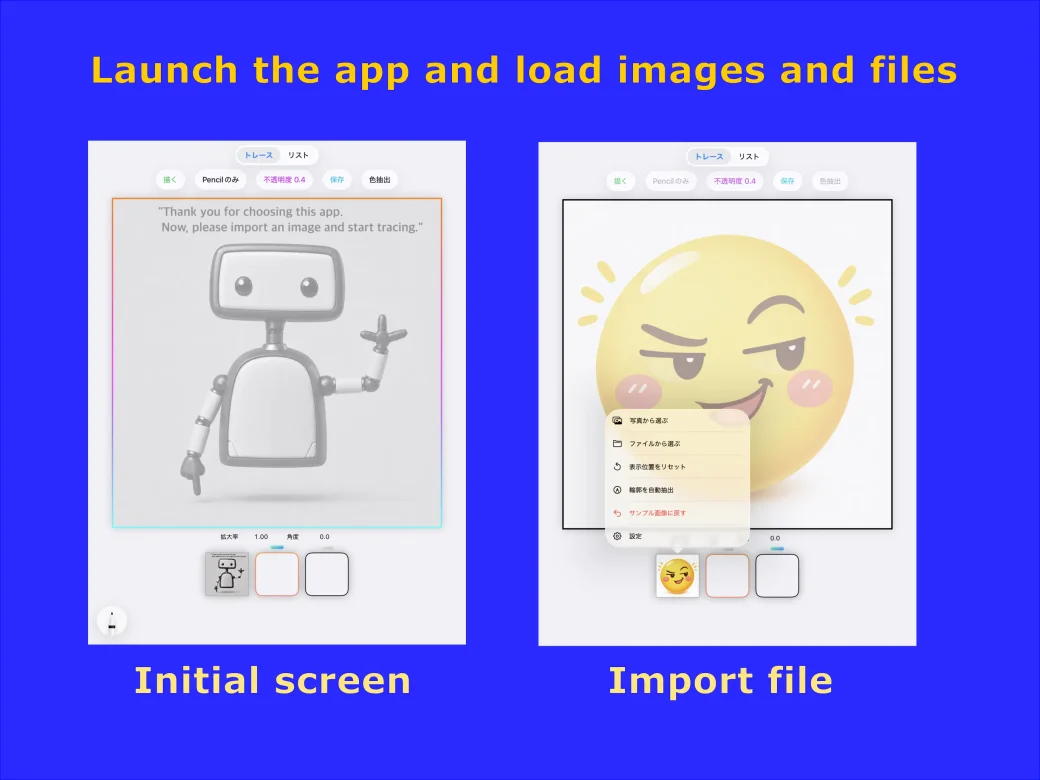
Trace is a simple drawing app that lets you import photos, images, and files as references, then trace and paint over them.
One of Trace’s key features is its three-layer structure: the Reference Layer, Trace Layer, and Paint Layer.
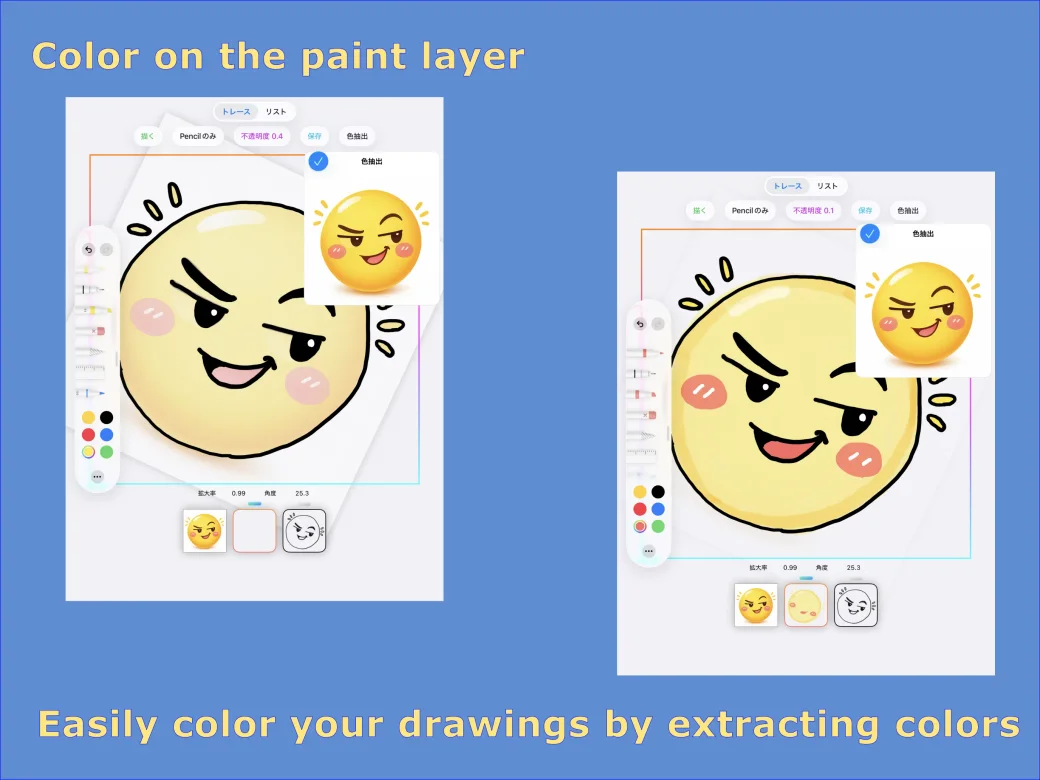
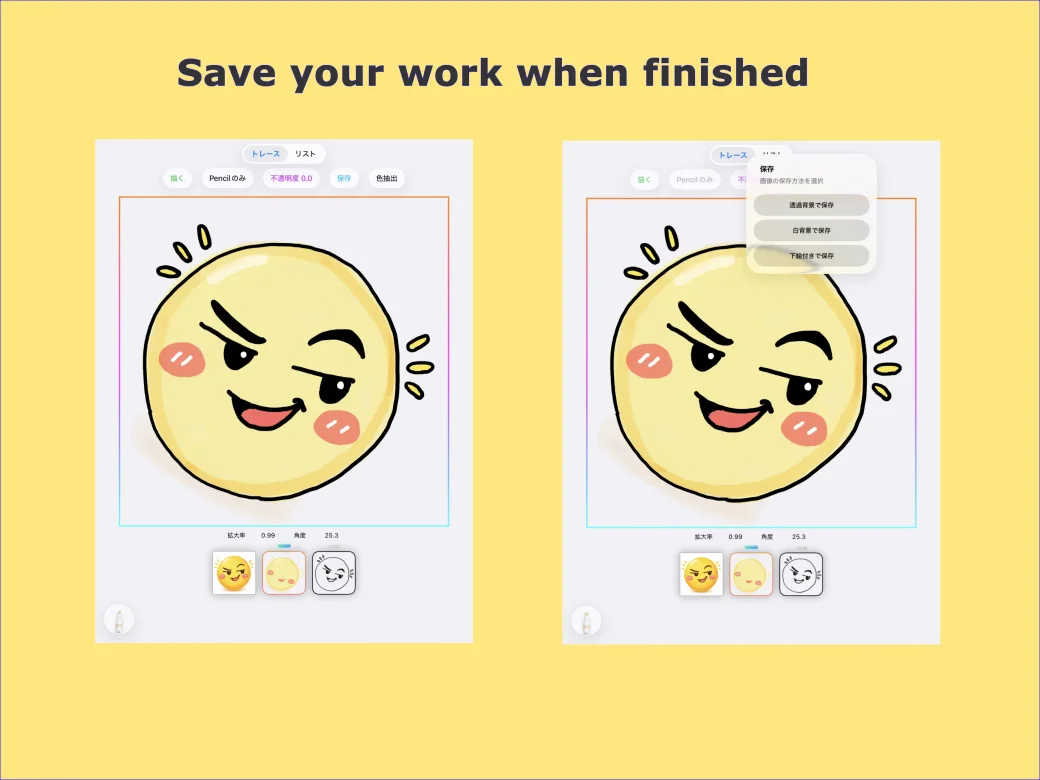
You can trace outlines while viewing your reference image, then add color on the Paint Layer to complete your artwork. By separating each step into its own layer, Trace makes the drawing process simple and easy to manage.
The Reference Layer supports zooming, scaling, and rotation, giving you the freedom to adjust the size and angle of your reference image to match your composition.
In addition to importing images from your photo library, Trace also supports importing image files, allowing you to use a wide variety of reference materials.
Key Features
* Reference Layer
Display a photo or image as your drawing reference.
Zoom, resize, and rotate it freely to match the size and angle you want.
* Trace Layer
Trace outlines and shapes while viewing the reference image underneath.
* Paint Layer
Add color while using your traced lines as a guide to complete your artwork.
* Import from Photos
Use images stored in your photo library as references.
* Import from Files
Import image files in addition to photos, giving you more flexibility when choosing reference materials.
* Flexible Reference Adjustment
Freely adjust the size and angle of your reference image to suit your composition and tracing needs.
* Simple and Intuitive Controls
Designed to keep unnecessary complexity to a minimum so you can focus on tracing, drawing, and painting.
Trace can be used for drawing practice, illustration, sketching, design studies, and many other creative purposes.
“Place your reference.”
“Trace the lines.”
“Add color.”
By separating these three steps into layers, Trace provides a smooth and intuitive workflow from tracing to painting.
Turn your favorite photos and images into your own artwork with Trace.
What’s new
Version 3.5 · Nov 6, 2026
• Minor bug fixes.
• Improved relationship between layer order and rendering.
• Easier color extraction from images for seamless painting.
• Improved drawing stability.
App privacy
What Yasuo Fukushima declares on the App Store about how this app handles data.
-
Data not collected
The developer does not collect any data from this app.
Privacy practices may vary, for example with the features you use or your age.
Information
- Seller
- Yasuo Fukushima
- Category
- Graphics & Design
- Version
- 3.5
- Updated
- Nov 6, 2026
- Released
- May 3, 2020
- Size
- 3.3 MB
- Requires
- iOS 26.6 or later
- Age rating
- 4+
- Price
- $0.99
- Languages
- English, French, Italian, Japanese, Korean, Simplified Chinese, Traditional Chinese
- Copyright
- © 2020 FukushimaYasuo
You might also like
-
 Animator PlusDraw, Paint & Animate Frames
-
 Video Figure: Gesture DrawingExtract video frames and draw.
-
 Holo.Draw: Sketch On ScreenDraw on PC from Mobile
-
 Round CornerRound Corner Photos Easily
-
 Rotation - Visual EffectCreate mesmerizing visual
-
 Simple Trace ProFor illustration beginners
-
 Emerge - Draw and revealDraw with living forms
-
 MahoujinEx MobileMagic Circle Generator
-
 9VAeProLet's make a web animation
-
 Trace DrawGraphics & Design