
- Clasificación por edad4+
- CategoríaDiseño gráfico
- DesarrolladorYasuo Fukushima
- IdiomasInglés+ 6 más
- Tamaño3,3 MB
Enlaza a la página oficial de App Store
Download.org no aloja ningún archivo de Tracing: Drawing Practice. El botón abre la página de la aplicación en App Store, donde la publica Yasuo Fukushima. Ficha comprobada por última vez el 18/11/2026.
Capturas de pantalla



Acerca de
El desarrollador no ha proporcionado este texto en tu idioma.
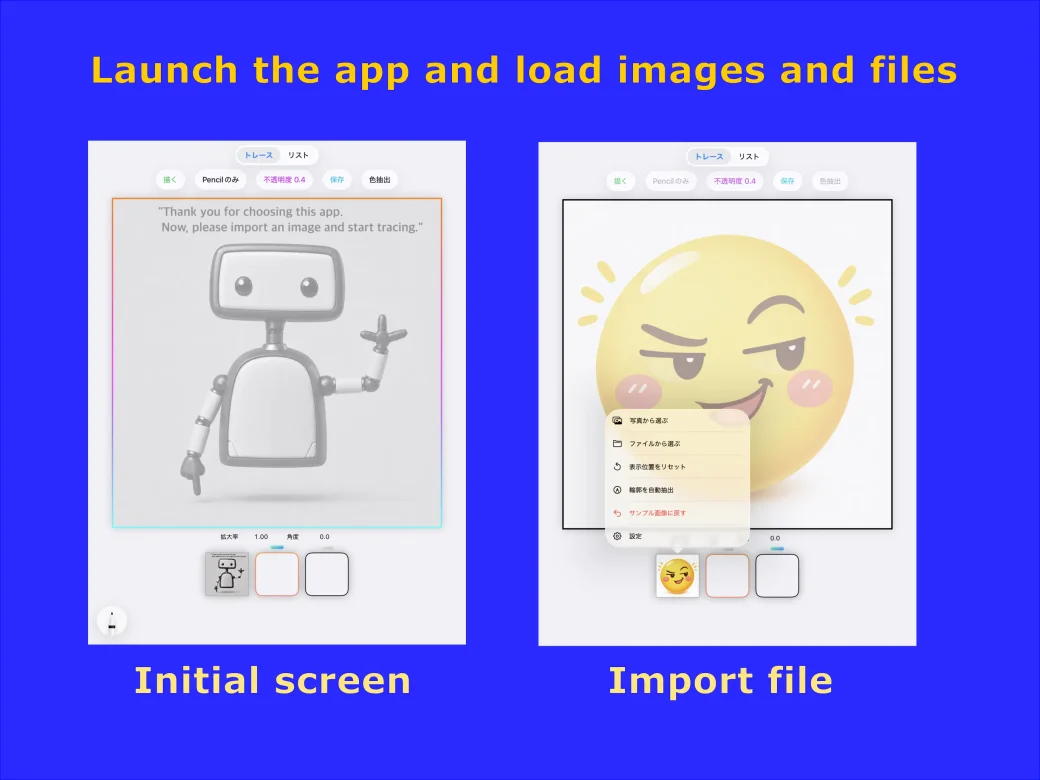
Trace is a simple drawing app that lets you import photos, images, and files as references, then trace and paint over them.
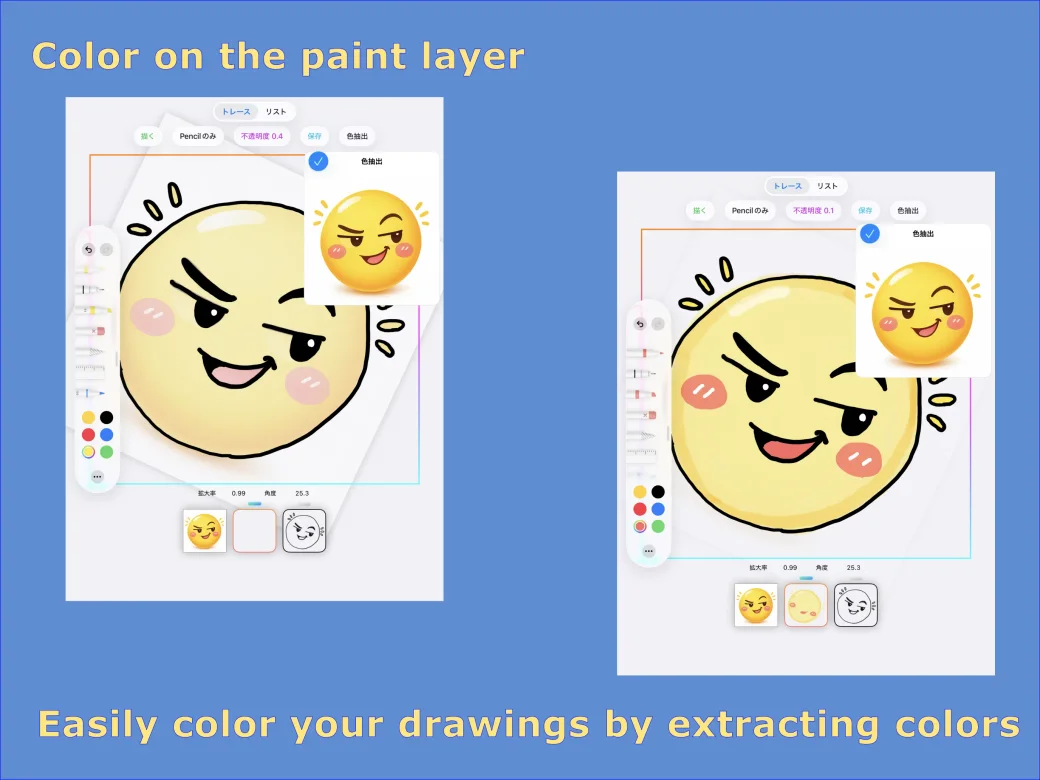
One of Trace’s key features is its three-layer structure: the Reference Layer, Trace Layer, and Paint Layer.
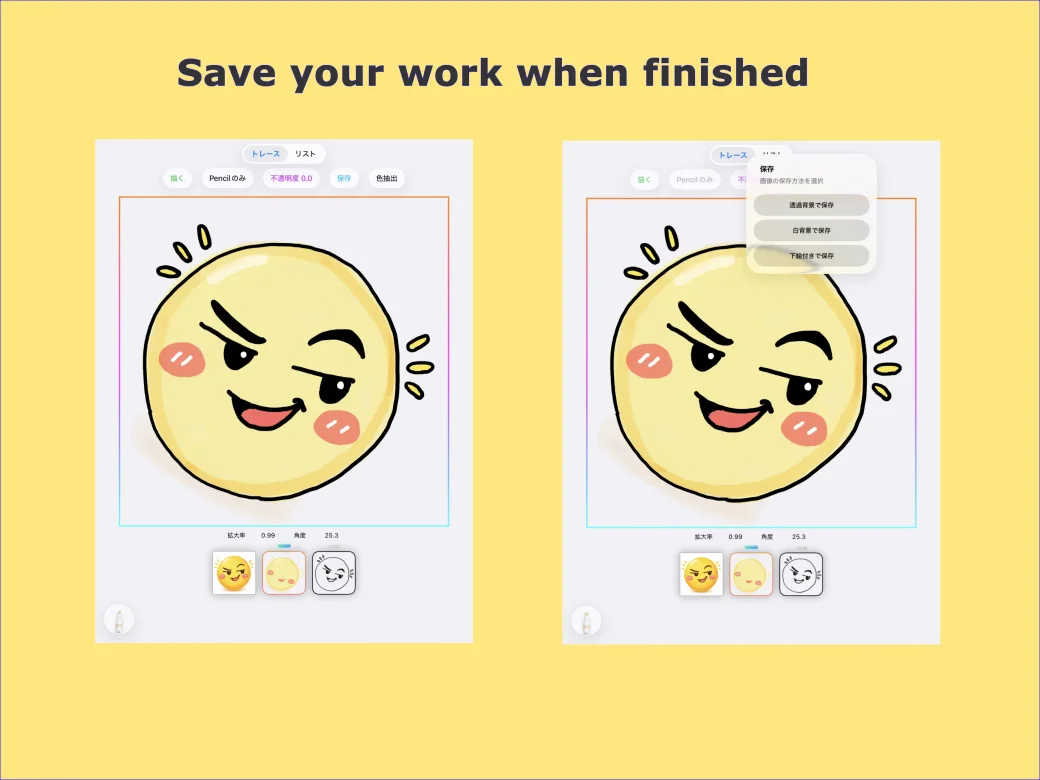
You can trace outlines while viewing your reference image, then add color on the Paint Layer to complete your artwork. By separating each step into its own layer, Trace makes the drawing process simple and easy to manage.
The Reference Layer supports zooming, scaling, and rotation, giving you the freedom to adjust the size and angle of your reference image to match your composition.
In addition to importing images from your photo library, Trace also supports importing image files, allowing you to use a wide variety of reference materials.
Key Features
* Reference Layer
Display a photo or image as your drawing reference.
Zoom, resize, and rotate it freely to match the size and angle you want.
* Trace Layer
Trace outlines and shapes while viewing the reference image underneath.
* Paint Layer
Add color while using your traced lines as a guide to complete your artwork.
* Import from Photos
Use images stored in your photo library as references.
* Import from Files
Import image files in addition to photos, giving you more flexibility when choosing reference materials.
* Flexible Reference Adjustment
Freely adjust the size and angle of your reference image to suit your composition and tracing needs.
* Simple and Intuitive Controls
Designed to keep unnecessary complexity to a minimum so you can focus on tracing, drawing, and painting.
Trace can be used for drawing practice, illustration, sketching, design studies, and many other creative purposes.
“Place your reference.”
“Trace the lines.”
“Add color.”
By separating these three steps into layers, Trace provides a smooth and intuitive workflow from tracing to painting.
Turn your favorite photos and images into your own artwork with Trace.
Novedades
Versión 3.5 · 6/11/2026
• Minor bug fixes.
• Improved relationship between layer order and rendering.
• Easier color extraction from images for seamless painting.
• Improved drawing stability.
Privacidad de la aplicación
Lo que Yasuo Fukushima declara en App Store sobre cómo esta aplicación gestiona los datos.
-
No se recopilan datos
El desarrollador no recopila ningún dato de esta aplicación.
Las prácticas de privacidad pueden variar, por ejemplo, según las funciones que uses o tu edad.
Información
- Vendedor
- Yasuo Fukushima
- Categoría
- Diseño gráfico
- Versión
- 3.5
- Actualizado
- 6/11/2026
- Publicado
- 3/5/2020
- Tamaño
- 3,3 MB
- Requiere
- iOS 26.6 o posterior
- Clasificación por edad
- 4+
- Precio
- 0,99 €
- Idiomas
- Inglés, Francés, Italiano, Japonés, Coreano, Chino simplificado, Chino tradicional
- Copyright
- © 2020 FukushimaYasuo
Quizá también te guste
-
 Animator PlusDibujo, Pintura & Animación
-
 Video Figure: Gesture DrawingDiseño gráfico
-
 Holo.Draw: Dibuja en PantallaDibuja en PC desde Móvil
-
 Round CornerDiseño gráfico
-
 Rotación - EfectoCrea visuales fascinantes
-
 Simple Trace ProDiseño gráfico
-
 Emerge - Draw and revealDiseño gráfico
-
 MahoujinEx MobileDiseño gráfico
-
 9VAeProDiseño gráfico
-
 Trace DrawDiseño gráfico