
Verify Calculator
Receipt display calculator.
Dirancang untuk iPhone, iPod touch
Gratis · Pembelian dalam aplikasi
- Batasan usia17+
- KategoriProduktivitas
- Pengembanghiroshi mizuno
- BahasaInggris+ 1 lainnya
- Ukuran15,2 MB
Tertaut ke halaman resmi App Store
Download.org tidak menyimpan file Verify Calculator apa pun. Tombol ini membuka halaman aplikasi di App Store, tempat hiroshi mizuno menerbitkannya. Halaman terakhir diperiksa pada 16/11/2026.
Tangkapan layar

Tentang
Pengembang belum menyediakan teks ini dalam bahasa Anda.
Recommended for accountants and finance professionals!
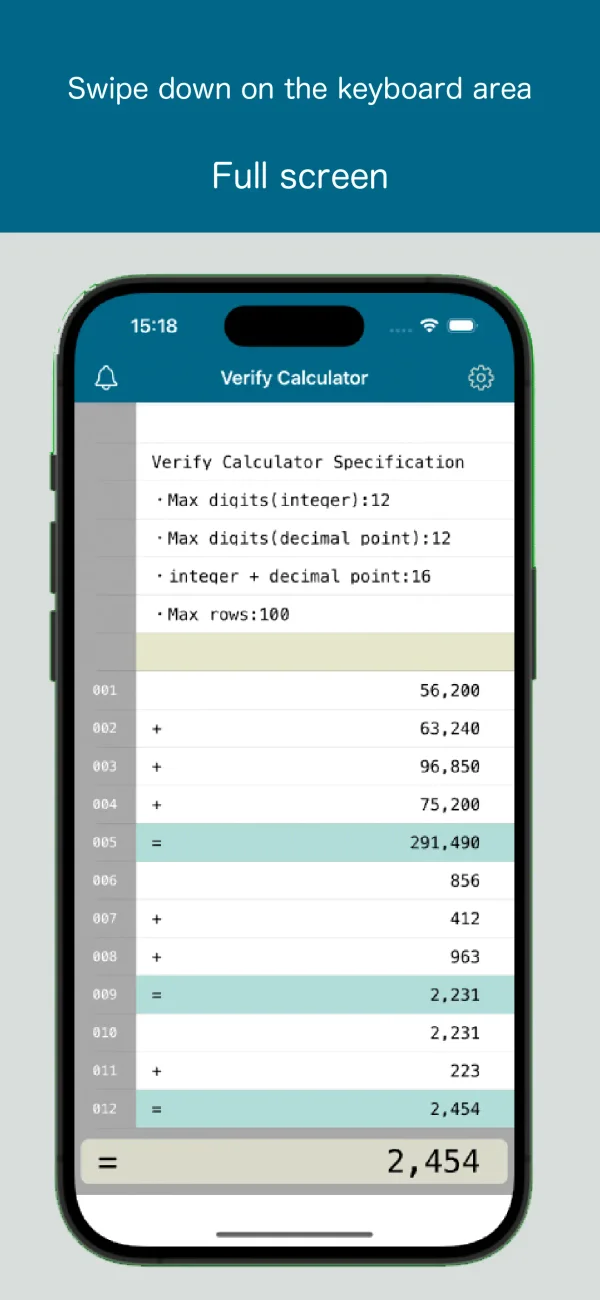
Verify Calculator is a perfect tool for checking the accuracy of invoice and receipt calculations, resembling a printed receipt.
It is ideal for expense calculations.
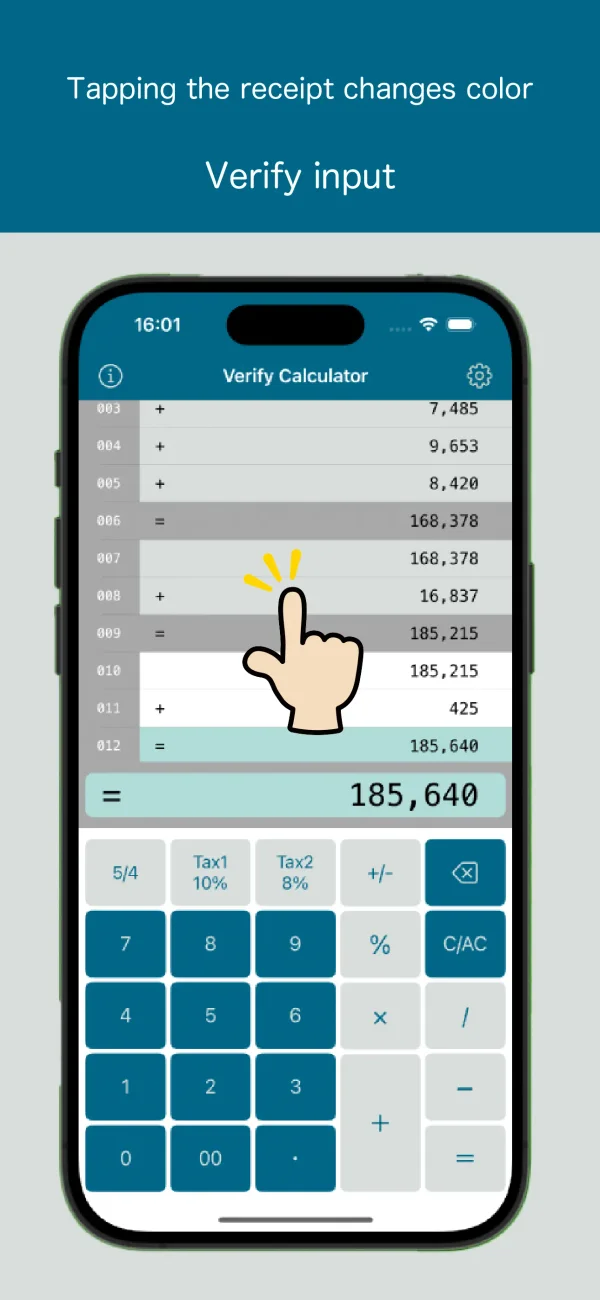
By tapping on the receipt section, the color changes, making it easy to verify the entered values.
To facilitate verification, you can swipe down the keyboard section to hide it, allowing the receipt section to be displayed more extensively.
Swiping up on the calculation result section will display the keyboard again.
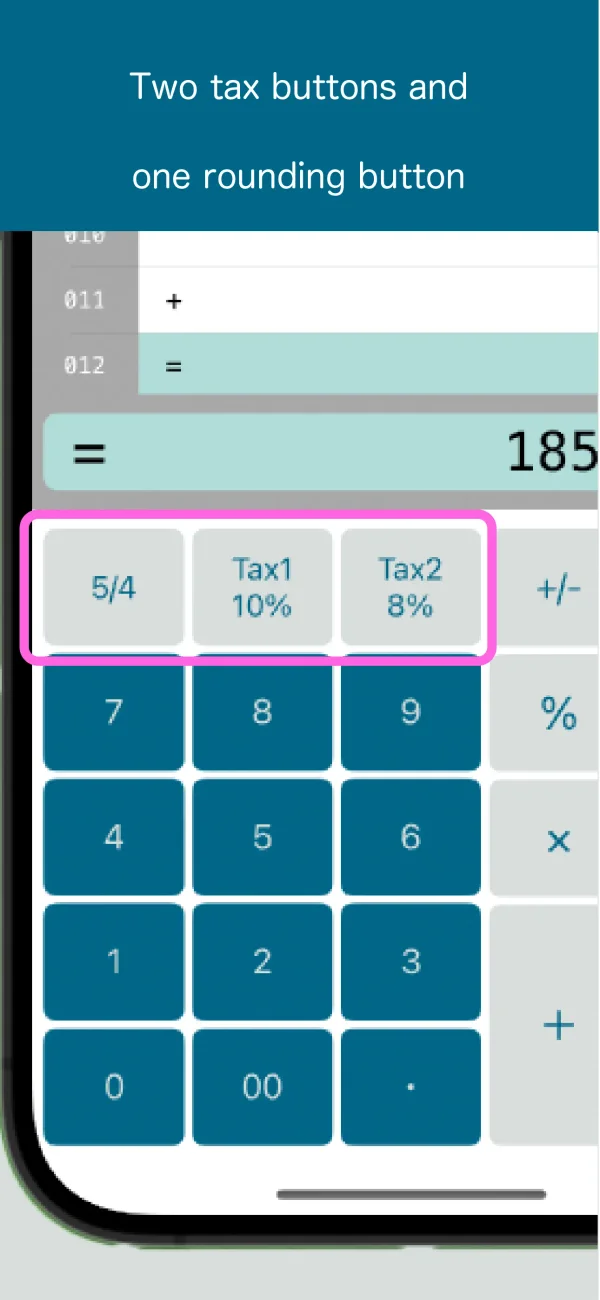
With two tax buttons, you can assign both 10% and 8% rates.
There is also a rounding button that enables single-tap handling of decimal places.
Features
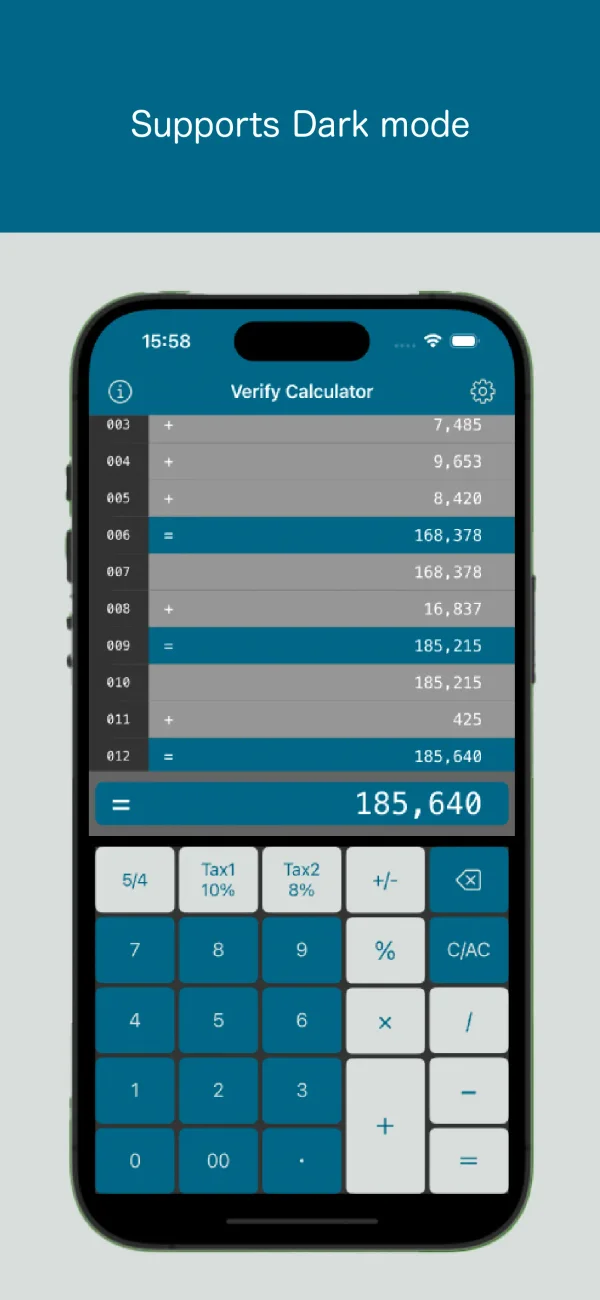
1.Calculation results are displayed in a list like a receipt.
2.Two consumption tax buttons for easy calculation.
3.One-click rounding calculation button.
4.Export calculation history in text format.
5.Tap the receipt section to change its color for verification.
6.Swipe down the keyboard to expand the receipt section.
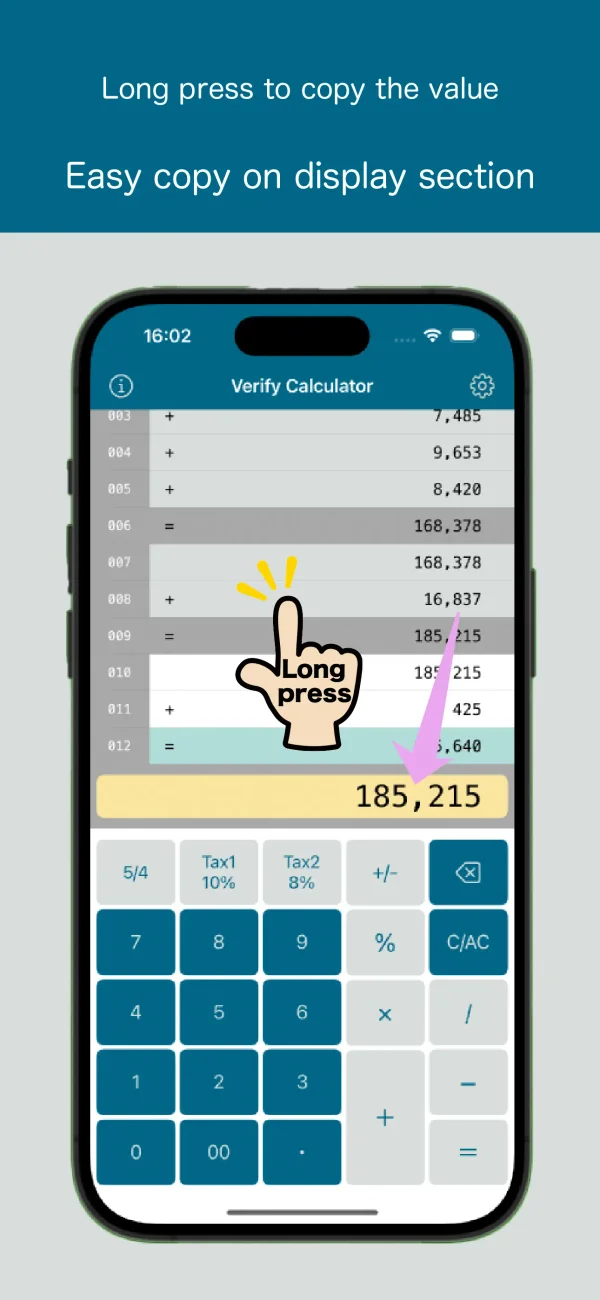
7.Long press the receipt section to copy it to the display section.
8.Long press the calculation result to copy the value to the clipboard.
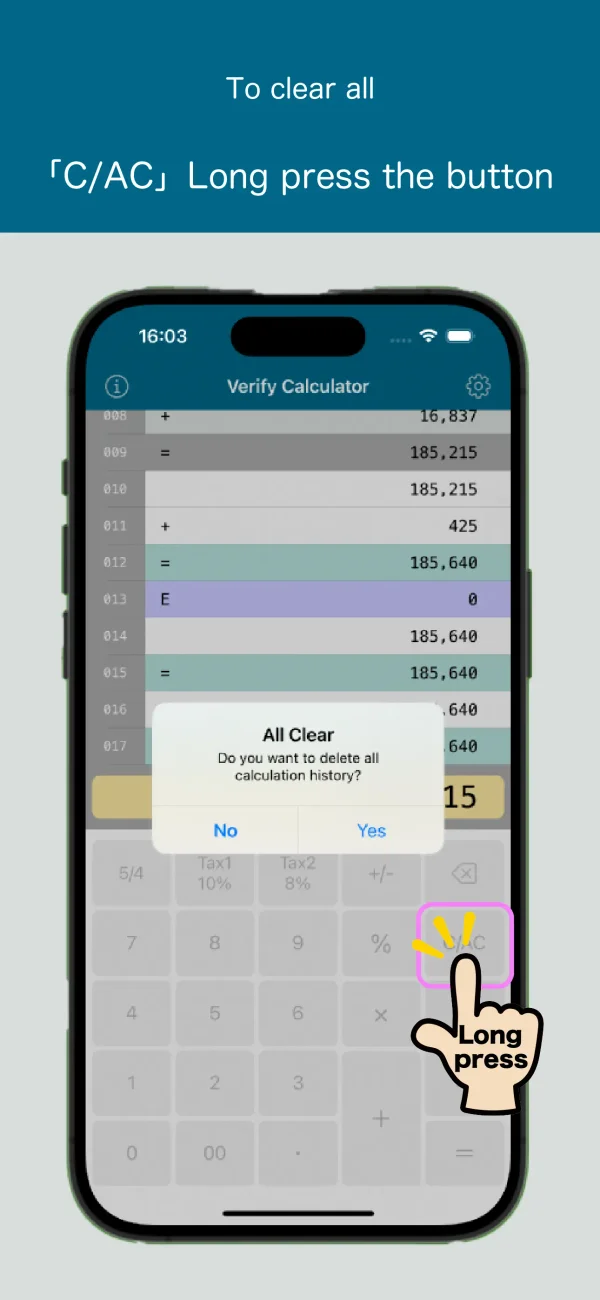
9.Long press the "C/AC" button to clear all calculations in the receipt section.
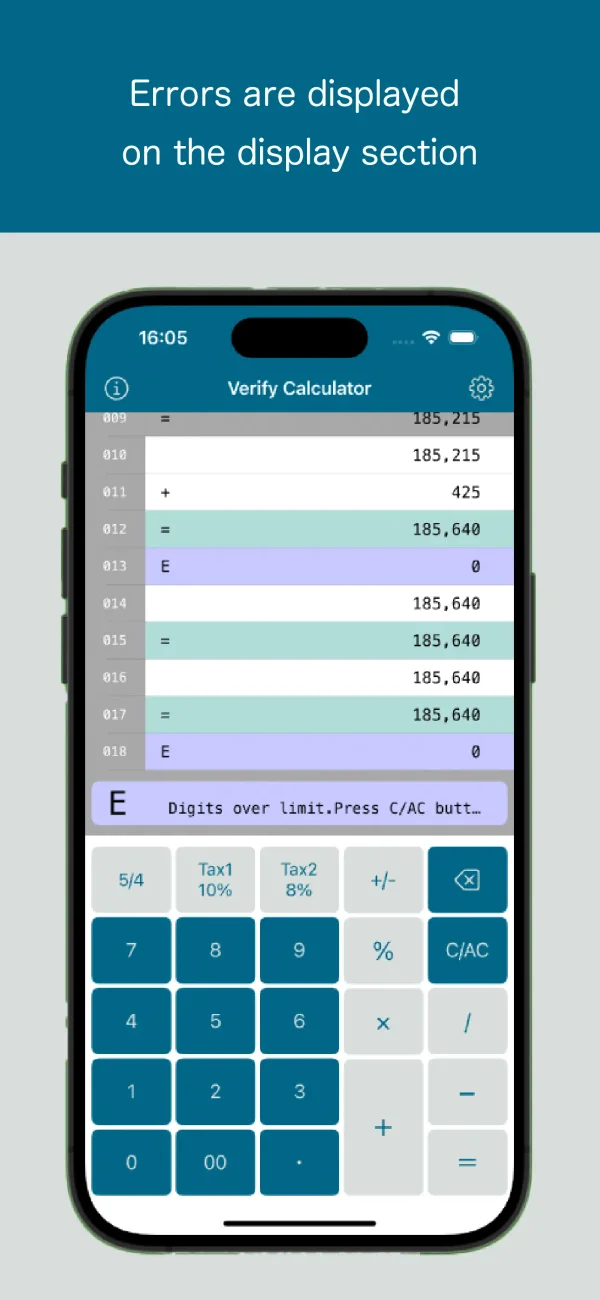
10.Various errors are displayed in the display section.
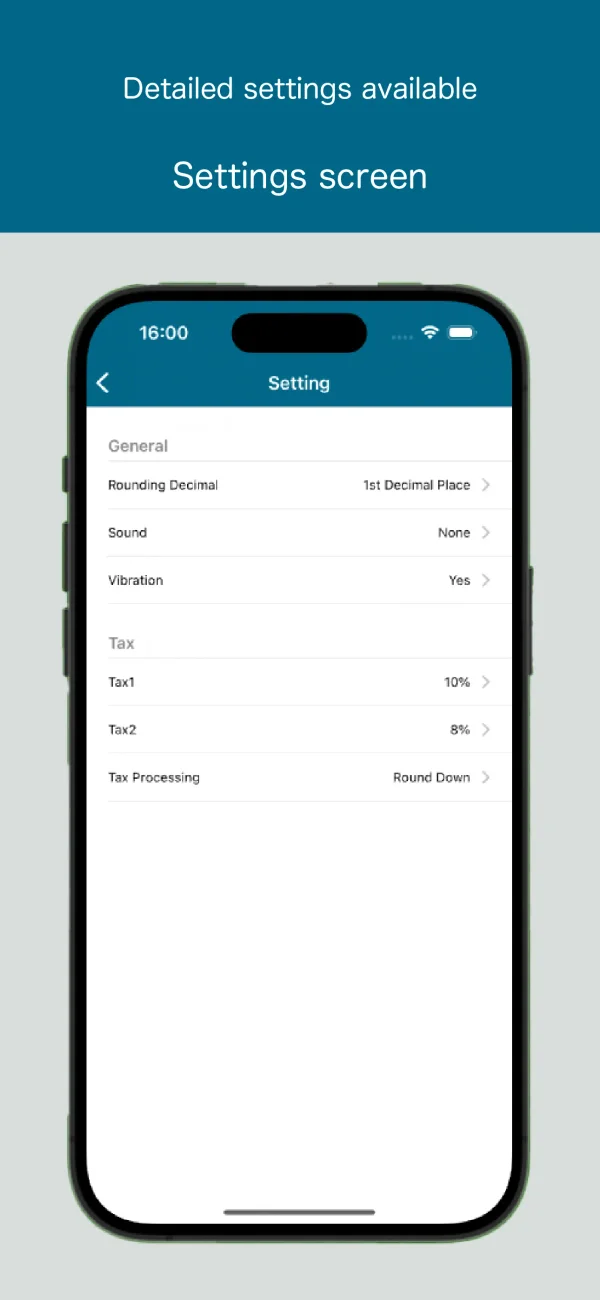
11.Tax rate can be changed.
12.Choose from truncation, rounding up, or rounding down for tax-included calculations.
13.Supports dark mode.
14.Maximum of 100 rows.
Advertisements
You can use it for free, but advertisements will be displayed.
Disclaimer
This calculator application Verify Calculator is provided for general calculation purposes.
We do not guarantee the accuracy or completeness of the calculation results in this application.
We are not responsible for any actions or decisions made based on the calculation results.
Yang baru
Versi 1.4.0 · 31/10/2026
Updated to version 1.4.0!
Now compatible with iOS 27.2
Privasi aplikasi
Yang dinyatakan hiroshi mizuno di App Store tentang cara aplikasi ini menangani data.
-
Data yang digunakan untuk melacak Anda
Dapat digunakan untuk melacak Anda di aplikasi dan situs web milik perusahaan lain.
- Data penggunaan
-
Data yang tidak ditautkan dengan Anda
Dapat dikumpulkan, tetapi tidak ditautkan dengan identitas Anda.
- Data penggunaan
Praktik privasi dapat bervariasi, misalnya berdasarkan fitur yang Anda gunakan atau usia Anda.
Informasi
- Penjual
- hiroshi mizuno
- Kategori
- Produktivitas
- Versi
- 1.4.0
- Diperbarui
- 31/10/2026
- Dirilis
- 31/5/2024
- Ukuran
- 15,2 MB
- Memerlukan
- iOS 15.4 atau yang lebih baru
- Batasan usia
- 17+
- Harga
- Gratis
- Pembelian dalam aplikasi
- Ya
- Bahasa
- Inggris, Jepang
- Hak cipta
- © 2024 Hiroshi Mizuno
Mungkin Anda juga suka
-
 Calculator 2taxProduktivitas
-
 Tax & Receipt CalculatorProduktivitas
-
 NilnocCalcProduktivitas
-
 Bright CalcProduktivitas
-
 FastCalc liteProduktivitas
-
 CalcuTotalProduktivitas
-
 Textミキサー パパッと文書作成Produktivitas
-
 Notification TodoProduktivitas
-
 Easy Memo & Picture App CAPMOProduktivitas
-
 List Calc - Shopping & BudgetProduktivitas