
Virtual Steering Controller
Turn Phone Into PC Controller
Dirancang untuk iPhone, iPad, iPod touch
Gratis · Pembelian dalam aplikasi
- Batasan usia4+
- KategoriKegunaan
- PengembangAgastya Raj C
- BahasaInggris
- Ukuran107,8 MB
Tertaut ke halaman resmi App Store
Download.org tidak menyimpan file Virtual Steering Controller apa pun. Tombol ini membuka halaman aplikasi di App Store, tempat Agastya Raj C menerbitkannya. Halaman terakhir diperiksa pada 20/11/2026.
Tangkapan layar
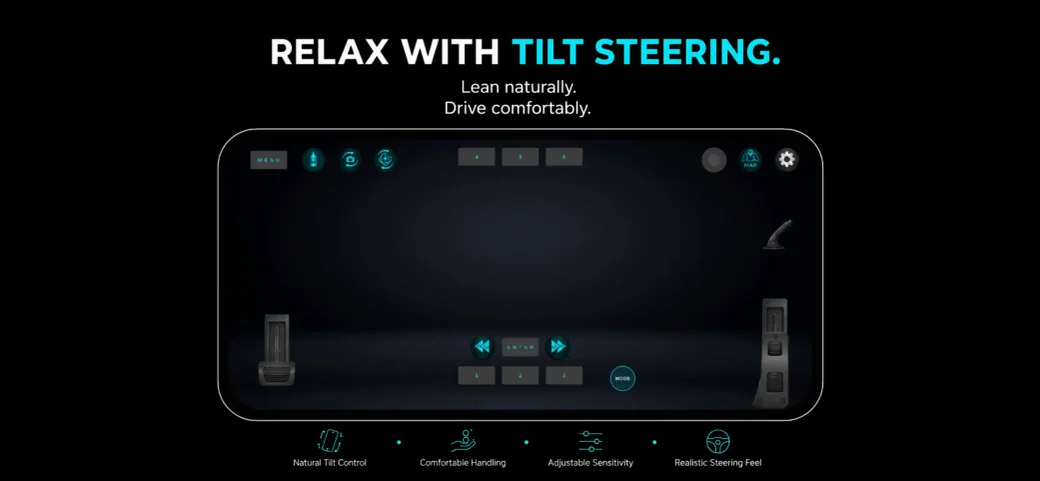
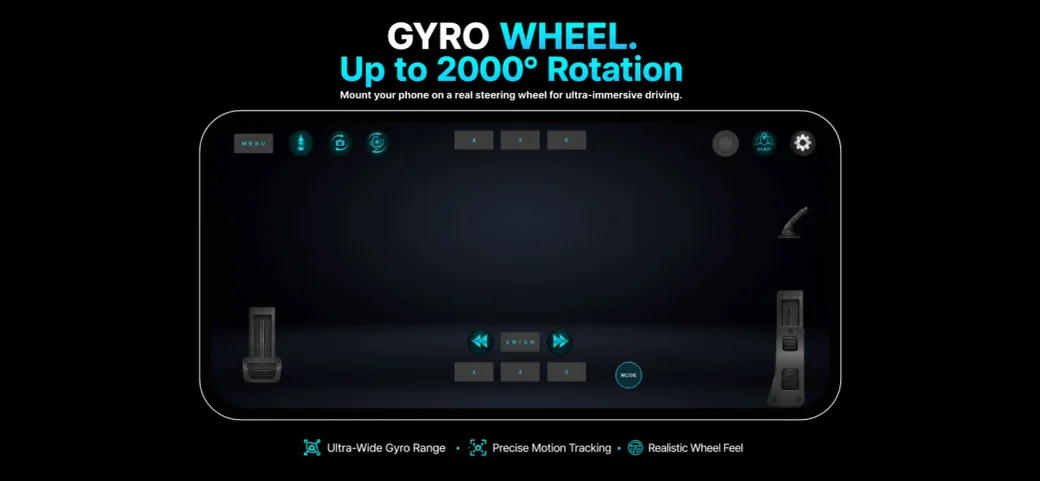


Tentang
Pengembang belum menyediakan teks ini dalam bahasa Anda.
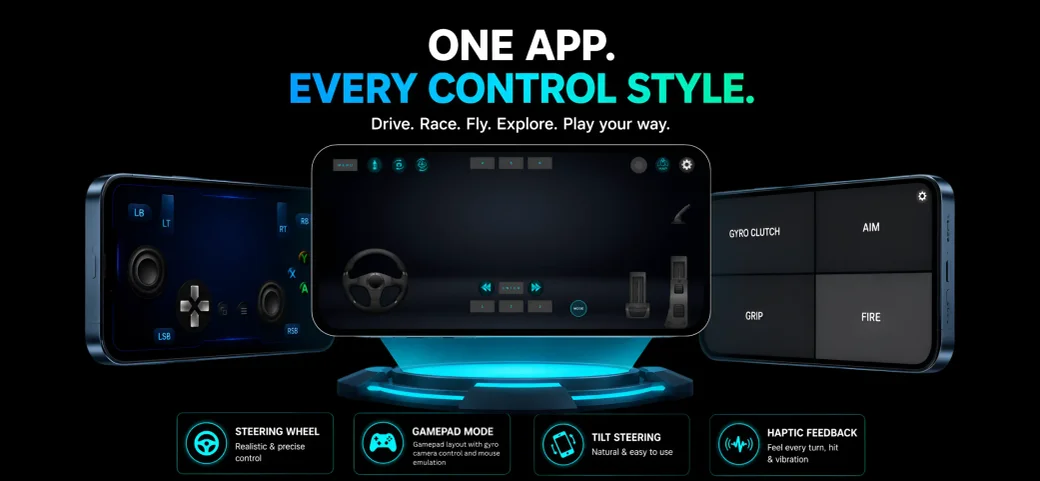
Virtual Steering Controller transforms your iPhone or iPad into a customizable controller for PC games over your local WiFi network.
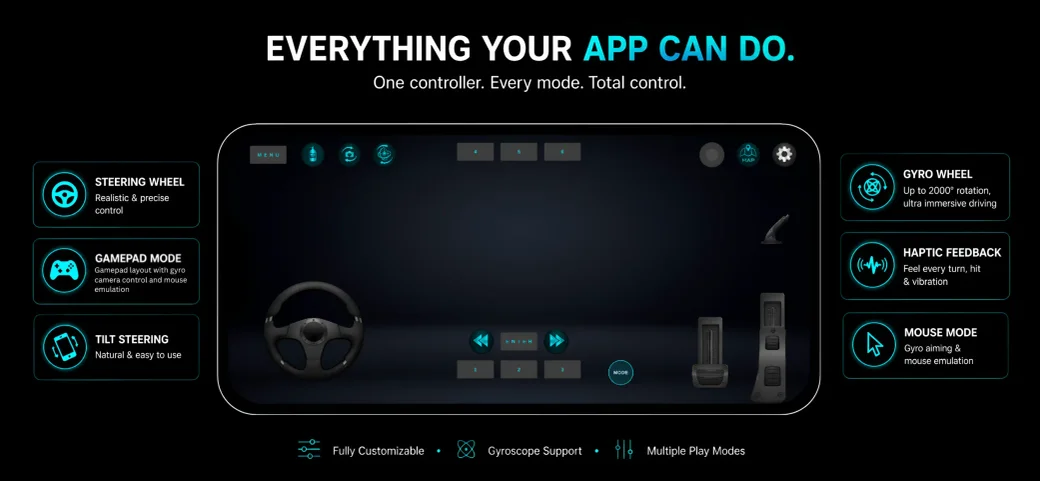
Choose the control style that best suits your game, including steering wheel controls, tilt steering, high-range gyro steering, gamepad controls, and mouse-based aiming. Customize layouts, adjust sensitivity, and create a control setup that works for your play style.
Download the required PC receiver software from:
https://vsteer.pages.dev
Key Features
• Multiple control modes
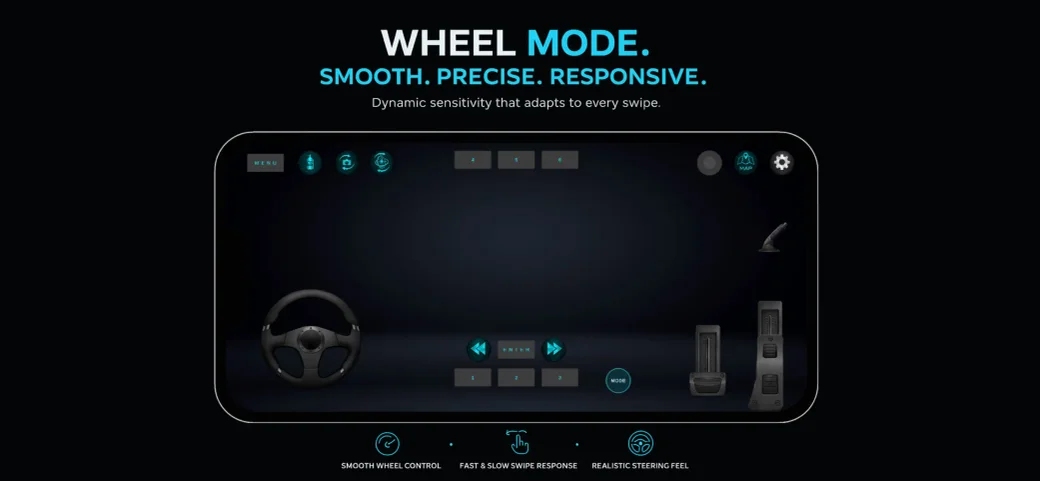
• Steering Wheel Mode
• Tilt Steering
• Gyro Wheel (up to 2000° rotation)
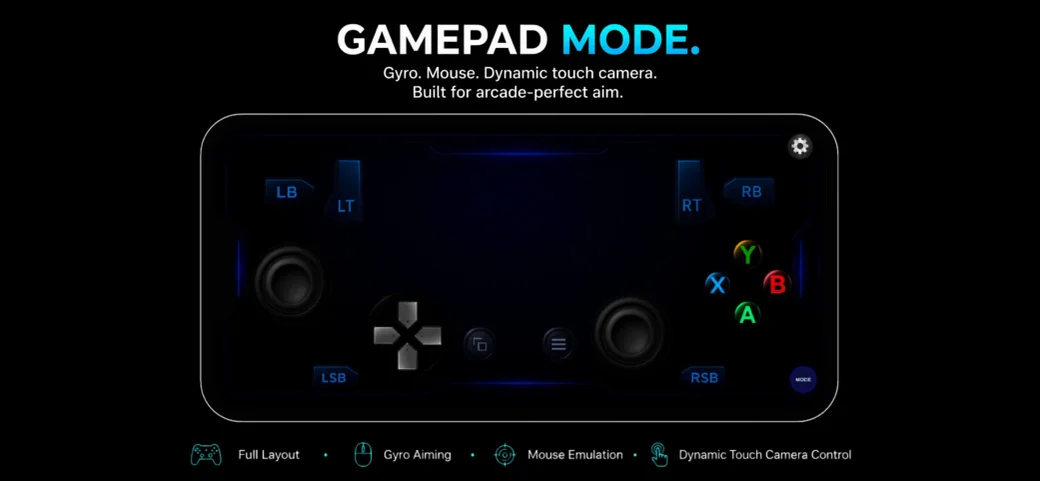
• Gamepad Mode
• Mouse Mode
• Fully customizable on-screen layouts
• Save multiple custom control layouts
• Analog and digital pedal options
• Adjustable steering and sensitivity settings
• Gyroscope support for compatible devices
• Dynamic touch camera controls
• Real-time haptic feedback for supported games
• Works over your local WiFi network (LAN)
• No account required
How It Works
1. Download and install the VSteer Receiver on your Windows PC from the website above.
2. Connect your phone and PC to the same local WiFi network.
3. Launch both applications and follow the connection instructions provided in the documentation.
Important Information
• Requires the VSteer Receiver application on a Windows PC.
• Both devices must be connected to the same local network.
• Gyroscope-based features require a device with a gyroscope sensor.
• Real-time haptic feedback is available for supported games and compatible devices.
Virtual Steering Controller provides a flexible and responsive way to control compatible PC games using your phone, without requiring dedicated gaming hardware.
Yang baru
Versi 3.5 · 15/9/2026
• General bug fixes & stability improvements
Privasi aplikasi
Yang dinyatakan Agastya Raj C di App Store tentang cara aplikasi ini menangani data.
-
Data yang digunakan untuk melacak Anda
Dapat digunakan untuk melacak Anda di aplikasi dan situs web milik perusahaan lain.
- Lokasi
- Pengenal
- Data penggunaan
- Diagnostik
-
Data yang ditautkan dengan Anda
Dapat dikumpulkan dan ditautkan dengan identitas Anda.
- Lokasi
- Pengenal
- Data penggunaan
- Diagnostik
- Data lainnya
-
Data yang tidak ditautkan dengan Anda
Dapat dikumpulkan, tetapi tidak ditautkan dengan identitas Anda.
- Pembelian
- Konten pengguna
- Diagnostik
Praktik privasi dapat bervariasi, misalnya berdasarkan fitur yang Anda gunakan atau usia Anda.
Informasi
- Penjual
- Agastya Raj C
- Kategori
- Kegunaan
- Versi
- 3.5
- Diperbarui
- 15/9/2026
- Dirilis
- 2/5/2026
- Ukuran
- 107,8 MB
- Memerlukan
- iOS 15.0 atau yang lebih baru
- Batasan usia
- 4+
- Harga
- Gratis
- Pembelian dalam aplikasi
- Ya
- Bahasa
- Inggris
- Hak cipta
- © 2026 Agastya Raj C
Mungkin Anda juga suka
-
 RojX: PC Gaming ControllerKegunaan
-
 V-Pad: Virtual GamepadKegunaan
-
 GyroBridgeKegunaan
-
 Gamepad Pro – Remote for PCKegunaan
-
 Lose Control: PC ControllerKegunaan
-
 PadLink RemoteKegunaan
-
 TruckSim GPS - ETS2 & ATS PetaNavigasi Rute Truk Simulator
-
 Phone ControllerKegunaan
-
 TapDeck - PC ControllerKegunaan
-
 PC RemoteKegunaan