iPhone · Utilities
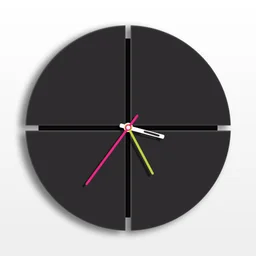
Get Clock Saver· 精美时钟· 时钟屏保 for iPhone
Clock Saver· 精美时钟· 时钟屏保 is published by 军 沈 on the App Store. The button opens the official listing.
Free
Scan with your phone to open the App Store page.
Links to the official App Store page
Download.org hosts no file of Clock Saver· 精美时钟· 时钟屏保. The button opens its official App Store page, published by 军 沈. Listing last checked on Nov 18, 2026.
How to install Clock Saver· 精美时钟· 时钟屏保
Three steps, all on App Store.
- Open App StoreUse the button above, or scan the code with your phone.
- Check the publisherThe page should show Clock Saver· 精美时钟· 时钟屏保 by 军 沈.
- Install from the storeTap the install button on App Store. The store handles the download and every update.
Information
- Seller
- 军 沈
- Category
- Utilities
- Version
- 1.0
- Updated
- Jul 4, 2026
- Released
- Jul 3, 2026
- Size
- 2.0 MB
- Requires
- iOS 17.6 or later
- Age rating
- 4+
More for iPhone
See all: More for iPhone-
 极简时钟-专注高效Utilities
-
 横屏时钟-桌面时间软件Utilities
-
 Flipora: Flip Clock & AlarmsDesk Clock, Timer & Widgets
-
 Needless ClockLiving clocks for desk & night
-
 全屏时钟-极简大字时间显示与横竖屏桌面展示模式Utilities
-
 OffTime - World Clock & WidgetWorld Clock·Reminders·Widgets
-
 InnoClock -Screen Clock WidgetAesthetic screen clock widget
-
 Clock Stand: Desk ClockA stylish clock for your desk
-
 睿迪安Utilities
-
 汉历养生日历-传统老黄历-万年历通Utilities