- Age rating17+
- CategoryProductivity
- DeveloperGiovanni Altrui
- LanguagesEnglish+ 31 more
- Size216.9 MB
Links to the official App Store page
Download.org hosts no file of DeskX. The button opens its official App Store page, published by Giovanni Altrui. Listing last checked on Nov 20, 2026.
Screenshots



About
DeskX — Your desktop, anywhere.
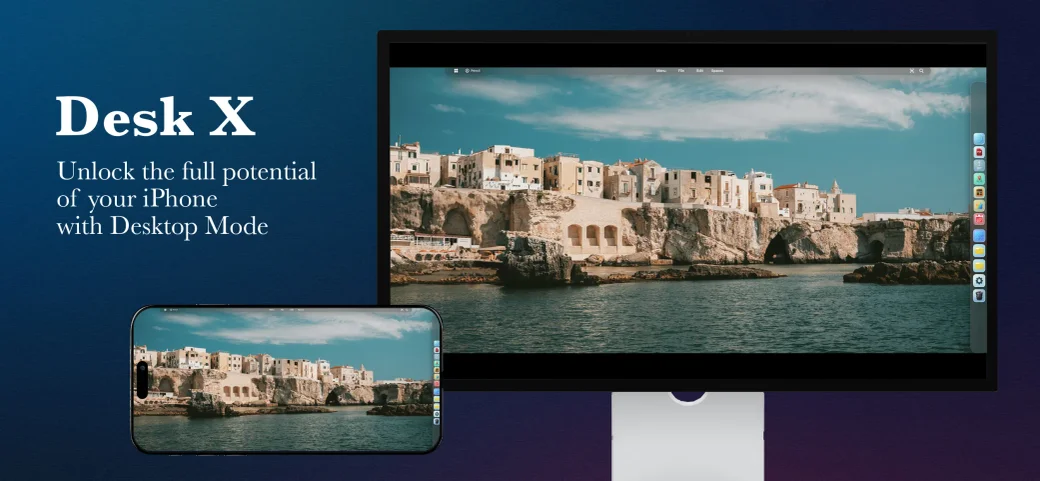
Turn your iPhone or iPad into a multi-window workspace with icons, folders, files, a Dock, widgets and overlapping windows. A flexible desktop experience inspired by Liquid Glass.
BUILT FOR iPHONE DUO
• Fully open: use a complete multi-window desktop on the large inner display, without an external monitor.
• 90° mode: fold the device to use a digital trackpad and control your desktop in a new way.
• SideView: a dedicated view designed for the foldable form factor.
On iPad, the desktop runs directly on the built-in display. On other iPhones, desktop mode requires a compatible external monitor.
YOUR DESKTOP, YOUR WAY
• Desktop icons, folders and files within easy reach.
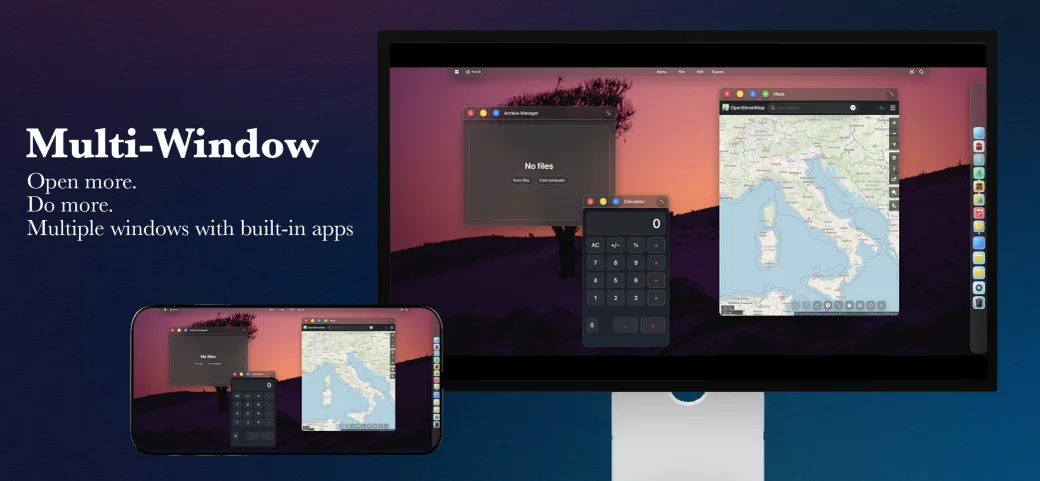
• Open, move, resize and overlap multiple windows.
• Customizable Dock for quick access to favorite tools.
• File Manager: import, rename, tag and organize content.
• Multi-tab browser with downloads and full-screen mode.
• Web Apps: create shortcuts to favorite websites with their own icons.
• Spaces: separate desktops for work, study and downtime.
• Pencil Overlay: draw and annotate over windows and the browser.
• Controller support for compatible games in the browser and Web Apps, including cloud gaming.
• Passcode protection and backup/restore of your desktop environment.
WIDGETS
Add and arrange Weather, Stocks, Calendar, Reminders, Time Zones, News & Finance, Podcasts, Music, Quick Notes and Monitoring widgets.
BUILT-IN TOOLS
Archive Manager (create/extract ZIP files); AudioWorkFlow (convert audio and organize albums); Glass Office Viewer (view documents, spreadsheets and presentations); OpenMaps (OpenStreetMap-based maps); AI WebApps (links to ChatGPT and Google AI Studio); VideoEditor Online (CapCut Online and Canva links); Text Editor (export as PDF or images); Calculator; DeskGames (links to online games).
MAKE IT YOURS
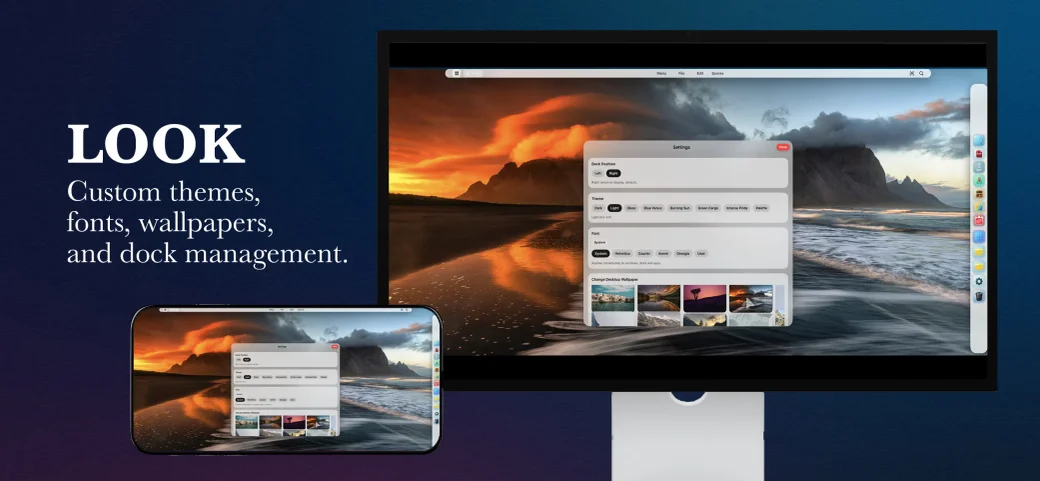
Choose Light, Dark, Liquid Glass, Neon or Minimal themes. Import wallpapers and customize fonts, color palettes and interface details.
COMPATIBILITY
• iPhone Duo: inner-screen desktop, 90° digital trackpad and SideView.
• iPad: built-in display or external monitor.
• Other iPhones: external monitor required; without one, the app displays its start screen.
• Lightning: HDMI through a Lightning Digital AV Adapter.
• USB-C: HDMI/DisplayPort through compatible adapters or docks.
The workspace adapts to the connected screen resolution. Certified accessories are recommended; some adapters may limit resolution, audio or HDCP-protected content.
IMPORTANT
DeskX provides a desktop environment within the app; it does not replace iOS/iPadOS or control windows from other system apps. AI WebApps, VideoEditor Online and DeskGames link to third-party online services that may require internet access, an account and acceptance of their own terms and privacy policies. OpenMaps uses OpenStreetMap data — © OpenStreetMap contributors. Glass Office Viewer supports common document formats; compatibility and features may vary.
DeskX. Open up new possibilities.
What’s new
Version 1.1.1 · Nov 13, 2026
- Native support for external displays!
Enjoy an interface optimized for your monitor’s resolution via both USB-C and HDMI to view your content across the entire display.
- Pop-up blocker!
Most of those annoying pop-ups that appear when you visit a website or try to watch a streaming video will no longer appear!
- In external display mode, your device now acts as a touchpad with a switch and access to the on-screen keyboard.
- Lock Mode!
Sometimes you may need to lock your device to prevent accidental touches; now you can lock and unlock it using the convenient button in the top-right corner of the top bar.
- Full-screen content enabled
You can watch videos, movies, and social media in full screen across your entire display without interruptions.
- Capturing and saving screenshots and video recordings is now instantaneous.
- Fixed an issue that caused screenshots to be captured incorrectly.
- Minor bug fixes
App privacy
What Giovanni Altrui declares on the App Store about how this app handles data.
-
Data not collected
The developer does not collect any data from this app.
Privacy practices may vary, for example with the features you use or your age.
Information
- Seller
- Giovanni Altrui
- Category
- Productivity
- Version
- 1.1.1
- Updated
- Nov 13, 2026
- Released
- Nov 20, 2025
- Size
- 216.9 MB
- Requires
- iOS 17.2 or later
- Age rating
- 17+
- Price
- $9.99
- Languages
- English, Arabic, Catalan, Croatian, Czech, Danish, Dutch, Finnish, French, German, Greek, Hebrew + 20 more
- Copyright
- © @Altrui Giovanni
You might also like
-
 PocketPC: Desktop BrowserFull desktop on TVs & glasses
-
 DeskStateDesktop mode for any display
-
 Paperjet: Printer App & ScanWireless Document & Photo PDF
-
 PXS External Screen DesktopYour phone is the computer
-
 Tag UDigital Business Card Service
-
 InfiniteX2P Pro — Desktop ModePro Desktop for Your iPhone
-
 Dual Monitor For MacSecond Display & Mirror
-
 Nosis: Daily Micro LearningAudio Book Summaries, Podcasts
-
 Desktop Mode OS: ProDocktiveExternal Display Multitasking
-
 Right at Home Kansas CityProductivity