
Paperjet: Printer App & Scan
Wireless Document & Photo PDF
Designed for iPhone, iPad
Free · In-app purchases
- Age rating4+
- CategoryProductivity
- DeveloperPavlo Nosov
- LanguagesEnglish+ 43 more
- Size31.2 MB
Links to the official App Store page
Download.org hosts no file of Paperjet: Printer App & Scan. The button opens its official App Store page, published by Pavlo Nosov. Listing last checked on Nov 18, 2026.
Screenshots

About
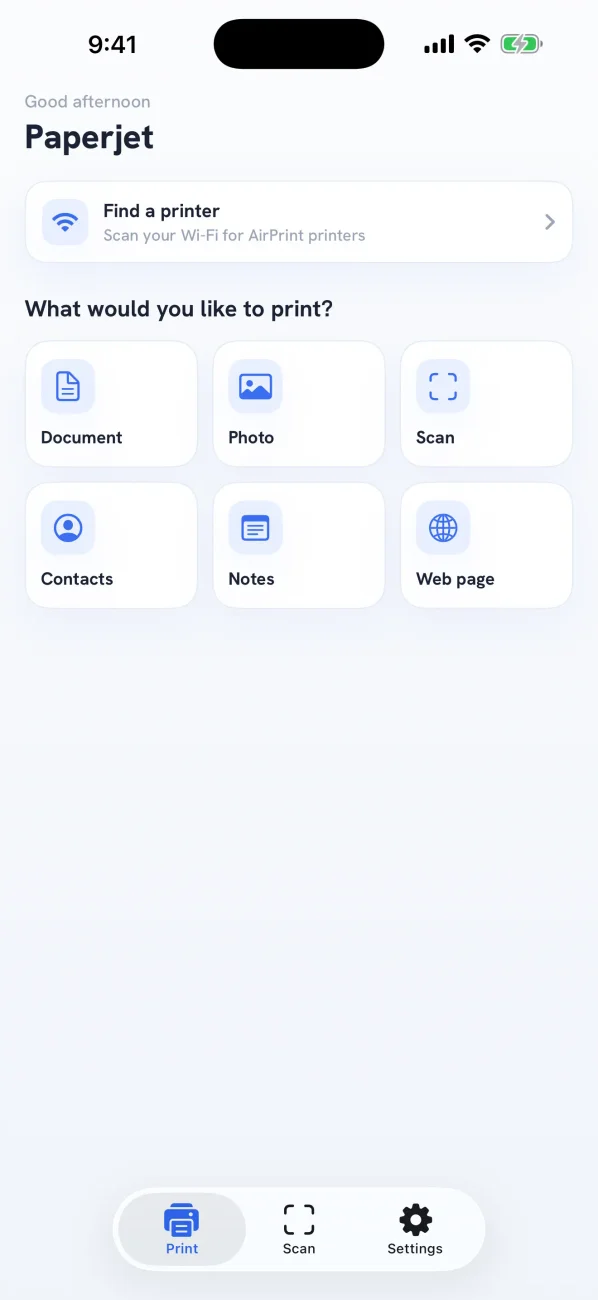
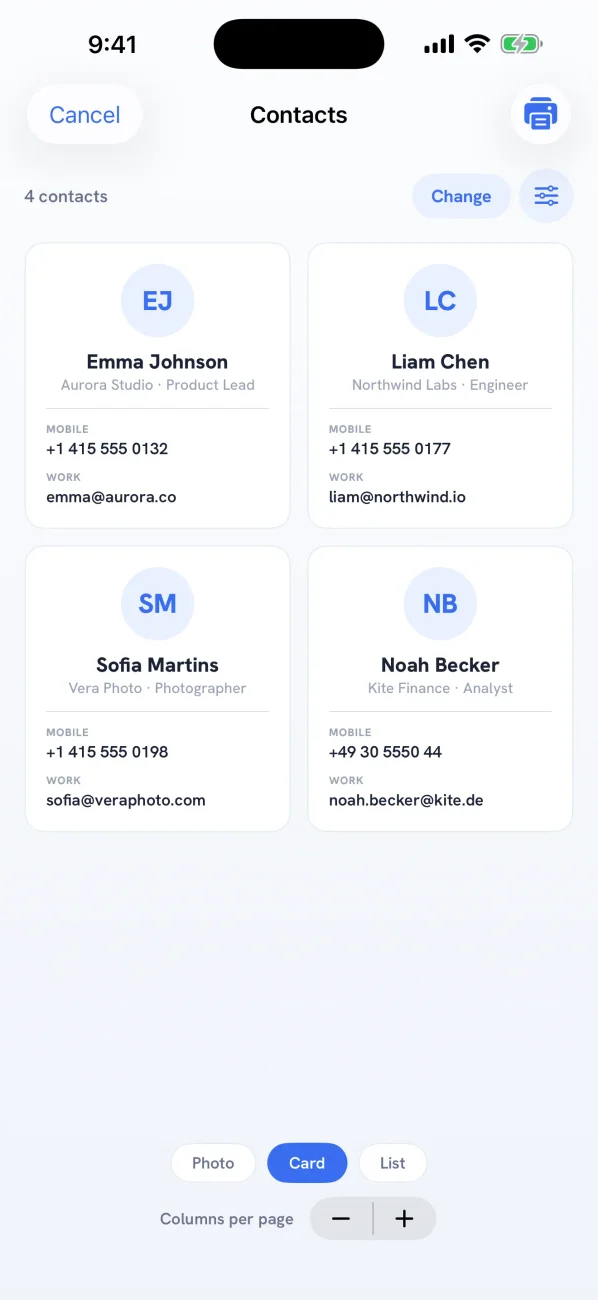
Paperjet turns your iPhone and iPad into a wireless printing hub. Print documents, photos, books, web pages, contacts, and notes to any AirPrint printer on your Wi-Fi — in just a couple of taps.
PRINT ALMOST ANY FILE
• Documents: PDF, Word (DOC/DOCX), Excel (XLS/XLSX), PowerPoint (PPT/PPTX), RTF, ODT, TXT, Markdown, HTML
• Books & comics: EPUB, MOBI, AZW/AZW3, FB2, FB3, DjVu, CBZ
• Photos: JPG, PNG, HEIC, GIF, TIFF, BMP, WebP
• Web pages, contacts, and notes
SCAN TO PDF
• Scan documents with your camera into a sharp, multi-page PDF
• Built-in text recognition (OCR) creates searchable PDFs
FULL CONTROL OVER EVERY PRINT
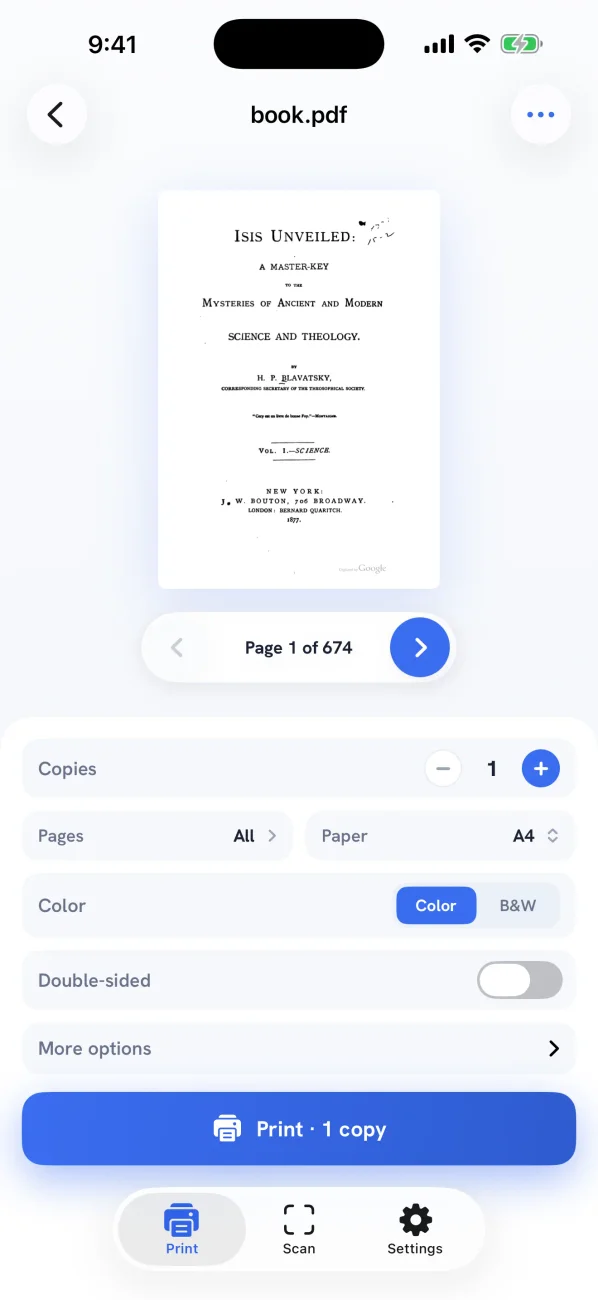
• Live, true-to-paper preview before you print
• Paper size (A4, Letter, Legal, A5, A3), copies, color or black & white, double-sided
• Page range, 2-up and 4-up layouts, margins, and 50–200% scaling
• Automatic AirPrint printer discovery on your network
PHOTOS, DONE RIGHT
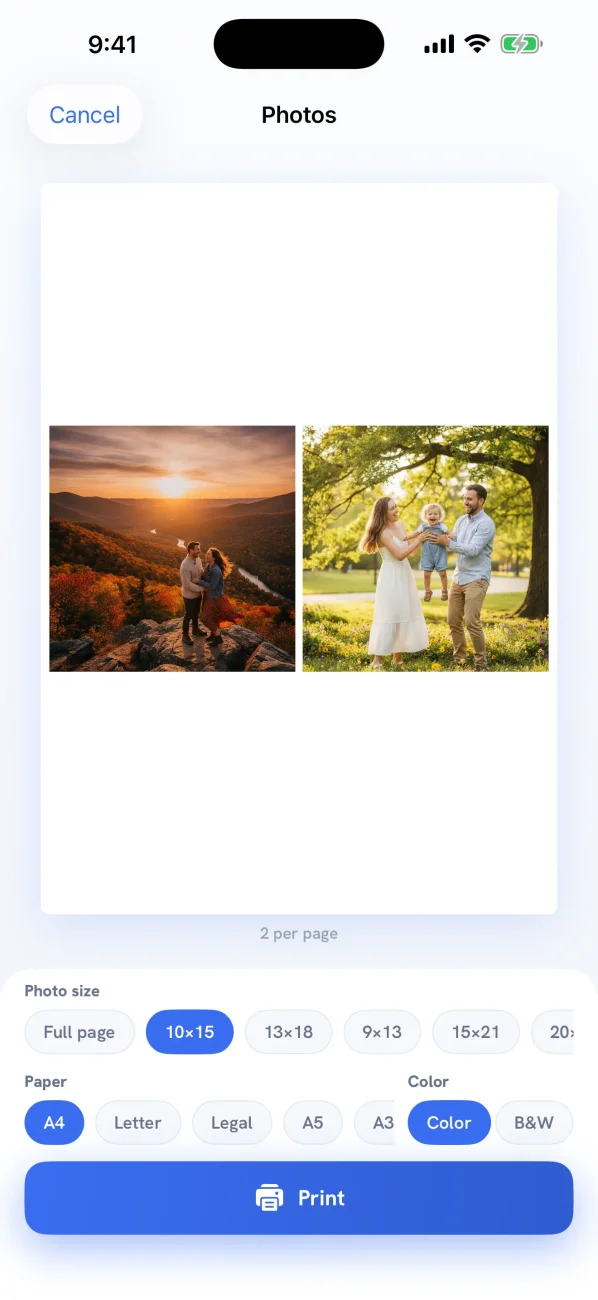
• Standard photo sizes (10×15, 13×18, and more)
• Fit several photos on a single sheet, just like desktop photo printing
WRITE & PRINT NOTES
• A full rich-text editor with styles, headings, lists, colors, tables, images, and emoji
MORE THAN PRINTING
• Save any file as PDF, share it, or reduce its size
• Reorder or delete PDF pages before printing
• Quick access to your recent files
PRIVATE BY DESIGN
• Printer discovery and file rendering happen on your device
Paperjet Pro unlocks unlimited printing and every format. Start with a free trial, then subscribe weekly or yearly — cancel anytime.
Privacy Policy: https://sites.google.com/site/polyariz/privacy-policy
Terms of Use: https://www.apple.com/legal/internet-services/itunes/dev/stdeula/
What’s new
Version 1.2 · Aug 11, 2026
Spreadsheets now print like on a desktop. Wide XLS and XLSX sheets are split across pages instead of losing columns, and in the print preview you can choose to fit the whole sheet on one page or print it at actual size.
After a print job finishes, the app returns to the home screen.
App privacy
What Pavlo Nosov declares on the App Store about how this app handles data.
-
Data not collected
The developer does not collect any data from this app.
Privacy practices may vary, for example with the features you use or your age.
Information
- Seller
- Pavlo Nosov
- Category
- Productivity
- Version
- 1.2
- Updated
- Aug 11, 2026
- Released
- Jul 5, 2026
- Size
- 31.2 MB
- Requires
- iOS 17.0 or later
- Age rating
- 4+
- Price
- Free
- In-app purchases
- Yes
- Languages
- English, Arabic, Bengali, Catalan, Croatian, Czech, Danish, Dutch, Finnish, French, German, Greek + 32 more
- Copyright
- © Pavlo Nosov
You might also like
-
 Smart Print: Print & ScannerPrint PDF, Photos & Documents
-
 ScanWave ProID Card & Document Scanner
-
 DeskXA Real Desktop Experience
-
 PDF Editor ConverterPDF Toolbox
-
 Tag UDigital Business Card Service
-
 Unutma: Life Admin AssistantVoice reminders, private notes
-
 Scanyra: PDF & Receipt ScannerInvoices, OCR & expense totals
-
 Bumpers - Parental ControlsParent Tools for YouTube & Web
-
 Duplex Print HelperSplit PDF for Duplex Printing
-
 Rocketplanner Calendar ScannerCalendar events from a photo