edit PDF - Scanner & Editor
Scan, Sign & Organize Docs
Designed for iPhone, iPad
Free · In-app purchases
- Age rating4+
- CategoryProductivity
- DeveloperHritik Kumar
- LanguagesEnglish+ 30 more
- Size100.3 MB
Links to the official App Store page
Download.org hosts no file of edit PDF - Scanner & Editor. The button opens its official App Store page, published by Hritik Kumar. Listing last checked on Nov 18, 2026.
Screenshots
About
Edit PDF - PDF Scanner & Suite
Your complete PDF workspace, right on your device.
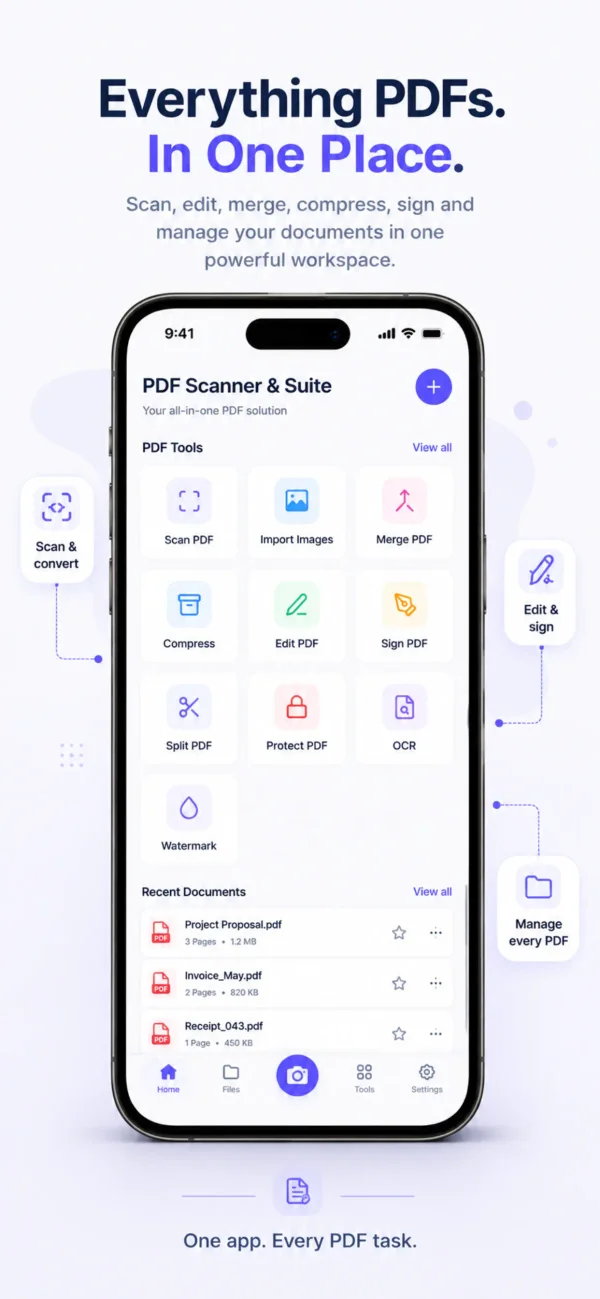
Scan documents, create PDFs, edit files, add signatures, merge and split pages, compress documents, extract text with OCR, protect files, and keep everything organized - all in one beautifully designed app.
Whether you're digitizing paperwork, preparing a contract, managing receipts, or working with important documents, Edit PDF gives you the essential tools to get it done quickly and simply.
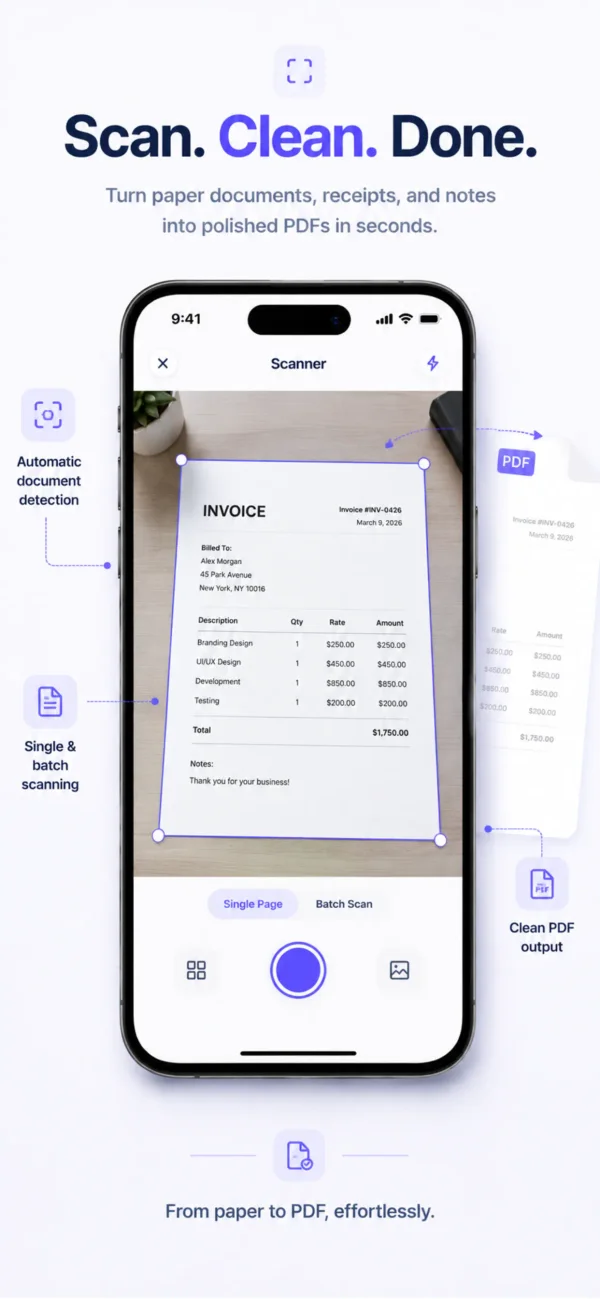
SCAN DOCUMENTS
Turn paper documents, receipts, notes, and forms into clean PDFs with fast document scanning and automatic document detection.
Single-page scanning
Batch scanning
Import images
Clean PDF creation
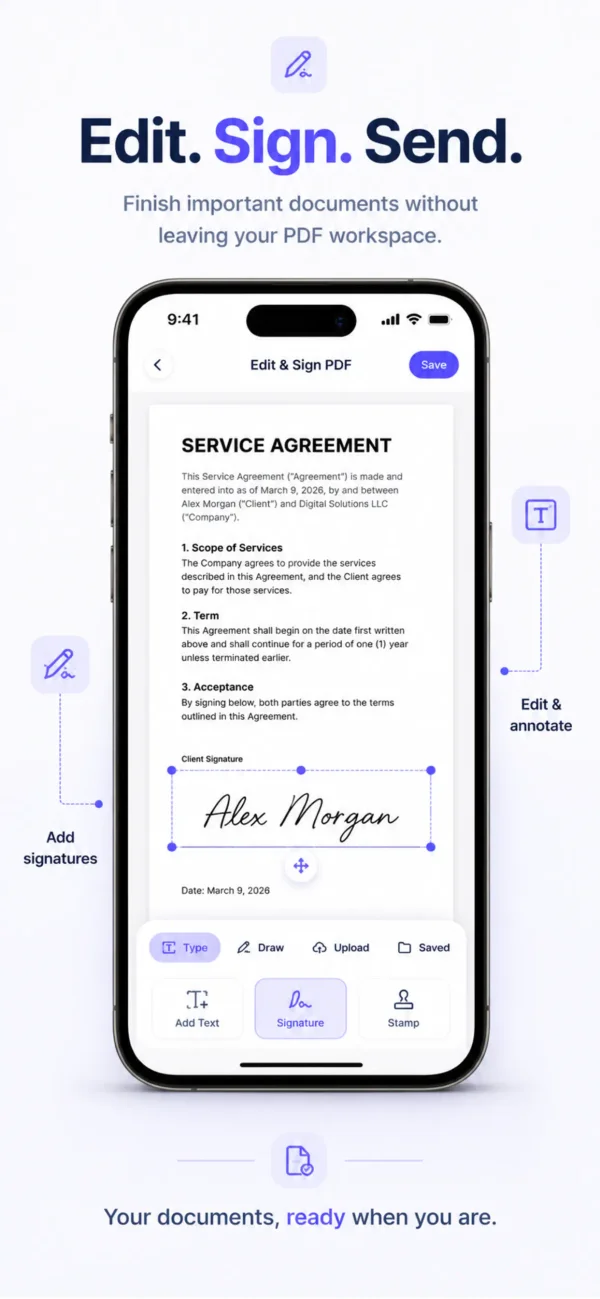
EDIT AND SIGN PDFs
Make changes without leaving your PDF workspace.
Add text
Add electronic signatures
Draw and annotate
Position signatures precisely
Reuse saved signatures
MANAGE PDF PAGES
Take control of your documents and pages.
Merge multiple PDFs
Split PDF pages
Rearrange and manage documents
Create combined PDF files
COMPRESS PDFs
Reduce PDF file sizes while keeping your documents practical to use and share.
OCR AND TEXT EXTRACTION
Convert images and scanned documents into searchable text with Optical Character Recognition.
PROTECT YOUR PDFs
Add protection to important documents and keep sensitive files under your control.
ADD WATERMARKS
Add a watermark to your PDFs for professional documents, drafts, and shared files.
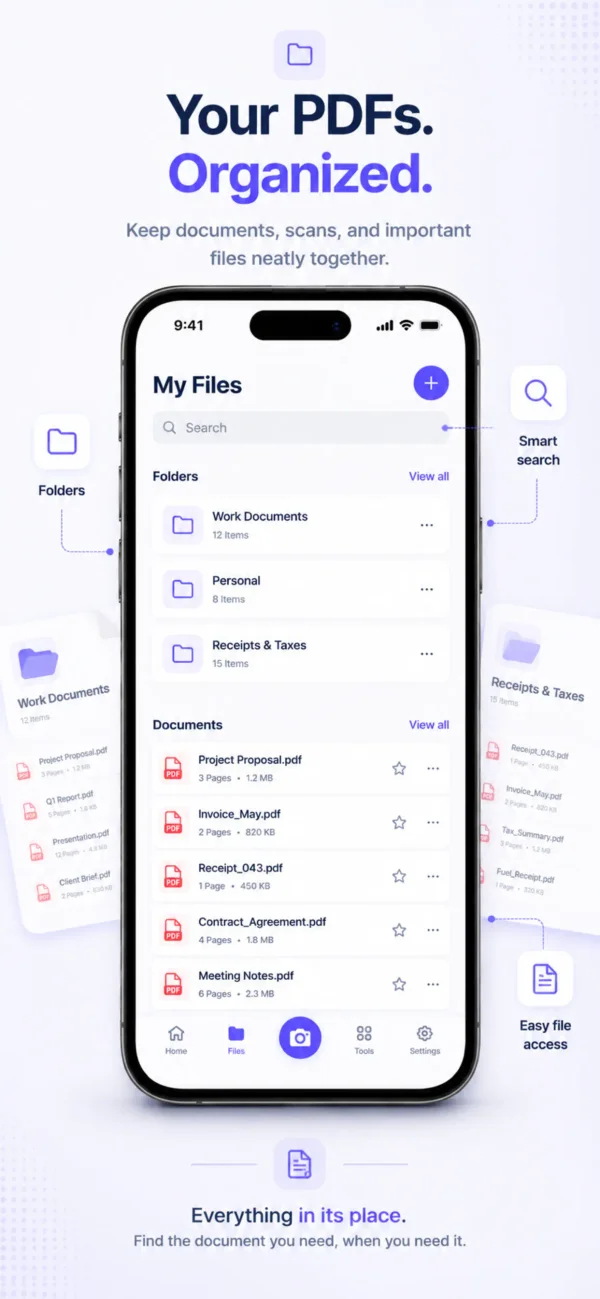
KEEP EVERYTHING ORGANIZED
Your documents stay easy to find with a dedicated file workspace.
Folders
Search
Recent documents
Favorites
Quick file access
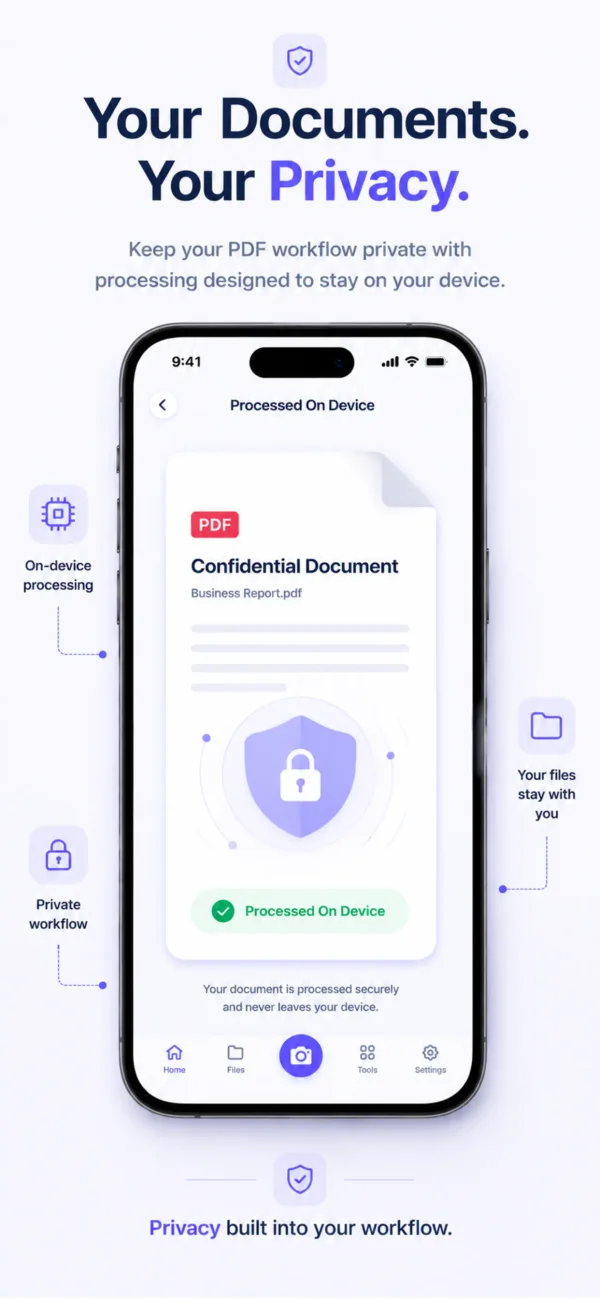
PRIVACY-FOCUSED WORKFLOW
Process documents with a privacy-first approach designed to keep your workflow simple and controlled.
No complicated document management. No unnecessary steps.
Scan. Edit. Sign. Organize. Done.
Edit PDF is built to be the everyday PDF toolkit for students, professionals, businesses, and anyone who works with documents.
KEY FEATURES
Scan documents into PDFs
Import images and photos
Merge PDFs
Split PDF pages
Compress PDFs
Edit PDFs
Sign documents electronically
Draw and annotate
OCR text extraction
Add watermarks
Protect PDFs
Organize files and folders
Search your documents
Favorite important files
Manage your complete PDF workflow in one app
Edit PDF - everything you need for PDFs, in one place.
SUBSCRIPTION INFORMATION
Edit PDF offers a 3-day free trial for new users. After the trial ends, a subscription is required to continue accessing premium features. Subscription pricing may vary by region and will be displayed before purchase. Payment will be charged to your Apple ID account unless canceled before the trial ends.
Terms of Use (EULA): https://www.apple.com/legal/internet-services/itunes/dev/stdeula/
What’s new
Version 1.0.1 · Oct 21, 2026
• Enhanced PDF Workspace: Faster document scanning and improved page rearrangement.
• Electronic Signatures: Smoother signature placement and precision editing tools.
• Performance & Stability: Enhanced OCR text extraction, faster PDF compression, and bug fixes.
App privacy
What Hritik Kumar declares on the App Store about how this app handles data.
-
Data not collected
The developer does not collect any data from this app.
Privacy practices may vary, for example with the features you use or your age.
Information
- Seller
- Hritik Kumar
- Category
- Productivity
- Version
- 1.0.1
- Updated
- Oct 21, 2026
- Released
- Sep 28, 2026
- Size
- 100.3 MB
- Requires
- iOS 16.0 or later
- Age rating
- 4+
- Price
- Free
- In-app purchases
- Yes
- Languages
- English, Arabic, Croatian, Czech, Danish, Dutch, Finnish, French, German, Greek, Hebrew, Hungarian + 19 more
- Copyright
- © 2026 Rovelin
You might also like
-
 TodaysDoIt: To-Do & CalendarDaily tasks, events & widgets
-
 Editify: PDF Editor & AI ChatFill, Sign, Compress · Offline
-
 Astra PDF: Scan, Edit & Sign100% Offline. No Subscription
-
 PDF Genius: AI PDF Text EditorEdit, fill & sign any PDF form
-
 ScreenPDF - Screenshot to PDFExport Screenshot to PDF
-
 VPN App - SafeVPNWiFi Security & Privacy VPN
-
 PDF Text Editor ‑ Edit PDFChange & rewrite existing text
-
 DeftPDF PDF Edit, Annotateedit,convert,sign,ocr,split
-
 Document Reader: PDF, DOC, PPTAll-in-One Document Reader PDF
-
 PDF Manager: Editor & ScannerReader, Converter, Sign & OCR