Flatify - 2D Objects to CAD
Time. Saved.
Designed for iPhone
Free · In-app purchases
- Age rating4+
- CategoryUtilities
- DeveloperSTRICS IT GmbH
- LanguagesEnglish+ 1 more
- Size15.2 MB
Links to the official App Store page
Download.org hosts no file of Flatify - 2D Objects to CAD. The button opens its official App Store page, published by STRICS IT GmbH. Listing last checked on Nov 14, 2026.
Screenshots


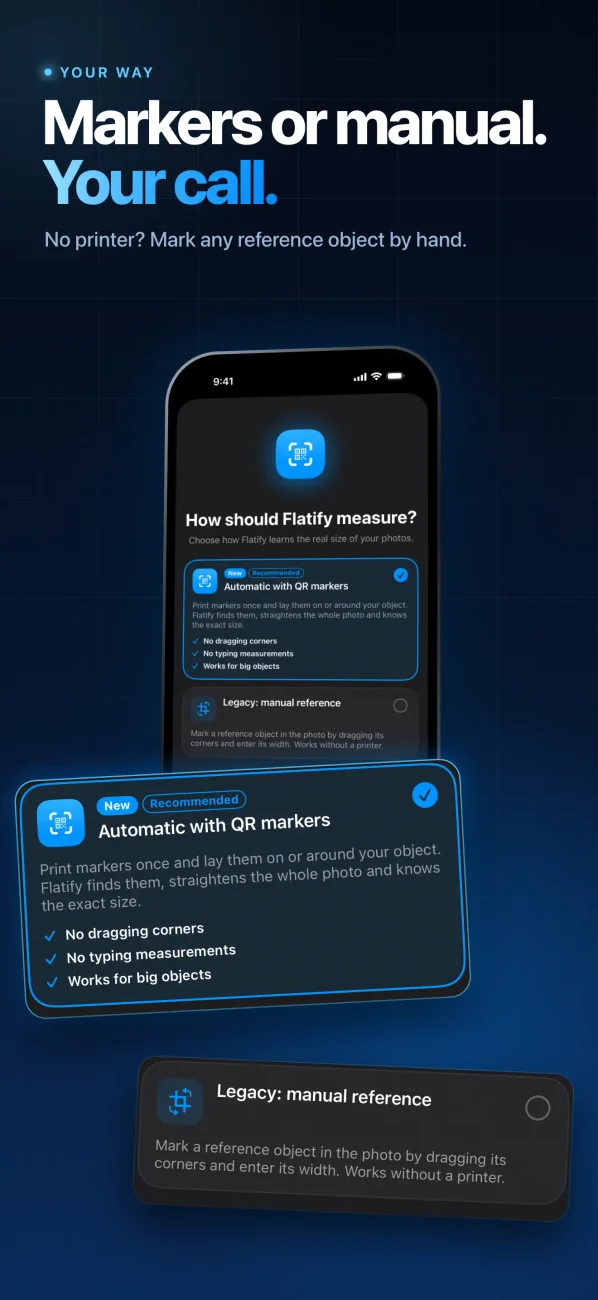
About
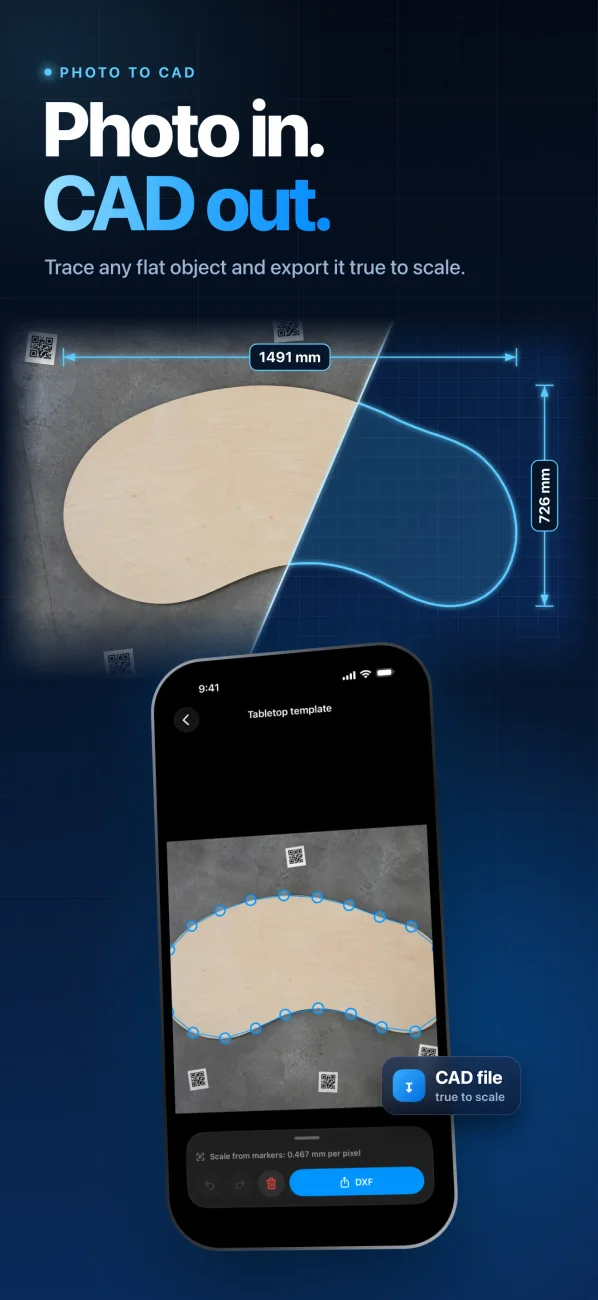
Flatify - 2D Objects to CAD is an innovative new app that revolutionizes the way you work with 2D objects. With its powerful perspective correction feature, you can easily transform any image into a top-down view, making it a breeze to trace and create detailed CAD drawings.
Our intuitive app is perfect for artists, designers, and engineers alike. Whether you need to convert a stencil or a form into a CAD file (DXF), Flatify simplifies the process and produces accurate, high-quality results every time.
Here's how it works in just four simple steps:
1. Capture the photo of your 2D object.
2. Review the image and select the reference object for perspective correction.
3. Export the corrected image.
4. Generate a CAD file using our built-in CAD tracing function or your preferred CAD tool.
Stop struggling with perspective distortion and start creating precise CAD designs with Flatify - 2D Objects to CAD. Download our app today and see the difference for yourself!
By subscribing to the Premium Plan, you agree to abide by Apple's End User License Agreement (EULA). We recommend reviewing Apple's EULA before making any in-app purchases to ensure that you are fully informed and in compliance with their terms and conditions. EULA: https://www.apple.com/legal/internet-services/itunes/dev/stdeula/
What’s new
Version 4.1.0 · Oct 10, 2026
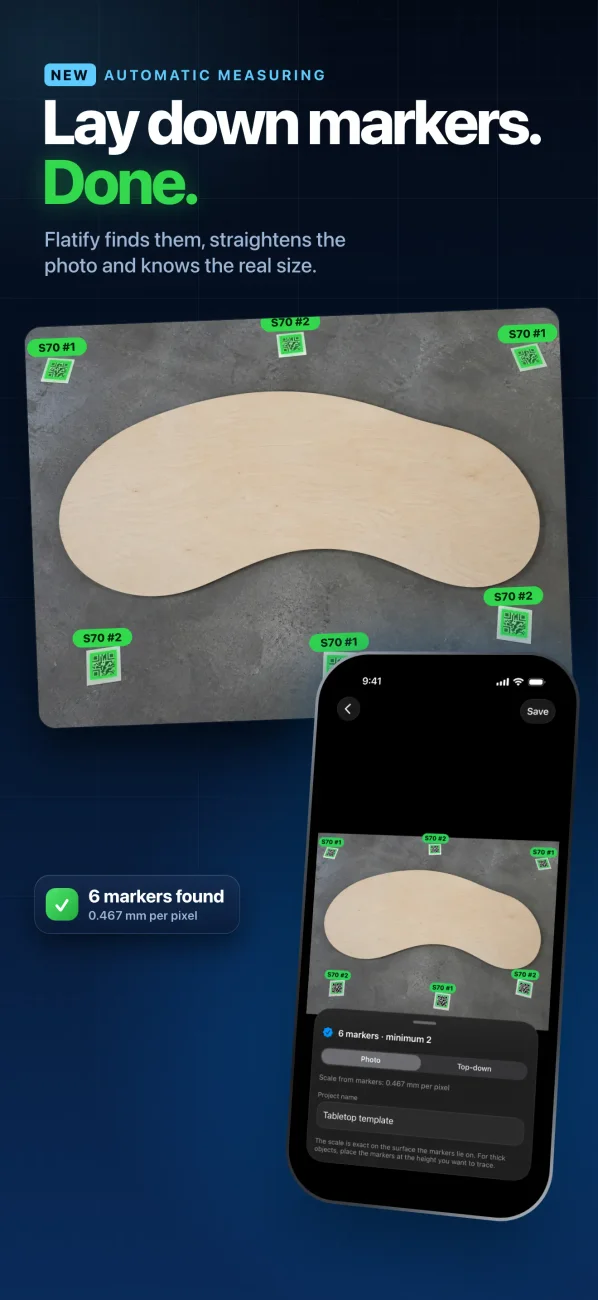
New: automatic measuring with printed markers
• Print markers once, lay them on or around your object and take a photo. Flatify finds them, straightens the whole photo and knows the real size.
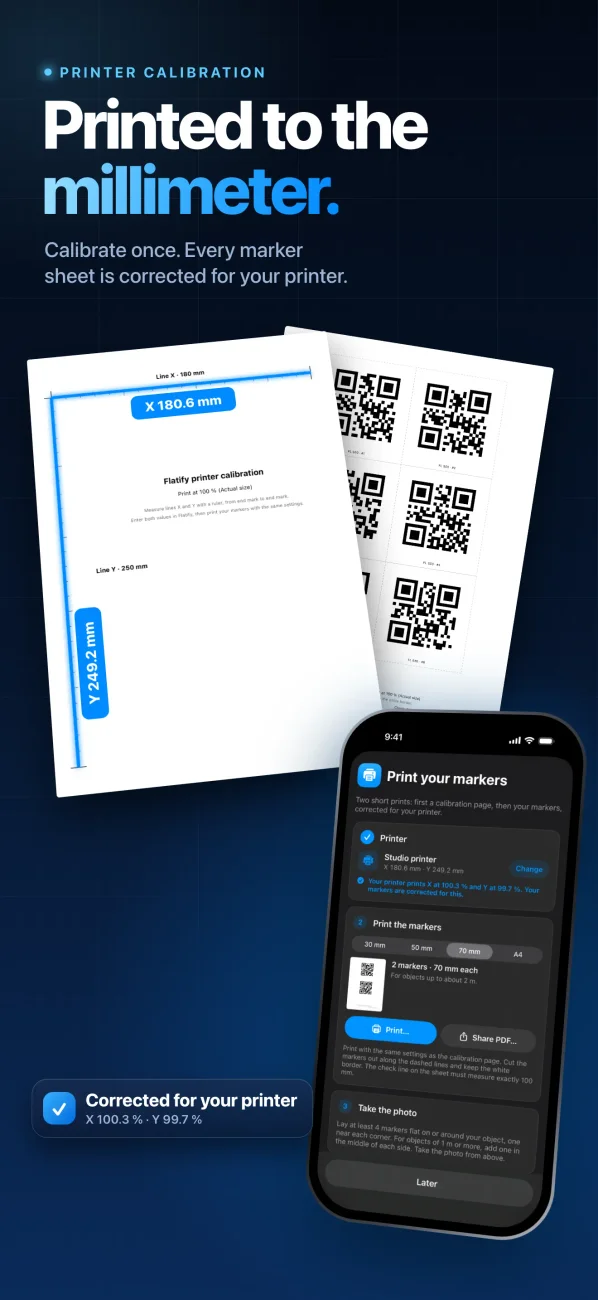
• Calibrate your printer and save it by name, so your markers print in exactly the right size.
• Marker sizes from 30 mm cut-outs to a full A4 sheet, for small parts and large objects.
• The previous reference mode stays available as Legacy.
• Camera fixes and other improvements.
App privacy
What STRICS IT GmbH declares on the App Store about how this app handles data.
-
Data not collected
The developer does not collect any data from this app.
Privacy practices may vary, for example with the features you use or your age.
Information
- Seller
- STRICS IT GmbH
- Category
- Utilities
- Version
- 4.1.0
- Updated
- Oct 10, 2026
- Released
- Mar 17, 2023
- Size
- 15.2 MB
- Requires
- iOS 26.0 or later
- Age rating
- 4+
- Price
- Free
- In-app purchases
- Yes
- Languages
- English, German
- Copyright
- © 2026 STRICS IT GmbH
You might also like
-
 Glovius - 3D CAD File ViewerView CAD files on iPhone, iPad
-
 Revo Scan-3D scanner app3D Scan APP
-
 3dmax-3DsMax图纸3D查看器CAD快看图模型浏览器Utilities
-
 Creality ScanUtilities
-
 Thinger: 3D Printing ModelsSTL Files for Your 3D Printer
-
 Creality Cloud Lite3D Printing Platform
-
 The Vector ConverterConvert to SVG, EPS and PDF
-
 ThangsLargest 3D model search
-
 Prusa3D printer control & models
-
 SnapmakerSnapmaker Mobile Software