
Folio: Private PDF Tools
On-Device PDF Editor & Scanner
Designed for iPhone, iPad
Free
- Age rating4+
- CategoryProductivity
- DeveloperVuyo Nkadimeng
- LanguagesEnglish
- Size972.0 KB
Links to the official App Store page
Download.org hosts no file of Folio: Private PDF Tools. The button opens its official App Store page, published by Vuyo Nkadimeng. Listing last checked on Nov 18, 2026.
Screenshots

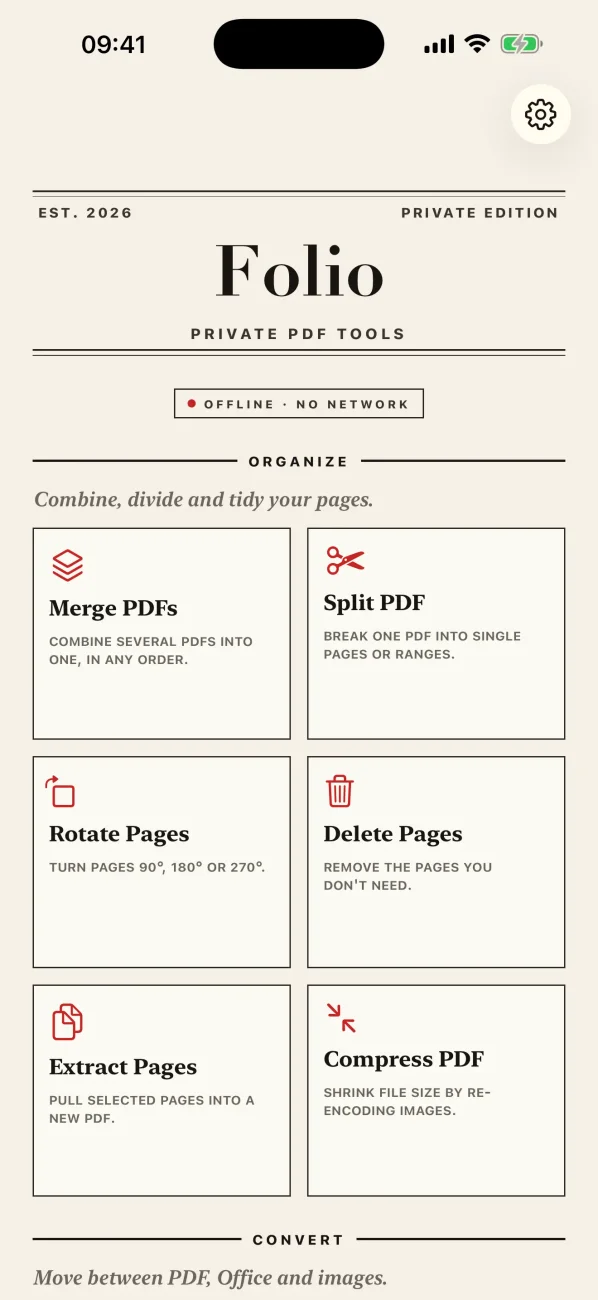
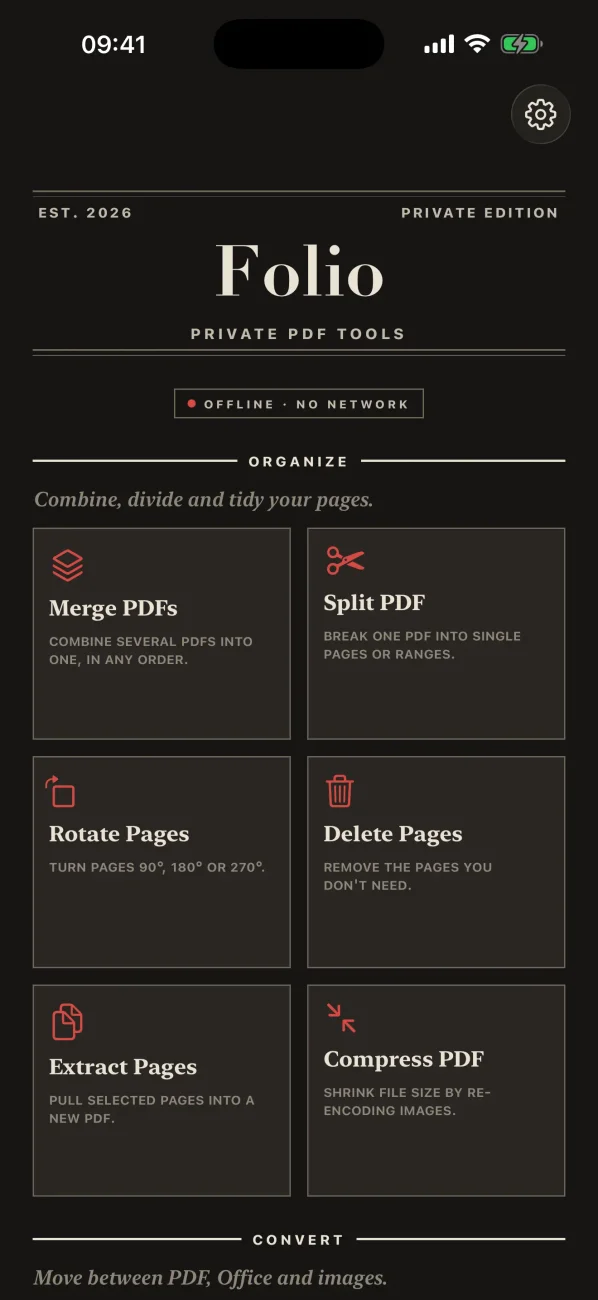
About
Every PDF tool you need — and not one byte of your document ever leaves your device.
Online PDF tools are convenient until you read the fine print. Your contract, your payslip, your client's financial statement — uploaded to a server you don't control, retained for purposes you didn't agree to, mined for data you didn't consent to share. Folio makes that trade-off unnecessary.
Folio is a full-featured PDF toolkit that runs entirely on your iPhone and iPad. No network connection. No account. No cloud sync. No analytics. Your files go in, your files come out — nothing in between.
WHAT YOU CAN DO
Organise
— Merge multiple PDFs into one document
— Split a PDF into separate files by page range
— Reorder, rotate, or delete individual pages
Reduce & Prepare
— Compress PDFs to shrink file size without rebuilding content
— Add watermarks or page numbers
— Flatten form fields and annotations into a fixed document
Convert (best-effort, on-device)
— PDF to images: export pages as JPG or PNG
— Images to PDF: combine photos into a single document
— PDF to Word, Excel, or PowerPoint — conversion is handled entirely on-device using Apple's document frameworks; complex layouts may not reproduce with pixel-perfect fidelity, but no file is ever sent to a remote service to achieve it
Protect
— Password-protect a PDF with your chosen password
— Remove password protection from a document you own
Fill & Sign
— Fill text fields in PDFs
— Add your signature to any document
Extract & Search
— OCR: turn a scanned or photographed document into searchable, selectable text using Apple's on-device Vision framework
— Extract all text from a PDF for copying or reference
ZERO NETWORK DESIGN
Folio ships with no networking capability. It cannot phone home. It cannot upload a file even if it wanted to. Every operation — compression, conversion, OCR, signing — runs on your device's own processor using Apple's built-in frameworks. This is not a marketing claim; it is a technical constraint we built in by design.
This matters most when you are handling documents that should never leave your hands: NDAs, medical records, legal filings, HR documents, financial statements, tax returns.
NO ACCOUNT REQUIRED
Open the app. Use every feature. Close the app. No sign-up screen. No email address. No subscription prompt. No paywall on any v1.0 feature.
BUILT FOR PEOPLE WHO HANDLE SENSITIVE DOCUMENTS
Folio is built for lawyers, accountants, HR professionals, and anyone else who regularly works with documents that are nobody else's business — and for anyone who is simply tired of feeding their files to free websites that profit from what they read.
Your documents are yours. Folio keeps them that way.
App privacy
What Vuyo Nkadimeng declares on the App Store about how this app handles data.
-
Data not collected
The developer does not collect any data from this app.
Privacy practices may vary, for example with the features you use or your age.
Information
- Seller
- Vuyo Nkadimeng
- Category
- Productivity
- Version
- 1.0.0
- Updated
- Jun 9, 2026
- Released
- Jun 8, 2026
- Size
- 972.0 KB
- Requires
- iOS 17.0 or later
- Age rating
- 4+
- Price
- Free
- Languages
- English
- Copyright
- © 2026 Vuyo Nkadimeng
You might also like
-
 PDF Kit: Scan & SignScan, Sign, Merge, OCR & More
-
 leafyardNotes that grow into a site
-
 Focus Lens: Image OCRScreenshot text, copy & export
-
 Magic PDF Pro: Offline EditorEdit, Scan & Sign PDF Offline
-
 ScribbiniWhere Scribbles Find Structure
-
 Folio: Scanner ID & PDF EditorScan, edit & sign documents
-
 NETTRASH.mdMarkdown Editor
-
 SAYANA OCROCR APP
-
 AI PDF Reader: On-DevicePrivate on-device PDF AI
-
 GadeonAI Chat with on Neural Engine