
Phone Transfer: Switch & Copy
Move Data, Photos & Contacts
Designed for iPhone
Free · In-app purchases
- Age rating4+
- CategoryUtilities
- DeveloperSCEP LLC
- LanguagesEnglish+ 8 more
- Size2.9 MB
Links to the official App Store page
Download.org hosts no file of Phone Transfer: Switch & Copy. The button opens its official App Store page, published by SCEP LLC. Listing last checked on Nov 17, 2026.
Screenshots

About
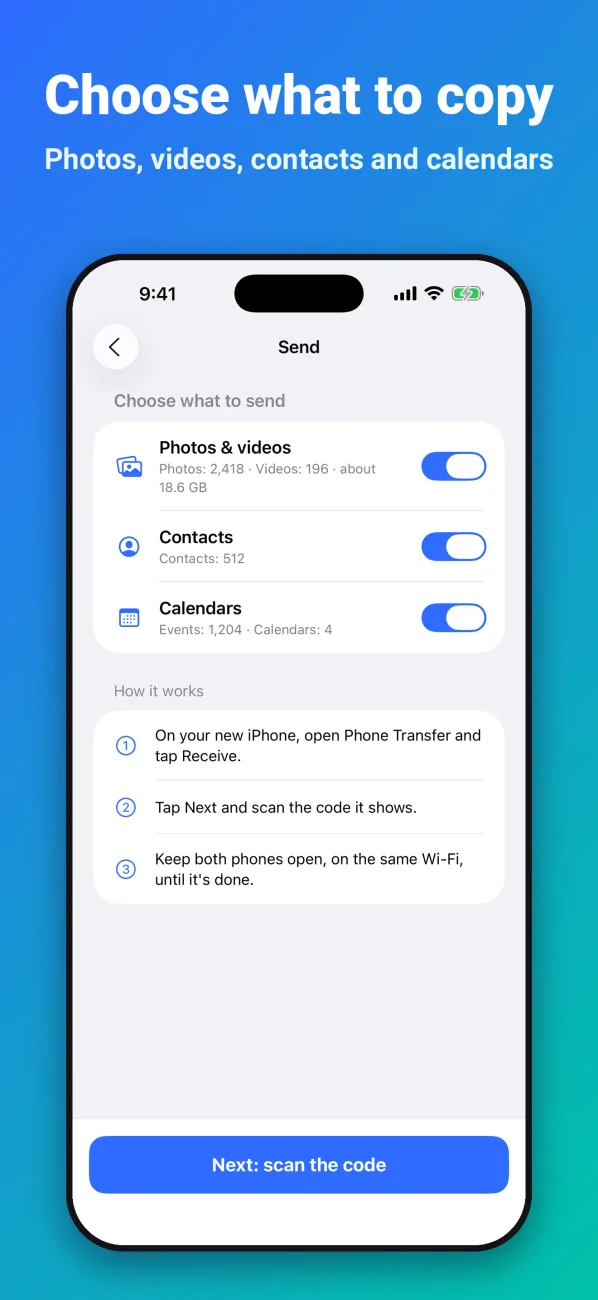
Got a new phone? Phone Transfer moves your photos, videos, contacts and calendars from your old phone to the new one over Wi-Fi. No cable, no account and no cloud: your data goes straight from one device to the other.
IPHONE TO IPHONE
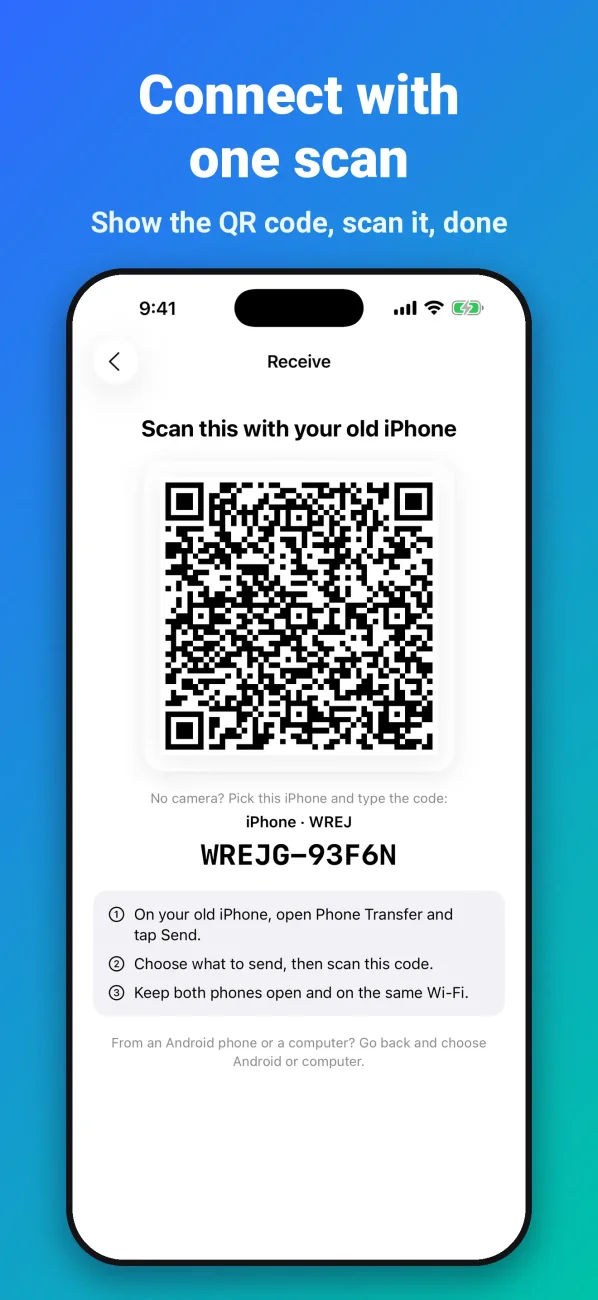
• Open the app on both iPhones and scan the QR code. That's it.
• Photos and videos keep their original quality, dates and places, and Live Photos stay live.
• Contacts arrive with their numbers, emails, addresses and pictures. Ones you already have are skipped.
• Calendar events keep their times, alerts and repeat rules.
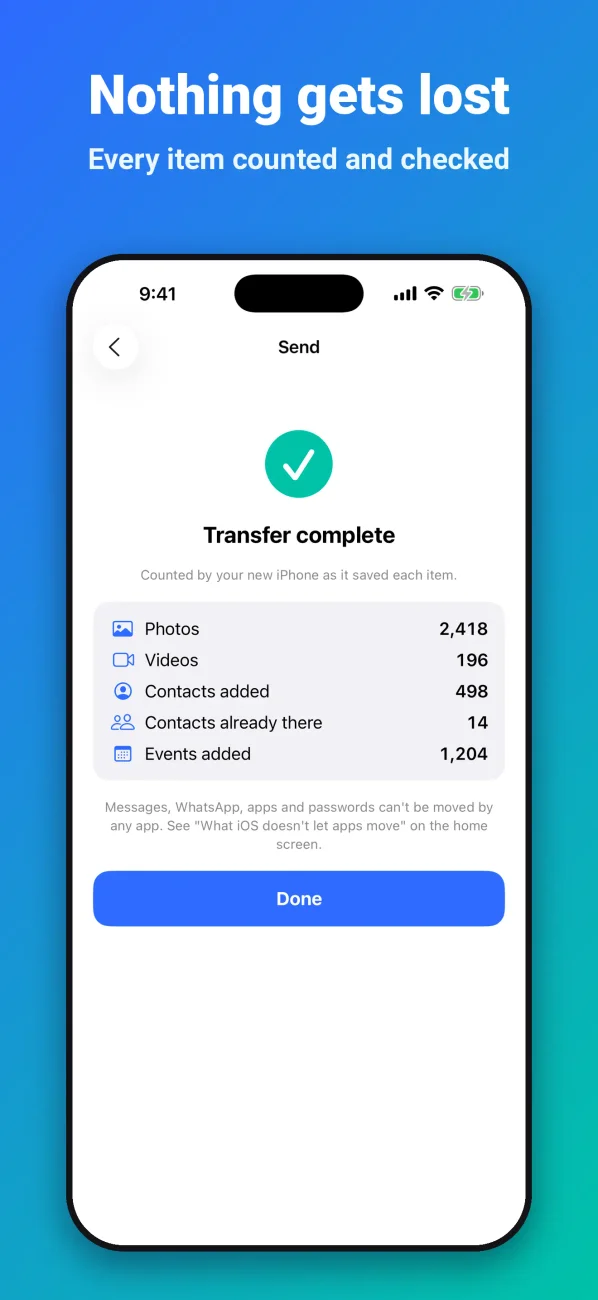
• Every transfer is encrypted end to end and picks up where it left off if the Wi-Fi drops. At the end, the new iPhone shows a count of everything it saved.
ANDROID PHONES AND COMPUTERS
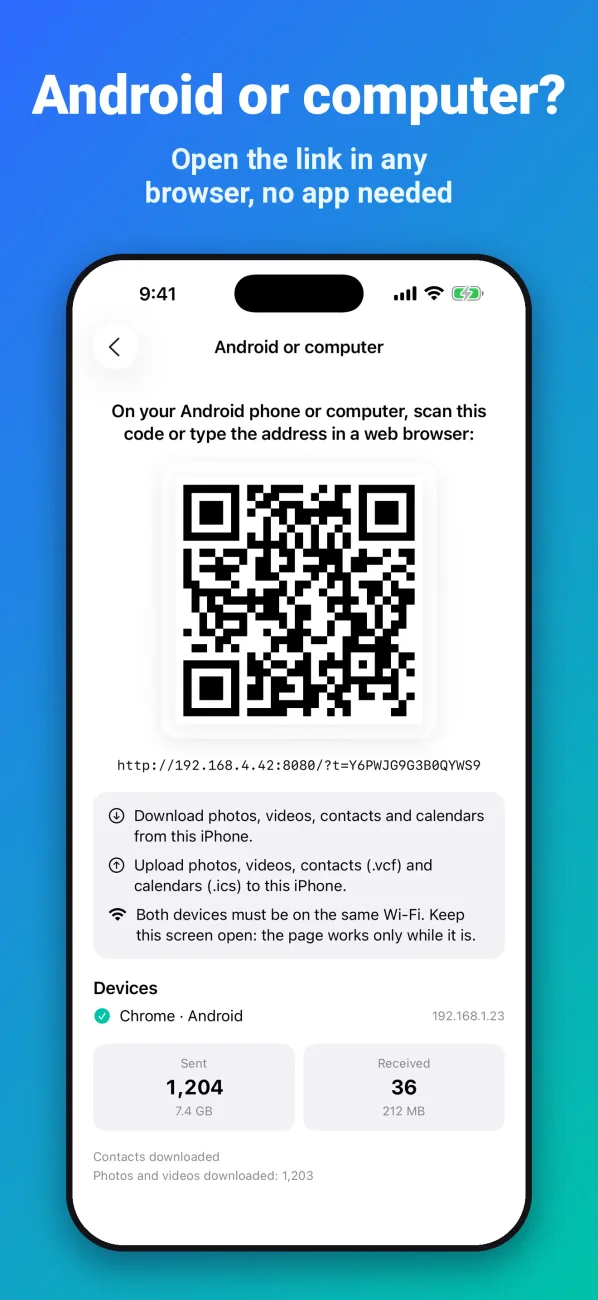
There's nothing to install on the other device. Your iPhone shows a QR code, and the other device opens a page in its web browser on the same Wi-Fi. From there you can:
• download photos and videos one by one or as a ZIP, with an option to save HEIC photos as JPG
• download your contacts (.vcf) and calendars (.ics), with easy steps to add them on Android
• upload photos, videos, contacts and calendars to your iPhone
You allow each new browser on your iPhone first, and the page stops working as soon as you close the app.
PRIVATE BY DESIGN
Your photos, contacts and events never pass through our servers. There's no sign-up and no ads.
WHAT NO APP CAN MOVE
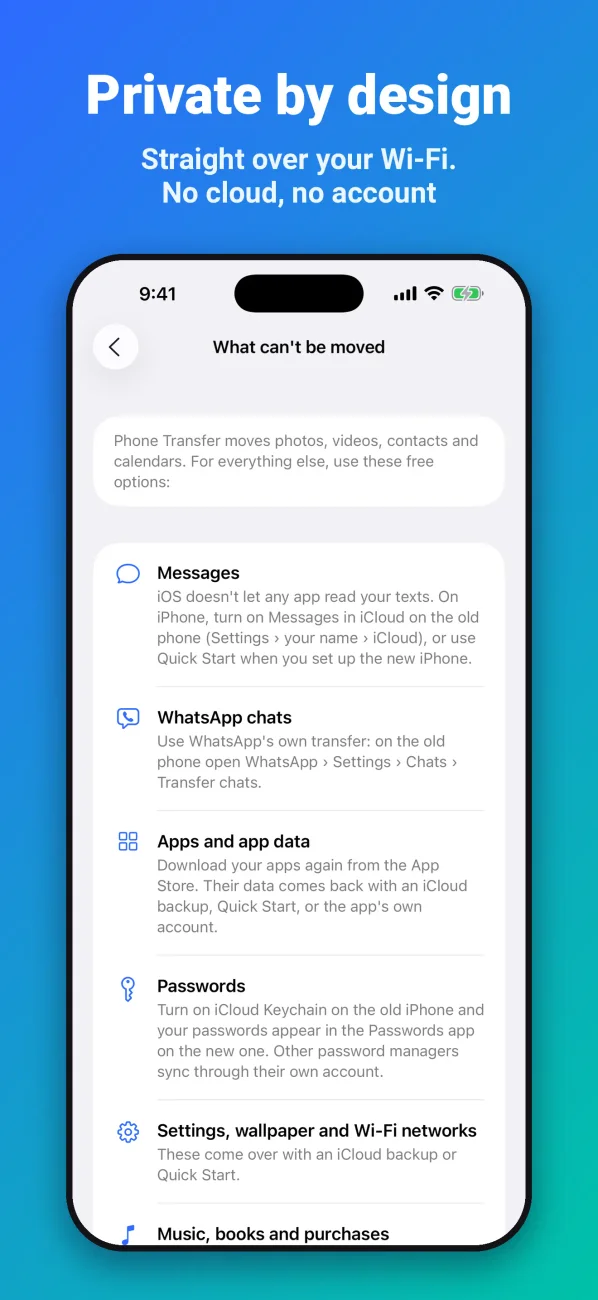
iOS doesn't let any app copy your messages, WhatsApp chats, apps, passwords or settings. Phone Transfer shows you the free way to bring each of them over, such as iCloud, Quick Start or WhatsApp's own chat transfer.
FREE AND PRO
Free: all your contacts plus 20 photos or videos. Phone Transfer Pro unlocks unlimited photos and videos, Live Photos, calendars and ZIP downloads. Pro on either phone unlocks the whole transfer.
Pro is an auto-renewing subscription, billed weekly or yearly. The yearly plan starts with a 3-day free trial. Payment is charged to your Apple Account. The subscription renews automatically unless you cancel it at least 24 hours before the end of the current period. You can manage or cancel it in your Apple Account settings.
Terms of Use: https://www.apple.com/legal/internet-services/itunes/dev/stdeula/
Privacy Policy: https://beforeafter.appholdings.org/privacy/phonetransfer.html
What’s new
Version 1.0.3 · Nov 15, 2026
More reliable connections: the code on the receiving phone now keeps working after you switch apps or lock the screen, or after a dropped connection.
App privacy
What SCEP LLC declares on the App Store about how this app handles data.
-
Data not linked to you
May be collected but is not linked to your identity.
- Purchases
- Location
- Identifiers
- Usage data
- Diagnostics
Privacy practices may vary, for example with the features you use or your age.
Information
- Seller
- Scep Group LLC
- Category
- Utilities
- Version
- 1.0.3
- Updated
- Nov 15, 2026
- Released
- Nov 3, 2026
- Size
- 2.9 MB
- Requires
- iOS 17.0 or later
- Age rating
- 4+
- Price
- Free
- In-app purchases
- Yes
- Languages
- English, Arabic, French, German, Hebrew, Italian, Portuguese, Spanish, Turkish
- Copyright
- © 2026 Scep Group LLC
You might also like
-
 Smart Switch | Copy My DataMove to iOS, Phone Transfer
-
 Smart Switch: Transfer My DataSmart Transfer with Clone App
-
 Smart Switch: Copy my dataEffortless Data Transfer App
-
 Data Transfer Move to OSMove Data from Phone to Phone
-
 Copy My Data I Phone transferMove Contacts, Photos & Files
-
 Data Transfer - Copy My DataFile Manager, Mobile Transfer
-
 Smart Switch - Phone CloneFast Data, Wifi Transfer
-
 小米换机Utilities
-
 EasyShare - device switch toolvivo official tool
-
 Data Transfer - MobileTransSmart Transfer: Clone Phone