- Age rating4+
- CategoryProductivity
- Developer士岩 李
- LanguagesEnglish
- Size5.4 MB
Links to the official App Store page
Download.org hosts no file of TapNote AI. The button opens its official App Store page, published by 士岩 李. Listing last checked on Nov 21, 2026.
Screenshots


About
TapNote AI turns screenshots into searchable memory.
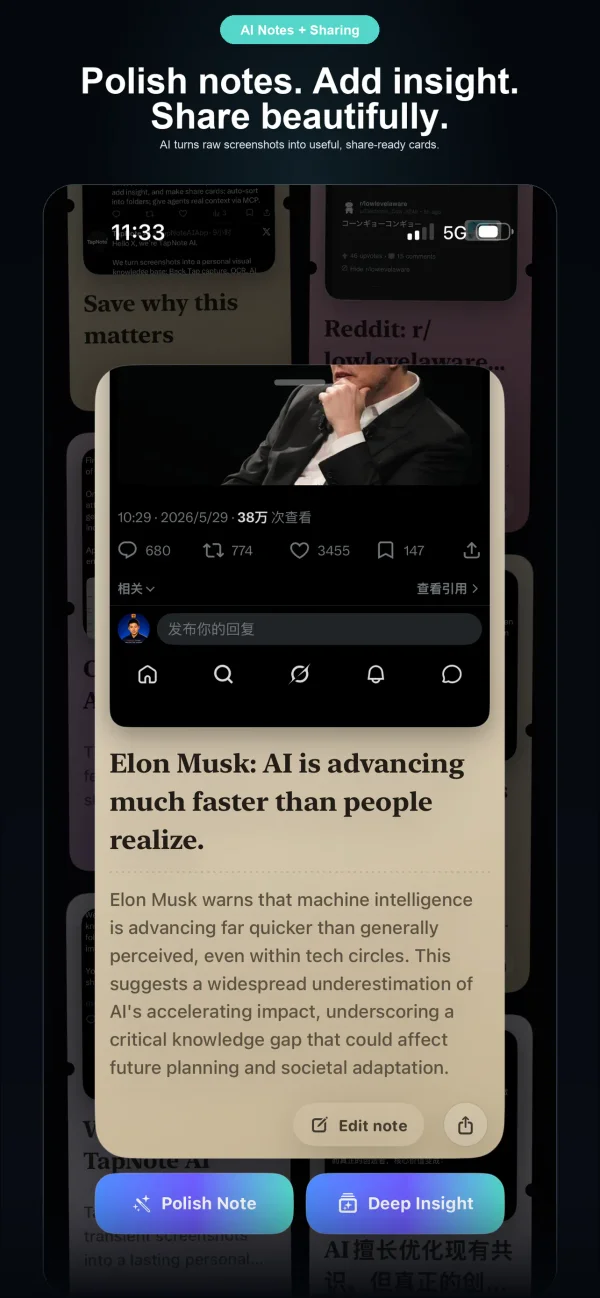
Use iPhone Back Tap with Shortcuts to capture what is on screen, add a quick note, and save both into a private visual library. TapNote AI recognizes text inside screenshots, helps you search what you saved, and turns raw screenshot notes into polished, share-ready cards.
Key features:
- Capture screenshots through a Back Tap Shortcut
- Add a note at the moment you capture
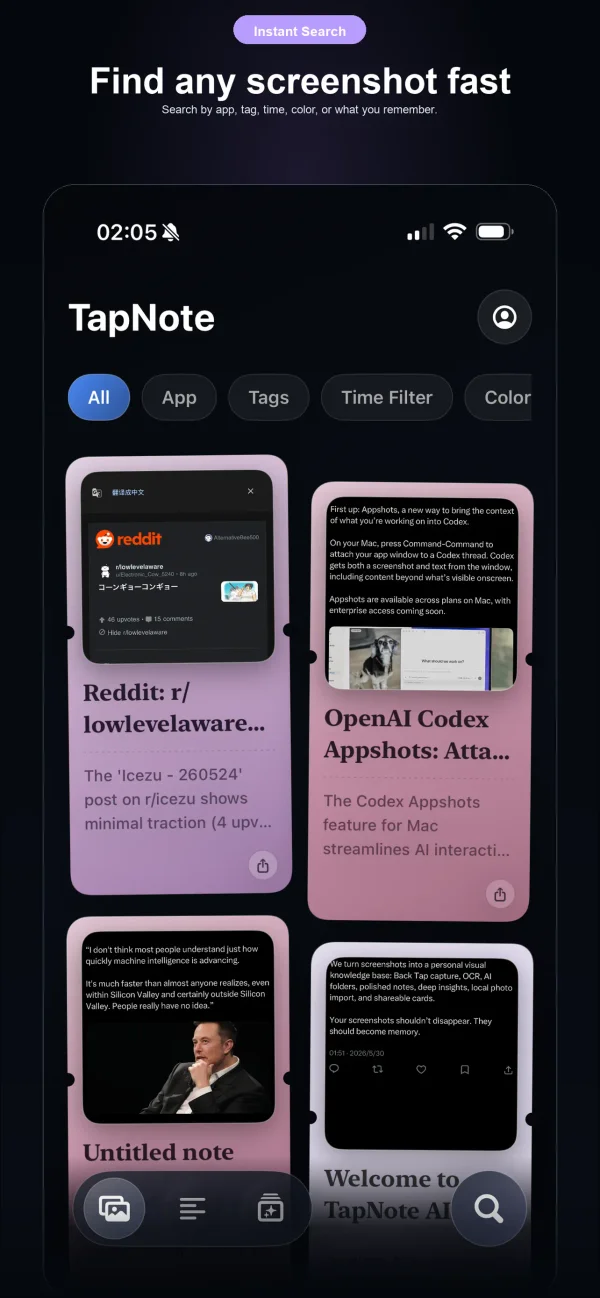
- Search notes, OCR text, source app, tags, time, and color
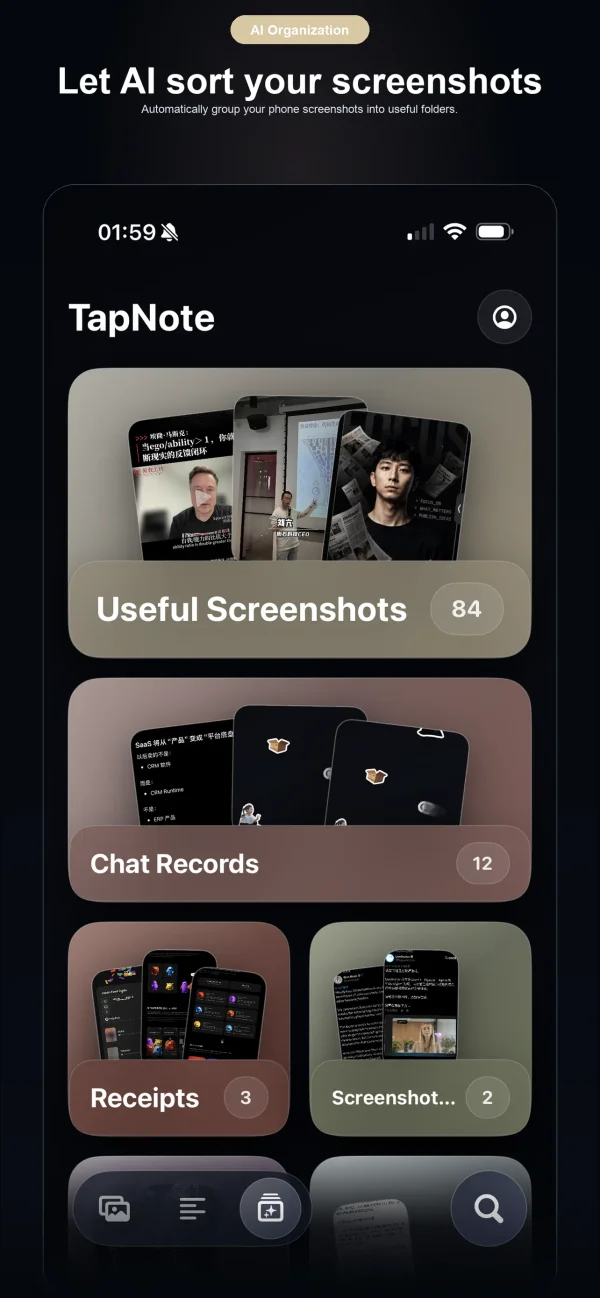
- Browse screenshots in a clean visual archive
- Let AI polish notes and add deeper insight
- Automatically organize screenshots into useful folders
- Share beautiful screenshot memory cards
- Use TapNote Cloud and MCP to make Pro memory available to agents
- Try the first screenshot notes for free
- Upgrade to TapNote Go, Plus, or Pro for unlimited screenshot notes and more AI capacity
TapNote AI is built for people who save useful screenshots but forget why they mattered. Your screenshots should not disappear into the camera roll. They should become memory.
App privacy
What 士岩 李 declares on the App Store about how this app handles data.
-
Data not linked to you
May be collected but is not linked to your identity.
- User content
Privacy practices may vary, for example with the features you use or your age.
Information
- Seller
- 士岩 李
- Category
- Productivity
- Version
- 1.0
- Updated
- Jun 4, 2026
- Released
- Jun 3, 2026
- Size
- 5.4 MB
- Requires
- iOS 17.0 or later
- Age rating
- 4+
- Price
- Free
- In-app purchases
- Yes
- Languages
- English
- Copyright
- © 2026 Shihyan Li
You might also like
-
 CaptureMobile AICreate Calendar Events with AI
-
 SnapActionScreenshots Into Actions
-
 Aura FocusUltimate
-
 Contract AI: Review & AnalysisLegal Document Risk Checker
-
 ScreenNote - AI Auto NotesSearch screenshots with OCR
-
 Flodo - Flow TodoProductivity
-
 SnapCal: Screenshot CalendarPhoto or flyer to calendar
-
 Keep AwareHuman-centric Browser Security
-
 Scrolled: Limit Reels & ShortsDoomscroll Limit & App Blocker
-
 AskPics: Search ScreenshotsAI organizer for your photos