TimeBox Tracker - Do More
Protect time for your top 3
Designed for iPhone, iPad
$0.99
- Age rating4+
- CategoryProductivity
- DeveloperOna Pacholo Asis
- LanguagesEnglish+ 46 more
- Size9.9 MB
Links to the official App Store page
Download.org hosts no file of TimeBox Tracker - Do More. The button opens its official App Store page, published by Ona Pacholo Asis. Listing last checked on Nov 18, 2026.
Screenshots
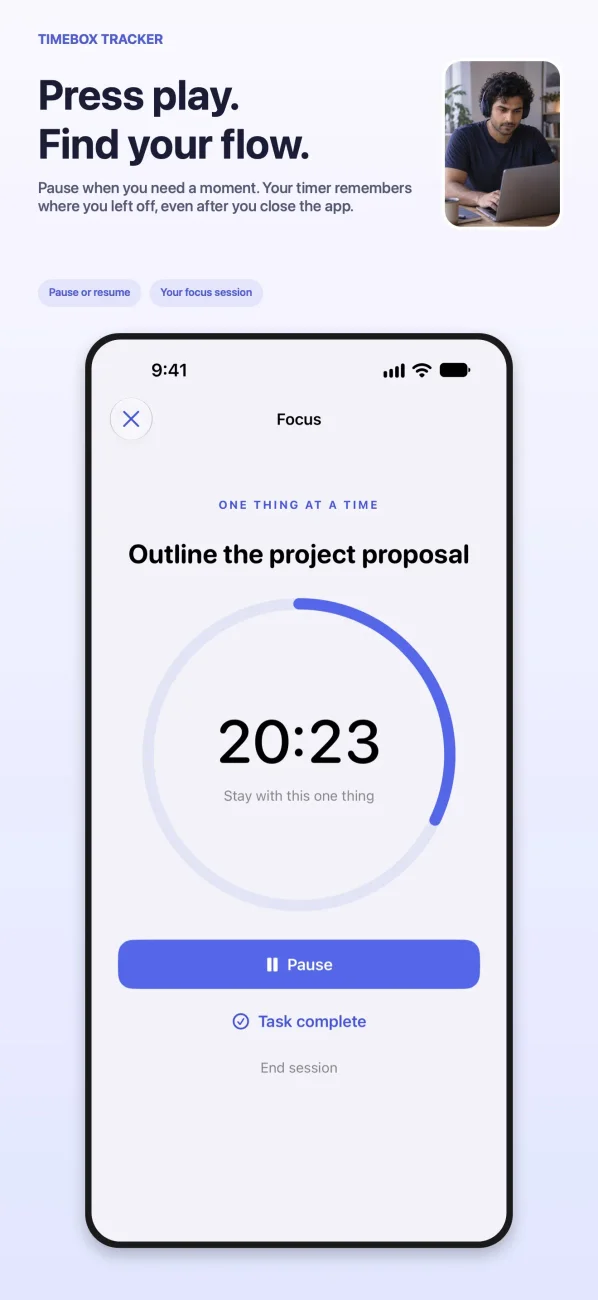
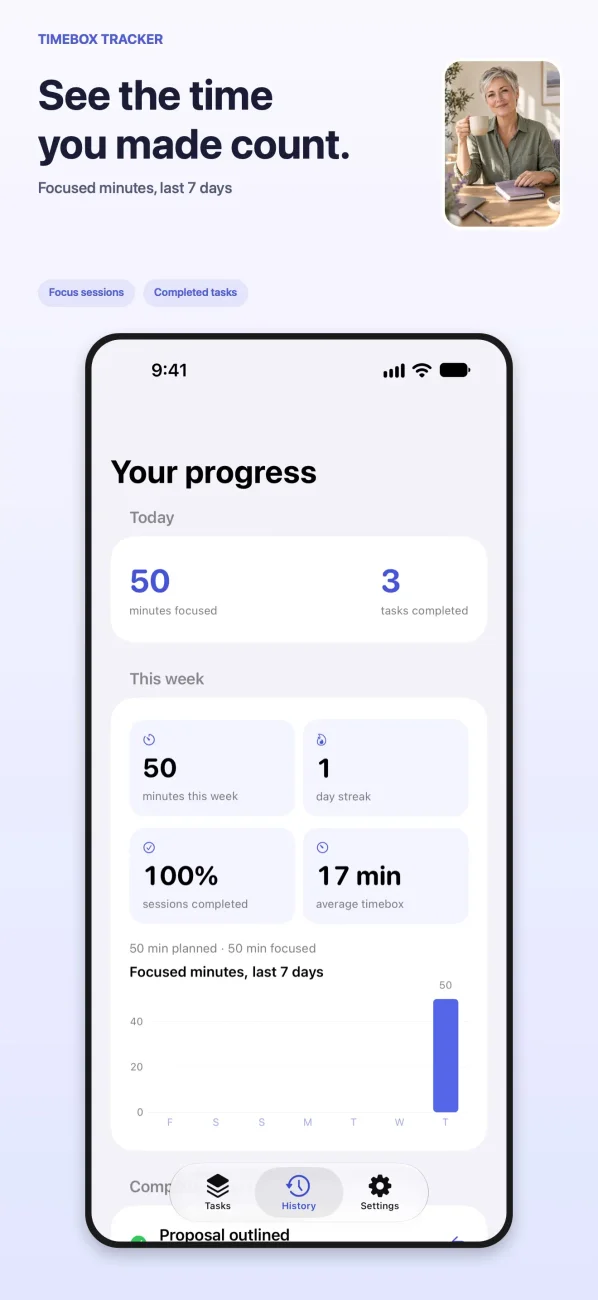
About
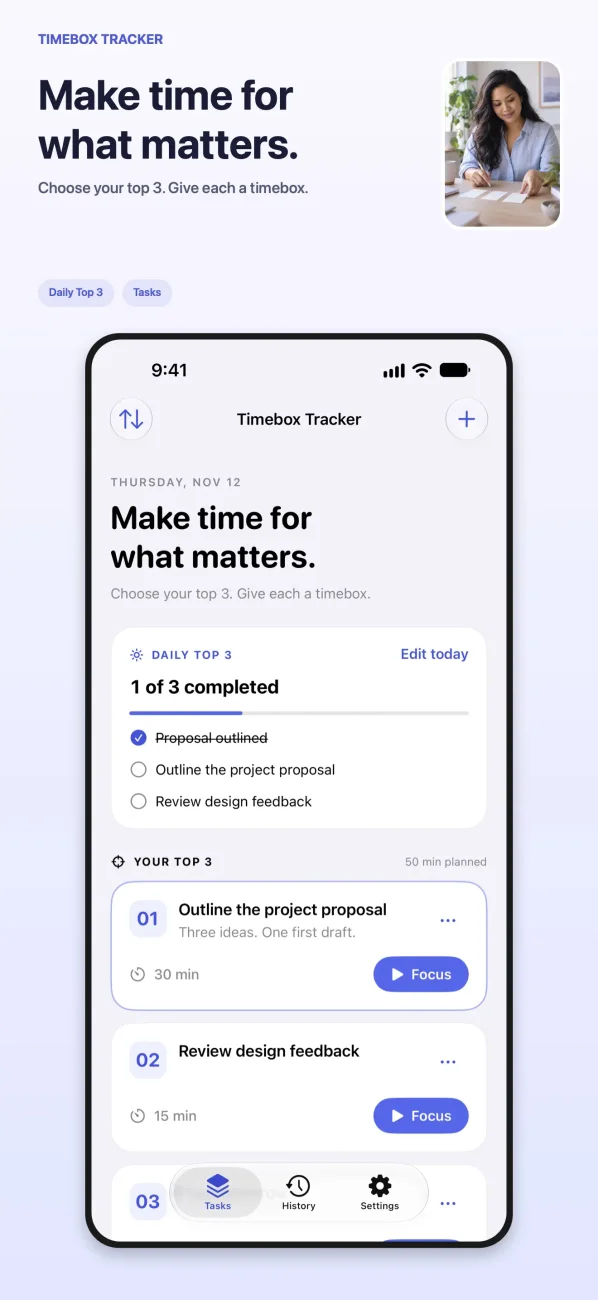
Make time for what matters with a simple task queue and short focus sessions.
Choose your top 3, give each a timebox, and stay with one thing at a time.
Your tasks and focus sessions are stored on your device by default. With optional iCloud sync, you can keep them up to date privately across your iPhone and iPad. Timebox Tracker requires no account or subscription.
FOCUS ON YOUR TOP 3
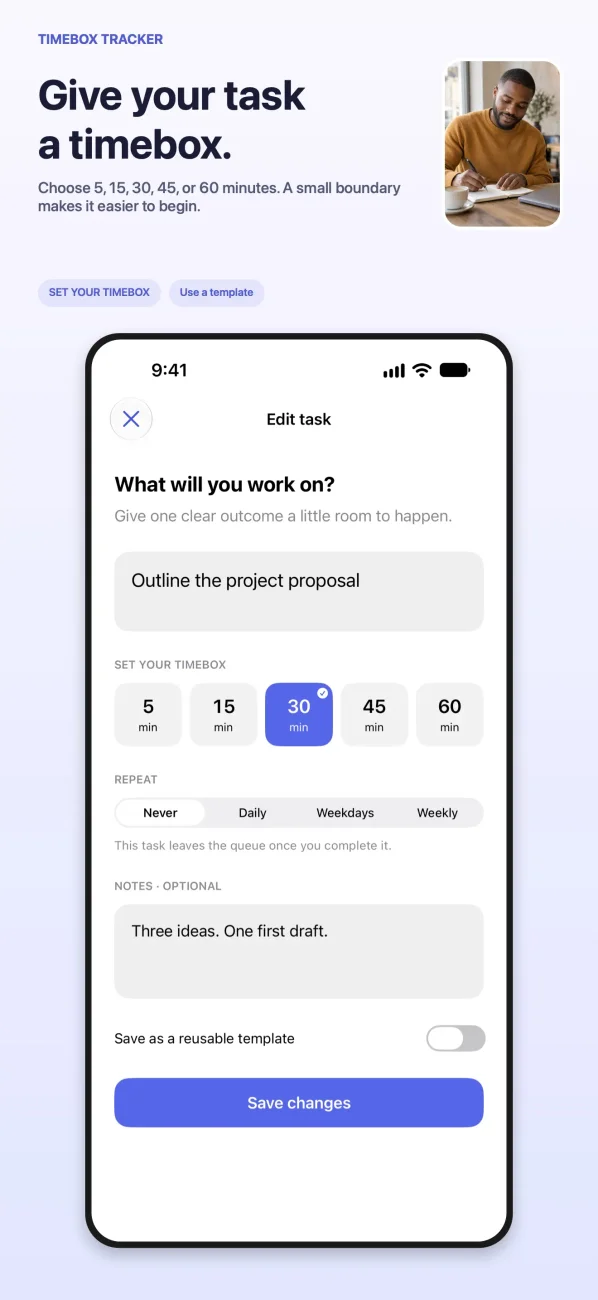
• Add tasks with a clear outcome and optional notes
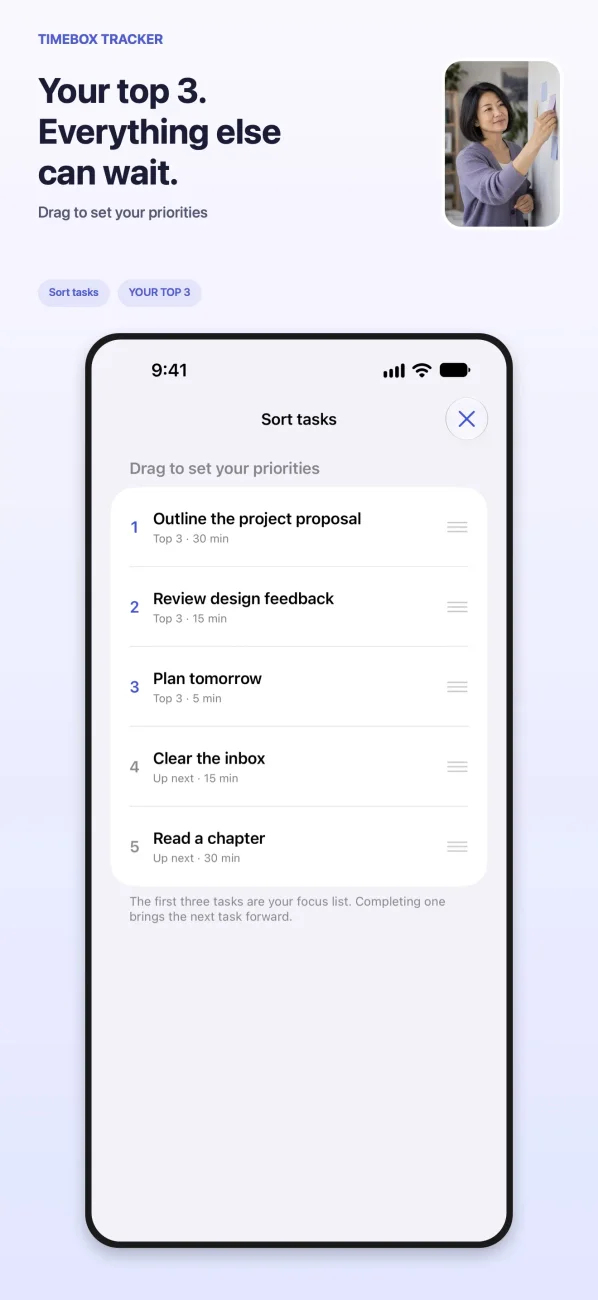
• Sort tasks into priority order, with the first three as your focus list
• Move an important task straight to the top when plans change
• Keep extra tasks waiting in the queue until there is room to focus
TIMEBOX YOUR WORK
• Pick a timebox for each task: 5, 15, 30, 45, or 60 minutes
• Start a focus session from any of your top three tasks
• Pause or resume whenever you need a break
• End early or let the timer reach zero, the app saves your focused time
• Decide what happened at the end: mark complete, keep for later, or start another timebox
• Closing the focus screen keeps the timer running in the background
SEE YOUR PROGRESS
• View a history of completed tasks and finished focus sessions
• See partial focus time, even if you stopped before the timer ended
• Return completed tasks to the queue if there is more to do
STAY ON TRACK YOUR WAY
• Optional one-shot alert when a running timebox ends
• Turn focus alerts on or off at any time
• Change appearance: follow the system, or pick light or dark theme
• Choose a default timebox duration that fits most of your tasks
YOUR DATA
• Export your current tasks as CSV for your own records or backup
• Export previous habit history from earlier versions of the app
• Clear everything with a factory reset when you want to start fresh
Turn big plans into small, focused timeboxes. Add your first task, choose a duration, and protect a little time for what matters today.
Standard EULA: https://www.apple.com/legal/internet-services/itunes/dev/stdeula/
What’s new
Version 1.0.1 · Nov 12, 2026
• Switch between 55 language and region options instantly in Settings → Language.
• Plan your Daily Top 3, reuse task templates, and take an optional timed break after focusing.
• Follow the timer on the Lock Screen, check priorities in the Top 3 widget, and see weekly focus time in History.
App privacy
What Ona Pacholo Asis declares on the App Store about how this app handles data.
-
Data not collected
The developer does not collect any data from this app.
Privacy practices may vary, for example with the features you use or your age.
Information
- Seller
- Ona Pacholo Asis
- Category
- Productivity
- Version
- 1.0.1
- Updated
- Nov 12, 2026
- Released
- Sep 27, 2026
- Size
- 9.9 MB
- Requires
- iOS 17.0 or later
- Age rating
- 4+
- Price
- $0.99
- Languages
- English, Amharic, Arabic, Bengali, Catalan, Croatian, Czech, Danish, Dutch, Filipino, Finnish, French + 35 more
- Copyright
- © 2026 QnSub
You might also like
-
 Upload Manager: Video PlannerContent Calendar for Creators
-
 Fome FamilyYour household, sorted
-
 Skein NotesMarkdown notes, connected
-
 Burn List: To-Do & RemindersUp to 5 tasks. Repeated alerts
-
 Task Compass for RemindersPairwise Prioritization
-
 99 Tasks99 Tasks. No Folders. Fast.
-
 PromptHub: AI Prompt LibraryDiscover AI Prompts & Ideas
-
 Tracking Habit: Daily GoalsRoutine Planner & Checklist
-
 Interval Timer for TasksMulti Timer, Alarm & Countdown
-
 Cleanup Space: Storage CleanerPhoto Cleaner Optimize Storage