Task Compass for Reminders
Pairwise Prioritization
Designed for iPhone, iPad, Mac
Free
- Age rating4+
- CategoryProductivity
- DeveloperMaciej Blizinski
- LanguagesEnglish+ 8 more
- Size17.6 MB
Links to the official App Store page
Download.org hosts no file of Task Compass for Reminders. The button opens its official App Store page, published by Maciej Blizinski. Listing last checked on Nov 17, 2026.
Screenshots

About
Task Compass is for you if:
- Have long to-do lists
- Need to choose what to work on next
- Want to keep the important task on top of list
- Want top task on the lock screen
This isn’t for you if you need complex project hierarchies, dependencies, or time tracking.
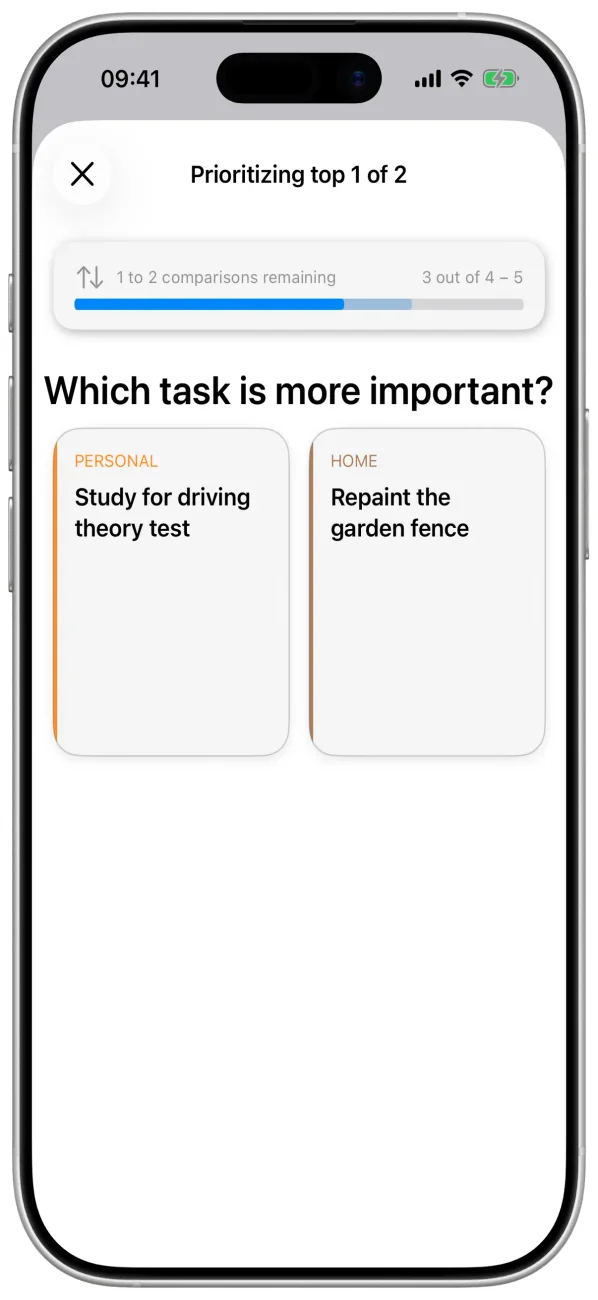
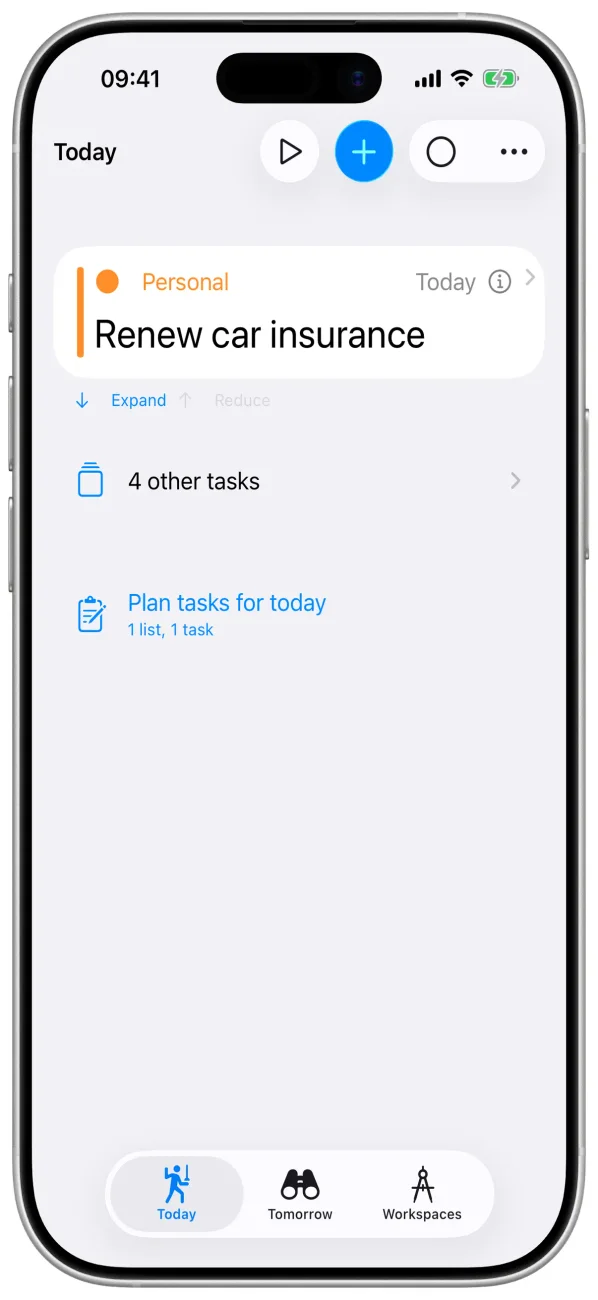
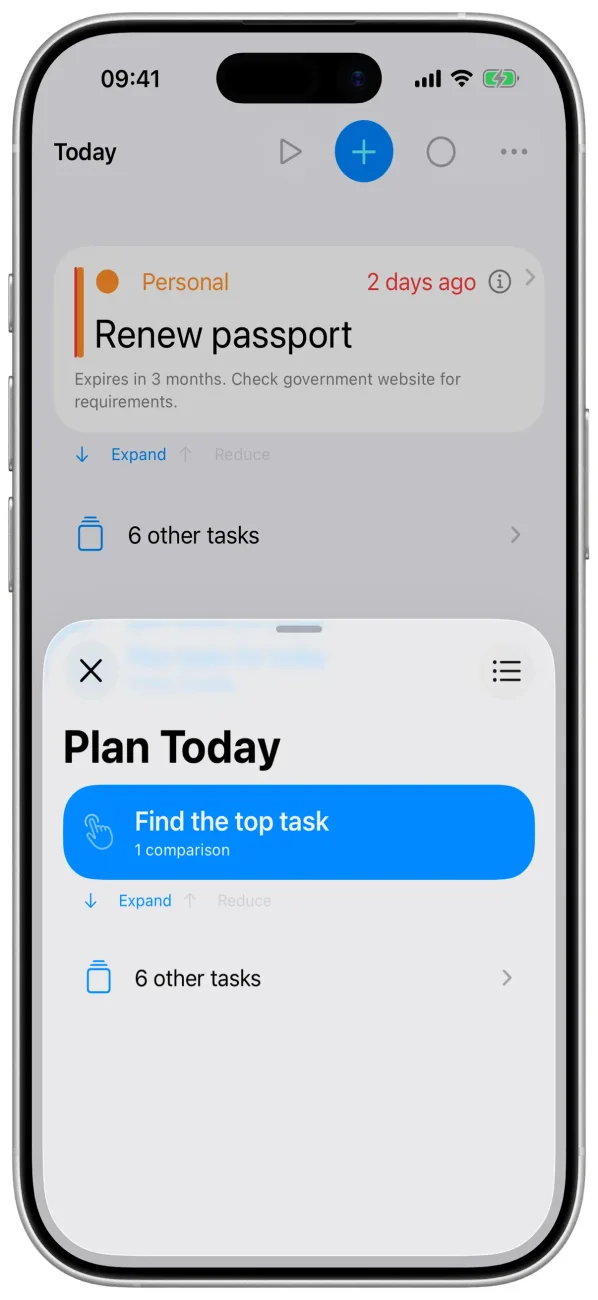
Task Compass prioritizes your tasks by asking you to compare two tasks. "Which task is more important?" The app finds and displays your top priority, in-app, in a widget, in a live activity, and in a lock screen widget.
Always in sync with Apple Reminders.
No new accounts. Your data lives on your phone and in your iCloud account.
Terms of Use: Standard Apple Terms (https://www.apple.com/legal/internet-services/itunes/dev/stdeula/)
What’s new
Version 1.12.0 · Oct 14, 2026
# Added
Workspace Review: re-establish your #1 task using only fresh comparisons, so older ones don't weigh on the result. Start it from the overflow menu of a Compass workspace, Today or Tomorrow.
Why is this task on top? Tap the small "i" next to the top task's due date to see the comparisons behind its rank. Swipe a row to delete a comparison you disagree with.
More widget sizes: the Today widget now supports the circular Lock Screen accessory and the extra-large Home Screen sizes.
Undo when you complete a task from the Home Screen widget.
"Remove from Today" / "Remove from Tomorrow" as a left-swipe action on the other-tasks list.
The move-to-list menu groups lists that share a name prefix and shows each list's color.
New Reminder picks a smarter default list in Workspaces, Today and Tomorrow.
# Improved
Far fewer comparisons when you work through tasks one by one. In simulations, 12 reminders needed 31% fewer comparisons and 30 reminders needed 63% fewer.
Widgets adapt better to tinted, Lock Screen, Always-On, StandBy and CarPlay modes.
Widget due dates are shorter, and overdue dates are red.
The Deadlines widget shows the first line of each reminder's notes when you have three or fewer deadlines.
# Fixed
The widget no longer opens its own iCloud sync connection. This is meant to prevent sync problems when the widget is installed.
Comparisons made in the Lock Screen widget or Live Activity are now recognized on your other devices.
Comparison cleanup: cycles are removed automatically, your newest comparison is no longer overridden by older ones, and comparisons against deleted tasks are cleaned up.
In the Reassess sheet, deleting one comparison no longer hides others or deletes several at once.
Closing an untouched New Reminder form no longer asks "Discard Changes?".
Undo and Redo are shared across Today, Tomorrow and Compass.
The widget no longer says "No tasks to show" right after you complete a task.
App privacy
What Maciej Blizinski declares on the App Store about how this app handles data.
-
Data not collected
The developer does not collect any data from this app.
Privacy practices may vary, for example with the features you use or your age.
Information
- Seller
- Maciej Blizinski
- Category
- Productivity
- Version
- 1.12.0
- Updated
- Oct 14, 2026
- Released
- Oct 19, 2025
- Size
- 17.6 MB
- Requires
- iOS 18.6 or later
- Age rating
- 4+
- Price
- Free
- Languages
- English, French, German, Italian, Polish, Portuguese, Spanish, Thai, Ukrainian
- Copyright
- © 2026 Maciej Bliziński
You might also like
-
 MinDrop: Notes & RemindersSticky notes that remind you
-
 Noter: Sticky NotesNotes and links with summaries
-
 Thought Meadow - Private NotesWrite offline. Keep it yours.
-
 NexReader: Markdown ReaderRead .md files beautifully
-
 Cue — Read LaterA cozy corner for your links
-
 PageCacheSave & read any page offline
-
 QuirepadCollect text as you browse
-
 Atelier DazzlePresentations simplified
-
 Winter CalendarYour week, written for you
-
 OneFocus: Deep WorkFocus timer and app blocking