Blue Hour: Visual Focus Timer
Calm countdown you can see
iPhone, iPad için tasarlandı
Ücretsiz · Uygulama içi satın alma
- Yaş sınırı4+
- KategoriÜretkenlik
- GeliştiriciMoses Smith
- Dillerİngilizce
- Boyut3,4 MB
Resmi App Store sayfasına bağlanır
Download.org, Blue Hour: Visual Focus Timer için hiçbir dosya barındırmaz. Düğme, uygulamanın App Store üzerindeki sayfasını açar; uygulamayı orada Moses Smith yayınlar. Sayfanın son kontrolü: 25.11.2026.
Ekran görüntüleri

Hakkında
Geliştirici bu metni dilinizde sunmamış.
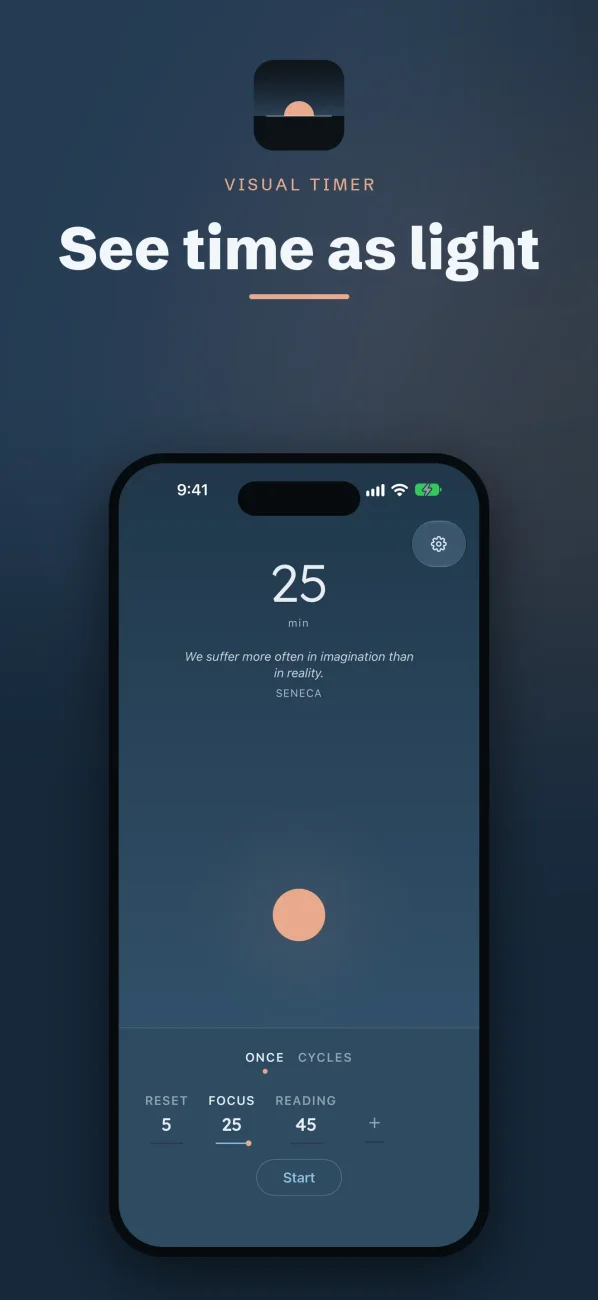
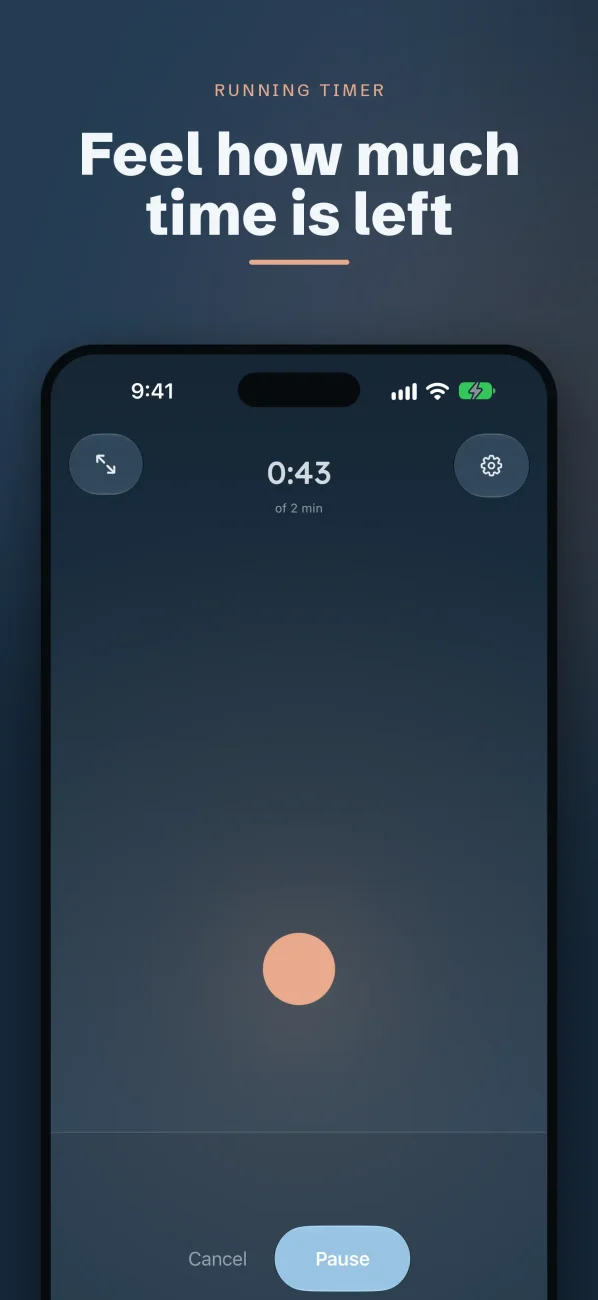
Blue Hour is a free visual timer that turns time into light: a sun sinks toward the horizon as your timer runs, so you can feel how much is left without reading a number.
You drag the sun to set the time and let the light do the counting. You get a calm countdown built kindly for ADHD and time-blindness, gentle enough for classrooms and kids. You never meet an account, an ad or a streak to keep.
What you can do
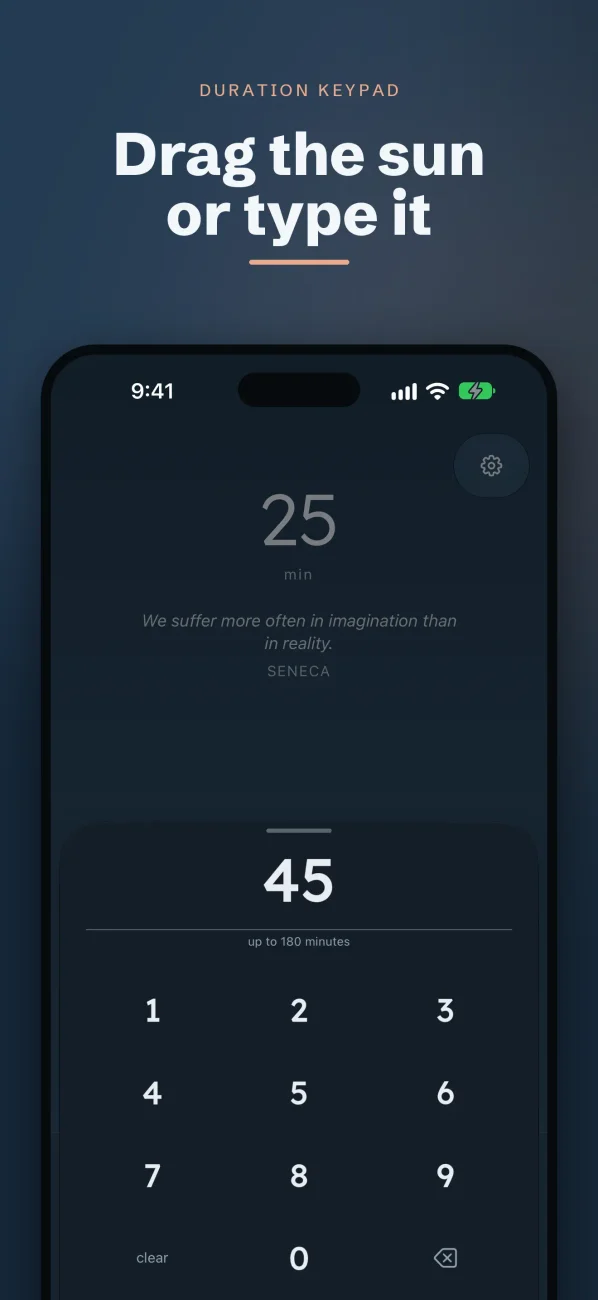
• Drag the sun up to set a time from one minute to three hours, or tap the readout and type it on a keypad
• Keep preset chips for the timers you use every day
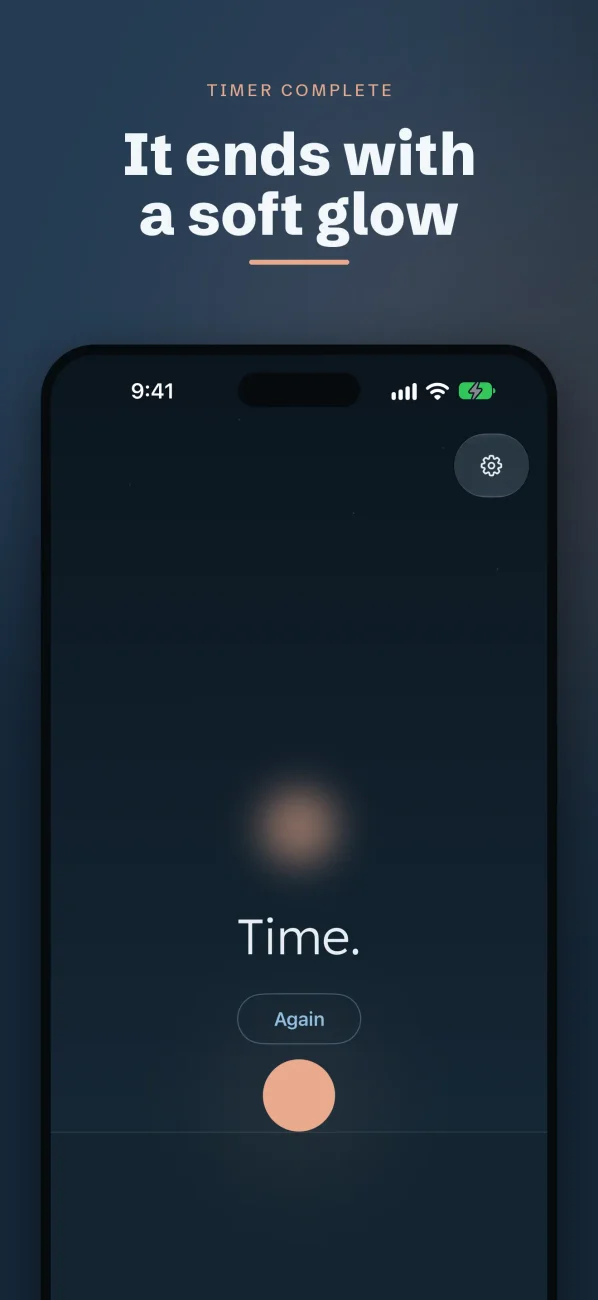
• Watch the sky deepen as the last light falls, then finish with a soft glow and an optional two-note chime
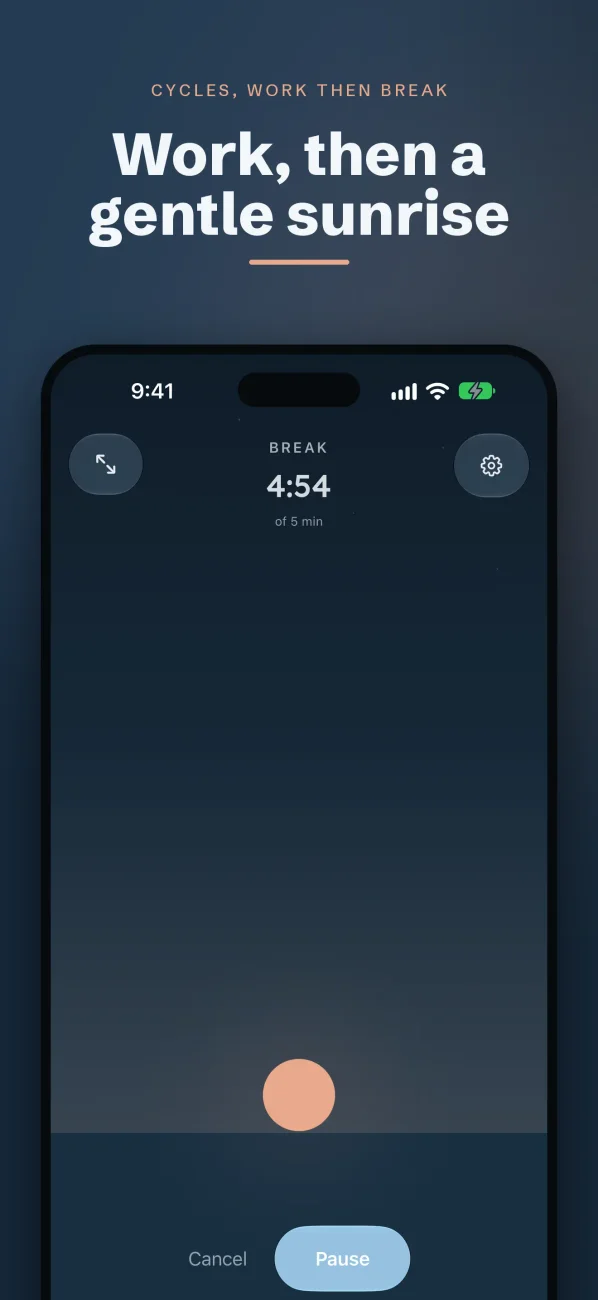
• Run work and break cycles, where each break is a sunrise and rounds are counted as little suns
• Follow the sinking sun on your Lock Screen and in the Dynamic Island with a Live Activity
• Start your usual timer from a Home Screen widget, Siri or Shortcuts
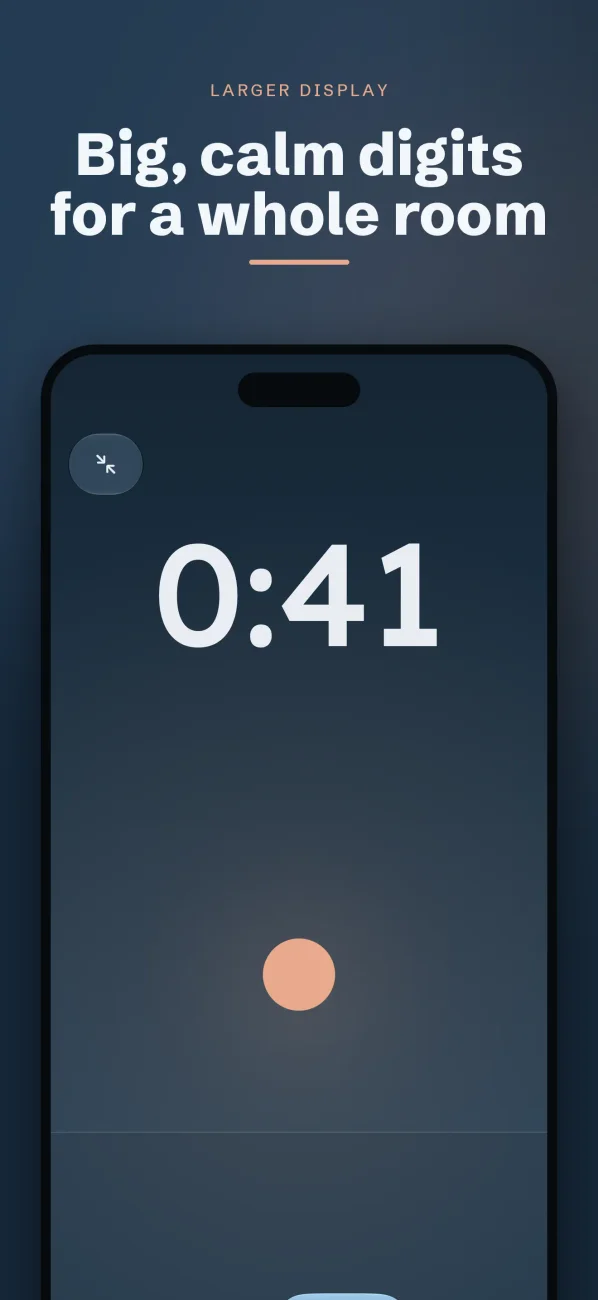
• Open the larger display for big digits across a room, with a classroom preset set of 1, 3, 5, 10, 15 and 20 minutes
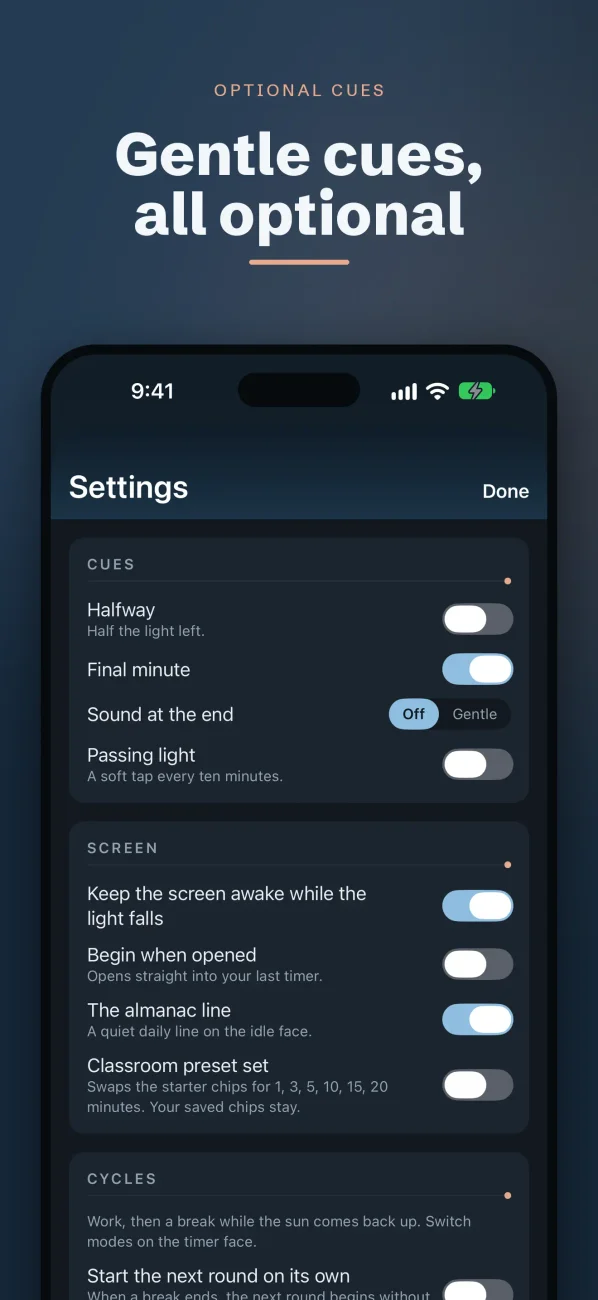
• Turn on halfway and final-minute cues, or keep the screen awake while the light falls
• Read one line a day from 412 public-domain quotations on the idle sky, starting your second day, or switch it off
• Come back after backgrounding the app and the light agrees, because the timer follows the wall clock
What it costs
Nothing. Every feature is free, with no premium tier and no subscription. If Blue Hour earns a place on your Home Screen, there is a tip jar in Settings with three sizes: Coffee, Lunch or Legend. Tips go through Apple and unlock nothing.
Privacy
Blue Hour has no account, tracking or analytics, and your timers and settings stay on your phone. Settings can refresh the list of other apps from the same maker, and tips are handled by Apple, so its App Store privacy label is Data Not Collected.
Who makes it
Made by one person; write to votiquellc@gmail.com and the person who built it answers.
Support: https://bluehourtimer.vercel.app/#support
Privacy policy: https://bluehourtimer.vercel.app/privacy
Yenilikler
Sürüm 1.0.1 · 24.11.2026
Fixes a crash that could leave the Live Activity or the widget blank after a timer ended. The Settings privacy note is now more precise, and the App Store page has new screenshots. Your presets and settings are unchanged.
Uygulama gizliliği
Bu uygulamanın verileri nasıl işlediği hakkında Moses Smith tarafından App Store üzerinde yapılan beyan.
-
Veri toplanmıyor
Geliştirici bu uygulamadan hiçbir veri toplamıyor.
Gizlilik uygulamaları, örneğin kullandığınız özelliklere veya yaşınıza göre değişiklik gösterebilir.
Bilgiler
- Satıcı
- Moses Smith
- Kategori
- Üretkenlik
- Sürüm
- 1.0.1
- Güncellendi
- 24.11.2026
- Yayın tarihi
- 02.08.2026
- Boyut
- 3,4 MB
- Gereksinim
- iOS 26.0 veya sonrası
- Yaş sınırı
- 4+
- Fiyat
- Ücretsiz
- Uygulama içi satın alma
- Evet
- Diller
- İngilizce
- Telif hakkı
- © 2026 Moses Smith
Bunları da beğenebilirsiniz
-
 BitEditorÜretkenlik
-
 Recto MDÜretkenlik
-
 Skein NotesÜretkenlik
-
 Peak Browser: AI WorkspaceÜretkenlik
-
 Clastly — Personal DatabaseÜretkenlik
-
 To Do List Maker - DoneSnapÜretkenlik
-
 KeepCue: Day Planner, RoutinesÜretkenlik
-
 Handwritten Digital NotesÜretkenlik
-
 PutSpot: Ev Eşya BulucuFotoğraf, Sesli Arama ve QR
-
 Marko: Markdown ViewerÇevrimdışı oku ve sesli dinle