Vision Detector
Run your Vision CoreML model
iPhone, iPad, Mac için tasarlandı
Ücretsiz
- Yaş sınırı4+
- KategoriGeliştirici Araçları
- GeliştiriciKazufumi Suzuki
- Dillerİngilizce
- Boyut1,7 MB
Resmi App Store sayfasına bağlanır
Download.org, Vision Detector için hiçbir dosya barındırmaz. Düğme, uygulamanın App Store üzerindeki sayfasını açar; uygulamayı orada Kazufumi Suzuki yayınlar. Sayfanın son kontrolü: 23.11.2026.
Ekran görüntüleri

Hakkında
Geliştirici bu metni dilinizde sunmamış.
Vision Detector is an AI image analysis tool that supports CoreML machine learning models, multi-modal Large Language Models, and on-device Apple Intelligence.
Choose the mode that best fits your use case.
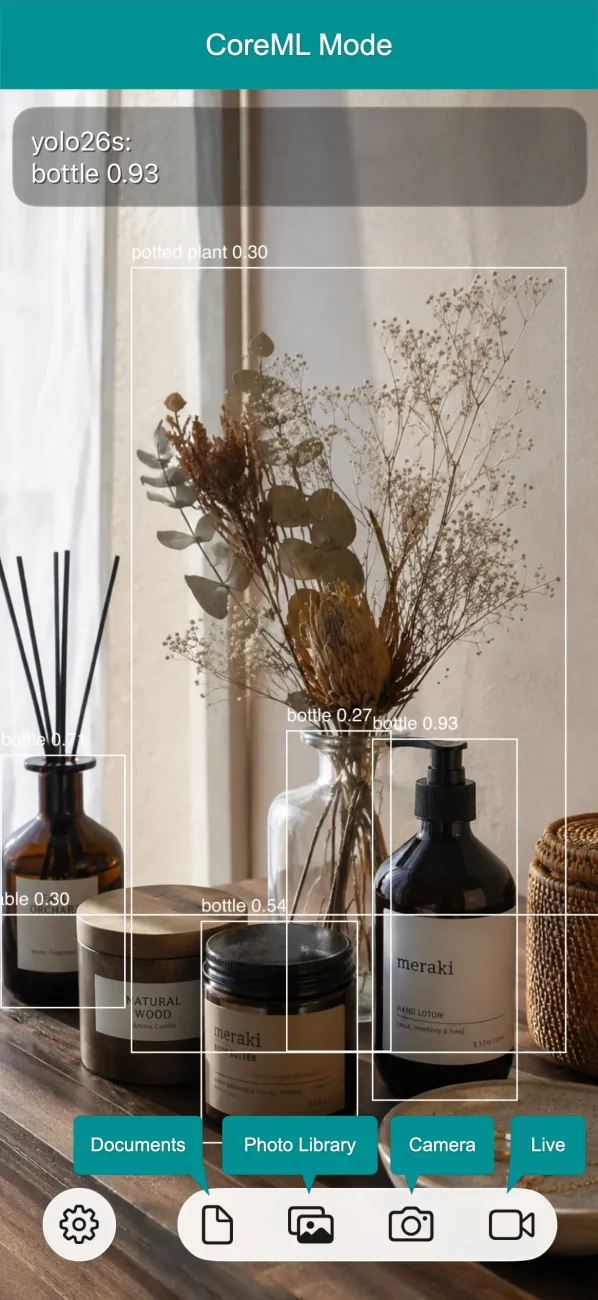
You can choose one of the following image input sources:
- Live video by the built-in camera
- Still image by the built-in camera
- Photo Library
- Files (iCloud, Google Drive, Dropbox, etc.)
For live video inputs, continuous inference is performed on the camera feed. However, the frame rate and other parameters depend on the device.
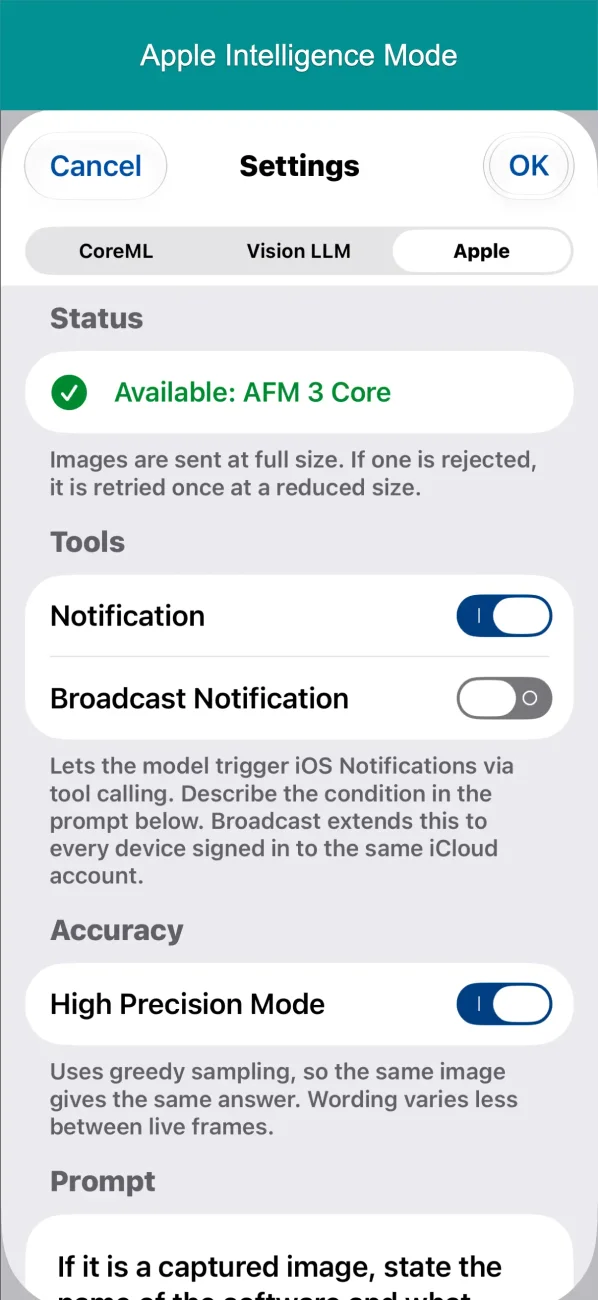
# Notification Center
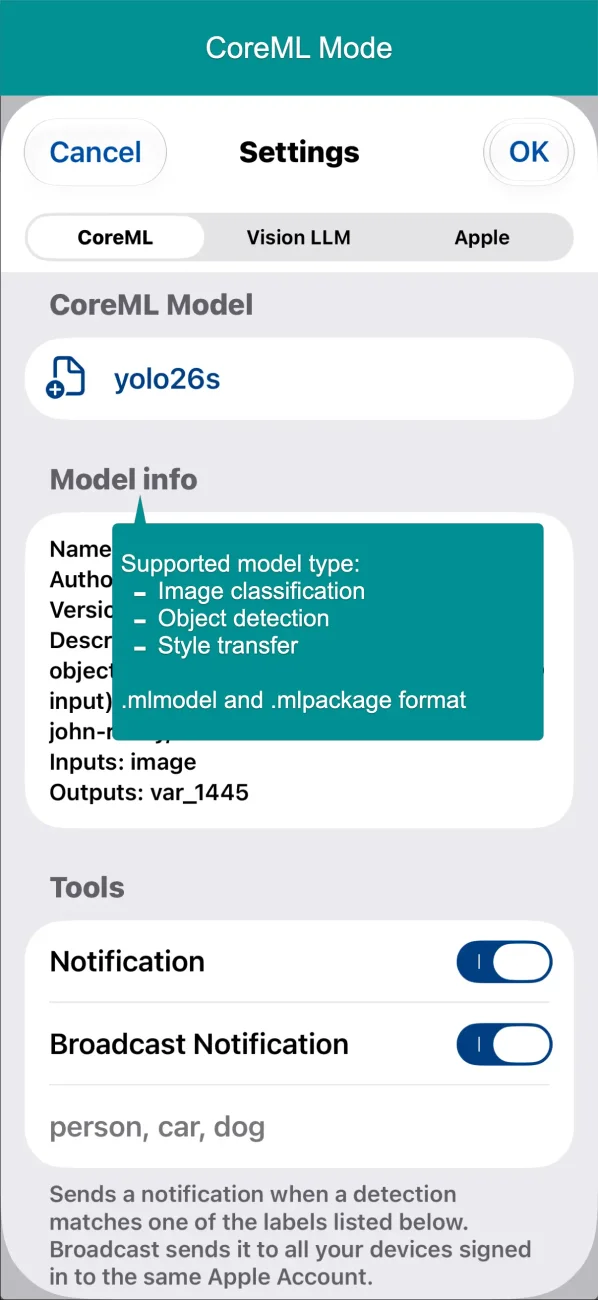
Vision Detector can call Notification Center for predefined conditions.
Broadcasting notifications sends notifications to all Apple devices signed in with the same Apple Account.
## CoreML Mode
Vision Detector locally executes CoreML models using Apple’s Vision framework.
Before using this mode, prepare a machine learning model in the CoreML format (.mlmodel or .mlpackage) using Create ML.
Import ML models via iCloud or AirDrop.
Vision Detector supports the following types of CoreML models:
- Image classification
- Object detection
- Object Segmentation
- Style transfer
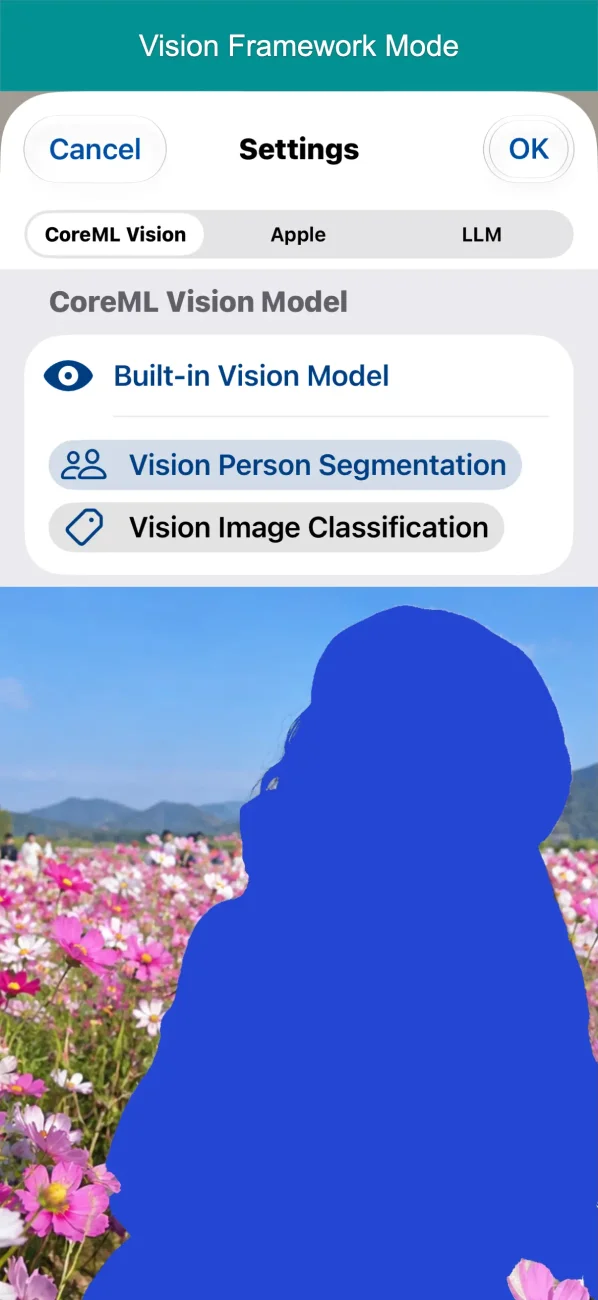
Built-in Vision framework is also available for human mask and image classification.
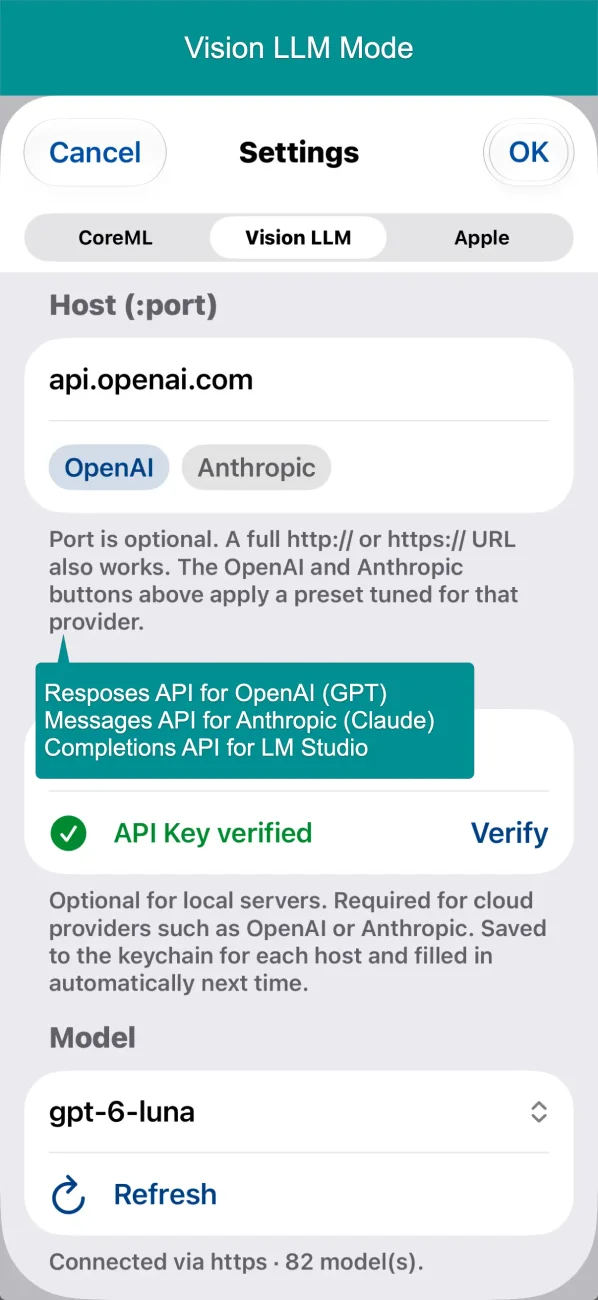
## Vision LLM Mode
Vision Detector can use multi-modal large language model (LLMs).
Define what to do with the prompt as follows:
- If the image is a screenshot, answer the name of the software
- Call a notification when you see a cat
- Count the number of persons in the image, and notify when it changes
## Apple Intelligence mode
The images are completely processed on your device locally with your prompt.
Yenilikler
Sürüm 3.5 · 18.11.2026
Improvements of Markdown rendering and security.
Shortcut and App Intent compatibility. You can open images from Shortcut.
Fixed issues of Notification.
Uygulama gizliliği
Bu uygulamanın verileri nasıl işlediği hakkında Kazufumi Suzuki tarafından App Store üzerinde yapılan beyan.
-
Veri toplanmıyor
Geliştirici bu uygulamadan hiçbir veri toplamıyor.
Gizlilik uygulamaları, örneğin kullandığınız özelliklere veya yaşınıza göre değişiklik gösterebilir.
Bilgiler
- Satıcı
- Kazufumi Suzuki
- Kategori
- Geliştirici Araçları
- Sürüm
- 3.5
- Güncellendi
- 18.11.2026
- Yayın tarihi
- 09.10.2022
- Boyut
- 1,7 MB
- Gereksinim
- iOS 18.2 veya sonrası
- Yaş sınırı
- 4+
- Fiyat
- Ücretsiz
- Diller
- İngilizce
- Telif hakkı
- © (C) 2022-2026 SUZUKI Kazufumi
Bunları da beğenebilirsiniz
-
 ML Trainer: Make Training DataGeliştirici Araçları
-
 AI Capture: Create ML DatasetsGeliştirici Araçları
-
 TFLite LiteRT TensorFlow TestGeliştirici Araçları
-
 OmniClassifyAI ML All-In-One Toolkit
-
 Code AnalyzerGeliştirici Araçları
-
 CraftOS-PCGeliştirici Araçları
-
 Source Files: Git StorageGeliştirici Araçları
-
 Power JSON Editor MobileGeliştirici Araçları
-
 Processing & p5.js iCompilerGeliştirici Araçları
-
 Secure TerminalGeliştirici Araçları