- Age rating4+
- CategoryDeveloper Tools
- DeveloperKazufumi Suzuki
- LanguagesEnglish
- Size1.7 MB
Links to the official App Store page
Download.org hosts no file of Vision Detector. The button opens its official App Store page, published by Kazufumi Suzuki. Listing last checked on Nov 23, 2026.
Screenshots

About
Vision Detector is an AI image analysis tool that supports CoreML machine learning models, multi-modal Large Language Models, and on-device Apple Intelligence.
Choose the mode that best fits your use case.
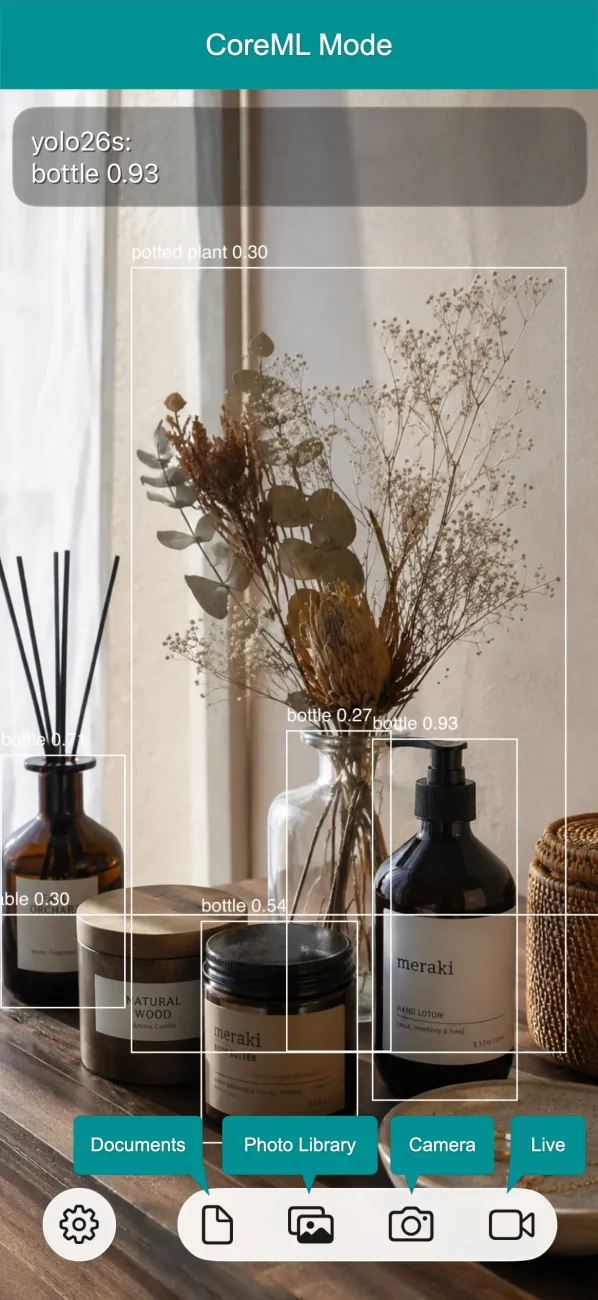
You can choose one of the following image input sources:
- Live video by the built-in camera
- Still image by the built-in camera
- Photo Library
- Files (iCloud, Google Drive, Dropbox, etc.)
For live video inputs, continuous inference is performed on the camera feed. However, the frame rate and other parameters depend on the device.
# Notification Center
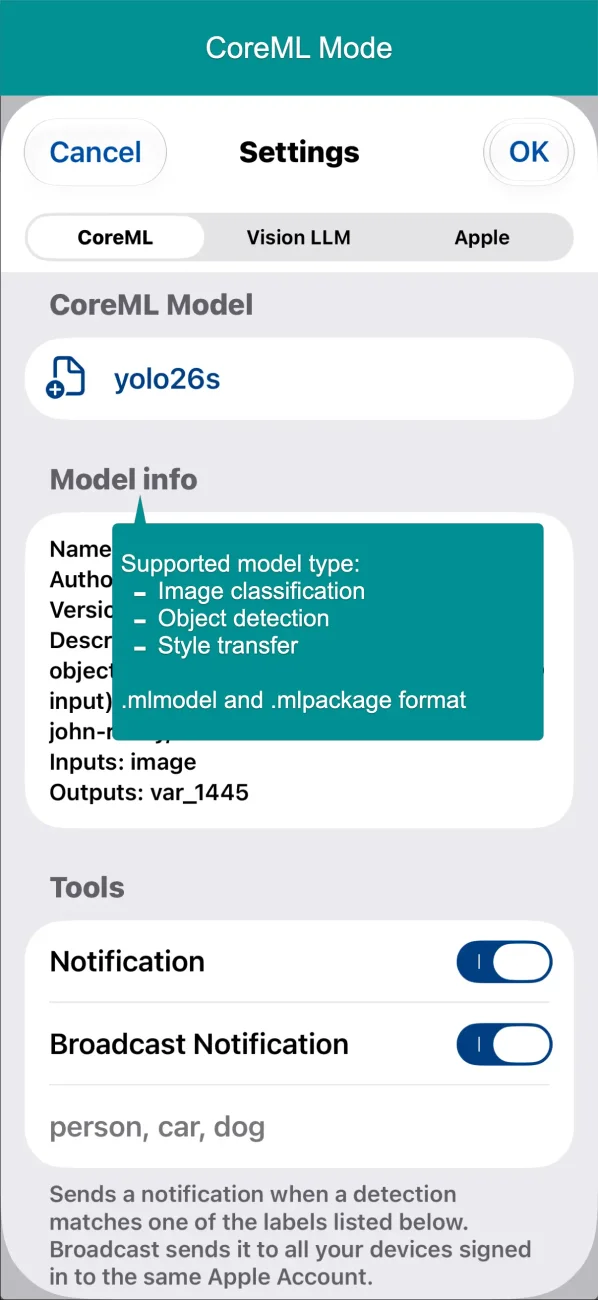
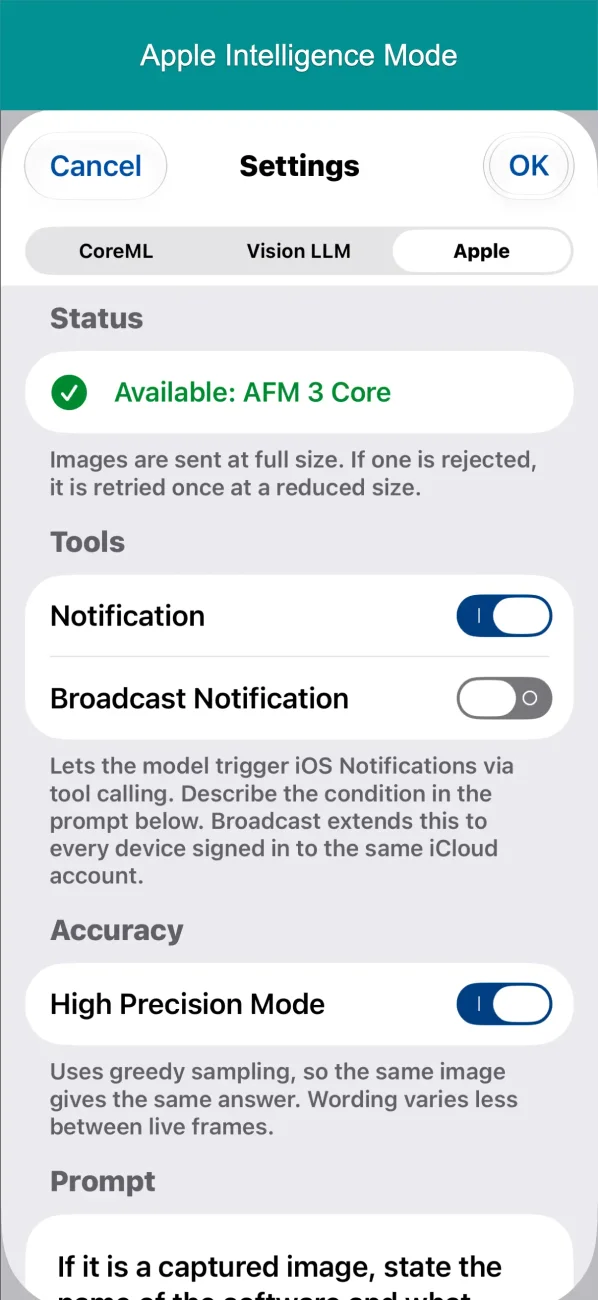
Vision Detector can call Notification Center for predefined conditions.
Broadcasting notifications sends notifications to all Apple devices signed in with the same Apple Account.
## CoreML Mode
Vision Detector locally executes CoreML models using Apple’s Vision framework.
Before using this mode, prepare a machine learning model in the CoreML format (.mlmodel or .mlpackage) using Create ML.
Import ML models via iCloud or AirDrop.
Vision Detector supports the following types of CoreML models:
- Image classification
- Object detection
- Object Segmentation
- Style transfer
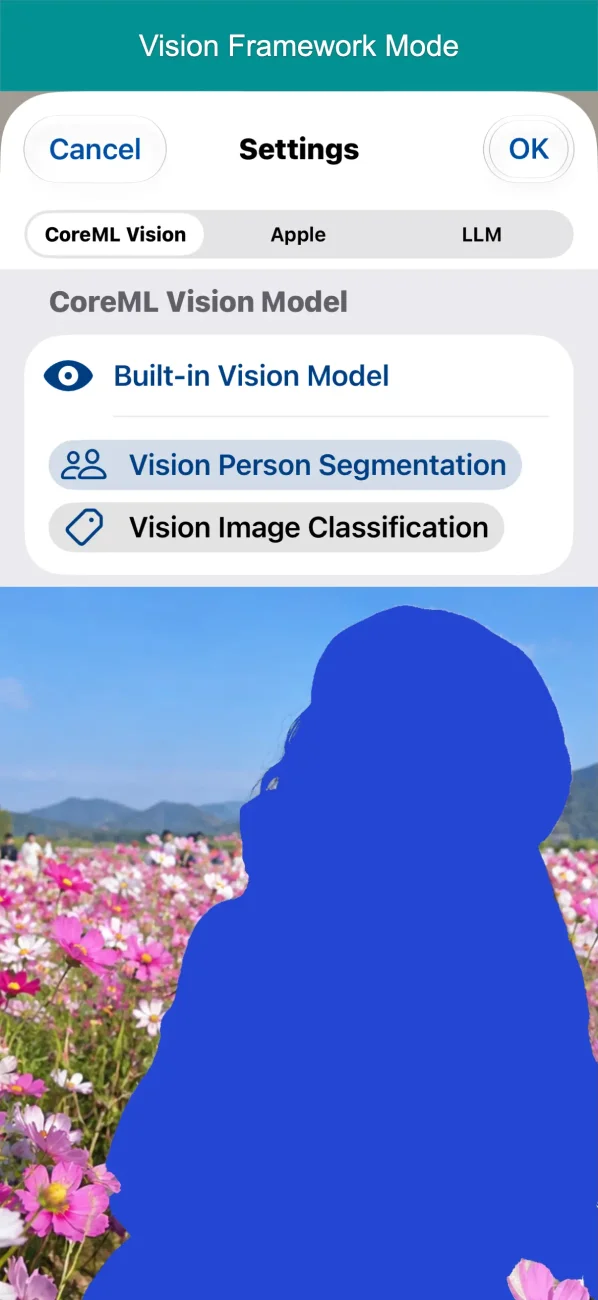
Built-in Vision framework is also available for human mask and image classification.
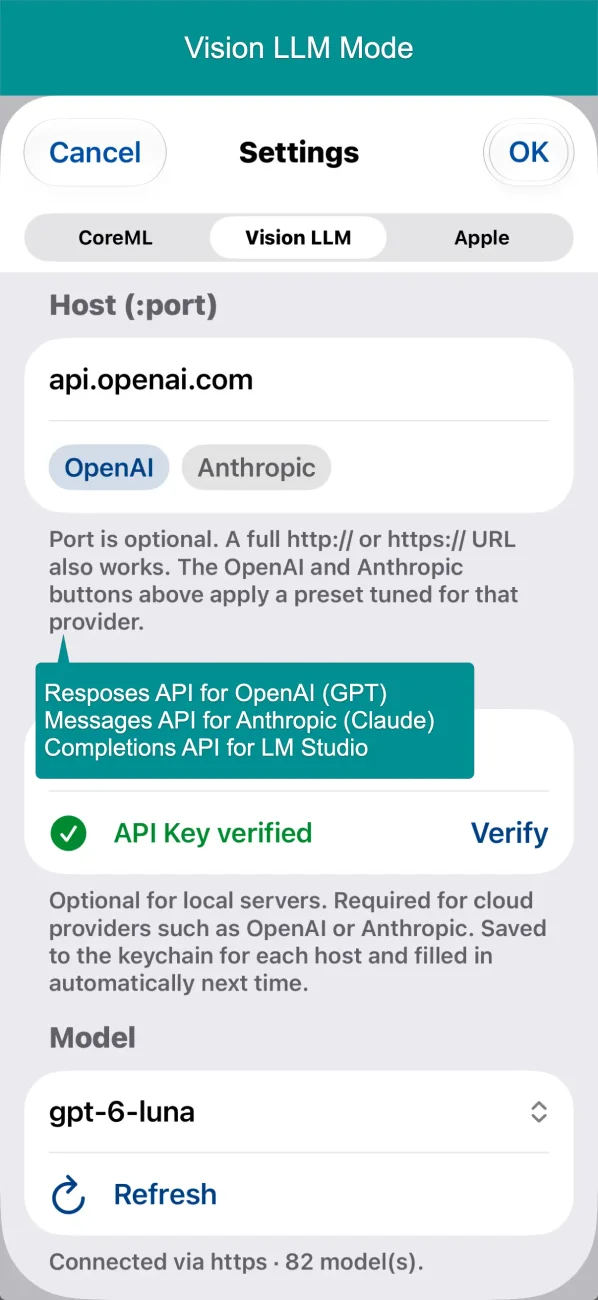
## Vision LLM Mode
Vision Detector can use multi-modal large language model (LLMs).
Define what to do with the prompt as follows:
- If the image is a screenshot, answer the name of the software
- Call a notification when you see a cat
- Count the number of persons in the image, and notify when it changes
## Apple Intelligence mode
The images are completely processed on your device locally with your prompt.
What’s new
Version 3.5 · Nov 18, 2026
Improvements of Markdown rendering and security.
Shortcut and App Intent compatibility. You can open images from Shortcut.
Fixed issues of Notification.
App privacy
What Kazufumi Suzuki declares on the App Store about how this app handles data.
-
Data not collected
The developer does not collect any data from this app.
Privacy practices may vary, for example with the features you use or your age.
Information
- Seller
- Kazufumi Suzuki
- Category
- Developer Tools
- Version
- 3.5
- Updated
- Nov 18, 2026
- Released
- Oct 9, 2022
- Size
- 1.7 MB
- Requires
- iOS 18.2 or later
- Age rating
- 4+
- Price
- Free
- Languages
- English
- Copyright
- © (C) 2022-2026 SUZUKI Kazufumi
You might also like
-
 ML Trainer: Make Training DataDATA COLLECTION MADE EASY!
-
 AI Capture: Create ML DatasetsCollect & Label Training Data
-
 TFLite LiteRT TensorFlow TestNeural Engine & GPU inference
-
 OmniClassifyAI ML All-In-One Toolkit
-
 Code AnalyzerBinary File Analyzer
-
 CraftOS-PCModern ComputerCraft emulator
-
 Source Files: Git Storagefor GitHub, GitLab & Gitea
-
 Power JSON Editor MobileViewer with jq and Shortcuts
-
 Processing & p5.js iCompiler#1 App for Processing & p5.js
-
 Secure TerminalSSH & SFTP & XWindow