Vision Detector
Run your Vision CoreML model
Được thiết kế cho iPhone, iPad, Mac
Miễn phí
- Độ tuổi4+
- Danh mụcCông Cụ Nhà Phát Triển
- Nhà phát triểnKazufumi Suzuki
- Ngôn ngữTiếng Anh
- Kích thước1,7 MB
Liên kết đến trang App Store chính thức
Download.org không lưu trữ tệp nào của Vision Detector. Nút này mở trang ứng dụng trên App Store, nơi Kazufumi Suzuki phát hành ứng dụng. Trang được kiểm tra lần cuối: 23/11/2026.
Ảnh chụp màn hình



Giới thiệu
Nhà phát triển chưa cung cấp nội dung này bằng ngôn ngữ của bạn.
Vision Detector is an AI image analysis tool that supports CoreML machine learning models, multi-modal Large Language Models, and on-device Apple Intelligence.
Choose the mode that best fits your use case.
You can choose one of the following image input sources:
- Live video by the built-in camera
- Still image by the built-in camera
- Photo Library
- Files (iCloud, Google Drive, Dropbox, etc.)
For live video inputs, continuous inference is performed on the camera feed. However, the frame rate and other parameters depend on the device.
# Notification Center
Vision Detector can call Notification Center for predefined conditions.
Broadcasting notifications sends notifications to all Apple devices signed in with the same Apple Account.
## CoreML Mode
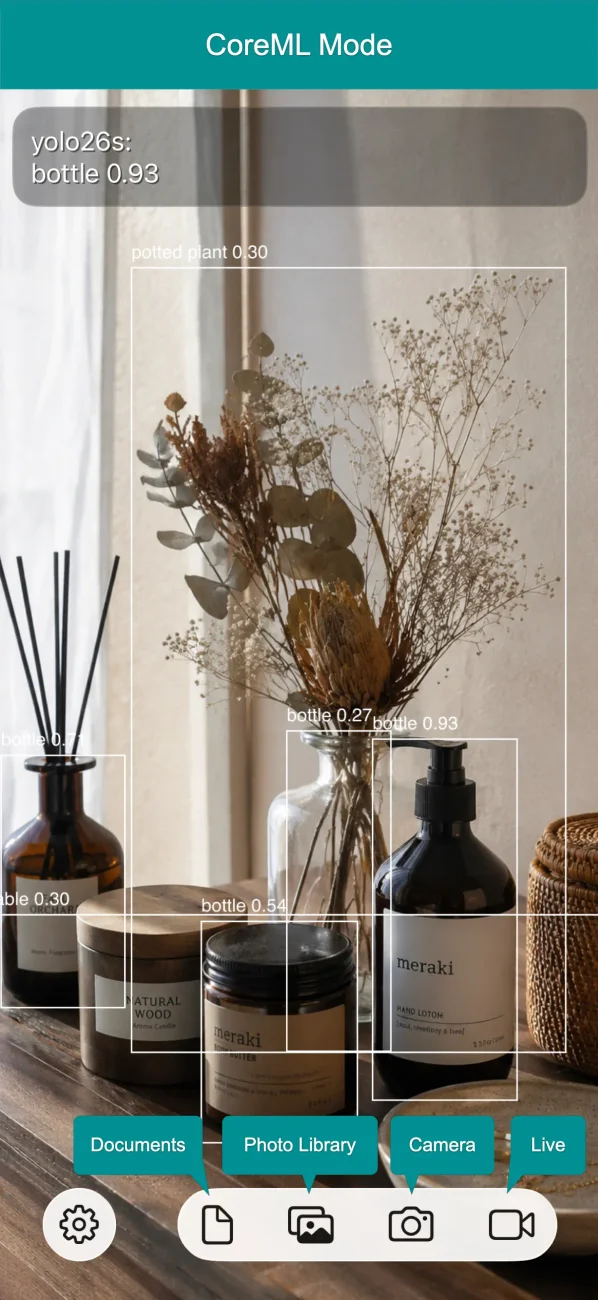
Vision Detector locally executes CoreML models using Apple’s Vision framework.
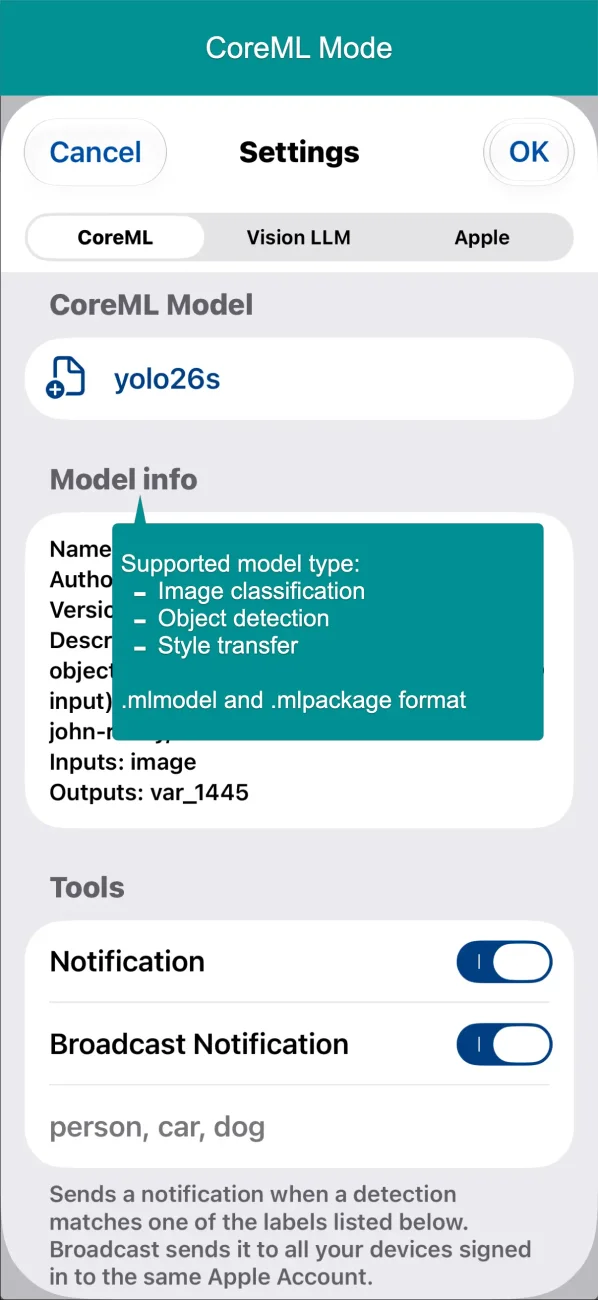
Before using this mode, prepare a machine learning model in the CoreML format (.mlmodel or .mlpackage) using Create ML.
Import ML models via iCloud or AirDrop.
Vision Detector supports the following types of CoreML models:
- Image classification
- Object detection
- Object Segmentation
- Style transfer
Built-in Vision framework is also available for human mask and image classification.
## Vision LLM Mode
Vision Detector can use multi-modal large language model (LLMs).
Define what to do with the prompt as follows:
- If the image is a screenshot, answer the name of the software
- Call a notification when you see a cat
- Count the number of persons in the image, and notify when it changes
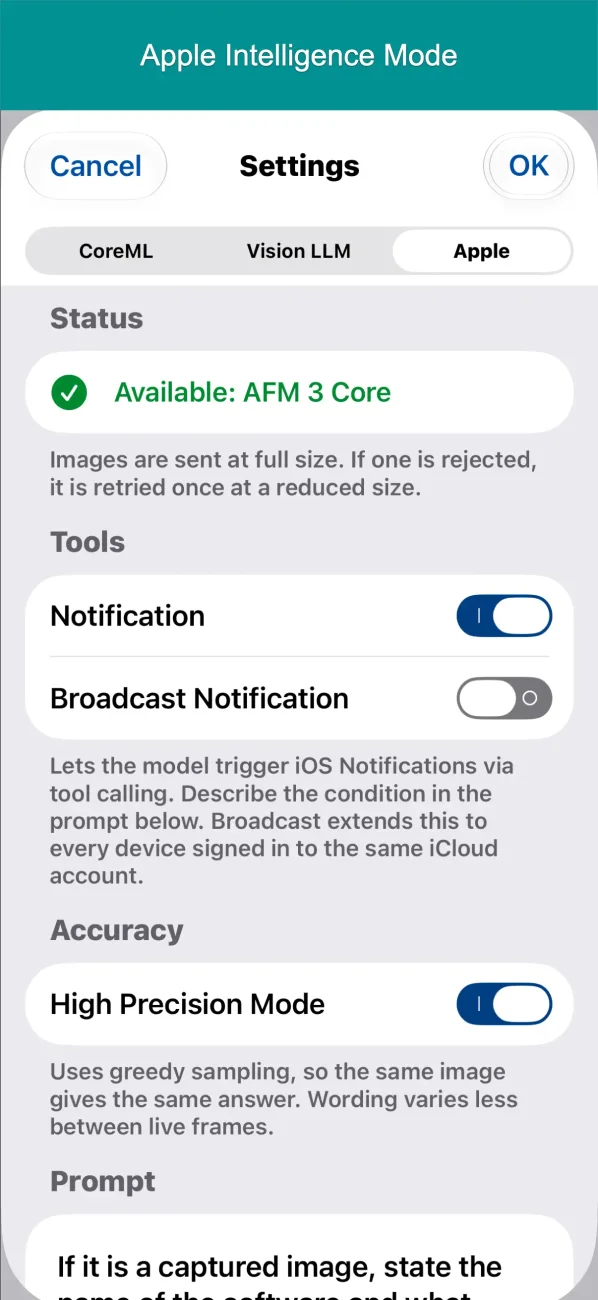
## Apple Intelligence mode
The images are completely processed on your device locally with your prompt.
Có gì mới
Phiên bản 3.5 · 18/11/2026
Improvements of Markdown rendering and security.
Shortcut and App Intent compatibility. You can open images from Shortcut.
Fixed issues of Notification.
Quyền riêng tư của ứng dụng
Những gì Kazufumi Suzuki khai báo trên App Store về cách ứng dụng này xử lý dữ liệu.
-
Dữ liệu không được thu thập
Nhà phát triển không thu thập bất kỳ dữ liệu nào từ ứng dụng này.
Phương thức đảm bảo quyền riêng tư có thể khác nhau, chẳng hạn như tuỳ theo các tính năng bạn sử dụng hoặc độ tuổi của bạn.
Thông tin
- Người bán
- Kazufumi Suzuki
- Danh mục
- Công Cụ Nhà Phát Triển
- Phiên bản
- 3.5
- Cập nhật
- 18/11/2026
- Phát hành
- 09/10/2022
- Kích thước
- 1,7 MB
- Yêu cầu
- iOS 18.2 trở lên
- Độ tuổi
- 4+
- Giá
- Miễn phí
- Ngôn ngữ
- Tiếng Anh
- Bản quyền
- © (C) 2022-2026 SUZUKI Kazufumi
Có thể bạn cũng thích
-
 ML Trainer: Make Training DataCông Cụ Nhà Phát Triển
-
 AI Capture: Create ML DatasetsCông Cụ Nhà Phát Triển
-
 TFLite LiteRT TensorFlow TestCông Cụ Nhà Phát Triển
-
 OmniClassifyAI ML All-In-One Toolkit
-
 Code AnalyzerCông Cụ Nhà Phát Triển
-
 CraftOS-PCCông Cụ Nhà Phát Triển
-
 Source Files: Git StorageCông Cụ Nhà Phát Triển
-
 Power JSON Editor MobileCông Cụ Nhà Phát Triển
-
 Processing & p5.js iCompilerCông Cụ Nhà Phát Triển
-
 Secure TerminalCông Cụ Nhà Phát Triển