Vision Detector
Run your Vision CoreML model
Dirancang untuk iPhone, iPad, Mac
Gratis
- Batasan usia4+
- KategoriAlat Pengembang
- PengembangKazufumi Suzuki
- BahasaInggris
- Ukuran1,7 MB
Tertaut ke halaman resmi App Store
Download.org tidak menyimpan file Vision Detector apa pun. Tombol ini membuka halaman aplikasi di App Store, tempat Kazufumi Suzuki menerbitkannya. Halaman terakhir diperiksa pada 23/11/2026.
Tangkapan layar


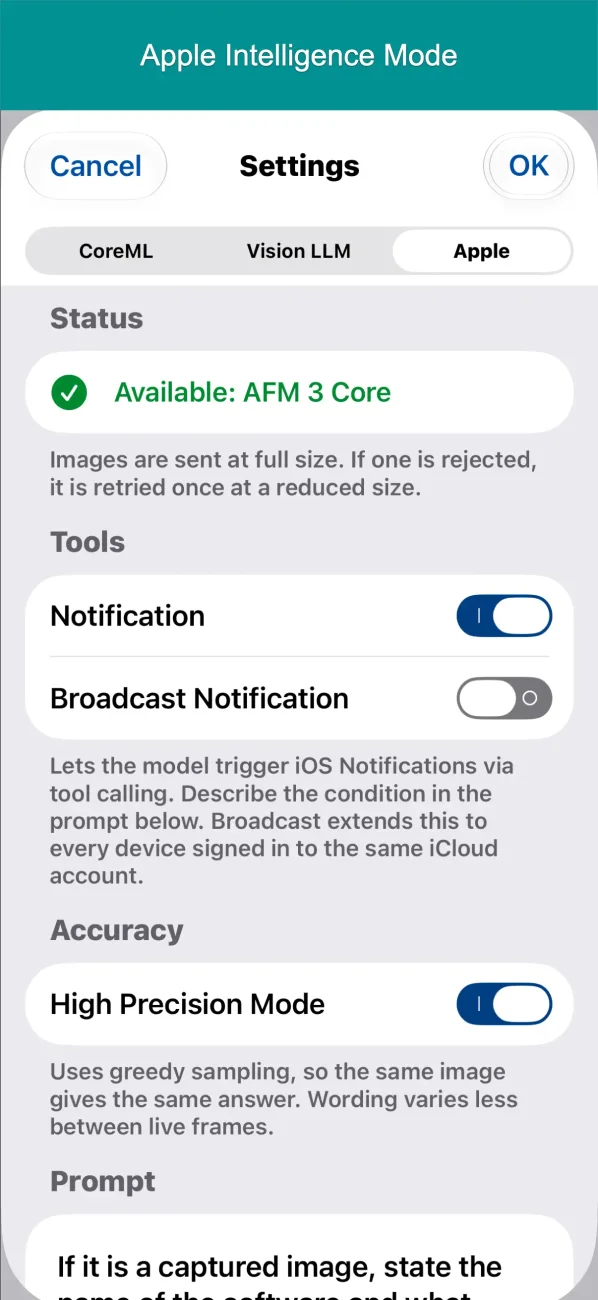
Tentang
Pengembang belum menyediakan teks ini dalam bahasa Anda.
Vision Detector is an AI image analysis tool that supports CoreML machine learning models, multi-modal Large Language Models, and on-device Apple Intelligence.
Choose the mode that best fits your use case.
You can choose one of the following image input sources:
- Live video by the built-in camera
- Still image by the built-in camera
- Photo Library
- Files (iCloud, Google Drive, Dropbox, etc.)
For live video inputs, continuous inference is performed on the camera feed. However, the frame rate and other parameters depend on the device.
# Notification Center
Vision Detector can call Notification Center for predefined conditions.
Broadcasting notifications sends notifications to all Apple devices signed in with the same Apple Account.
## CoreML Mode
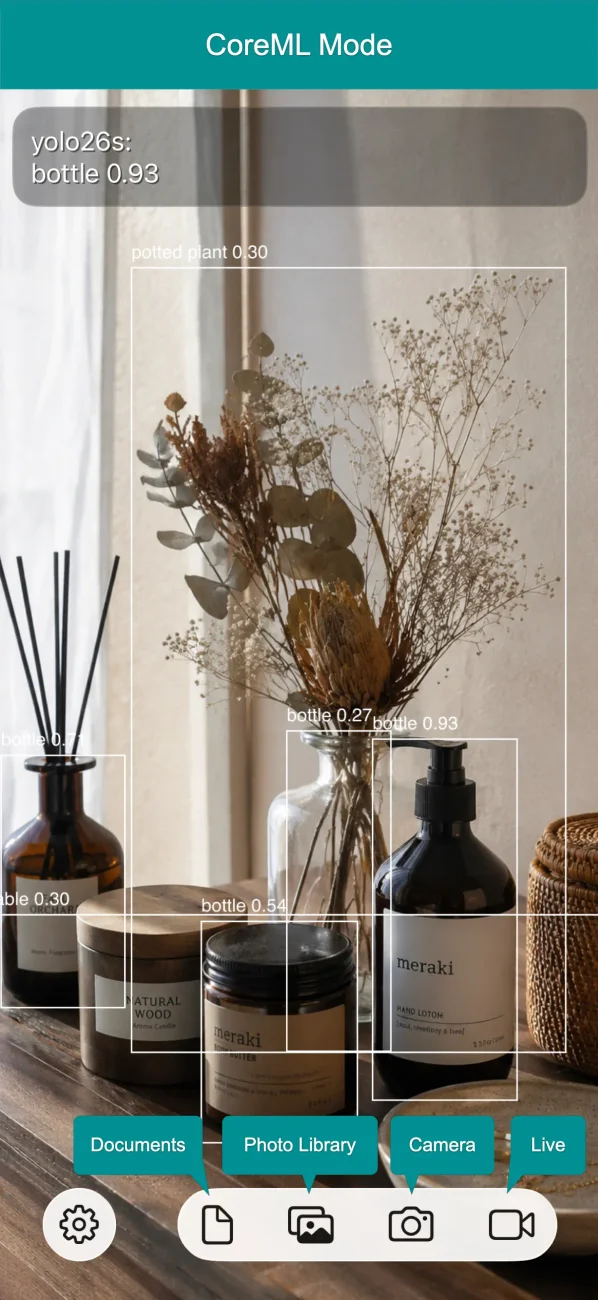
Vision Detector locally executes CoreML models using Apple’s Vision framework.
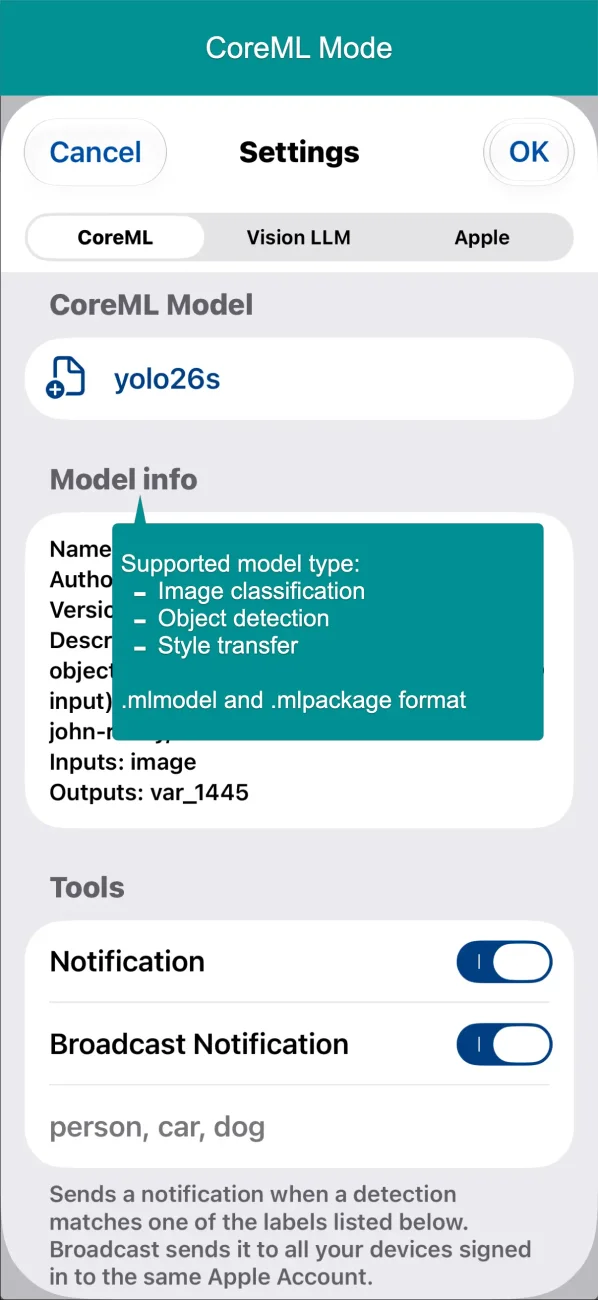
Before using this mode, prepare a machine learning model in the CoreML format (.mlmodel or .mlpackage) using Create ML.
Import ML models via iCloud or AirDrop.
Vision Detector supports the following types of CoreML models:
- Image classification
- Object detection
- Object Segmentation
- Style transfer
Built-in Vision framework is also available for human mask and image classification.
## Vision LLM Mode
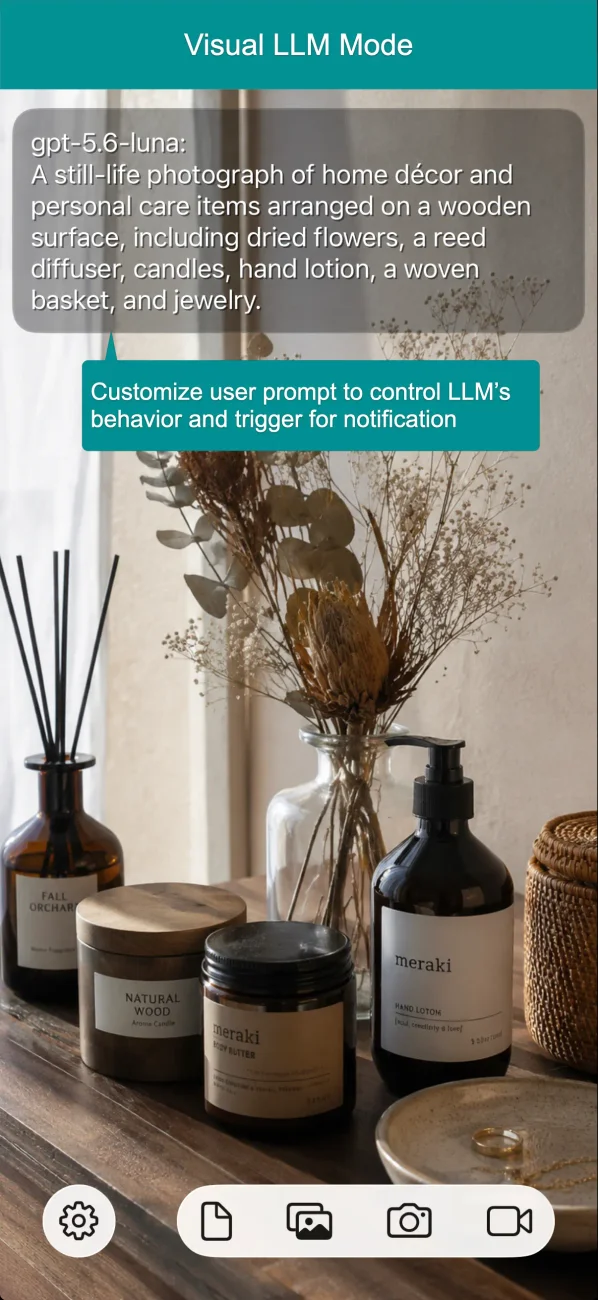
Vision Detector can use multi-modal large language model (LLMs).
Define what to do with the prompt as follows:
- If the image is a screenshot, answer the name of the software
- Call a notification when you see a cat
- Count the number of persons in the image, and notify when it changes
## Apple Intelligence mode
The images are completely processed on your device locally with your prompt.
Yang baru
Versi 3.5 · 18/11/2026
Improvements of Markdown rendering and security.
Shortcut and App Intent compatibility. You can open images from Shortcut.
Fixed issues of Notification.
Privasi aplikasi
Yang dinyatakan Kazufumi Suzuki di App Store tentang cara aplikasi ini menangani data.
-
Data tidak dikumpulkan
Pengembang tidak mengumpulkan data apa pun dari aplikasi ini.
Praktik privasi dapat bervariasi, misalnya berdasarkan fitur yang Anda gunakan atau usia Anda.
Informasi
- Penjual
- Kazufumi Suzuki
- Kategori
- Alat Pengembang
- Versi
- 3.5
- Diperbarui
- 18/11/2026
- Dirilis
- 9/10/2022
- Ukuran
- 1,7 MB
- Memerlukan
- iOS 18.2 atau yang lebih baru
- Batasan usia
- 4+
- Harga
- Gratis
- Bahasa
- Inggris
- Hak cipta
- © (C) 2022-2026 SUZUKI Kazufumi
Mungkin Anda juga suka
-
 ML Trainer: Make Training DataAlat Pengembang
-
 AI Capture: Create ML DatasetsAlat Pengembang
-
 TFLite LiteRT TensorFlow TestAlat Pengembang
-
 OmniClassifyAI ML All-In-One Toolkit
-
 Code AnalyzerAlat Pengembang
-
 CraftOS-PCAlat Pengembang
-
 Source Files: Git StorageAlat Pengembang
-
 Power JSON Editor MobileAlat Pengembang
-
 Processing & p5.js iCompilerAlat Pengembang
-
 Secure TerminalAlat Pengembang