UserLAnd - Linux on Android
UserLAnd TechnologiesMua hàng trong ứng dụng
- 3 tuổi trở lênĐộ tuổi
- Công cụDanh mục
- 24/11/2026Cập nhật
- Miễn phíGiá
Dẫn đến trang Google Play chính thức của tech.ula. Kiểm tra lần cuối: 24/11/2026.
Ảnh chụp màn hình
Thông tin về ứng dụng này
Bản dịch tự động của Google. Ngôn ngữ gốc: Tiếng Anh (Hoa Kỳ).
Chạy Linux trên Android. Không cần root.
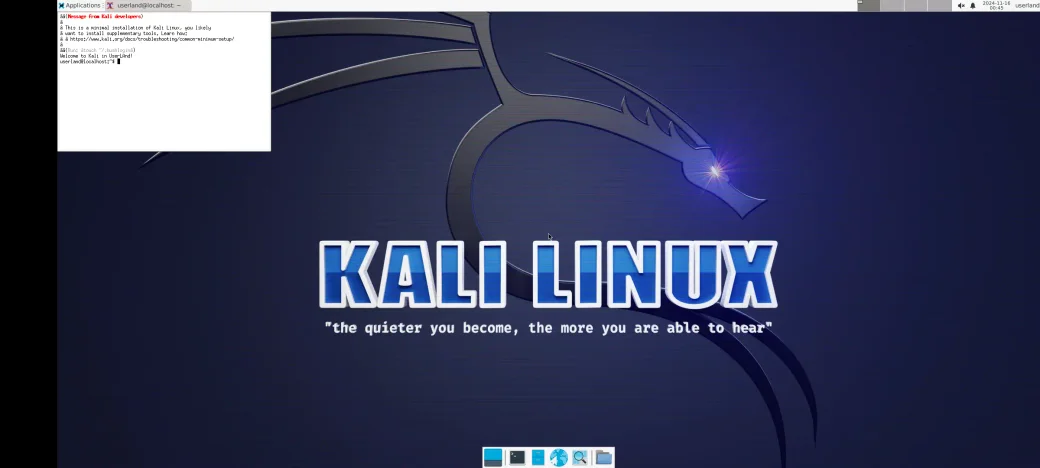
UserLAnd cho phép bạn chạy nhiều bản phân phối Linux như Ubuntu,
Debian và Kali.
- Không cần root thiết bị của bạn.
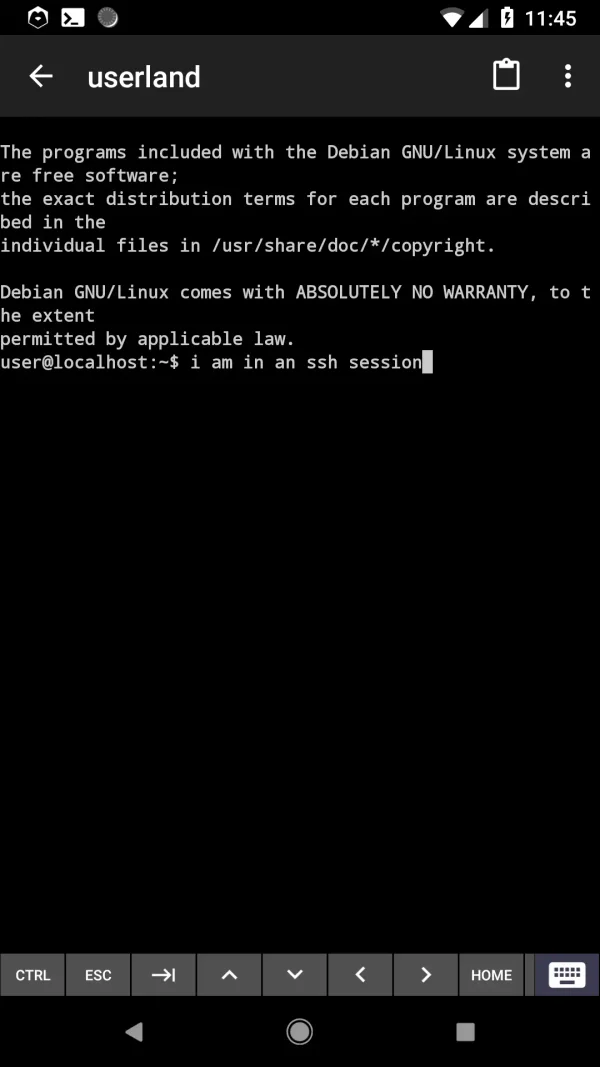
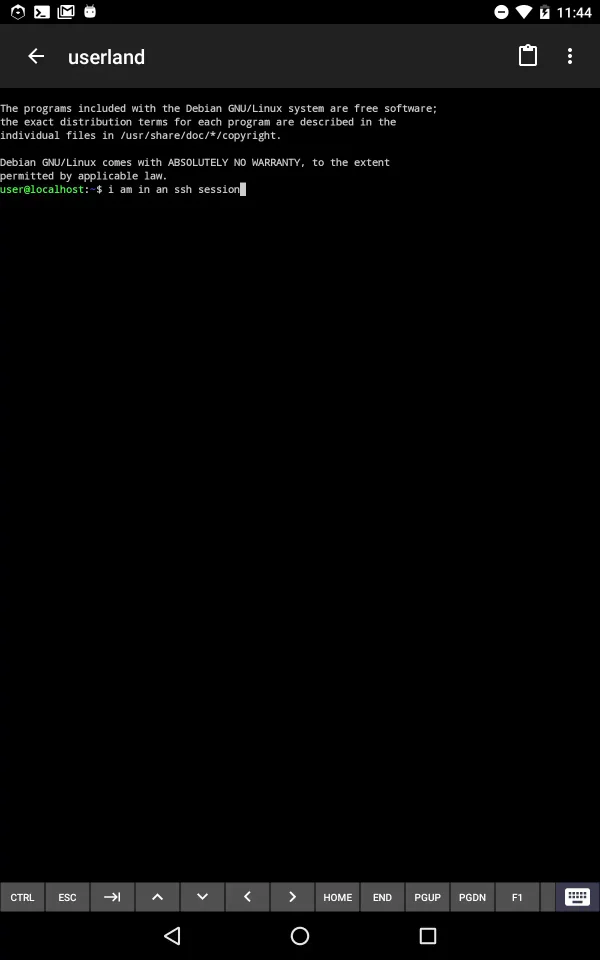
- Sử dụng terminal tích hợp để truy cập các shell yêu thích của bạn.
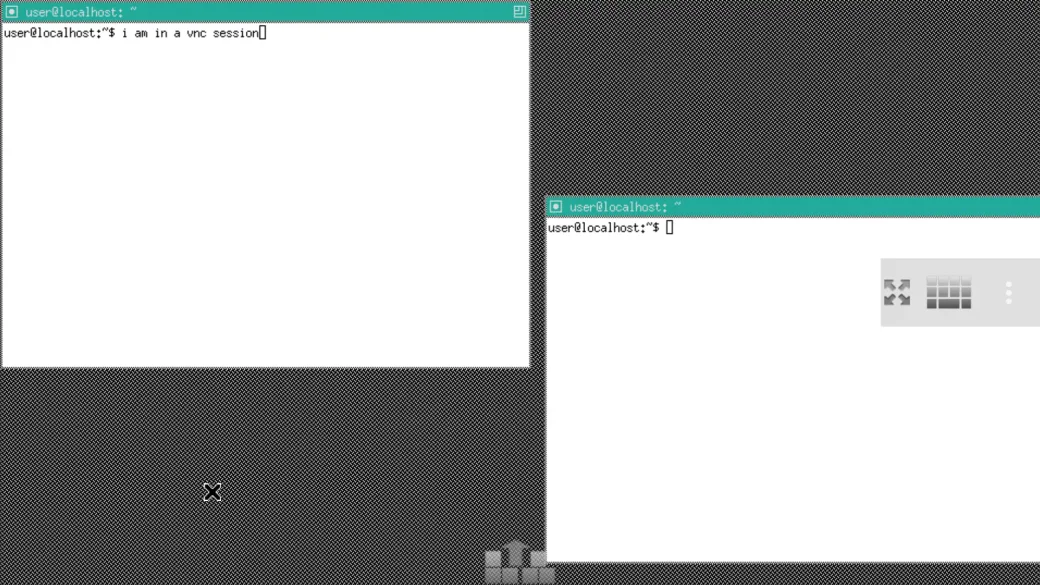
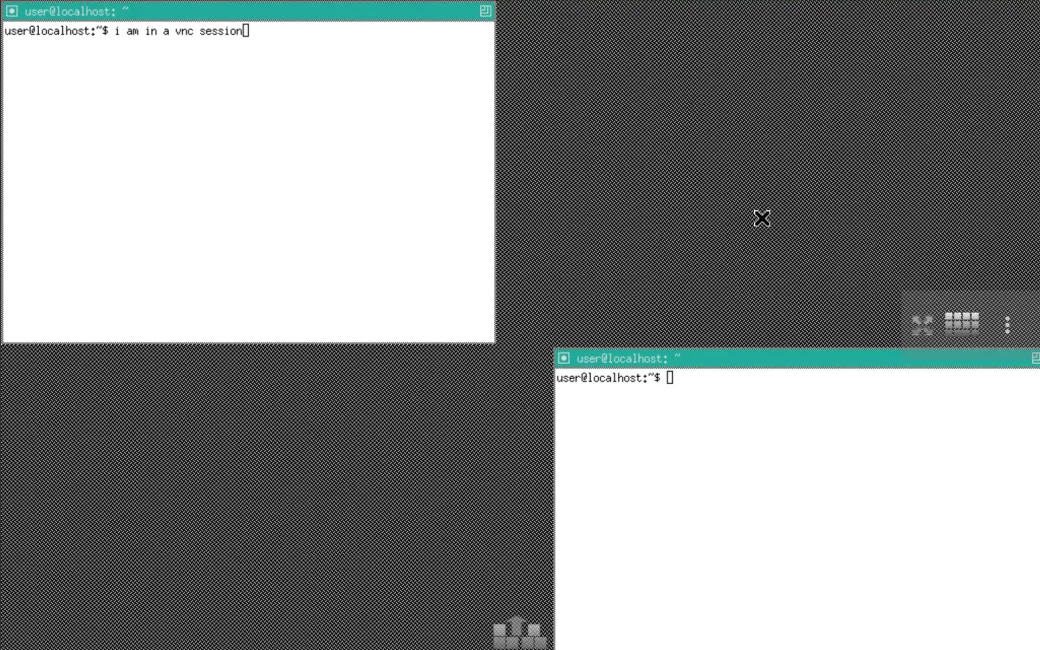
- Dễ dàng kết nối với các phiên VNC để có trải nghiệm đồ họa.
- Dễ dàng thiết lập cho nhiều bản phân phối Linux phổ biến, như Ubuntu và Debian.
- Dễ dàng thiết lập cho nhiều ứng dụng Linux phổ biến, như Octave và Firefox.
- Một cách để thử nghiệm và học Linux và các công cụ phần mềm phổ biến khác ngay trong lòng bàn tay bạn.
UserLAnd được tạo ra và đang được duy trì tích cực bởi những người đứng sau ứng dụng Android phổ biến,
GNURoot Debian. Nó được thiết kế để thay thế ứng dụng GNURoot Debian gốc.
Khi UserLAnd khởi chạy lần đầu, nó sẽ hiển thị danh sách các bản phân phối và ứng dụng Linux phổ biến.
Nhấp vào một trong số này sẽ dẫn đến một loạt các lời nhắc thiết lập. Sau khi hoàn tất,
UserLAnd sẽ tải xuống và thiết lập các tệp cần thiết để bắt đầu tác vụ đã được chọn. Dựa trên thiết lập,
bạn sẽ được kết nối với bản phân phối Linux hoặc ứng dụng của mình trong cửa sổ dòng lệnh hoặc
ứng dụng xem VNC trên Android.
Muốn biết thêm về cách bắt đầu? Xem wiki của chúng tôi trên Github:
https://github.com/CypherpunkArmory/UserLAnd/wiki/Getting-Started-in-UserLAnd
Muốn đặt câu hỏi, đưa ra phản hồi hoặc báo cáo bất kỳ lỗi nào bạn gặp phải? Liên hệ với chúng tôi trên Github:
https://github.com/CypherpunkArmory/UserLAnd/issues
Hiện văn bản gốc
UserLAnd allows you to run several Linux distributions like Ubuntu,
Debian, and Kali.
- No need to root your device.
- Use a built-in terminal to access your favorite shells.
- Easily connect to VNC sessions for a graphical experience.
- Easy setup for several common Linux distributions, like Ubuntu and Debian.
- Easy setup for several common Linux applications, like Octave and Firefox.
- A way to experiment and learn Linux and other common software tools from the palm of your hand.
UserLAnd was created and is being actively maintained by the folks behind the popular Android
application, GNURoot Debian. It is meant as a replacement for the original GNURoot Debian app.
When UserLAnd first launches, it presents a list of common distributions and Linux applications.
Clicking one of these then leads to a series of set-up prompts. Once these have been completed,
UserLAnd will download and set up files required to start the task that has been selected. Based on
the set-up, you will then be connected to your Linux distribution or application in a terminal or
VNC viewing Android application.
Want to know more about getting started? View our wiki on Github:
https://github.com/CypherpunkArmory/UserLAnd/wiki/Getting-Started-in-UserLAnd
Want to ask questions, give feedback, or report any bugs you've encountered? Reach us on Github:
https://github.com/CypherpunkArmory/UserLAnd/issues
An toàn dữ liệu
Những gì UserLAnd Technologies khai báo trên Google Play về dữ liệu mà ứng dụng này thu thập và chia sẻ.
- Không chia sẻ dữ liệu với bên thứ baTìm hiểu thêm về cách nhà phát triển khai báo thông tin về hoạt động chia sẻ dữ liệu
- Ứng dụng này có thể thu thập những loại dữ liệu sau đâyThông tin cá nhân, Thông tin tài chính và 3 loại dữ liệu khác
- Dữ liệu được mã hóa trong khi chuyển
- Bạn có thể yêu cầu xóa dữ liệu
Có gì mới
Phiên bản 26.11.23 · 24/11/2026
- Launch UserLAnd Cloud in North America initially. Run fast, x86_64 servers in the cloud for a low price. Storage/sound/microphone all seamlessly shared from your device.
- Each way to run a setup (standard, virtual machine, QEMU, UserLAnd Cloud) has an info button explaining its pros and cons.
- A clearer comparison of Free, Pro and UserLAnd Cloud. Any Cloud plan includes all of Pro.
Liên hệ nhà phát triển
- Trang webuserland.tech
- E-mailsupport@userland.tech
- Chính sách quyền riêng tưuserland.tech
- Địa chỉ10258 SW 67th Ave Portland, OR 97223 United States
Thông tin
- Cung cấp bởi
- UserLAnd Technologies
- Danh mục
- Công cụ
- Phiên bản
- 26.11.23
- Cập nhật
- 24/11/2026
- Phát hành
- 17/10/2018
- Yêu cầu
- Android 7.0 trở lên
- Độ tuổi
- 3 tuổi trở lên
- Giá
- Miễn phí
- Mua hàng trong ứng dụng
- 23.000 ₫ - 467.000 ₫ mỗi mặt hàng
- Tên gói
- tech.ula
Ứng dụng tương tự
-
 G-CPU:Monitor CPU, RAM, Widget
Công cụ
-
 Spck Editor / Git Client
Công cụ
-
 MYCPE ONE
Giáo dục
-
 Cyberpunk Red Companion
Giải trí
-
 RealVNC Viewer: Remote Desktop
Năng suất
-
 Coding Python
Công cụ
-
 TeamViewer Remote Control
Doanh nghiệp
-
 MacroDroid - Tự động hóa
Công cụ
-
 Razer Cortex Games: Rewards
Giải trí
-
 phyphox
Giáo dục
-
 Confluence Cloud
Năng suất
-
 TrebEdit - Mobile HTML Editor
Công cụ