
LavCam
Your watch as a lavalier mic
Được thiết kế cho iPhone
Miễn phí · Mua hàng trong ứng dụng
- Độ tuổi4+
- Danh mụcẢnh & Video
- Nhà phát triểnAdilkhan Zeinulla
- Ngôn ngữTiếng Anh+ 1 ngôn ngữ khác
- Kích thước2,1 MB
Liên kết đến trang App Store chính thức
Download.org không lưu trữ tệp nào của LavCam. Nút này mở trang ứng dụng trên App Store, nơi Adilkhan Zeinulla phát hành ứng dụng. Trang được kiểm tra lần cuối: 13/11/2026.
Ảnh chụp màn hình
Giới thiệu
Nhà phát triển chưa cung cấp nội dung này bằng ngôn ngữ của bạn.
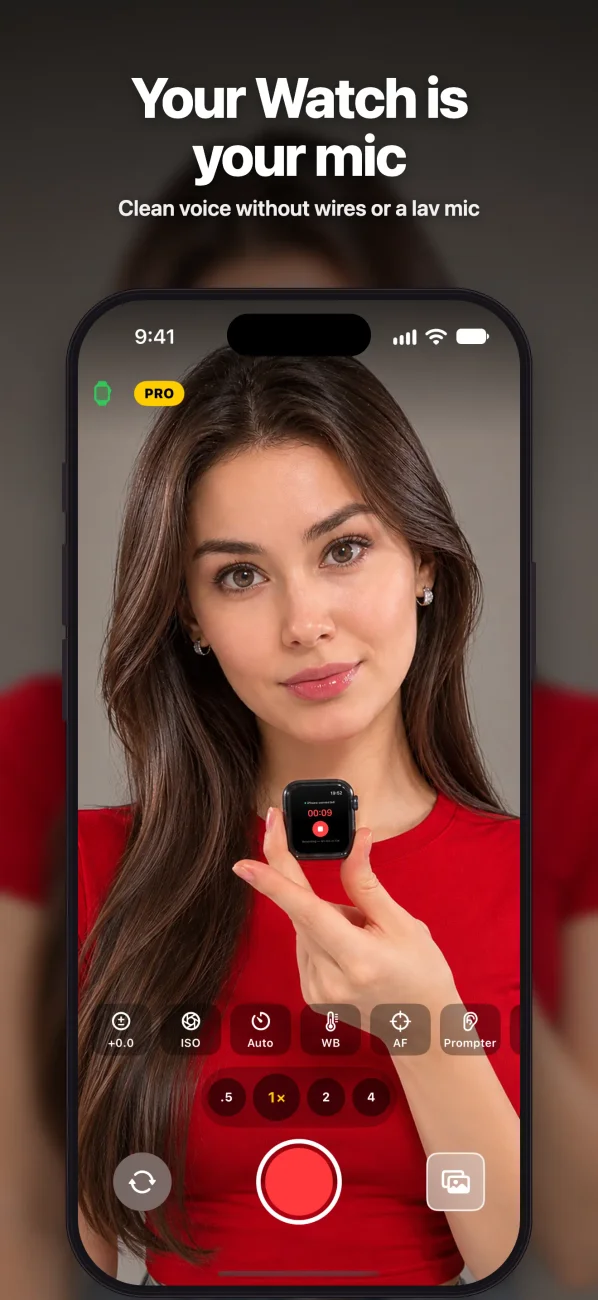
LavCam turns your Apple Watch into a lavalier microphone for filming on iPhone.
Your watch records your voice up close while your iPhone films from a distance: on a tripod, on a table or in a friend's hands. When you stop, the watch audio is automatically synced to the video and the finished clip is saved to Photos.
HOW IT WORKS
• Start recording on your Apple Watch or iPhone: the watch records audio, the iPhone records video.
• Tap Stop: the audio goes to your iPhone directly, no internet needed.
• LavCam syncs the sound and saves the clip to Photos.
HOW TO INSTALL ON YOUR WATCH
The watch app is installed through the Watch app on your iPhone: My Watch → Available Apps → LavCam → Install. If it isn't on your watch yet, LavCam shows a reminder on screen.
MADE FOR
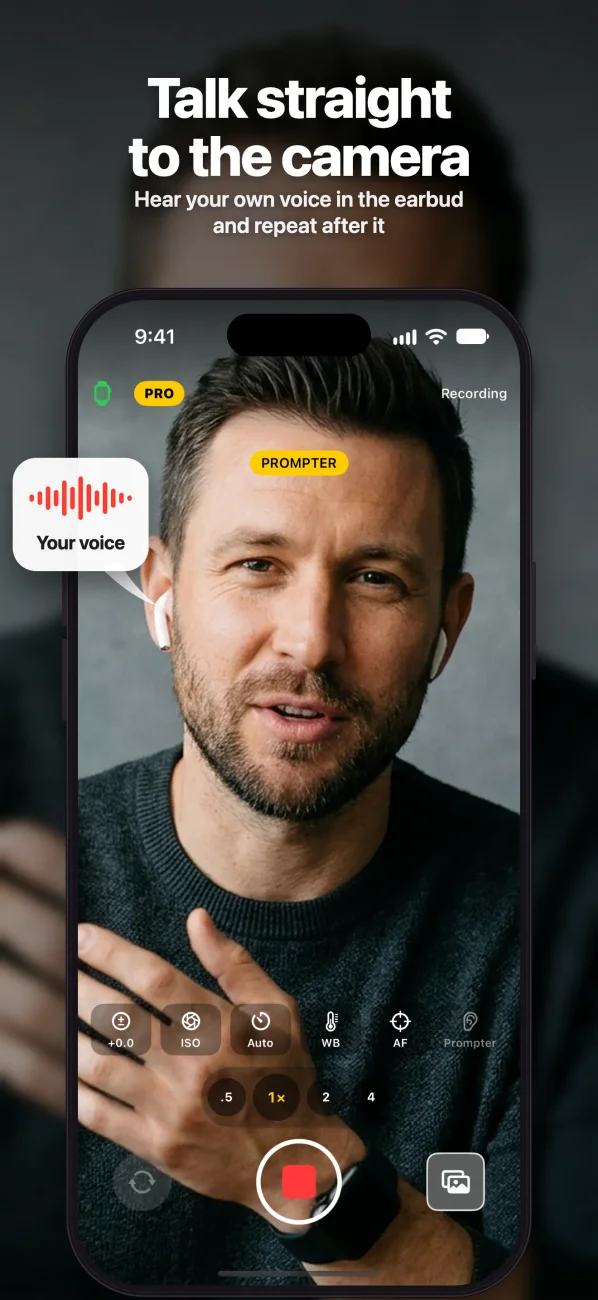
• Creators and experts: talk to the camera with clean sound and no wires.
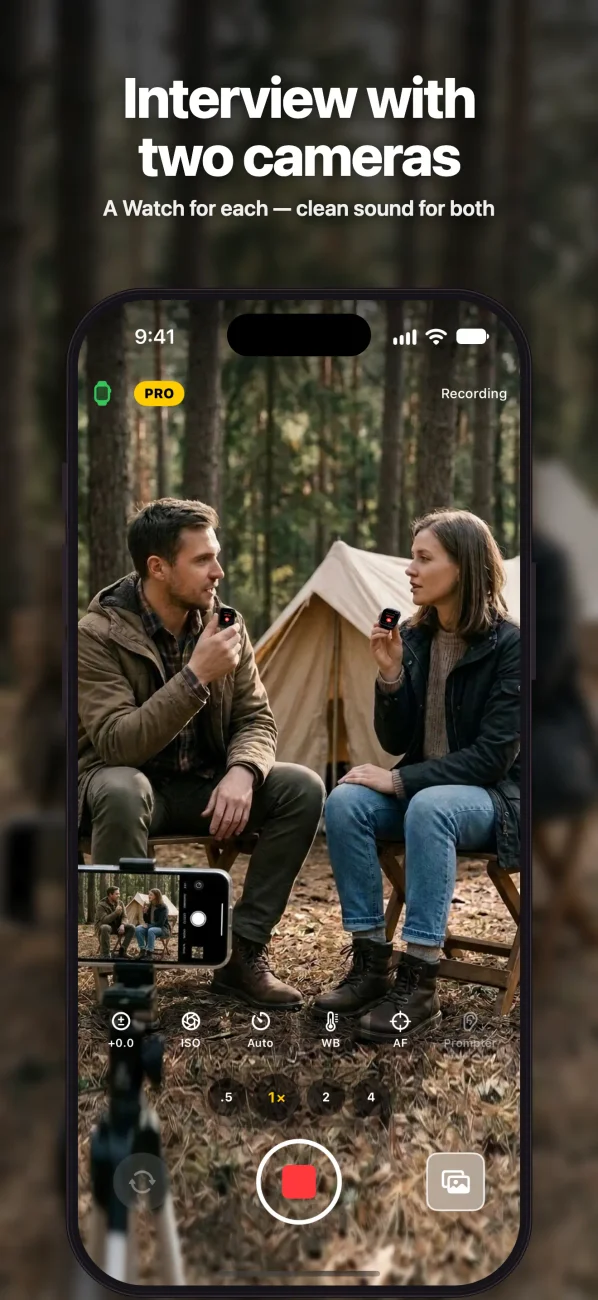
• Interviews: two iPhone and watch pairs give each person their own clean audio.
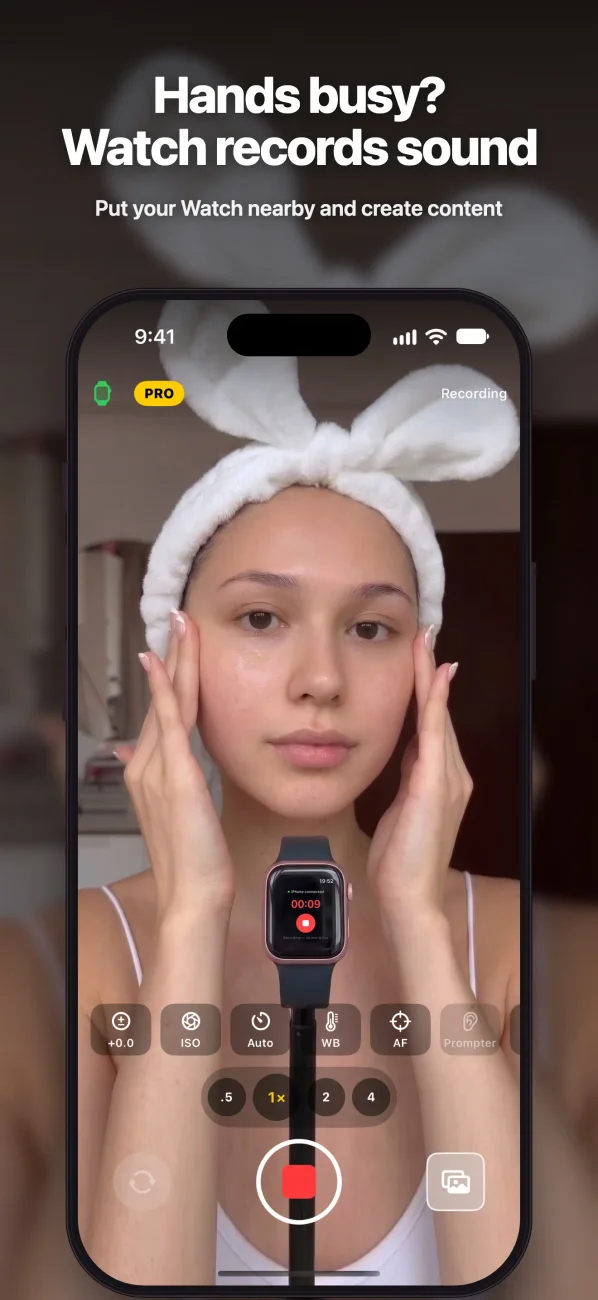
• Beauty and tutorials: put the watch on a stand nearby and keep your hands free.
FEATURES
• Start and stop with one tap on the watch or the iPhone.
• Audio keeps recording even when the watch screen turns off.
• Back and front iPhone cameras.
• Exposure (EV), grid, tap to focus and expose.
• Watch connection indicator.
• Film without a watch too, using the iPhone's built-in mic.
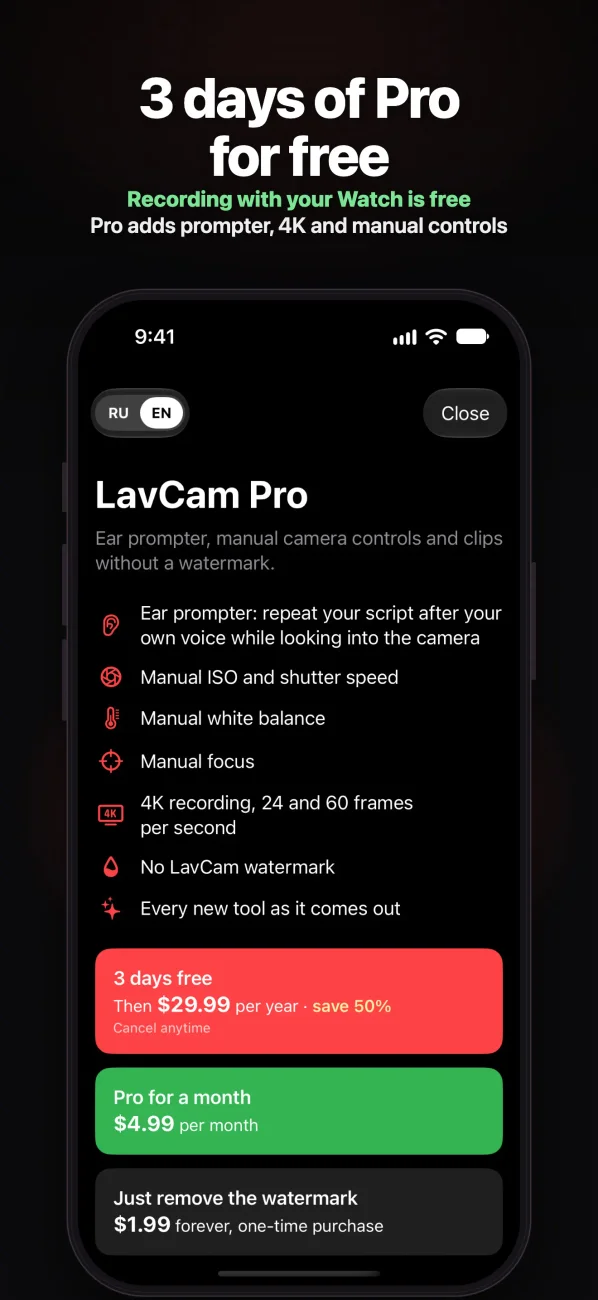
LAVCAM PRO
• Ear prompter: record your script in your own voice and hear it in your earbuds while filming. Repeat after it while looking straight into the camera, not at the screen.
• Manual ISO, shutter speed, white balance and focus.
• 4K recording at 24 and 60 fps.
• Clips without the LavCam watermark (the free version adds a small watermark).
Pro is available as a monthly or yearly subscription; the yearly plan starts with a 3-day free trial. The watermark can also be removed with a one-time purchase. Subscriptions renew automatically unless cancelled at least 24 hours before the end of the current period; manage them in your Apple ID settings.
Terms of Use: https://www.apple.com/legal/internet-services/itunes/dev/stdeula/
PRIVACY
LavCam collects no data. No servers, ads, analytics or sign-up. Video and audio stay on your devices.
REQUIREMENTS
iPhone with iOS 17 or later and a paired Apple Watch with watchOS 10 or later.
Audio is transferred from the watch after you stop recording, so you can't monitor it on the iPhone while filming.
Có gì mới
Phiên bản 1.1.1 · 09/11/2026
What's new in LavCam 1.1.1:
• If LavCam isn't on your watch yet, the app shows how to install it.
• Refreshed LavCam Pro screen with clearer prices.
• Minor improvements.
Quyền riêng tư của ứng dụng
Những gì Adilkhan Zeinulla khai báo trên App Store về cách ứng dụng này xử lý dữ liệu.
-
Dữ liệu không được thu thập
Nhà phát triển không thu thập bất kỳ dữ liệu nào từ ứng dụng này.
Phương thức đảm bảo quyền riêng tư có thể khác nhau, chẳng hạn như tuỳ theo các tính năng bạn sử dụng hoặc độ tuổi của bạn.
Thông tin
- Người bán
- Adilkhan Zeinulla
- Danh mục
- Ảnh & Video
- Phiên bản
- 1.1.1
- Cập nhật
- 09/11/2026
- Phát hành
- 01/11/2026
- Kích thước
- 2,1 MB
- Yêu cầu
- iOS 17.0 trở lên
- Độ tuổi
- 4+
- Giá
- Miễn phí
- Mua hàng trong ứng dụng
- Có
- Ngôn ngữ
- Tiếng Anh, Tiếng Nga
- Bản quyền
- © 2026 Adilkhan Zeinulla
Có thể bạn cũng thích
-
 TakeAlign: Đồng bộ âm thanhKhớp bản ghi âm với video
-
 Cartoonize - AI Cartoon MakerẢnh & Video
-
 360 EditorSpeed Ramp, Theo dõi, Ổn định
-
 Photo Editor & Layout CreatorStory, Reels Template Maker
-
 Logo Maker. Business LogoẢnh & Video
-
 FoodShot AI: Chỉnh Ảnh Món ĂnẢnh menu nhà hàng, quán cà phê
-
 Cắt Ghép Video: Nối, Chèn NhạcChỉnh sửa, phụ đề và tua nhanh
-
 VSDCẢnh & Video
-
 Werble: Photo & Video AnimatorẢnh & Video
-
 Ninetales: Reels TemplatesẢnh & Video