LavCam
Your watch as a lavalier mic
iPhone için tasarlandı
Ücretsiz · Uygulama içi satın alma
- Yaş sınırı4+
- KategoriFotoğraf ve Video
- GeliştiriciAdilkhan Zeinulla
- Dillerİngilizce+ 1 dil daha
- Boyut2,1 MB
Resmi App Store sayfasına bağlanır
Download.org, LavCam için hiçbir dosya barındırmaz. Düğme, uygulamanın App Store üzerindeki sayfasını açar; uygulamayı orada Adilkhan Zeinulla yayınlar. Sayfanın son kontrolü: 13.11.2026.
Ekran görüntüleri
Hakkında
Geliştirici bu metni dilinizde sunmamış.
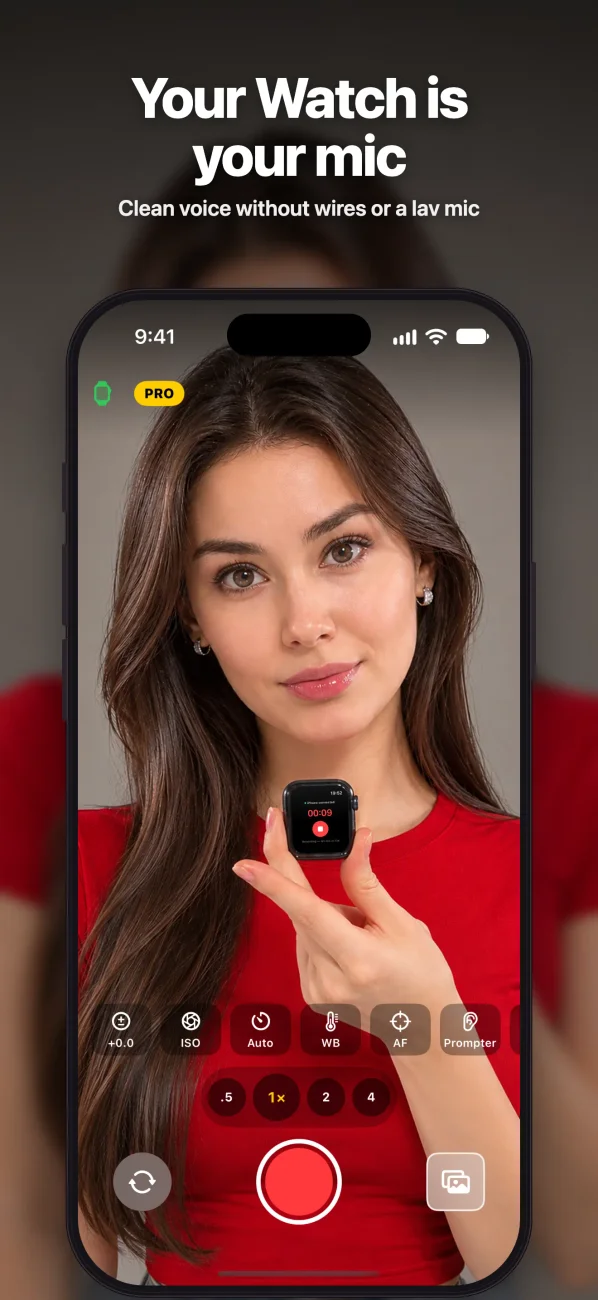
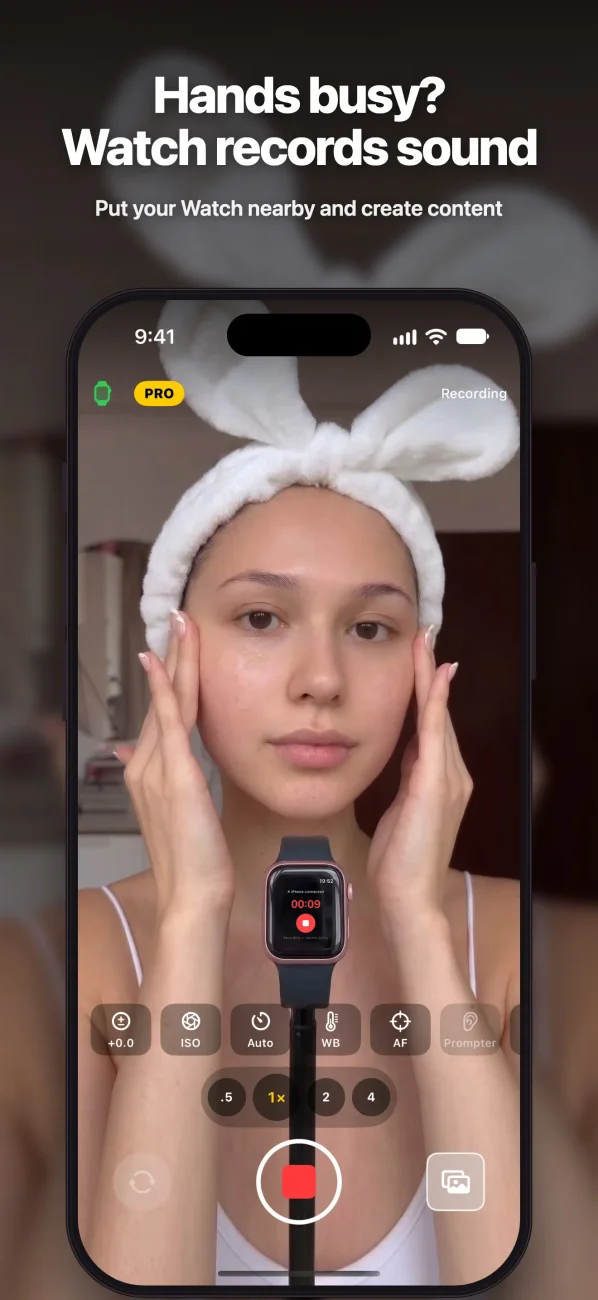
LavCam turns your Apple Watch into a lavalier microphone for filming on iPhone.
Your watch records your voice up close while your iPhone films from a distance: on a tripod, on a table or in a friend's hands. When you stop, the watch audio is automatically synced to the video and the finished clip is saved to Photos.
HOW IT WORKS
• Start recording on your Apple Watch or iPhone: the watch records audio, the iPhone records video.
• Tap Stop: the audio goes to your iPhone directly, no internet needed.
• LavCam syncs the sound and saves the clip to Photos.
HOW TO INSTALL ON YOUR WATCH
The watch app is installed through the Watch app on your iPhone: My Watch → Available Apps → LavCam → Install. If it isn't on your watch yet, LavCam shows a reminder on screen.
MADE FOR
• Creators and experts: talk to the camera with clean sound and no wires.
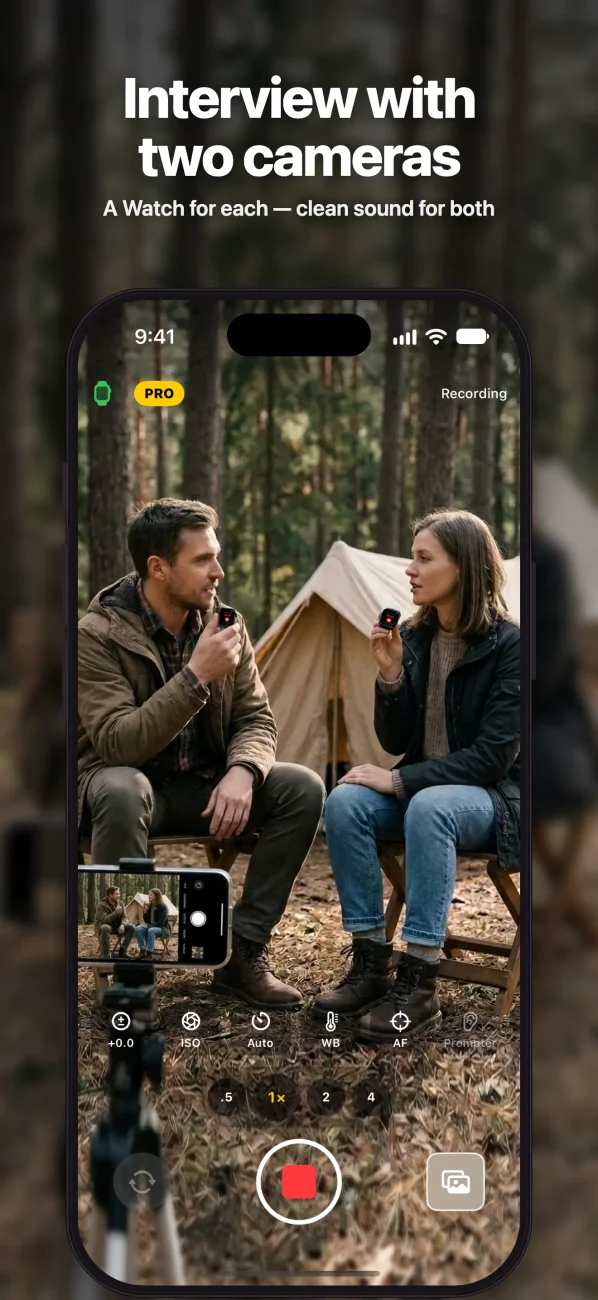
• Interviews: two iPhone and watch pairs give each person their own clean audio.
• Beauty and tutorials: put the watch on a stand nearby and keep your hands free.
FEATURES
• Start and stop with one tap on the watch or the iPhone.
• Audio keeps recording even when the watch screen turns off.
• Back and front iPhone cameras.
• Exposure (EV), grid, tap to focus and expose.
• Watch connection indicator.
• Film without a watch too, using the iPhone's built-in mic.
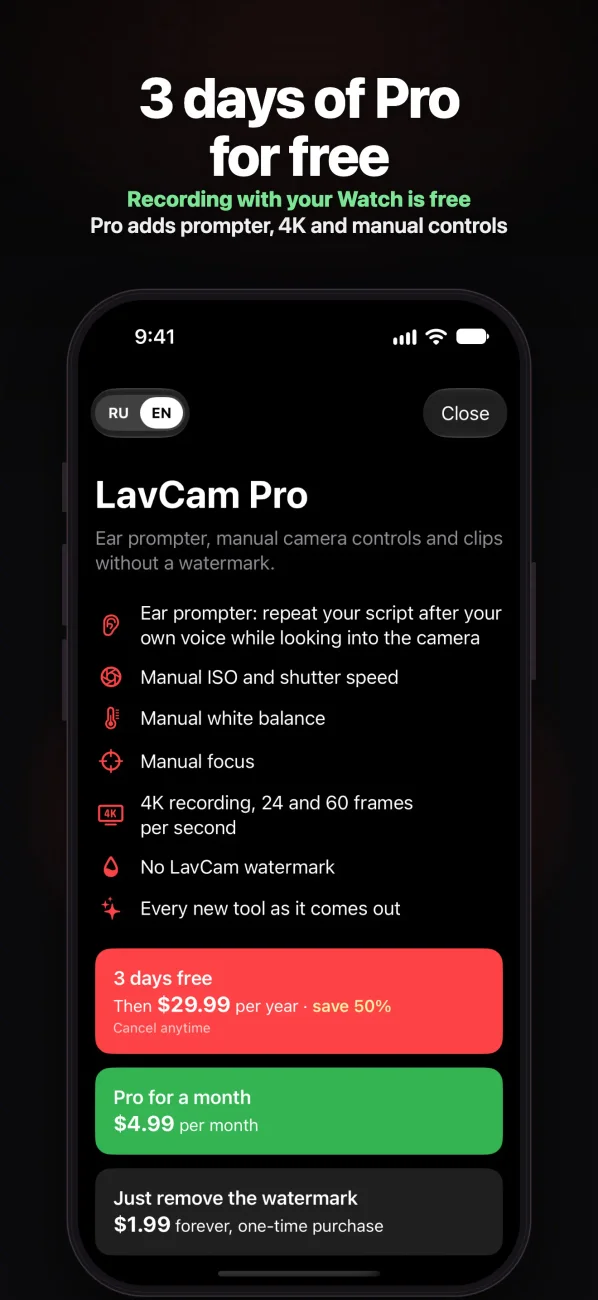
LAVCAM PRO
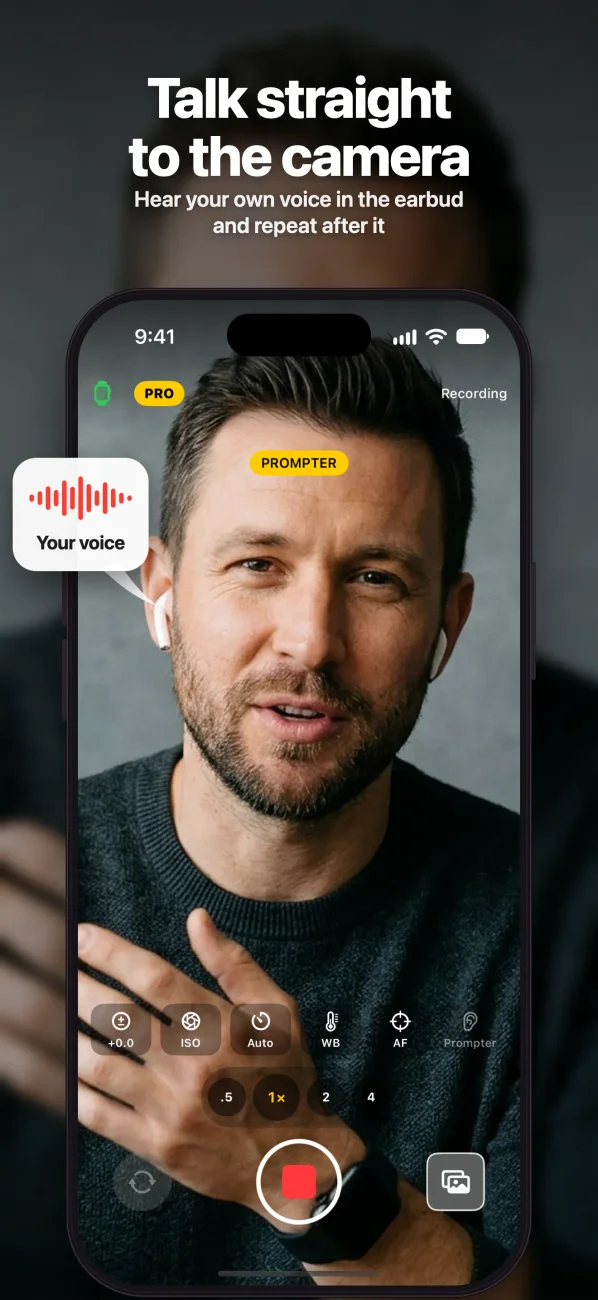
• Ear prompter: record your script in your own voice and hear it in your earbuds while filming. Repeat after it while looking straight into the camera, not at the screen.
• Manual ISO, shutter speed, white balance and focus.
• 4K recording at 24 and 60 fps.
• Clips without the LavCam watermark (the free version adds a small watermark).
Pro is available as a monthly or yearly subscription; the yearly plan starts with a 3-day free trial. The watermark can also be removed with a one-time purchase. Subscriptions renew automatically unless cancelled at least 24 hours before the end of the current period; manage them in your Apple ID settings.
Terms of Use: https://www.apple.com/legal/internet-services/itunes/dev/stdeula/
PRIVACY
LavCam collects no data. No servers, ads, analytics or sign-up. Video and audio stay on your devices.
REQUIREMENTS
iPhone with iOS 17 or later and a paired Apple Watch with watchOS 10 or later.
Audio is transferred from the watch after you stop recording, so you can't monitor it on the iPhone while filming.
Yenilikler
Sürüm 1.1.1 · 09.11.2026
What's new in LavCam 1.1.1:
• If LavCam isn't on your watch yet, the app shows how to install it.
• Refreshed LavCam Pro screen with clearer prices.
• Minor improvements.
Uygulama gizliliği
Bu uygulamanın verileri nasıl işlediği hakkında Adilkhan Zeinulla tarafından App Store üzerinde yapılan beyan.
-
Veri toplanmıyor
Geliştirici bu uygulamadan hiçbir veri toplamıyor.
Gizlilik uygulamaları, örneğin kullandığınız özelliklere veya yaşınıza göre değişiklik gösterebilir.
Bilgiler
- Satıcı
- Adilkhan Zeinulla
- Kategori
- Fotoğraf ve Video
- Sürüm
- 1.1.1
- Güncellendi
- 09.11.2026
- Yayın tarihi
- 01.11.2026
- Boyut
- 2,1 MB
- Gereksinim
- iOS 17.0 veya sonrası
- Yaş sınırı
- 4+
- Fiyat
- Ücretsiz
- Uygulama içi satın alma
- Evet
- Diller
- İngilizce, Rusça
- Telif hakkı
- © 2026 Adilkhan Zeinulla
Bunları da beğenebilirsiniz
-
 TakeAlign: Ses ve video eşlemeAyrı ses kaydını videoya eşle
-
 Cartoonize - AI Cartoon MakerFotoğraf ve Video
-
 360 EditorHız Rampası, Takip, Stabilize
-
 Kolaj · fotoğraf ve videoDüzenleme, birleştirme
-
 Logo Maker. Business LogoFotoğraf ve Video
-
 FoodShot AI Yemek Foto EditörüRestoran & Kafe Menü Fotoğrafı
-
 Video Kolaj: Video BirleştirmeBölünmüş Ekran, Yan Yana Video
-
 VSDCFotoğraf ve Video
-
 Werble: Photo & Video AnimatorFotoğraf ve Video
-
 Ninetales: Reels TemplatesFotoğraf ve Video