
Mouse Link
Mobile Remote Mouse & Keyboard
Được thiết kế cho iPhone, iPad, iPod touch
Miễn phí · Mua hàng trong ứng dụng
- Độ tuổi4+
- Danh mụcTiện Ích
- Nhà phát triểnLin Chia Han
- Ngôn ngữTiếng Anh+ 1 ngôn ngữ khác
- Kích thước86,1 MB
Liên kết đến trang App Store chính thức
Download.org không lưu trữ tệp nào của Mouse Link. Nút này mở trang ứng dụng trên App Store, nơi Lin Chia Han phát hành ứng dụng. Trang được kiểm tra lần cuối: 18/11/2026.
Ảnh chụp màn hình



Giới thiệu
Nhà phát triển chưa cung cấp nội dung này bằng ngôn ngữ của bạn.
Are you having trouble receiving signals from your wireless keyboard and mouse?
Have multiple computers to control, but don’t want to buy multiple keyboards and mouse?
Or is it inconvenient to control your mouse on the sofa?
You can easily control your computer with just a smart device such as a mobile phone or tablet.
As long as there is a Wi-Fi signal, you don't have to worry about signal reception.
Now, lie back on the sofa and enjoy the convenience of Mouse Link!
** Our special features:
- Simple, intuitive and beautiful operating interface
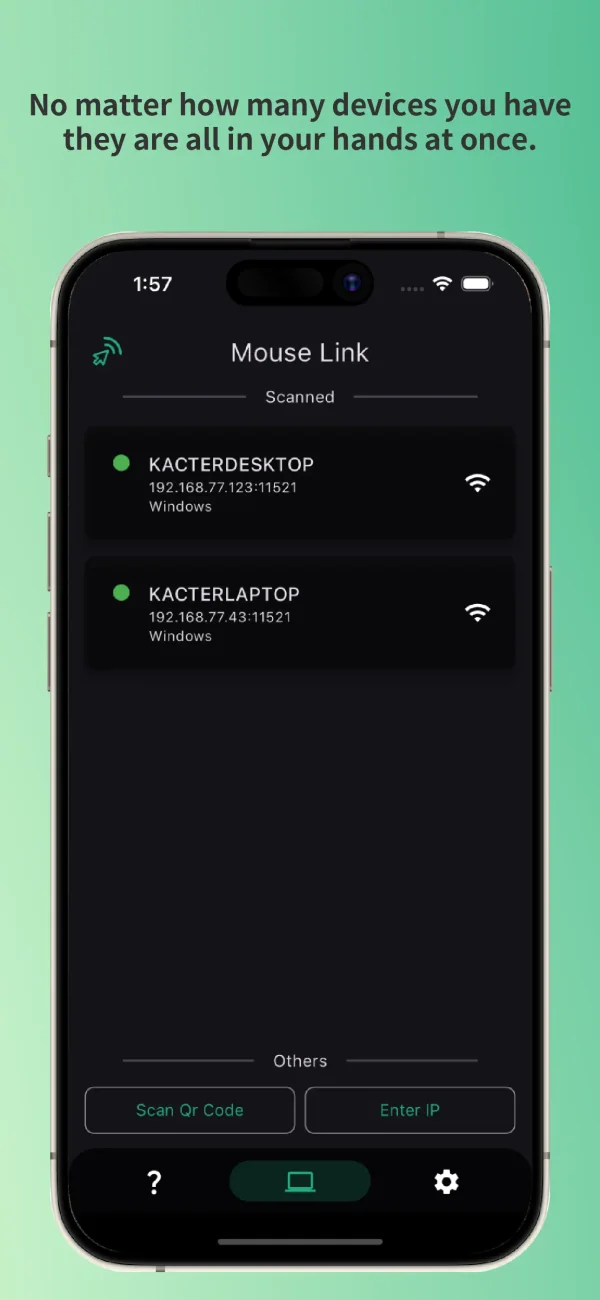
- No matter how many devices you have, you can control them all with one mobile phone
- Wi-Fi wireless transmission, no longer worry about distance issues
** About the touchpad
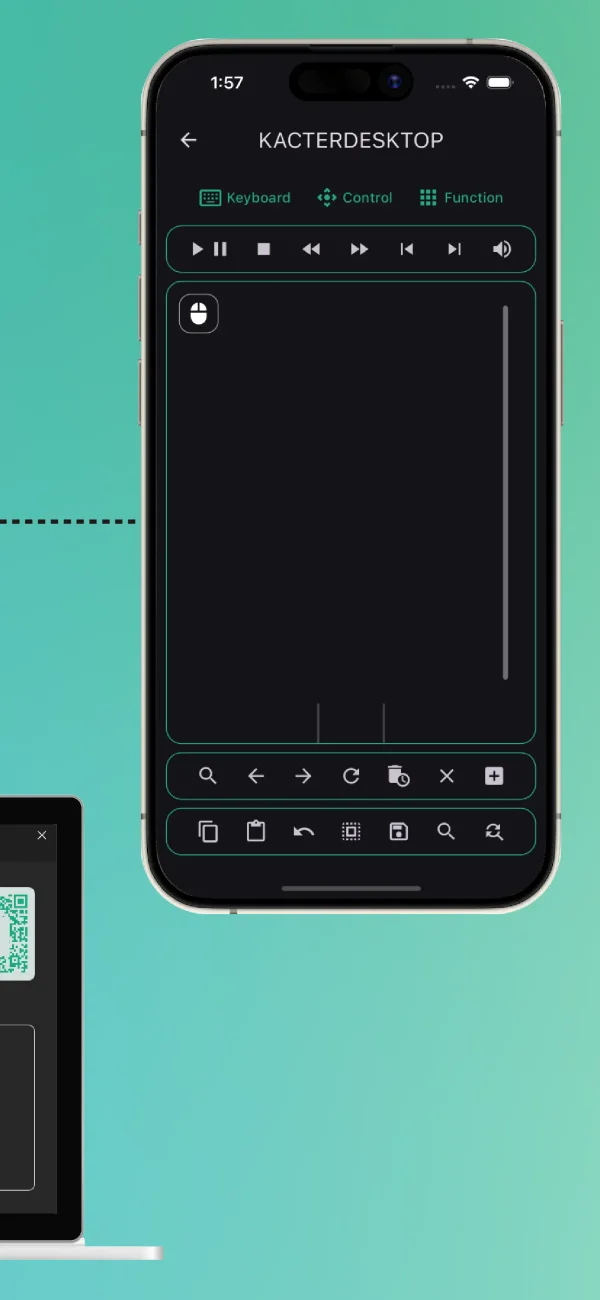
- Control your mouse with multi-finger gestures
- Easily operated by both left and right hands
- Supports side mouse buttons to easily return to the previous page
- Turn on the presentation mode to turn your phone into a presentation pen
- Experience the freedom of wireless control as your device transforms into a responsive air mouse.
** About the keyboard
- Operation is just like a physical keyboard
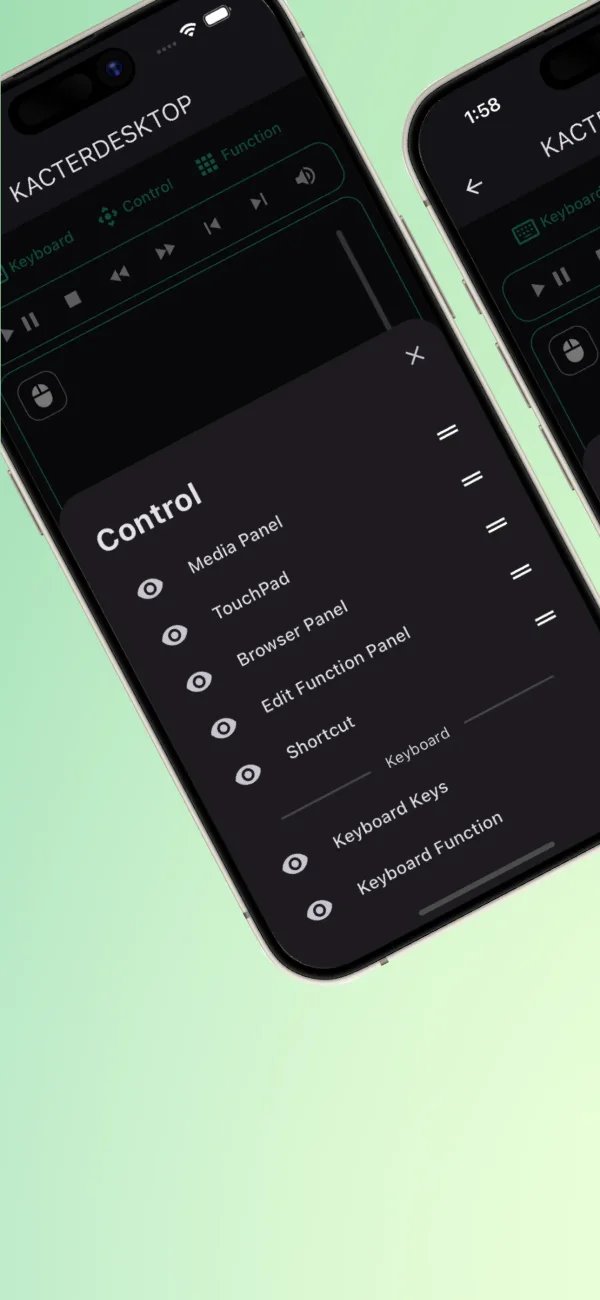
- Customize your own shortcut keys
** Presentation Mode
- Replaces presentation remotes for easy navigation between slides.
- Utilizes focus mode to replace laser pointer, ensuring the audience stays engaged with the content.
** Multimedia control
- Play, previous and next songs with just one click
- Support volume keys to directly control computer volume
** Computer control
- Browser control makes browsing the web more relaxed and enjoyable
- Open customized applications with one click
- File editing control, copy, paste, archive, select all, search, replace
- Control computer shutdown, restart, sleep, and user logout
- Transfer text and pictures between your phone and computer through clipboard
** How to get started?
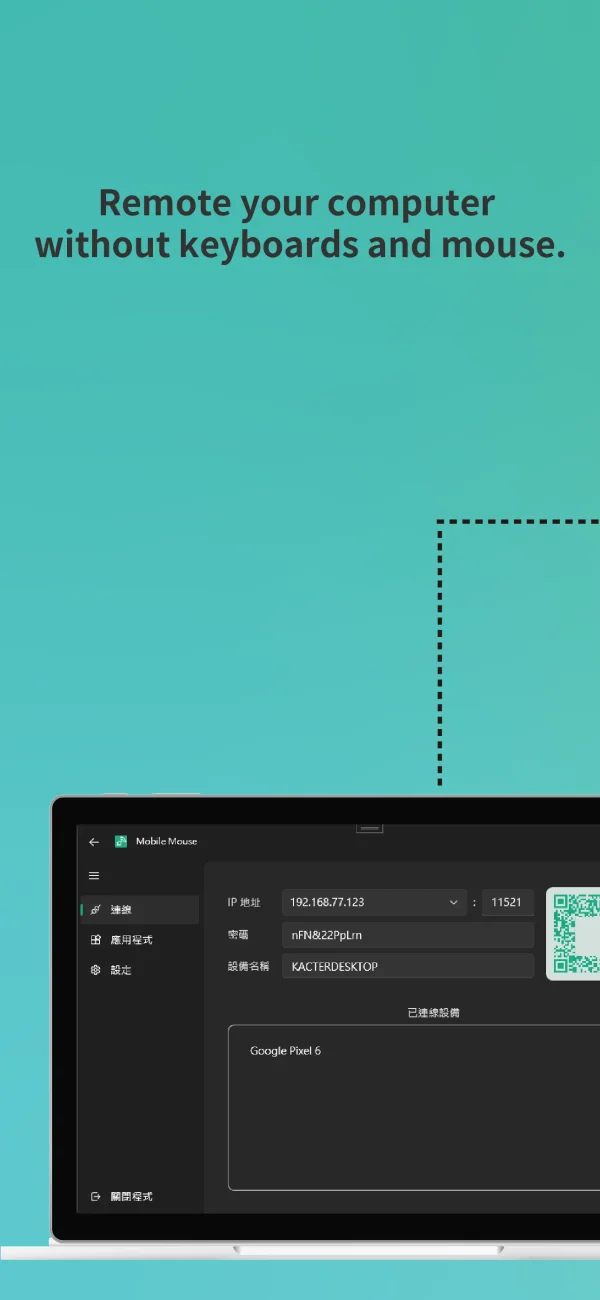
1. Download and install the PC application (https://mouselink.app/)
2. Allow the application to pass the computer firewall permissions
3. Place your computer and mobile device on the same network
4. Start enjoying Mouse Link!
Terms of Use: https://www.apple.com/legal/internet-services/itunes/dev/stdeula/
Có gì mới
Phiên bản 5.0.6 · 11/11/2024
* Please update the desktop version to the latest version (v5.0.0 or above).
Add presentation focus mode
Add air mouse
Quyền riêng tư của ứng dụng
Những gì Lin Chia Han khai báo trên App Store về cách ứng dụng này xử lý dữ liệu.
-
Dữ liệu liên kết với bạn
Có thể được thu thập và liên kết với danh tính của bạn.
- Mã định danh
- Dữ liệu sử dụng
- Chẩn đoán
Phương thức đảm bảo quyền riêng tư có thể khác nhau, chẳng hạn như tuỳ theo các tính năng bạn sử dụng hoặc độ tuổi của bạn.
Thông tin
- Người bán
- Lin Chia Han
- Danh mục
- Tiện Ích
- Phiên bản
- 5.0.6
- Cập nhật
- 11/11/2024
- Phát hành
- 05/06/2024
- Kích thước
- 86,1 MB
- Yêu cầu
- iOS 13.0 trở lên
- Độ tuổi
- 4+
- Giá
- Miễn phí
- Mua hàng trong ứng dụng
- Có
- Ngôn ngữ
- Tiếng Anh, Tiếng Trung Phồn thể
- Bản quyền
- © 2024 CHIA HAN LIN
Có thể bạn cũng thích
-
 WiMouse: Remote Mouse KeyboardTiện Ích
-
 Laser MouseTiện Ích
-
 MouseHeroTiện Ích
-
 Remote App - Mouse, KeyboardTiện Ích
-
 Mobile Mouse USB RemoteTiện Ích
-
 PhoneMouse – Wireless MouseTiện Ích
-
 Desk Remote: Mouse controlTiện Ích
-
 Peyara Remote MouseTiện Ích
-
 Phone Mouse・Remote・KeyboardTiện Ích
-
 Saturn RemoteTiện Ích