- Độ tuổi4+
- Danh mụcHiệu Suất
- Nhà phát triểnShinichi Nanbu
- Ngôn ngữTiếng Nhật+ 1 ngôn ngữ khác
- Kích thước5,1 MB
Liên kết đến trang App Store chính thức
Download.org không lưu trữ tệp nào của PrintAdjust. Nút này mở trang ứng dụng trên App Store, nơi Shinichi Nanbu phát hành ứng dụng. Trang được kiểm tra lần cuối: 12/11/2026.
Ảnh chụp màn hình
Giới thiệu
Nhà phát triển chưa cung cấp nội dung này bằng ngôn ngữ của bạn.
PrintAdjust turns images into a PDF and lets you make the print margins wider or narrower, on iPhone and iPad.
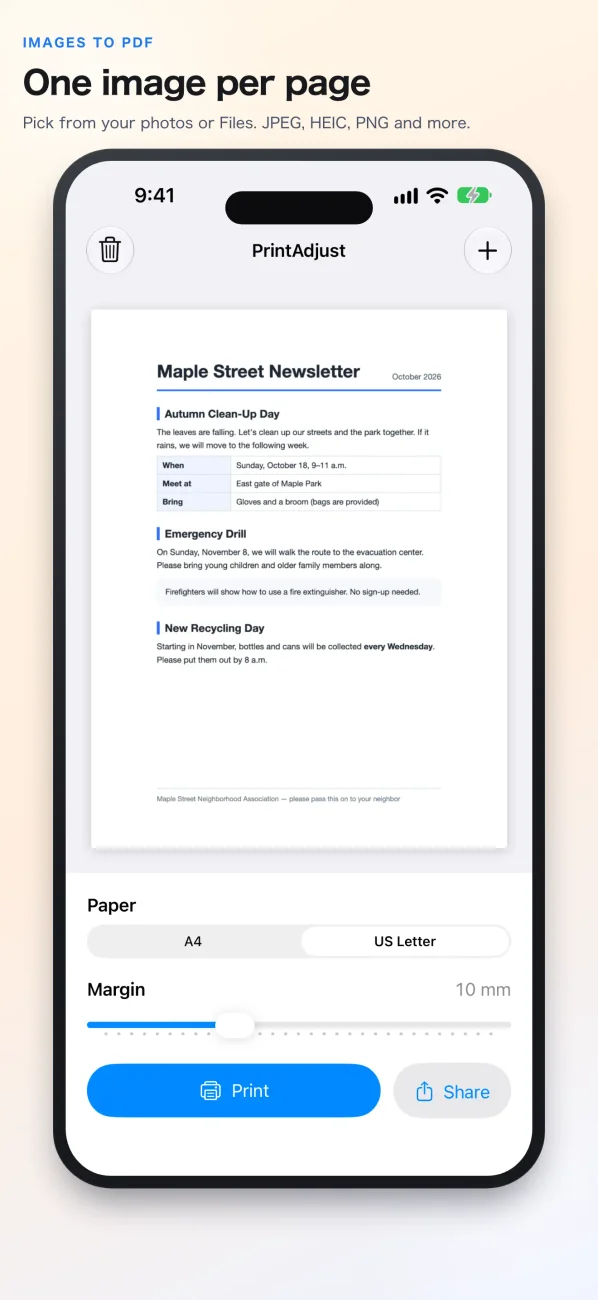
■ Images to PDF
- Pick images from your photo library or Files. Each image becomes one page of the PDF.
- Pages follow the order in which you picked the images.
- Works with JPEG, HEIC, PNG and more. Photo orientation is corrected automatically.
■ Arrange images freely
- Tap a page to drag images and resize them with a pinch or the corner handle.
- Add multiple images to the same page.
- Repeat an image in a grid, such as 3 columns by 4 rows, with adjustable spacing.
- Group images into a canvas to move, resize, duplicate, or repeat them together.
- Undo and redo your edits.
■ Adjust the margins
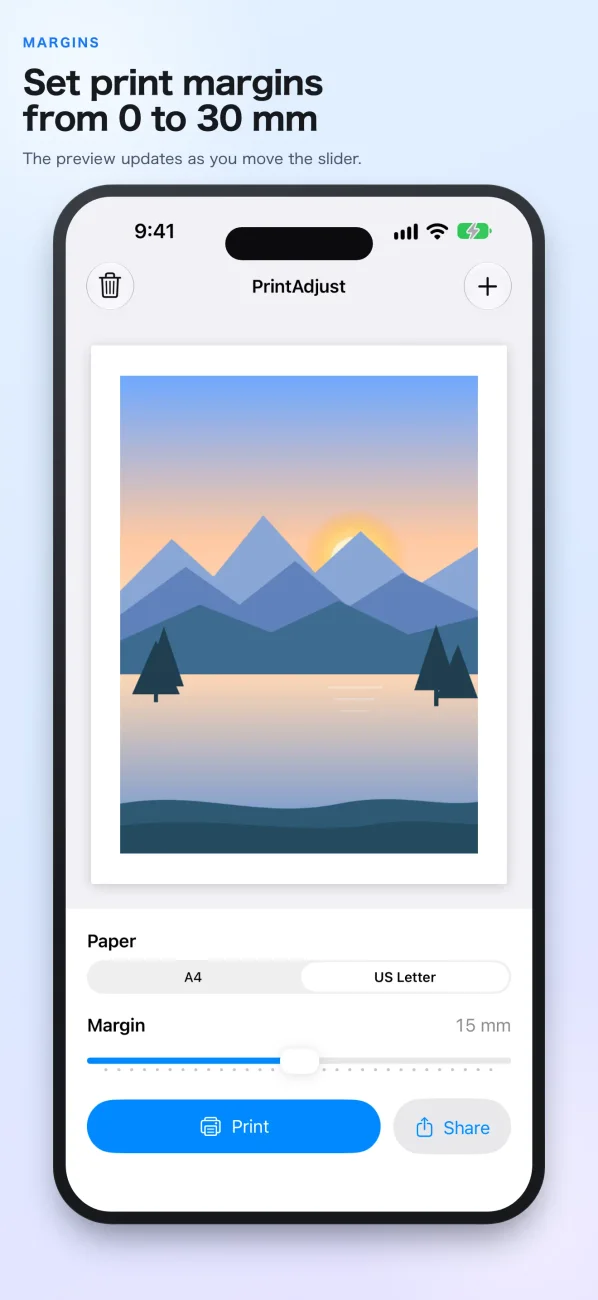
- Set the margin on all four sides from 0 to 30 mm, in 1 mm steps.
- Images start inside the margins with their aspect ratio preserved. Choose from nine positions, including the center and corners.
- The preview updates as you move the slider.
■ Paper
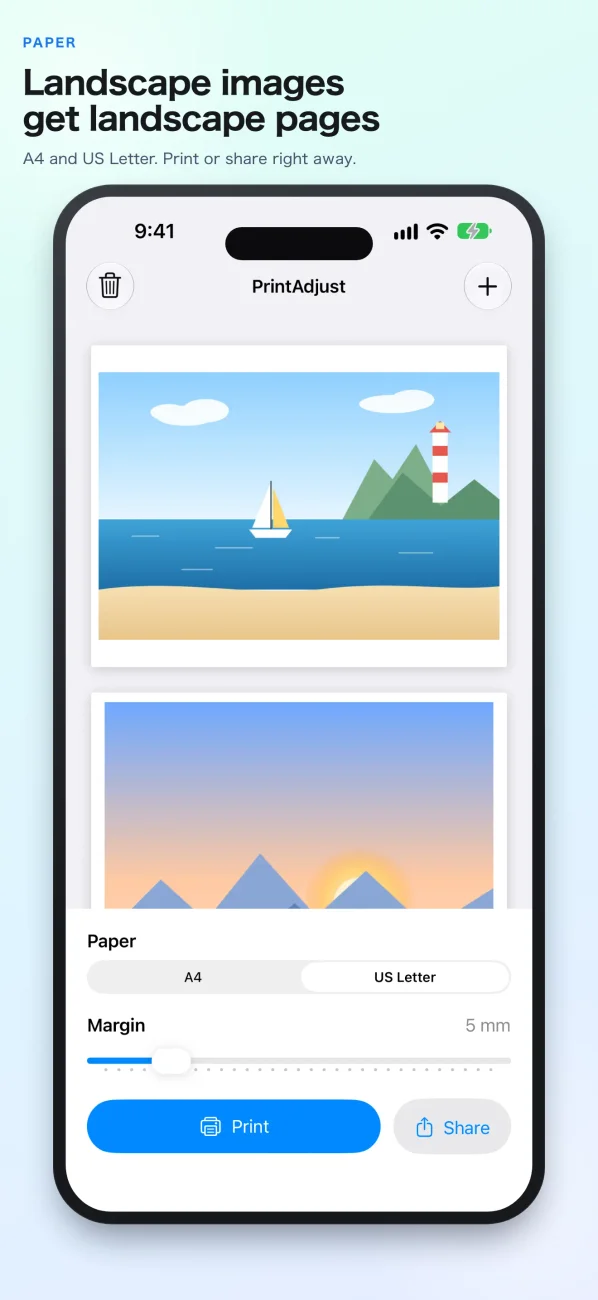
- A4, US Letter, B5 (JIS), and A3. The default follows your region.
- Landscape images get landscape pages automatically. Switch between portrait and landscape in the page editor.
■ Print and share
- Print to any AirPrint printer.
- Share the PDF to Files, Mail, AirDrop and more.
■ iPhone, iPad, and iPhone Duo
- On wide screens the preview and settings sit side by side; on narrow screens they stack.
- The layout adapts as you open or close iPhone Duo or resize an iPad window.
■ Your data
- The images you pick are used only to make the PDF and are not stored in the app.
- No account needed. The app does not use the network and does not collect data.
Có gì mới
Phiên bản 1.2 · 12/10/2026
■ iPhone Duo support
The preview and settings adapt to the open and closed displays.
■ Resize and place images freely
Tap a page to edit with a drag, pinch, or corner handle. Add multiple images to one page.
■ Repeat images and group them into a canvas
Arrange copies in a grid, such as 3 columns by 4 rows. Group images into a canvas to move, resize, or duplicate them together. Undo and redo edits.
■ Paper and printing
Added B5 (JIS), A3, and nine image positions. Improved repeated printing and added an error message when printing fails.
Quyền riêng tư của ứng dụng
Những gì Shinichi Nanbu khai báo trên App Store về cách ứng dụng này xử lý dữ liệu.
-
Dữ liệu không được thu thập
Nhà phát triển không thu thập bất kỳ dữ liệu nào từ ứng dụng này.
Phương thức đảm bảo quyền riêng tư có thể khác nhau, chẳng hạn như tuỳ theo các tính năng bạn sử dụng hoặc độ tuổi của bạn.
Thông tin
- Người bán
- Shinichi Nanbu
- Danh mục
- Hiệu Suất
- Phiên bản
- 1.2
- Cập nhật
- 12/10/2026
- Phát hành
- 30/09/2026
- Kích thước
- 5,1 MB
- Yêu cầu
- iOS 27.0 trở lên
- Độ tuổi
- 4+
- Giá
- Miễn phí
- Ngôn ngữ
- Tiếng Nhật, Tiếng Anh
- Bản quyền
- © 2026 Shinichi Nambu
Có thể bạn cũng thích
-
 Crop & Trim PDF MarginsHiệu Suất
-
 Pico Focus: Screen TimeHiệu Suất
-
 EasyTranslate AI: PDF & DocsHiệu Suất
-
 PDFTranslator: Giữ Bố CụcBố cục PDF giữ · 49 ngôn ngữ
-
 SVG ViewHiệu Suất
-
 Clipboard AI - Bàn Phím DánSao Chép Lịch Sử & Văn Bản
-
 価格比較/値段比較アプリ - KurabelleHiệu Suất
-
 Vertical Planner:Calendar,TodoHiệu Suất
-
 A4Pad – Annotate, Merge PDFHiệu Suất
-
 Pomomento: Pomodoro TimerHiệu Suất