- Altersfreigabe4+
- KategorieDienstprogramme
- EntwicklerAlex Valenchits
- SprachenEnglisch+ 3 weitere
- Größe34,3 MB
Verlinkt auf die offizielle App Store-Seite
Download.org hostet keine Datei von AIscanAuto. Die Schaltfläche öffnet die App-Seite bei App Store, wo Alex Valenchits die App veröffentlicht. Eintrag zuletzt geprüft am 23.11.2026.
Screenshots
Info
Der Entwickler hat diesen Text nicht in Ihrer Sprache bereitgestellt.
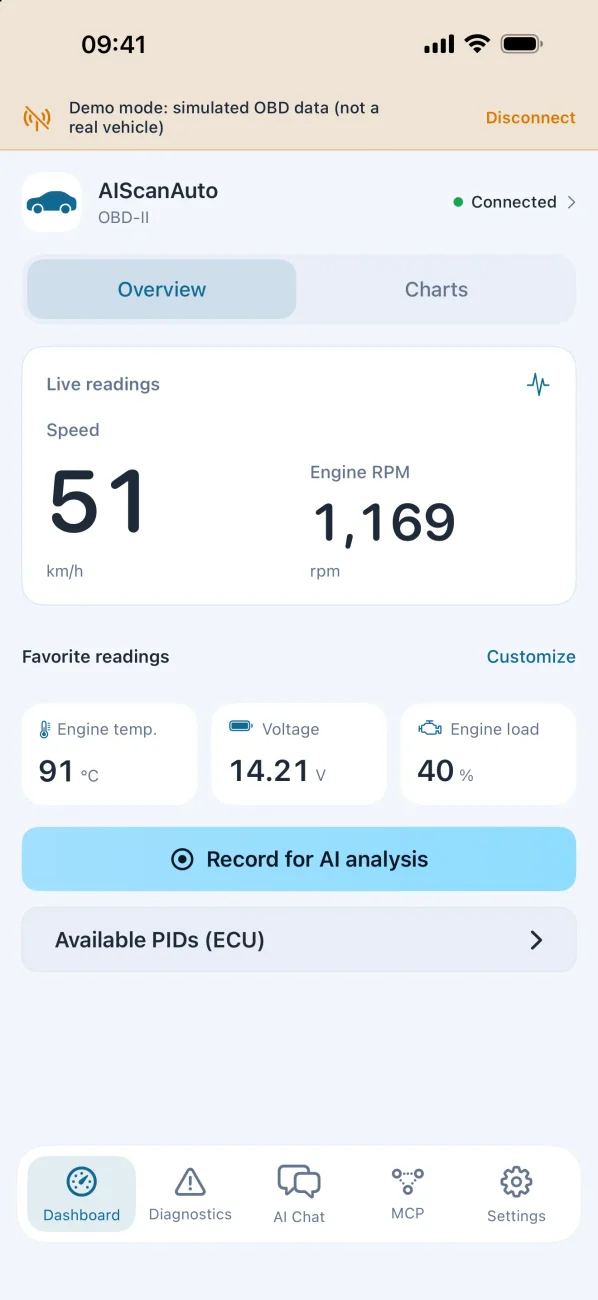
Read check engine codes, graph live sensor data and ask what to check next. For standard OBD2 diagnostics, connect a compatible Bluetooth Low Energy or Wi-Fi ELM327 adapter to your vehicle and open AIscanAuto on your iPhone or iPad.
Understand a fault code
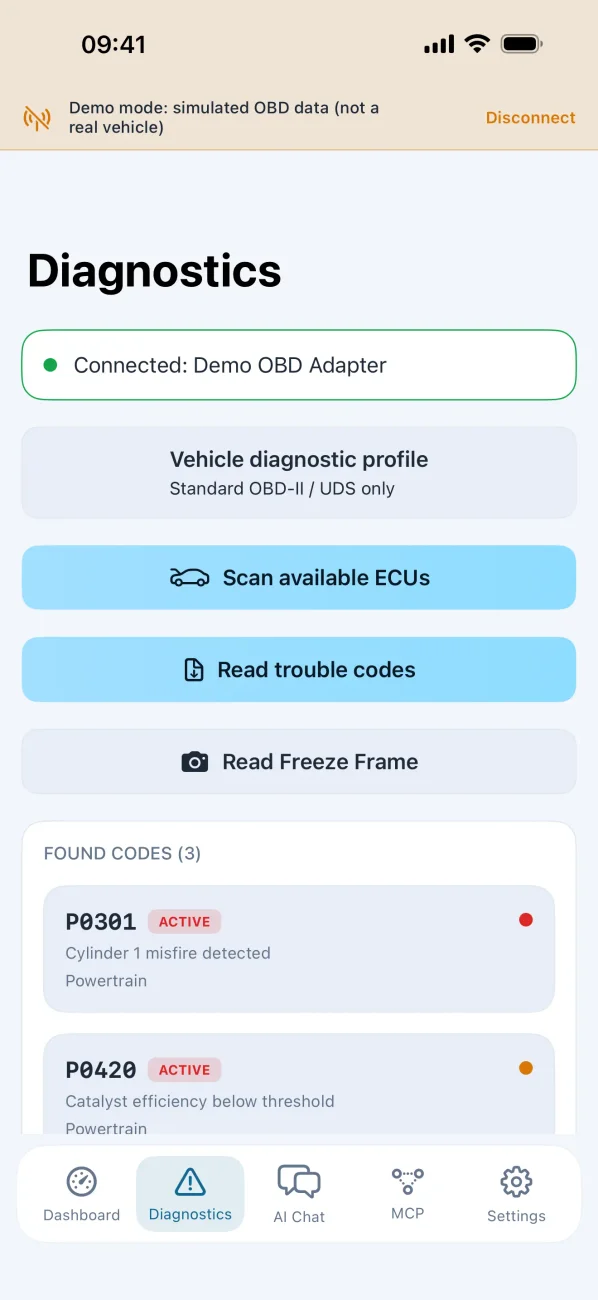
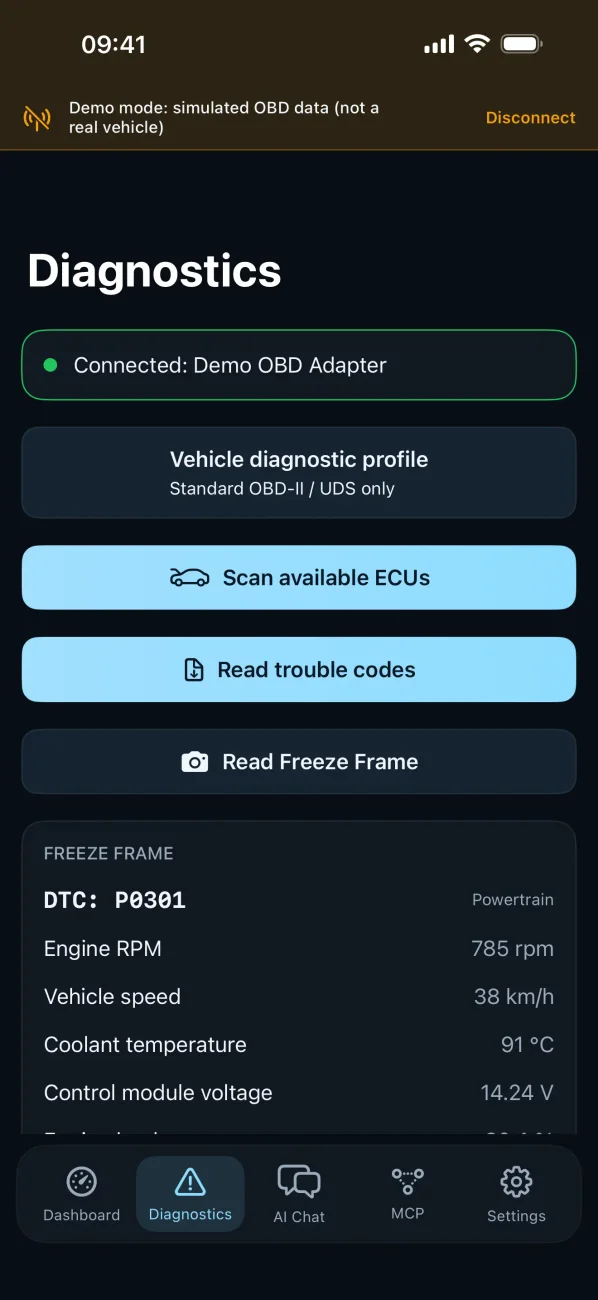
Read diagnostic trouble codes (DTCs). If your vehicle saved a freeze frame, review readings such as engine speed, coolant temperature and engine load at the moment it detected the fault. You can clear emissions-related codes after reviewing the snapshot.
Watch live readings
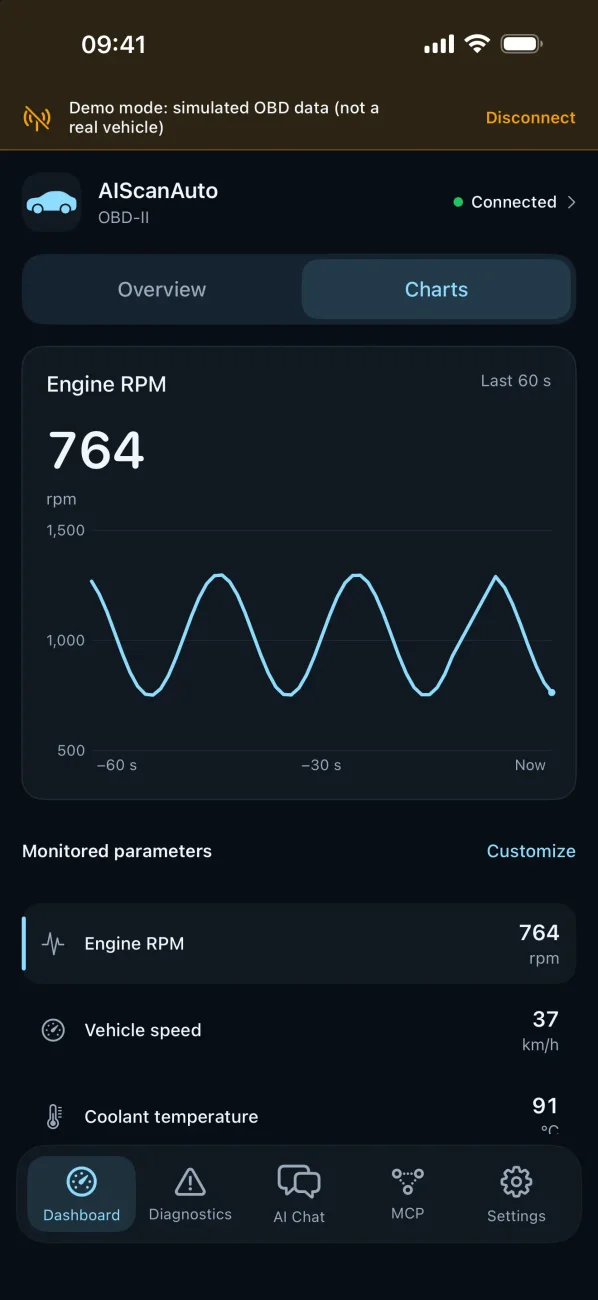
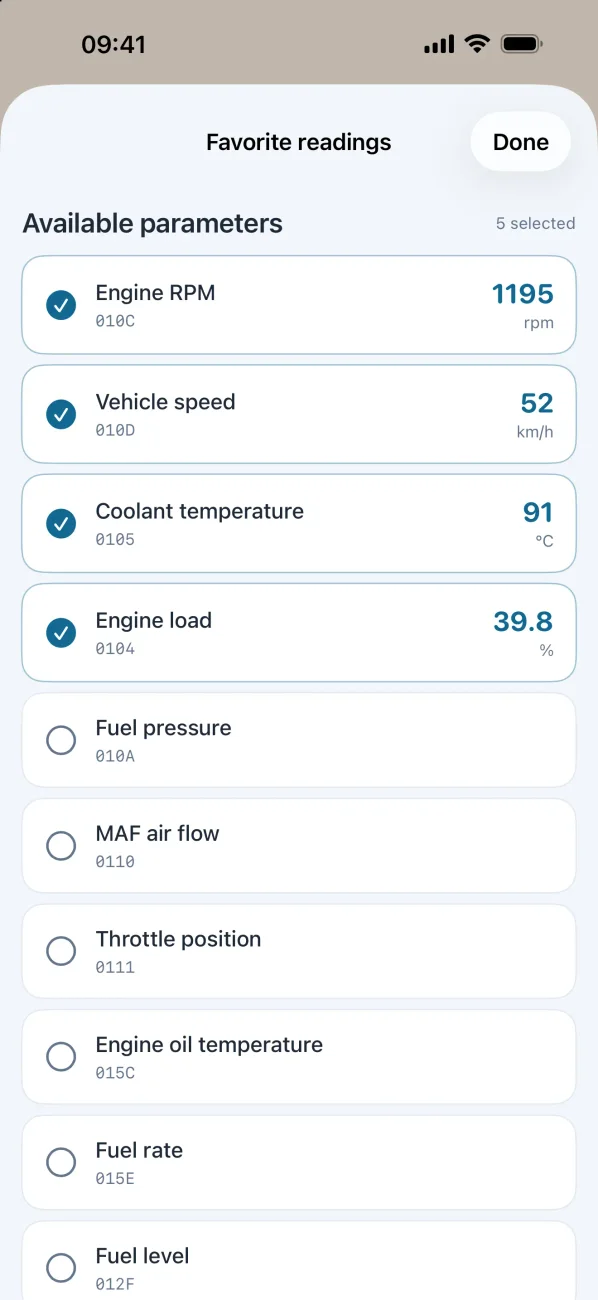
Choose which sensors appear on your dashboard. Tap a reading to see its recent history. For example, watch coolant temperature rise as the engine warms up, then switch to RPM or vehicle speed.
Check individual modules
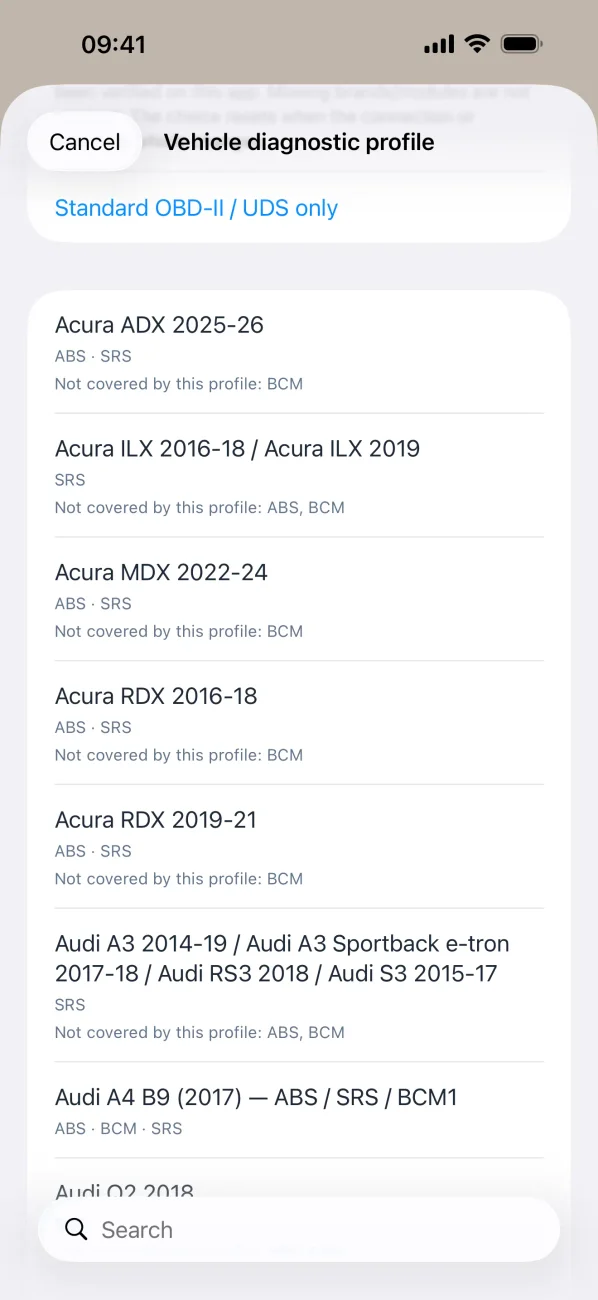
Select a vehicle profile to scan supported electronic control units (ECUs) and read the faults each module reports. Coverage depends on the vehicle, model year, module and adapter.
Ask about a code or reading
Use the built-in AI chat to explore what a code means and which readings could help explain it. On compatible devices, download a model to run the assistant locally.
Connect an external AI assistant
With pilot access, use the Model Context Protocol (MCP) to authorize a compatible assistant for a vehicle on your AIscanAuto account. Connect your OBD adapter and tap Connect MCP in the MCP tab. You can then ask the assistant to read trouble codes or check a supported sensor, such as coolant temperature. Clearing codes through MCP requires confirmation on your device.
Neue Funktionen
Version 1.1.0 · 19.11.2026
• The new MCP tab lets pilot users connect a compatible AI assistant to read trouble codes and live sensor data. Requests to clear codes require confirmation on your device.
• Select a vehicle profile to scan supported control modules and read their fault codes.
• Pause and resume on-device AI model downloads.
• Use the dashboard and diagnostics on both iPhone Duo displays.
• The Settings screen now updates as soon as you change the app language.
App-Datenschutz
Was Alex Valenchits im App Store zum Umgang dieser App mit Daten angibt.
-
Mit Ihnen verknüpfte Daten
Können erfasst und mit Ihrer Identität verknüpft werden.
- Standort
- Kontaktinformationen
Die Datenschutzpraktiken können variieren, zum Beispiel je nach den von Ihnen verwendeten Funktionen oder Ihrem Alter.
Informationen
- Anbieter
- Alex Valenchits
- Kategorie
- Dienstprogramme
- Version
- 1.1.0
- Aktualisiert
- 19.11.2026
- Veröffentlicht
- 29.06.2026
- Größe
- 34,3 MB
- Erfordert
- iOS 18.0 oder neuer
- Altersfreigabe
- 4+
- Preis
- Kostenlos
- Sprachen
- Englisch, Deutsch, Russisch, Spanisch
- Copyright
- © Valenchits Alexander
Das könnte Ihnen auch gefallen
-
 DroneEarDienstprogramme
-
 Bandwarden: RF CoordinationDienstprogramme
-
 YaDiag FreeDienstprogramme
-
 OBD2+Dienstprogramme
-
 DriveInsight: OBD2 Car DoctorDienstprogramme
-
 Dream Diagnostics OBD2 ScannerDienstprogramme
-
 AutoMalaya OBD2 Car ScannerDienstprogramme
-
 MotorQue: Car Dashboard & ScanDienstprogramme
-
 OBDScan — OBD2 ScannerDienstprogramme
-
 OBDvia AI: Smart OBD ScanningFehlerspeicher lesen & löschen