- Classification d’âge4+
- CatégorieUtilitaires
- DéveloppeurAlex Valenchits
- LanguesAnglais+ 3 de plus
- Taille34,3 Mo
Renvoie vers la page App Store officielle
Download.org n’héberge aucun fichier de AIscanAuto. Le bouton ouvre la page de l’application sur App Store, où Alex Valenchits la publie. Fiche vérifiée pour la dernière fois le 23/11/2026.
Captures d’écran
À propos
Le développeur n’a pas fourni ce texte dans votre langue.
Read check engine codes, graph live sensor data and ask what to check next. For standard OBD2 diagnostics, connect a compatible Bluetooth Low Energy or Wi-Fi ELM327 adapter to your vehicle and open AIscanAuto on your iPhone or iPad.
Understand a fault code
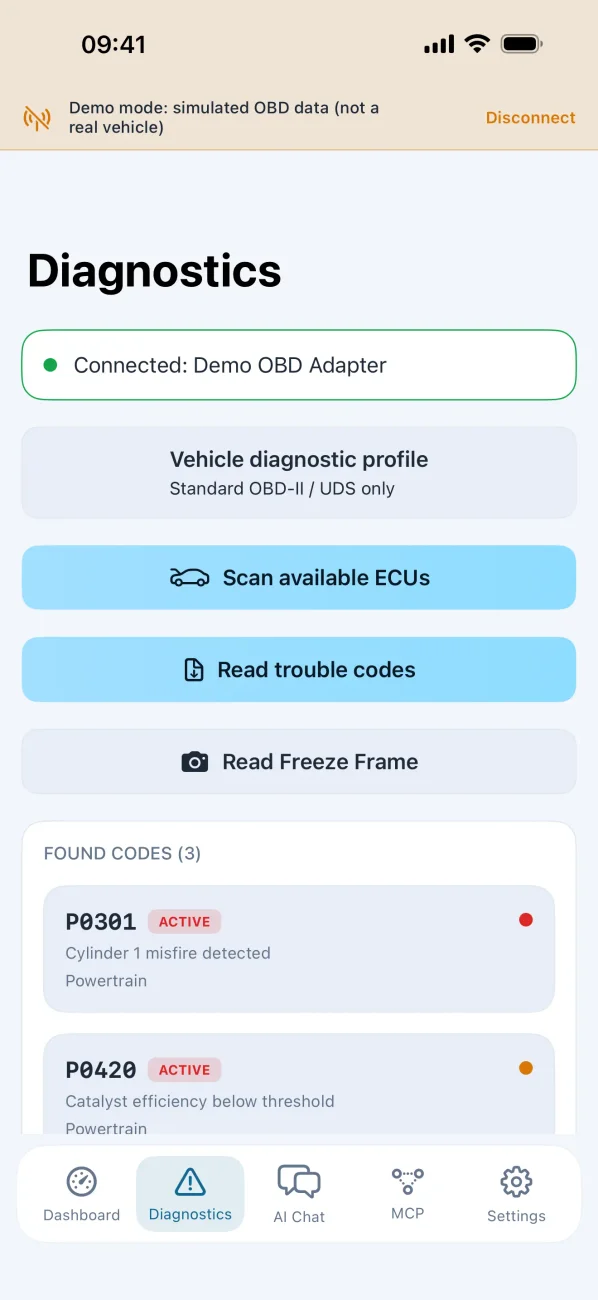
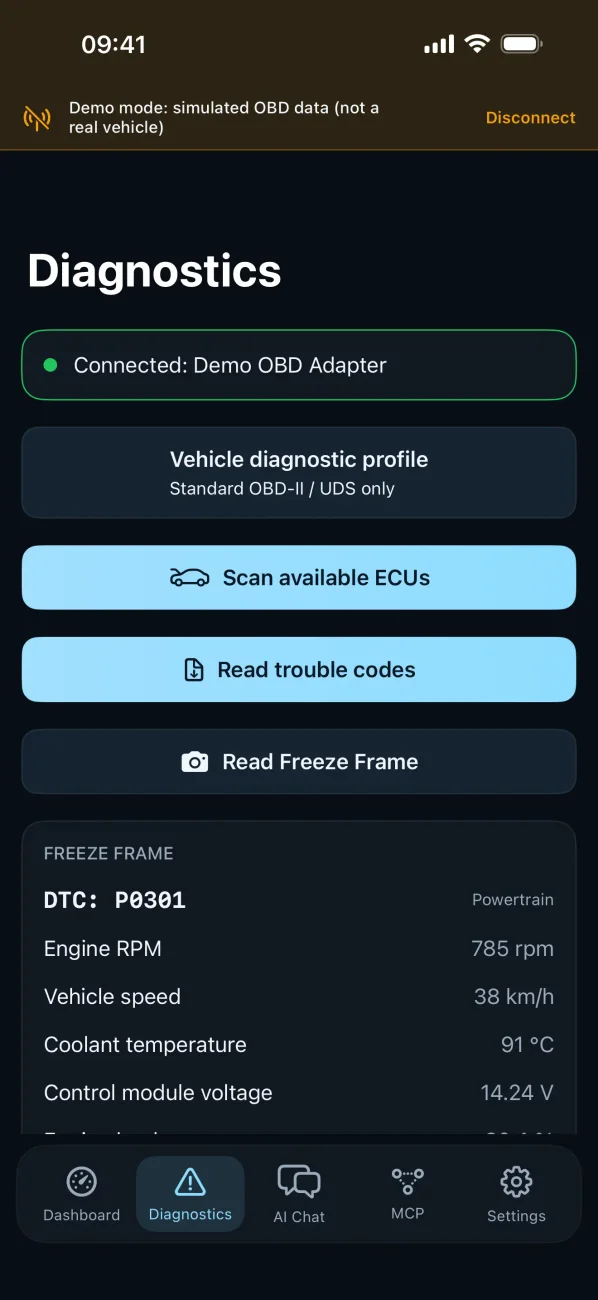
Read diagnostic trouble codes (DTCs). If your vehicle saved a freeze frame, review readings such as engine speed, coolant temperature and engine load at the moment it detected the fault. You can clear emissions-related codes after reviewing the snapshot.
Watch live readings
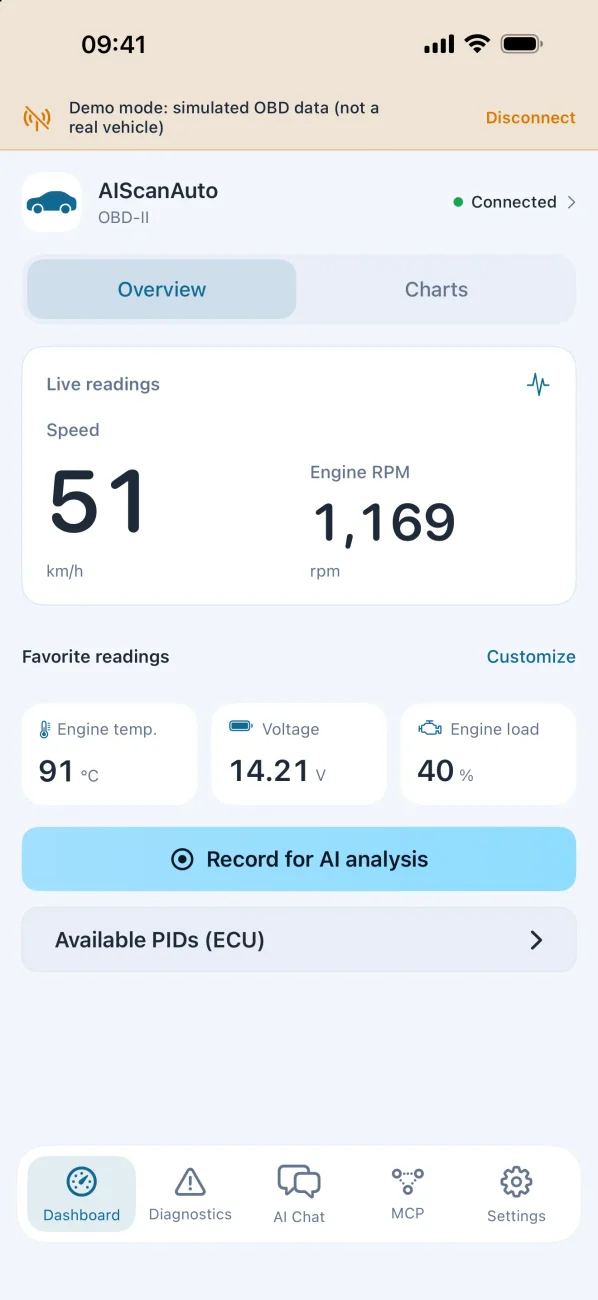
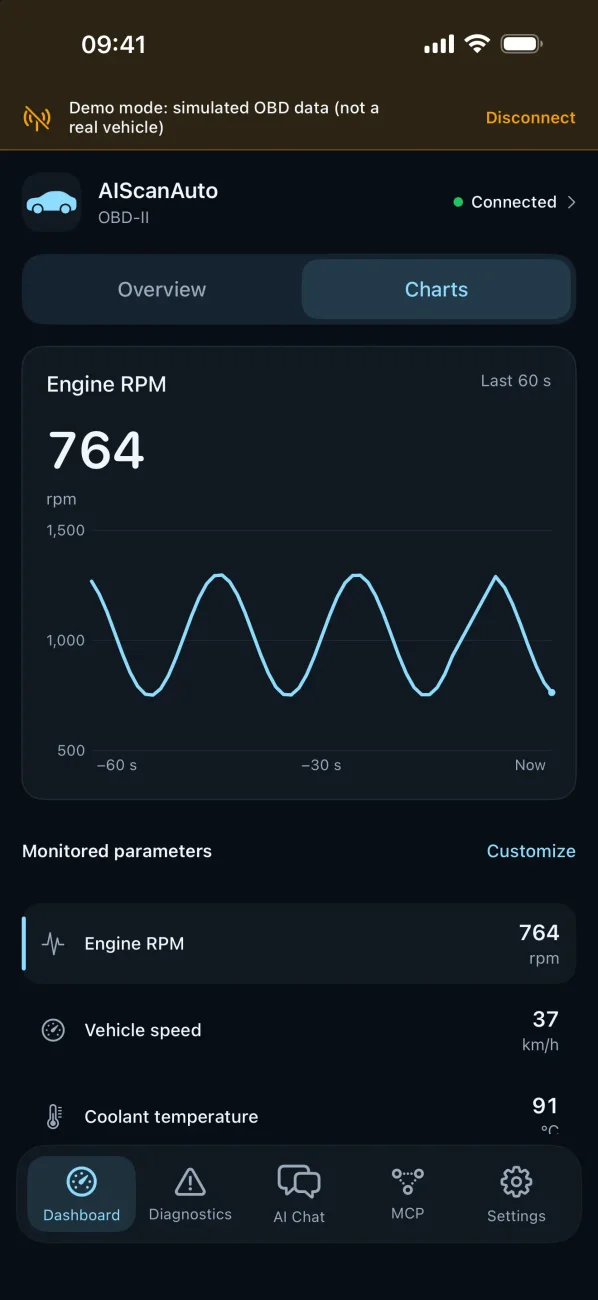
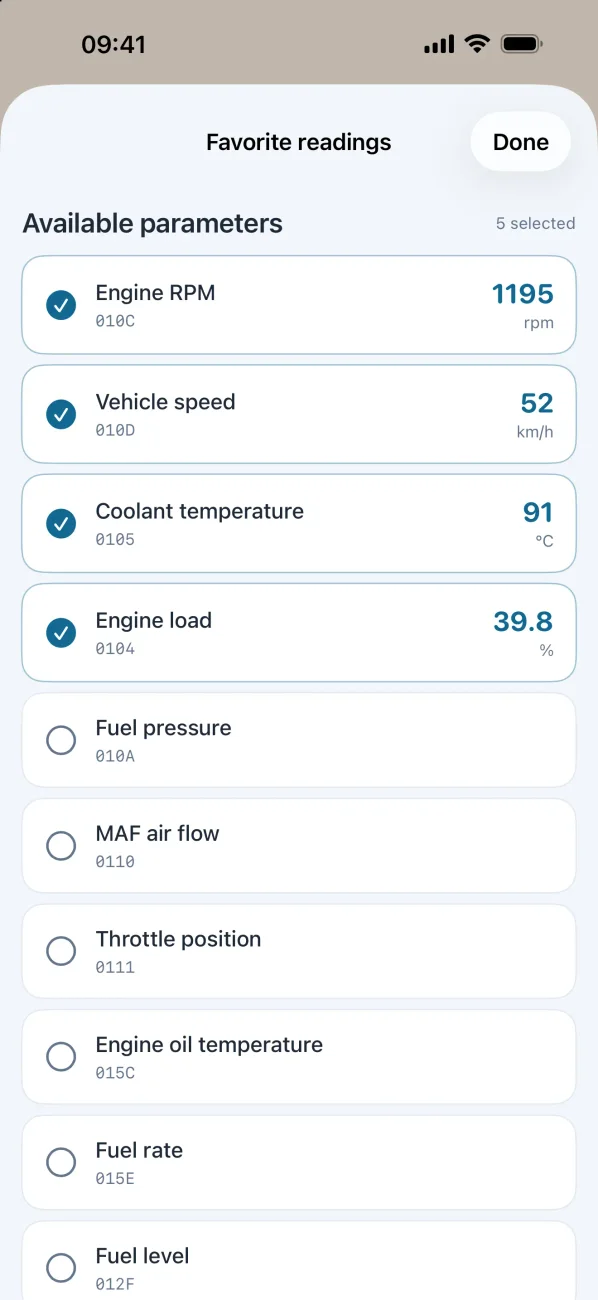
Choose which sensors appear on your dashboard. Tap a reading to see its recent history. For example, watch coolant temperature rise as the engine warms up, then switch to RPM or vehicle speed.
Check individual modules
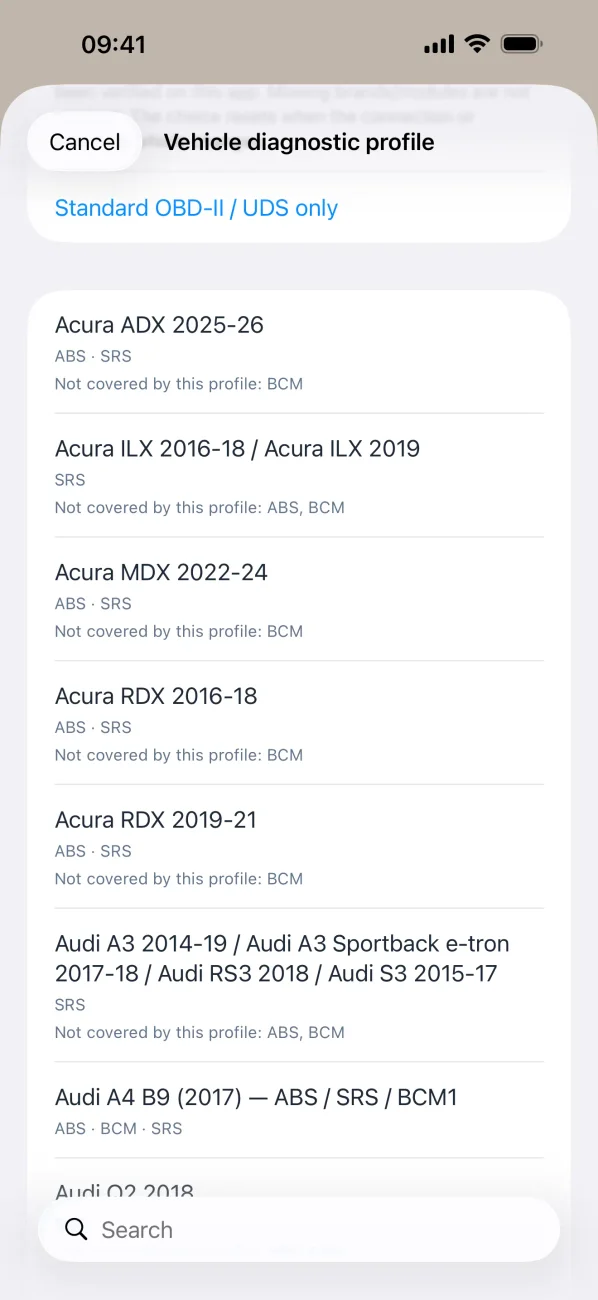
Select a vehicle profile to scan supported electronic control units (ECUs) and read the faults each module reports. Coverage depends on the vehicle, model year, module and adapter.
Ask about a code or reading
Use the built-in AI chat to explore what a code means and which readings could help explain it. On compatible devices, download a model to run the assistant locally.
Connect an external AI assistant
With pilot access, use the Model Context Protocol (MCP) to authorize a compatible assistant for a vehicle on your AIscanAuto account. Connect your OBD adapter and tap Connect MCP in the MCP tab. You can then ask the assistant to read trouble codes or check a supported sensor, such as coolant temperature. Clearing codes through MCP requires confirmation on your device.
Nouveautés
Version 1.1.0 · 19/11/2026
• The new MCP tab lets pilot users connect a compatible AI assistant to read trouble codes and live sensor data. Requests to clear codes require confirmation on your device.
• Select a vehicle profile to scan supported control modules and read their fault codes.
• Pause and resume on-device AI model downloads.
• Use the dashboard and diagnostics on both iPhone Duo displays.
• The Settings screen now updates as soon as you change the app language.
Confidentialité de l’application
Ce que Alex Valenchits déclare sur l’App Store au sujet du traitement des données par cette application.
-
Données établissant un lien avec vous
Peuvent être collectées et liées à votre identité.
- Emplacement
- Coordonnées
Les pratiques en matière de confidentialité peuvent varier, notamment en fonction des fonctionnalités que vous utilisez ou de votre âge.
Informations
- Vendeur
- Alex Valenchits
- Catégorie
- Utilitaires
- Version
- 1.1.0
- Mis à jour
- 19/11/2026
- Publié
- 29/06/2026
- Taille
- 34,3 Mo
- Nécessite
- iOS 18.0 ou version ultérieure
- Classification d’âge
- 4+
- Prix
- Gratuit
- Langues
- Anglais, Allemand, Russe, Espagnol
- Copyright
- © Valenchits Alexander
Vous aimerez peut-être aussi
-
 DroneEarUtilitaires
-
 Bandwarden: RF CoordinationUtilitaires
-
 YaDiag FreeUtilitaires
-
 OBD2+Utilitaires
-
 DriveInsight: OBD2 Car DoctorUtilitaires
-
 Dream Diagnostics OBD2 ScannerUtilitaires
-
 AutoMalaya OBD2 Car ScannerUtilitaires
-
 MotorQue: Car Dashboard & ScanUtilitaires
-
 OBDScan — OBD2 ScannerUtilitaires
-
 OBDvia AI: Scanner Auto OBD2Diagnostic ELM327 & codes DTC