- Độ tuổi4+
- Danh mụcTiện Ích
- Nhà phát triểnAlex Valenchits
- Ngôn ngữTiếng Anh+ 3 ngôn ngữ khác
- Kích thước34,3 MB
Liên kết đến trang App Store chính thức
Download.org không lưu trữ tệp nào của AIscanAuto. Nút này mở trang ứng dụng trên App Store, nơi Alex Valenchits phát hành ứng dụng. Trang được kiểm tra lần cuối: 23/11/2026.
Ảnh chụp màn hình
Giới thiệu
Nhà phát triển chưa cung cấp nội dung này bằng ngôn ngữ của bạn.
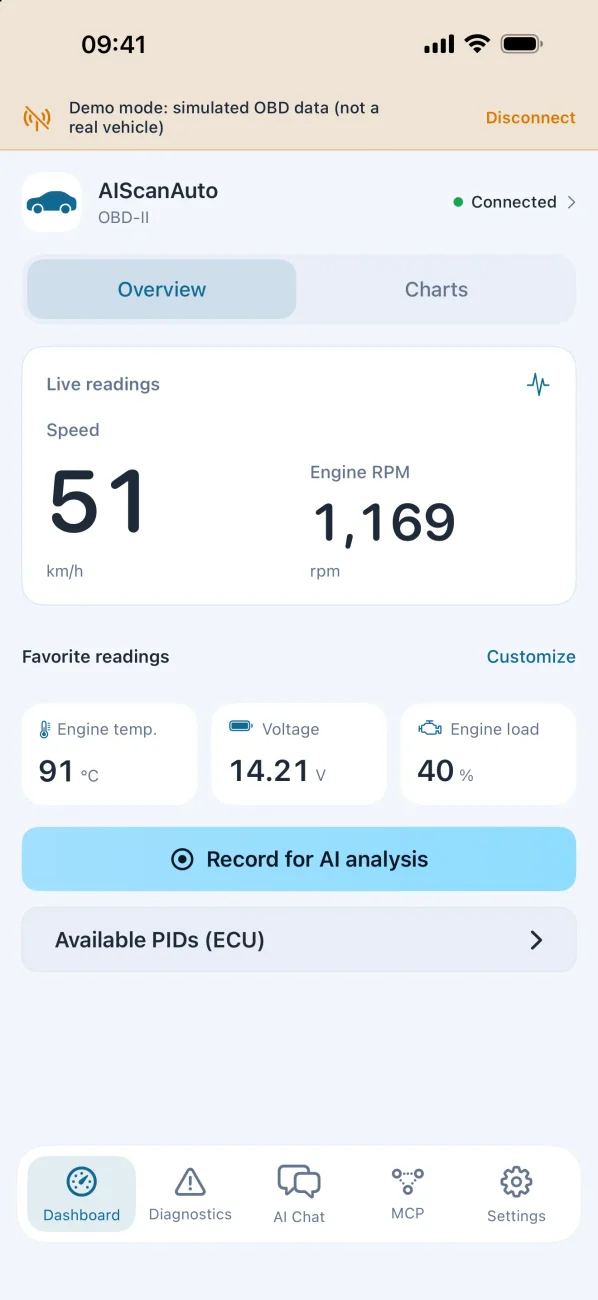
Read check engine codes, graph live sensor data and ask what to check next. For standard OBD2 diagnostics, connect a compatible Bluetooth Low Energy or Wi-Fi ELM327 adapter to your vehicle and open AIscanAuto on your iPhone or iPad.
Understand a fault code
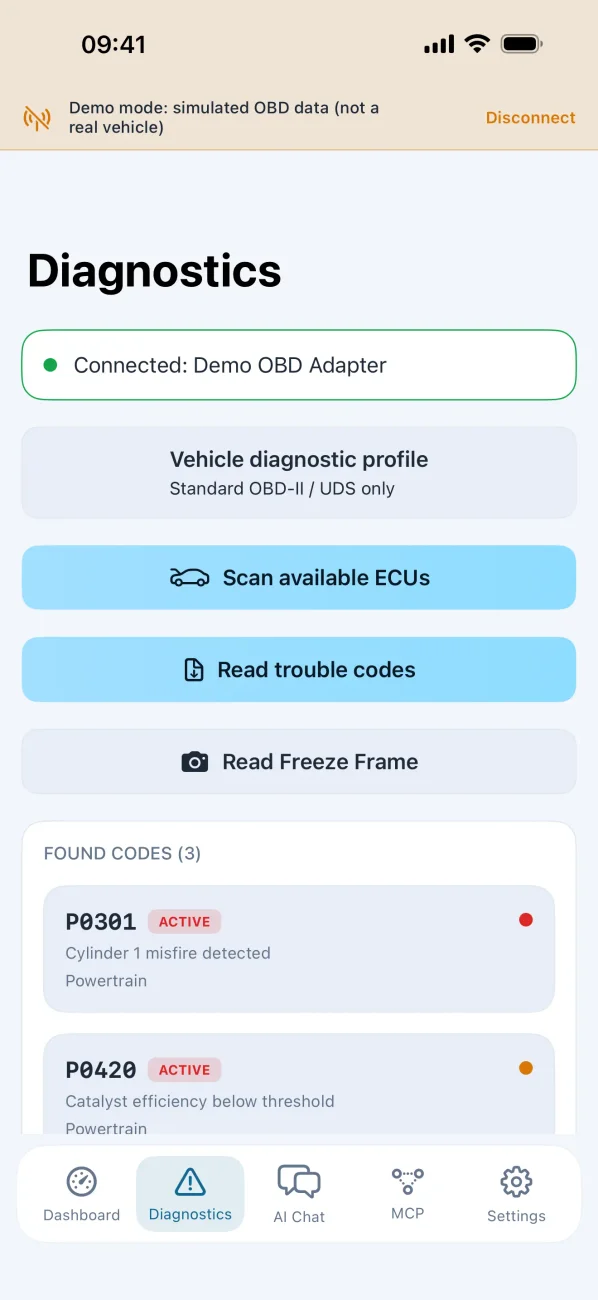
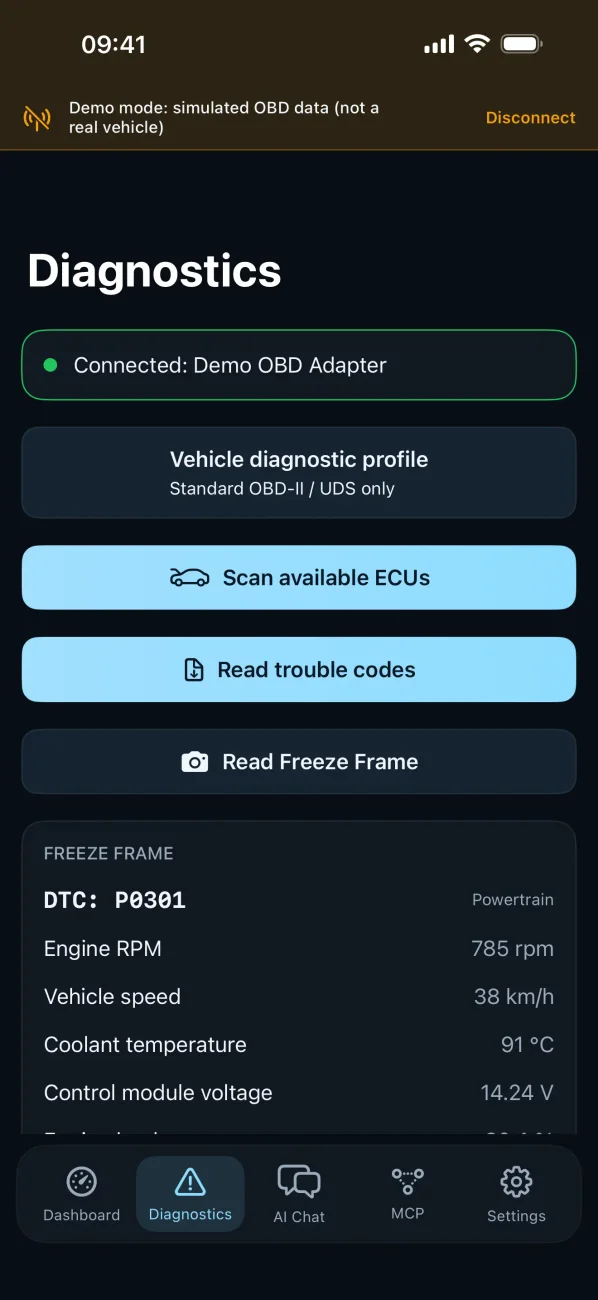
Read diagnostic trouble codes (DTCs). If your vehicle saved a freeze frame, review readings such as engine speed, coolant temperature and engine load at the moment it detected the fault. You can clear emissions-related codes after reviewing the snapshot.
Watch live readings
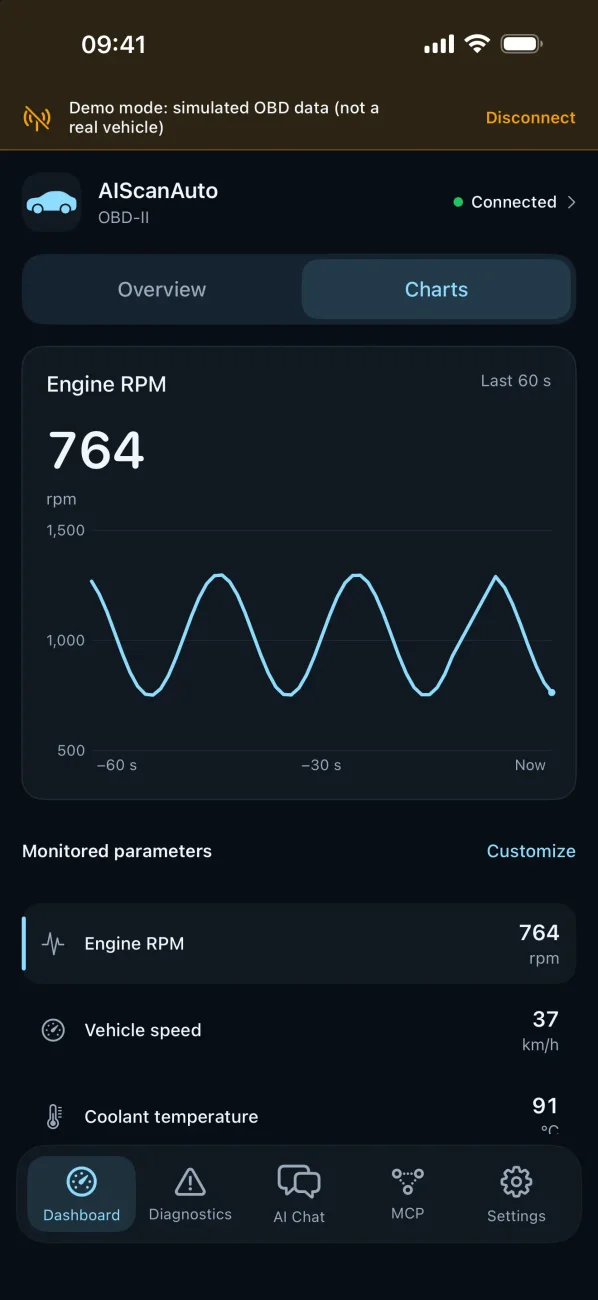
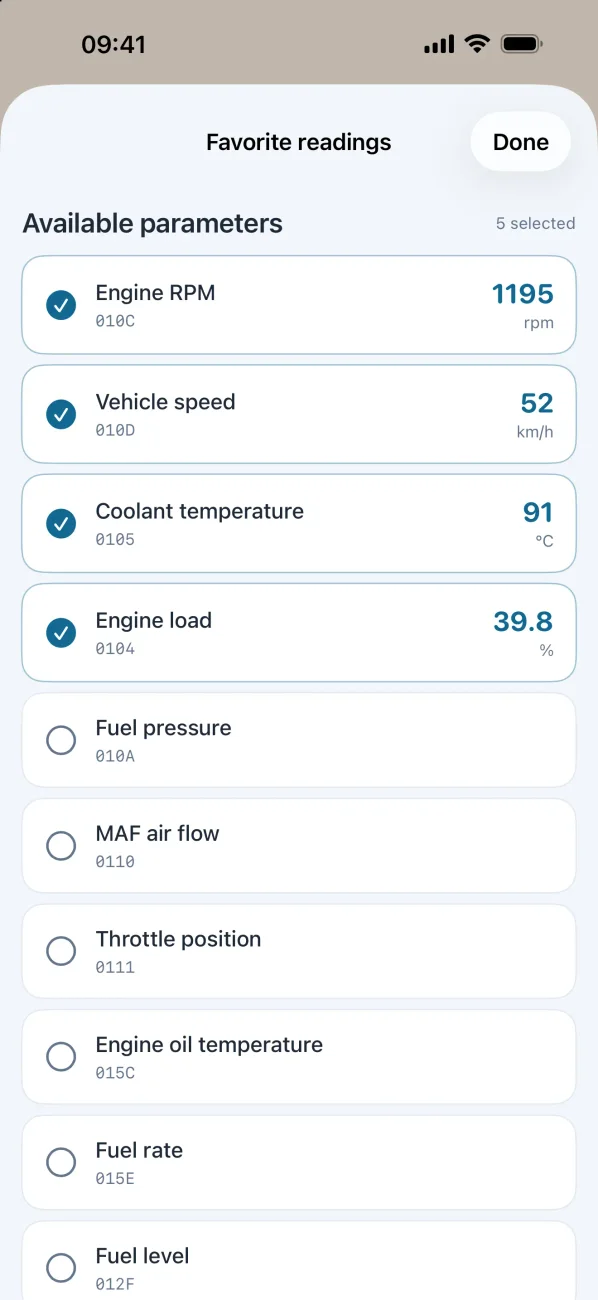
Choose which sensors appear on your dashboard. Tap a reading to see its recent history. For example, watch coolant temperature rise as the engine warms up, then switch to RPM or vehicle speed.
Check individual modules
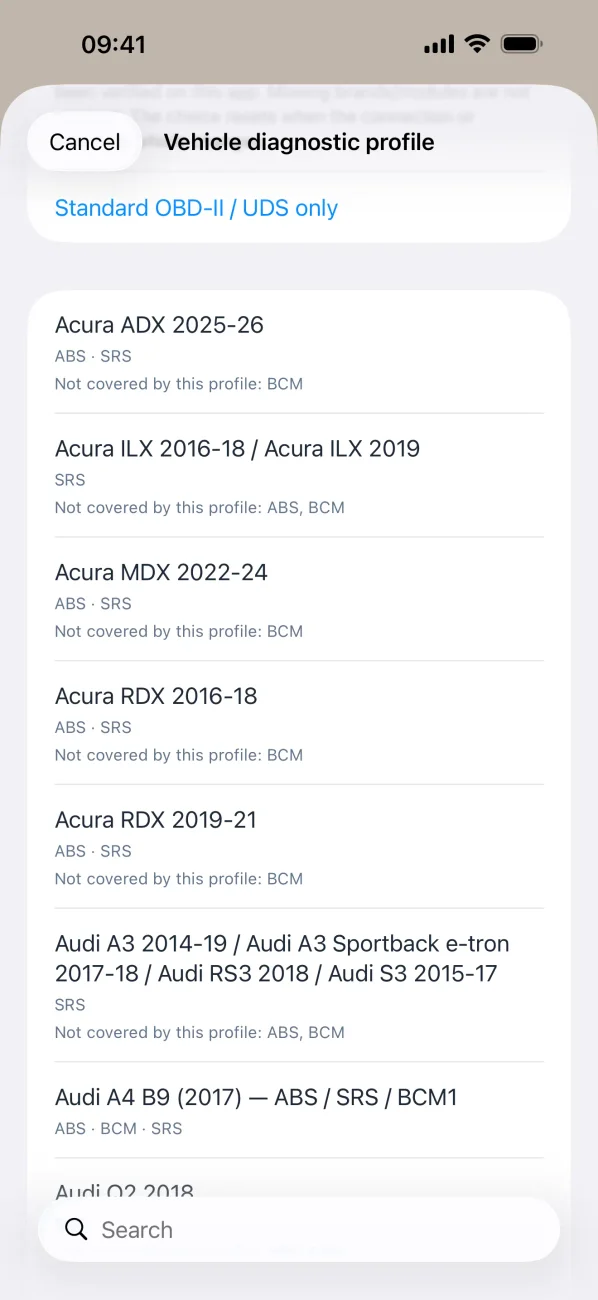
Select a vehicle profile to scan supported electronic control units (ECUs) and read the faults each module reports. Coverage depends on the vehicle, model year, module and adapter.
Ask about a code or reading
Use the built-in AI chat to explore what a code means and which readings could help explain it. On compatible devices, download a model to run the assistant locally.
Connect an external AI assistant
With pilot access, use the Model Context Protocol (MCP) to authorize a compatible assistant for a vehicle on your AIscanAuto account. Connect your OBD adapter and tap Connect MCP in the MCP tab. You can then ask the assistant to read trouble codes or check a supported sensor, such as coolant temperature. Clearing codes through MCP requires confirmation on your device.
Có gì mới
Phiên bản 1.1.0 · 19/11/2026
• The new MCP tab lets pilot users connect a compatible AI assistant to read trouble codes and live sensor data. Requests to clear codes require confirmation on your device.
• Select a vehicle profile to scan supported control modules and read their fault codes.
• Pause and resume on-device AI model downloads.
• Use the dashboard and diagnostics on both iPhone Duo displays.
• The Settings screen now updates as soon as you change the app language.
Quyền riêng tư của ứng dụng
Những gì Alex Valenchits khai báo trên App Store về cách ứng dụng này xử lý dữ liệu.
-
Dữ liệu liên kết với bạn
Có thể được thu thập và liên kết với danh tính của bạn.
- Vị trí
- Thông tin liên hệ
Phương thức đảm bảo quyền riêng tư có thể khác nhau, chẳng hạn như tuỳ theo các tính năng bạn sử dụng hoặc độ tuổi của bạn.
Thông tin
- Người bán
- Alex Valenchits
- Danh mục
- Tiện Ích
- Phiên bản
- 1.1.0
- Cập nhật
- 19/11/2026
- Phát hành
- 29/06/2026
- Kích thước
- 34,3 MB
- Yêu cầu
- iOS 18.0 trở lên
- Độ tuổi
- 4+
- Giá
- Miễn phí
- Ngôn ngữ
- Tiếng Anh, Tiếng Đức, Tiếng Nga, Tiếng Tây Ban Nha
- Bản quyền
- © Valenchits Alexander
Có thể bạn cũng thích
-
 DroneEarTiện Ích
-
 Bandwarden: RF CoordinationTiện Ích
-
 YaDiag FreeTiện Ích
-
 OBD2+Tiện Ích
-
 DriveInsight: OBD2 Car DoctorTiện Ích
-
 Dream Diagnostics OBD2 ScannerTiện Ích
-
 AutoMalaya OBD2 Car ScannerTiện Ích
-
 MotorQue: Car Dashboard & ScanTiện Ích
-
 OBDScan — Quét OBD2Chẩn đoán xe & dữ liệu sống
-
 OBDvia AI: Smart OBD2 ScannerTiện Ích