AIscanAuto
OBD2 Scanner & Live Car Data
iPhone, iPad için tasarlandı
Ücretsiz
- Yaş sınırı4+
- KategoriYardımcılar
- GeliştiriciAlex Valenchits
- Dillerİngilizce+ 3 dil daha
- Boyut34,3 MB
Resmi App Store sayfasına bağlanır
Download.org, AIscanAuto için hiçbir dosya barındırmaz. Düğme, uygulamanın App Store üzerindeki sayfasını açar; uygulamayı orada Alex Valenchits yayınlar. Sayfanın son kontrolü: 23.11.2026.
Ekran görüntüleri
Hakkında
Geliştirici bu metni dilinizde sunmamış.
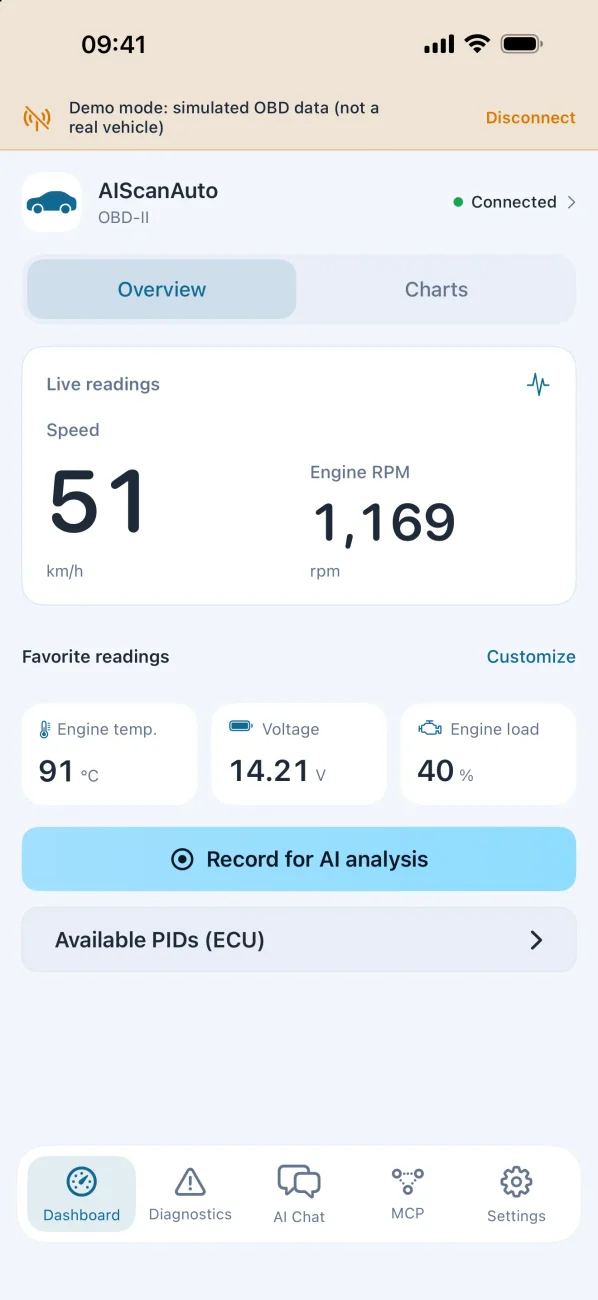
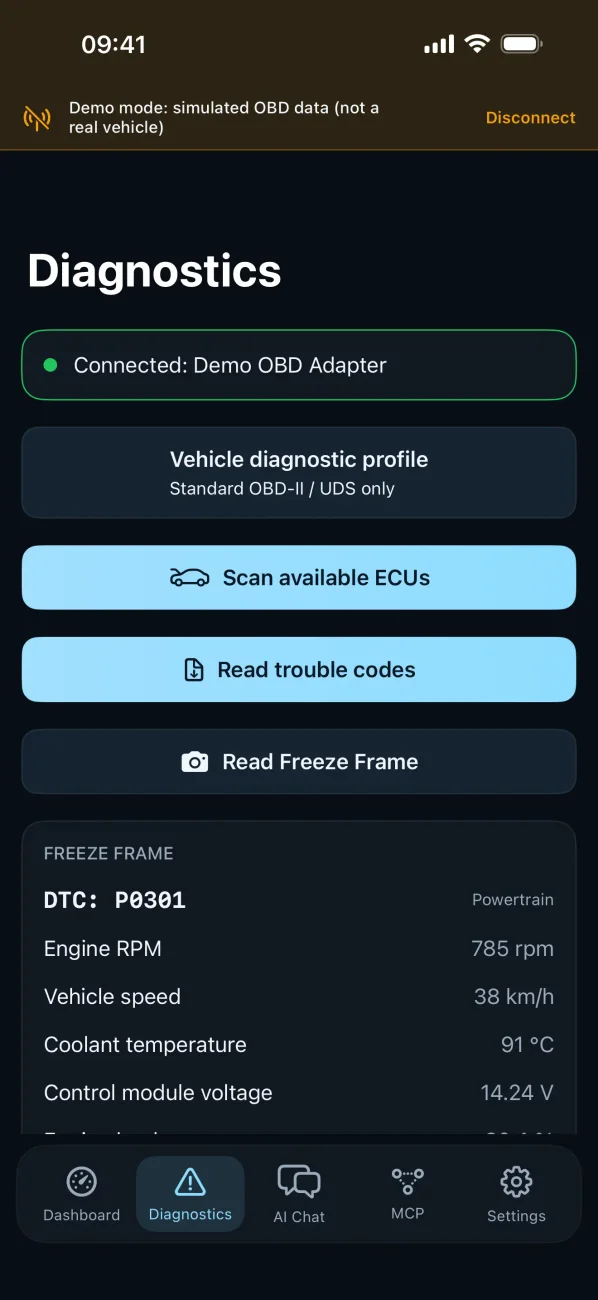
Read check engine codes, graph live sensor data and ask what to check next. For standard OBD2 diagnostics, connect a compatible Bluetooth Low Energy or Wi-Fi ELM327 adapter to your vehicle and open AIscanAuto on your iPhone or iPad.
Understand a fault code
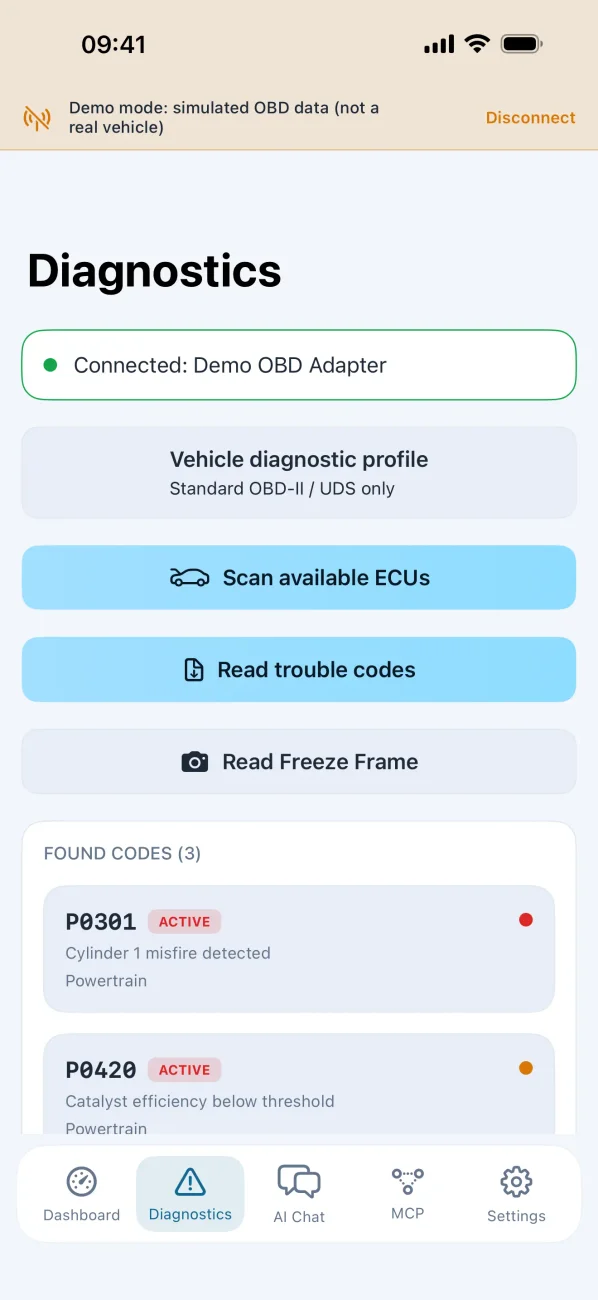
Read diagnostic trouble codes (DTCs). If your vehicle saved a freeze frame, review readings such as engine speed, coolant temperature and engine load at the moment it detected the fault. You can clear emissions-related codes after reviewing the snapshot.
Watch live readings
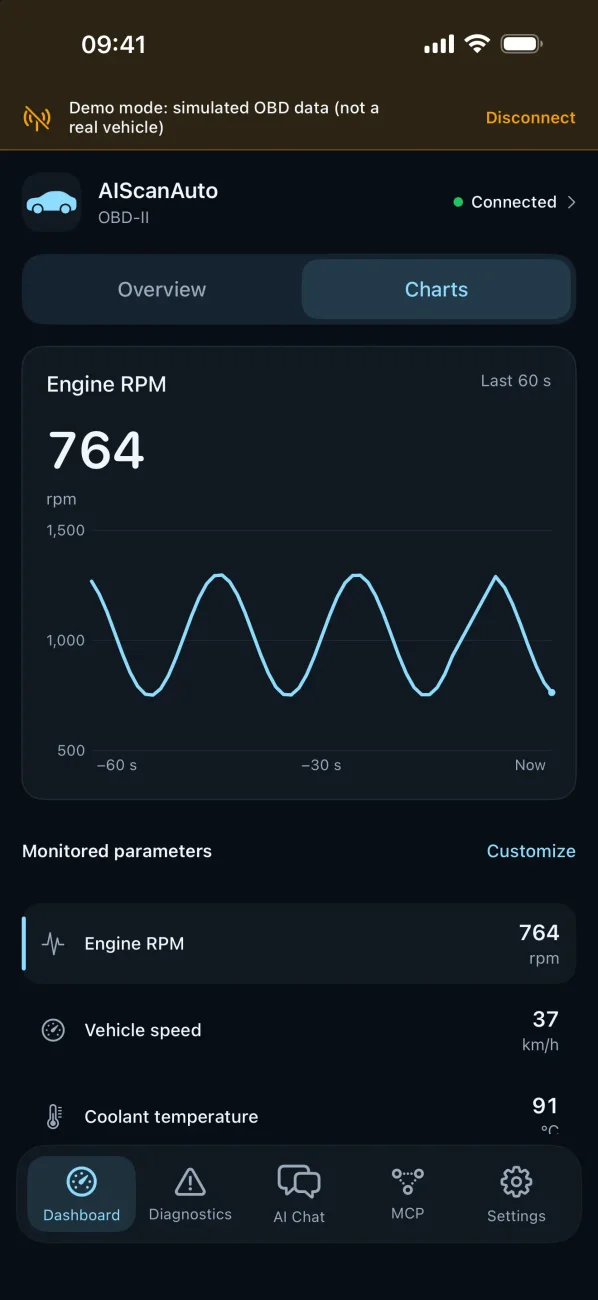
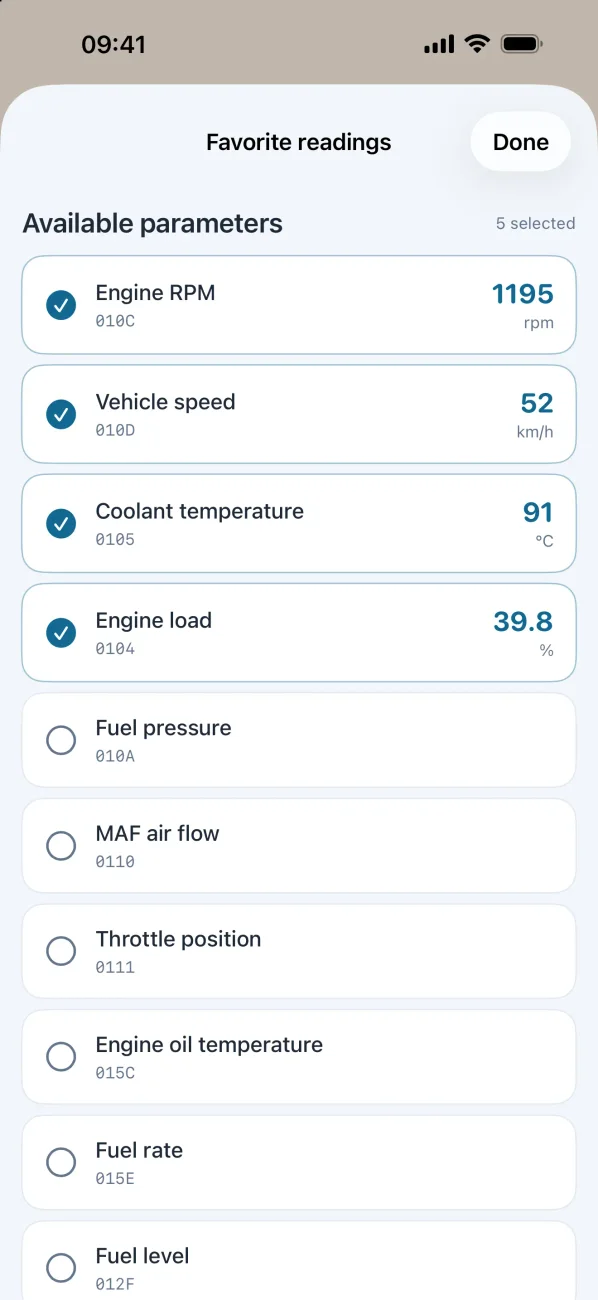
Choose which sensors appear on your dashboard. Tap a reading to see its recent history. For example, watch coolant temperature rise as the engine warms up, then switch to RPM or vehicle speed.
Check individual modules
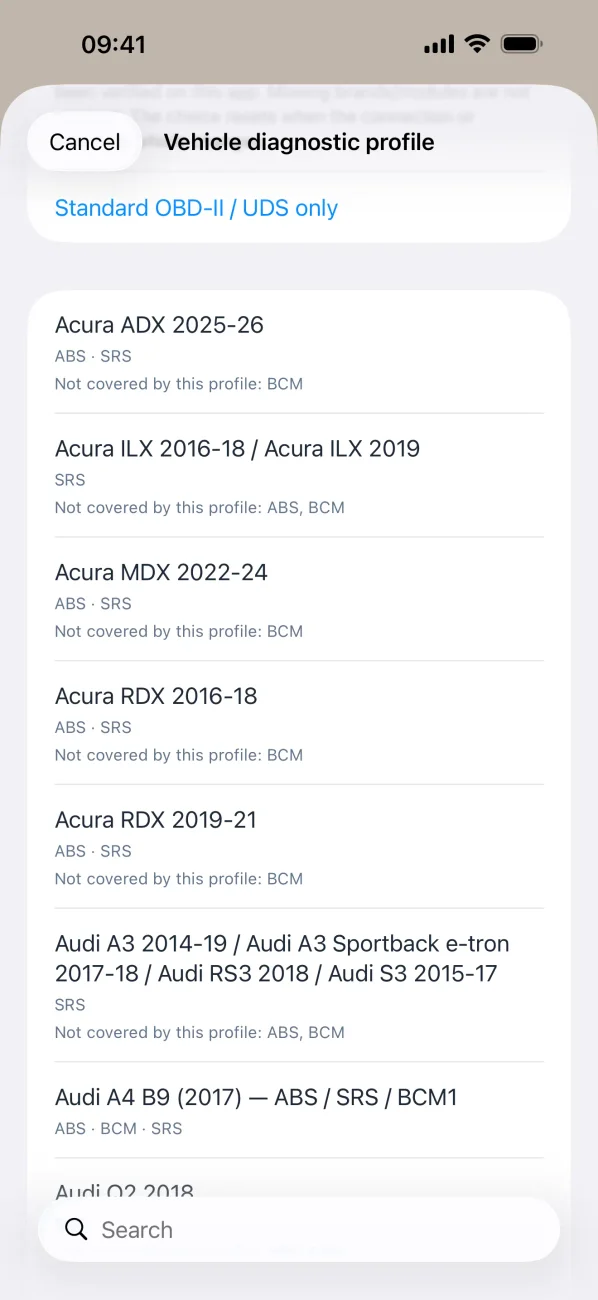
Select a vehicle profile to scan supported electronic control units (ECUs) and read the faults each module reports. Coverage depends on the vehicle, model year, module and adapter.
Ask about a code or reading
Use the built-in AI chat to explore what a code means and which readings could help explain it. On compatible devices, download a model to run the assistant locally.
Connect an external AI assistant
With pilot access, use the Model Context Protocol (MCP) to authorize a compatible assistant for a vehicle on your AIscanAuto account. Connect your OBD adapter and tap Connect MCP in the MCP tab. You can then ask the assistant to read trouble codes or check a supported sensor, such as coolant temperature. Clearing codes through MCP requires confirmation on your device.
Yenilikler
Sürüm 1.1.0 · 19.11.2026
• The new MCP tab lets pilot users connect a compatible AI assistant to read trouble codes and live sensor data. Requests to clear codes require confirmation on your device.
• Select a vehicle profile to scan supported control modules and read their fault codes.
• Pause and resume on-device AI model downloads.
• Use the dashboard and diagnostics on both iPhone Duo displays.
• The Settings screen now updates as soon as you change the app language.
Uygulama gizliliği
Bu uygulamanın verileri nasıl işlediği hakkında Alex Valenchits tarafından App Store üzerinde yapılan beyan.
-
Sizinle ilişkilendirilen veriler
Toplanabilir ve kimliğinizle ilişkilendirilebilir.
- Konum
- İletişim bilgileri
Gizlilik uygulamaları, örneğin kullandığınız özelliklere veya yaşınıza göre değişiklik gösterebilir.
Bilgiler
- Satıcı
- Alex Valenchits
- Kategori
- Yardımcılar
- Sürüm
- 1.1.0
- Güncellendi
- 19.11.2026
- Yayın tarihi
- 29.06.2026
- Boyut
- 34,3 MB
- Gereksinim
- iOS 18.0 veya sonrası
- Yaş sınırı
- 4+
- Fiyat
- Ücretsiz
- Diller
- İngilizce, Almanca, Rusça, İspanyolca
- Telif hakkı
- © Valenchits Alexander
Bunları da beğenebilirsiniz
-
 DroneEarYardımcılar
-
 Bandwarden: RF CoordinationYardımcılar
-
 YaDiag FreeYardımcılar
-
 OBD2+Yardımcılar
-
 DriveInsight: OBD2 Car DoctorYardımcılar
-
 Dream Diagnostics OBD2 ScannerYardımcılar
-
 AutoMalaya OBD2 Car ScannerYardımcılar
-
 MotorQue: Car Dashboard & ScanYardımcılar
-
 OBDScan — OBD2 ScannerYardımcılar
-
 OBDvia AI: Smart OBD2 ScannerYardımcılar