- Batasan usia4+
- KategoriKegunaan
- PengembangAlex Valenchits
- BahasaInggris+ 3 lainnya
- Ukuran34,3 MB
Tertaut ke halaman resmi App Store
Download.org tidak menyimpan file AIscanAuto apa pun. Tombol ini membuka halaman aplikasi di App Store, tempat Alex Valenchits menerbitkannya. Halaman terakhir diperiksa pada 23/11/2026.
Tangkapan layar
Tentang
Pengembang belum menyediakan teks ini dalam bahasa Anda.
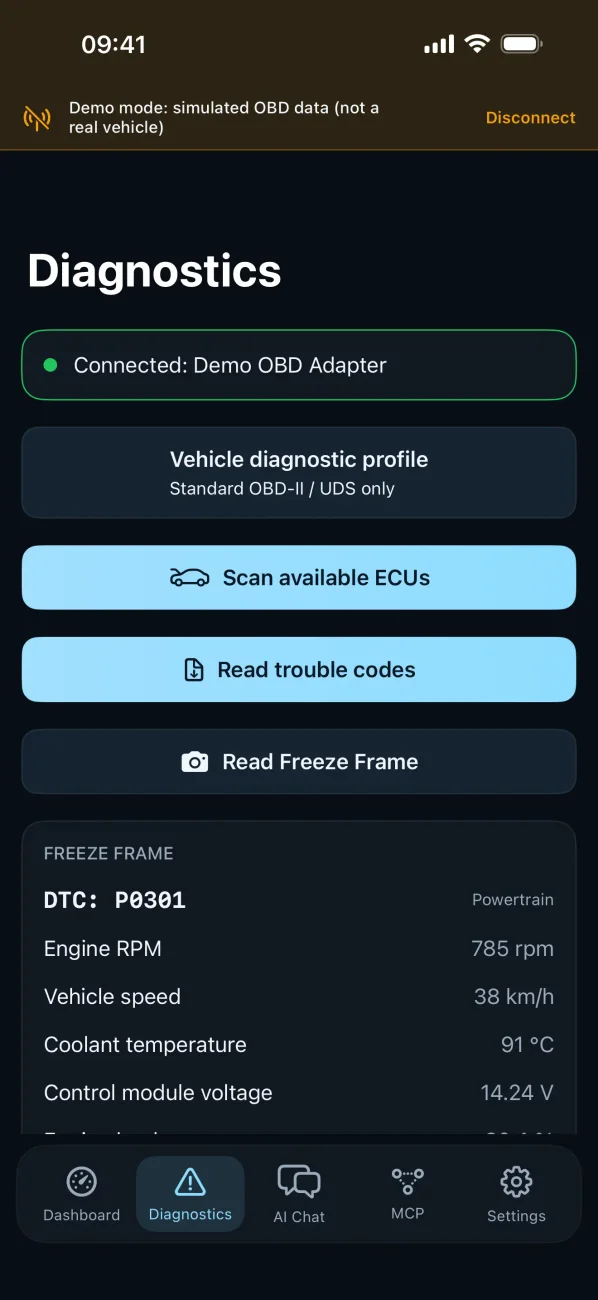
Read check engine codes, graph live sensor data and ask what to check next. For standard OBD2 diagnostics, connect a compatible Bluetooth Low Energy or Wi-Fi ELM327 adapter to your vehicle and open AIscanAuto on your iPhone or iPad.
Understand a fault code
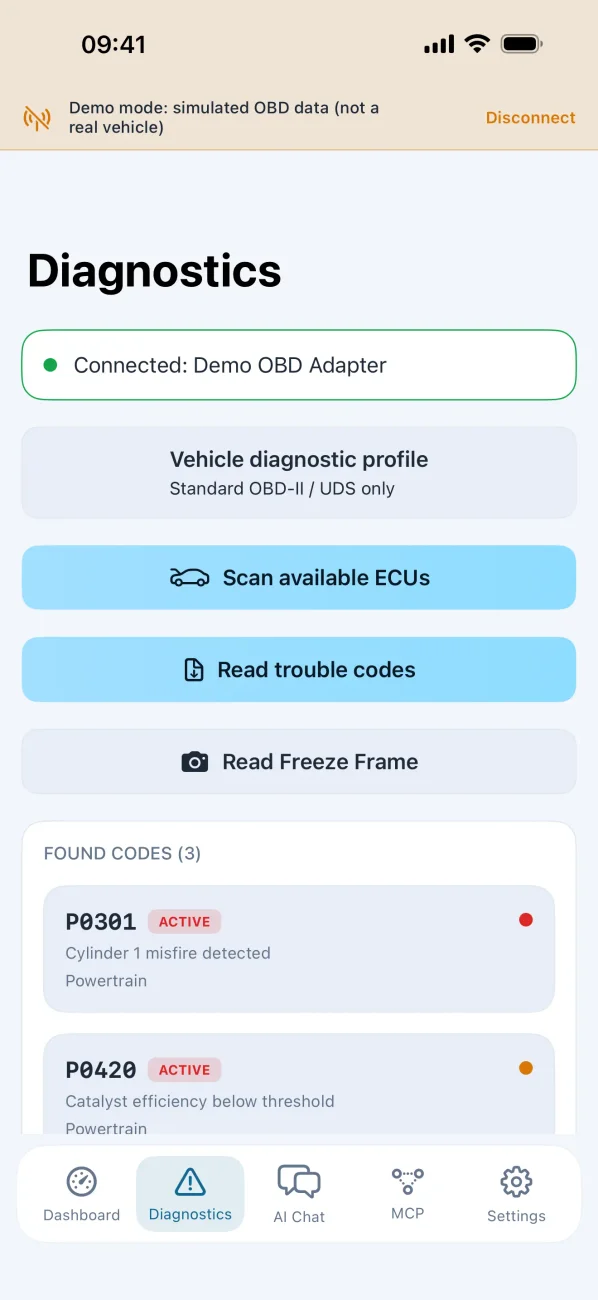
Read diagnostic trouble codes (DTCs). If your vehicle saved a freeze frame, review readings such as engine speed, coolant temperature and engine load at the moment it detected the fault. You can clear emissions-related codes after reviewing the snapshot.
Watch live readings
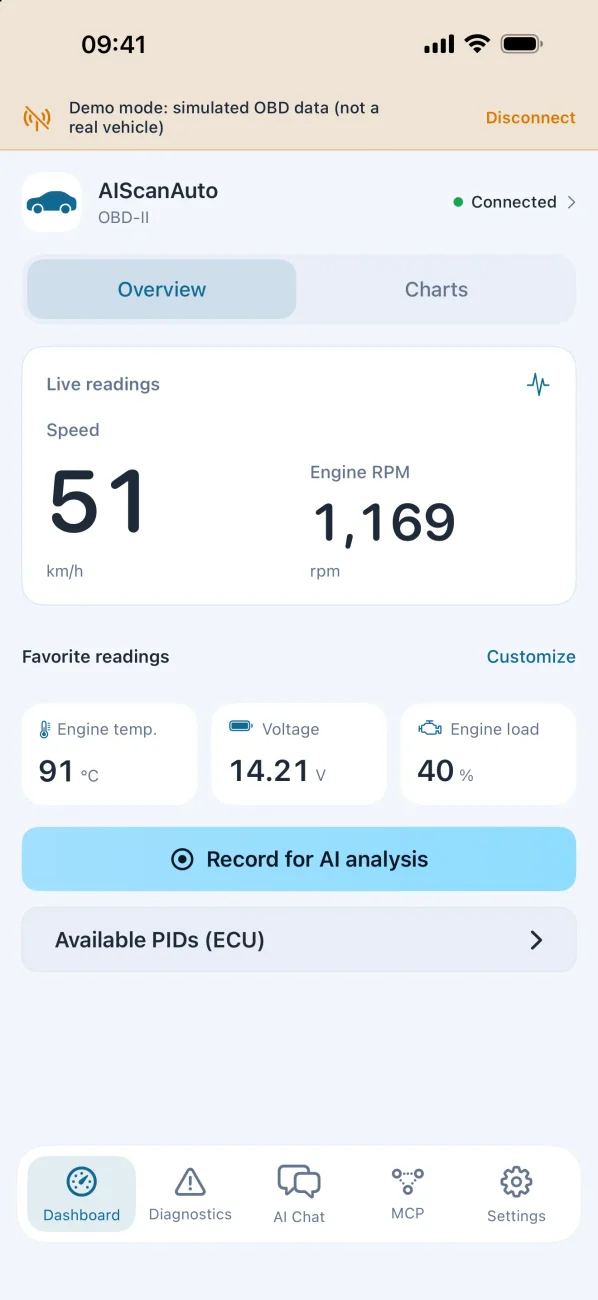
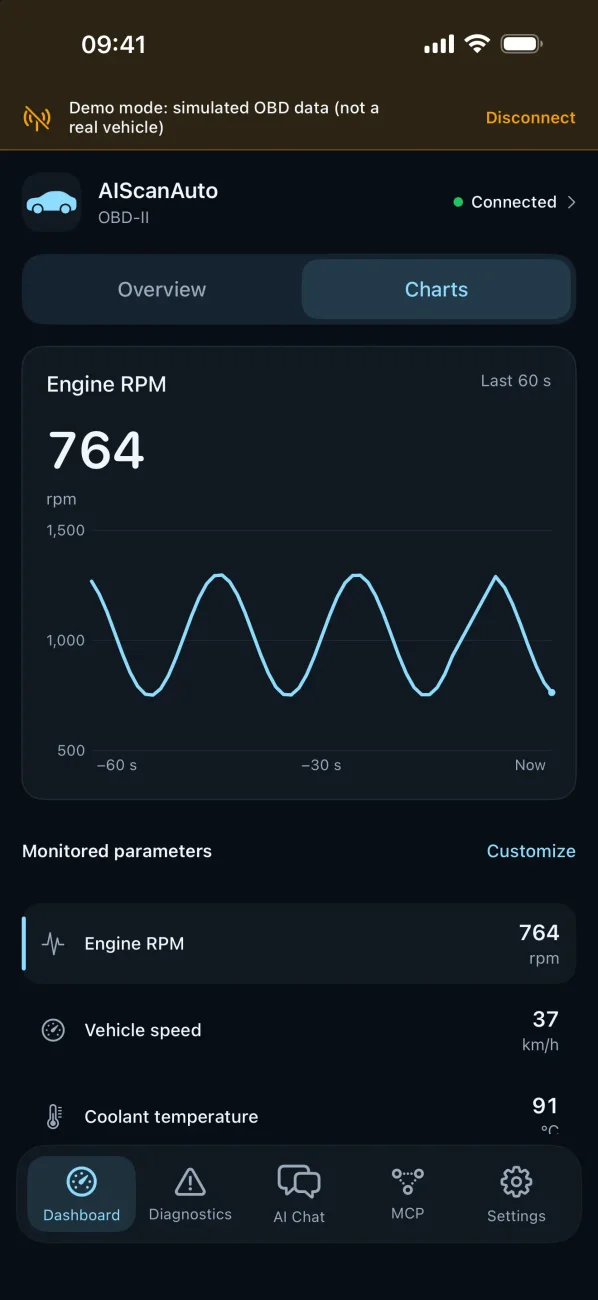
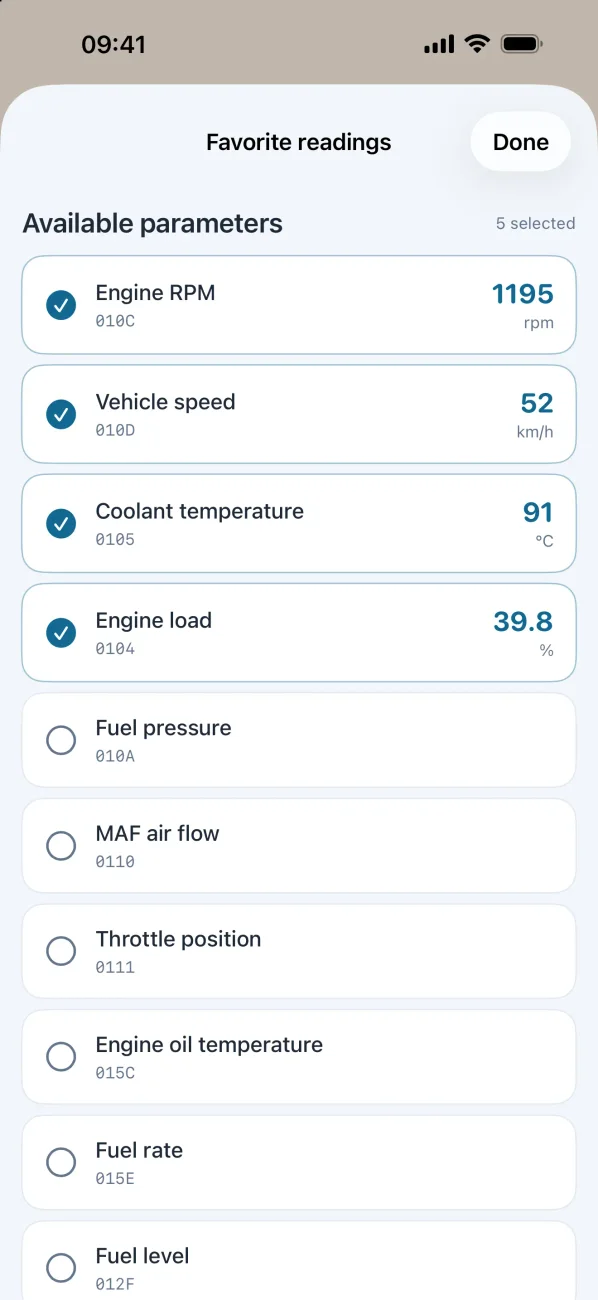
Choose which sensors appear on your dashboard. Tap a reading to see its recent history. For example, watch coolant temperature rise as the engine warms up, then switch to RPM or vehicle speed.
Check individual modules
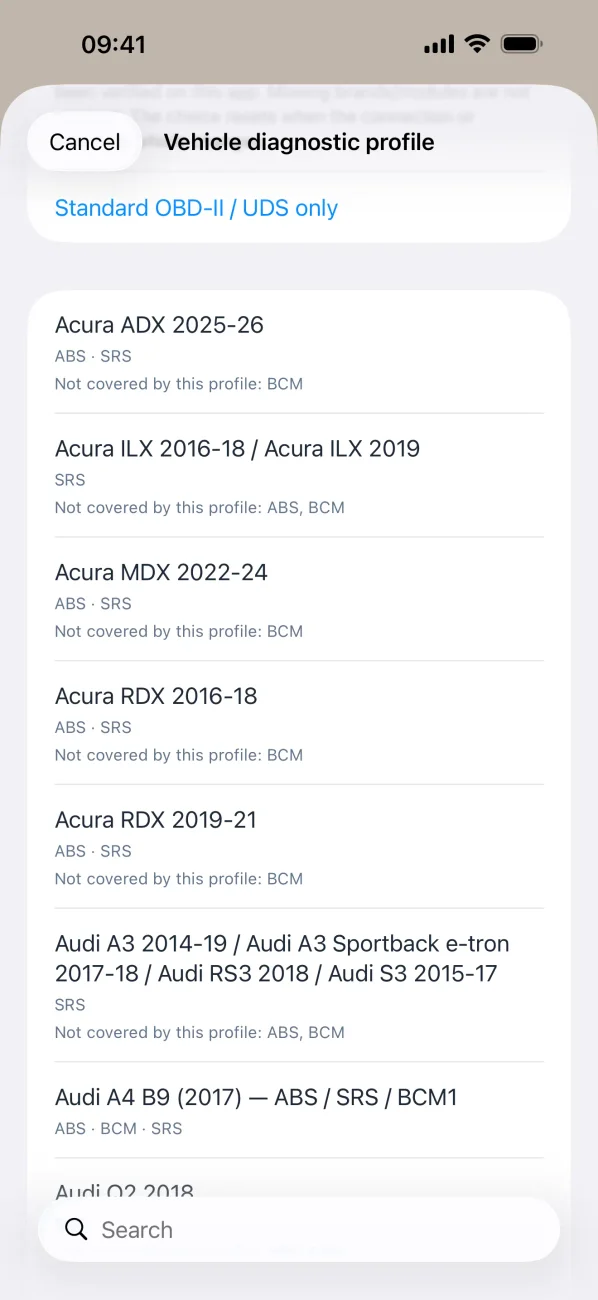
Select a vehicle profile to scan supported electronic control units (ECUs) and read the faults each module reports. Coverage depends on the vehicle, model year, module and adapter.
Ask about a code or reading
Use the built-in AI chat to explore what a code means and which readings could help explain it. On compatible devices, download a model to run the assistant locally.
Connect an external AI assistant
With pilot access, use the Model Context Protocol (MCP) to authorize a compatible assistant for a vehicle on your AIscanAuto account. Connect your OBD adapter and tap Connect MCP in the MCP tab. You can then ask the assistant to read trouble codes or check a supported sensor, such as coolant temperature. Clearing codes through MCP requires confirmation on your device.
Yang baru
Versi 1.1.0 · 19/11/2026
• The new MCP tab lets pilot users connect a compatible AI assistant to read trouble codes and live sensor data. Requests to clear codes require confirmation on your device.
• Select a vehicle profile to scan supported control modules and read their fault codes.
• Pause and resume on-device AI model downloads.
• Use the dashboard and diagnostics on both iPhone Duo displays.
• The Settings screen now updates as soon as you change the app language.
Privasi aplikasi
Yang dinyatakan Alex Valenchits di App Store tentang cara aplikasi ini menangani data.
-
Data yang ditautkan dengan Anda
Dapat dikumpulkan dan ditautkan dengan identitas Anda.
- Lokasi
- Info kontak
Praktik privasi dapat bervariasi, misalnya berdasarkan fitur yang Anda gunakan atau usia Anda.
Informasi
- Penjual
- Alex Valenchits
- Kategori
- Kegunaan
- Versi
- 1.1.0
- Diperbarui
- 19/11/2026
- Dirilis
- 29/6/2026
- Ukuran
- 34,3 MB
- Memerlukan
- iOS 18.0 atau yang lebih baru
- Batasan usia
- 4+
- Harga
- Gratis
- Bahasa
- Inggris, Jerman, Rusia, Spanyol
- Hak cipta
- © Valenchits Alexander
Mungkin Anda juga suka
-
 DroneEarKegunaan
-
 Bandwarden: RF CoordinationKegunaan
-
 YaDiag FreeKegunaan
-
 OBD2+Kegunaan
-
 DriveInsight: OBD2 Car DoctorKegunaan
-
 Dream Diagnostics OBD2 ScannerKegunaan
-
 AutoMalaya OBD2 Car ScannerKegunaan
-
 MotorQue: Car Dashboard & ScanKegunaan
-
 OBDScan — OBD2 ScannerKegunaan
-
 OBDvia AI: Smart OBD2 ScannerKegunaan