
BatchResizer2
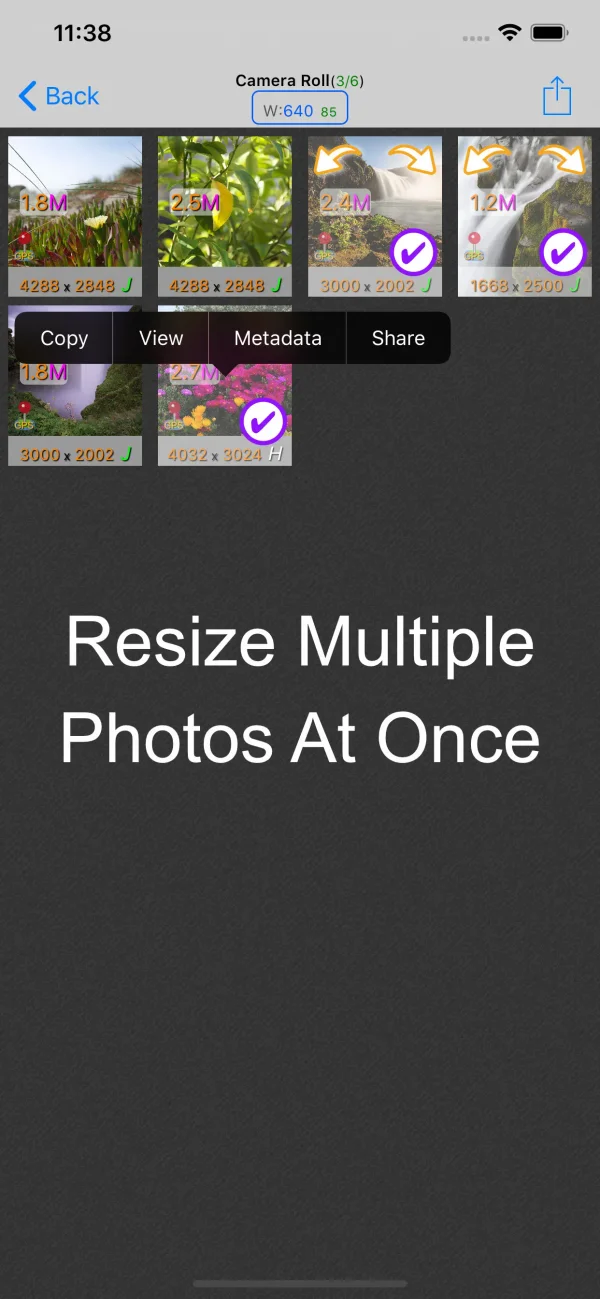
Resize Multiple Photos At Once
Entwickelt für iPhone, iPad
In-App-Käufe
- Altersfreigabe4+
- KategorieFoto und Video
- EntwicklerKoichi Otera
- SprachenEnglisch+ 1 weitere
- Größe32,2 MB
BatchResizer2 ist bei App Store derzeit möglicherweise nicht verfügbar
Bei unserer letzten Prüfung war der Store-Eintrag nicht erreichbar. Der Link führt weiterhin zur offiziellen App Store-Seite.
Screenshots

Info
Der Entwickler hat diesen Text nicht in Ihrer Sprache bereitgestellt.
BatchResizer2 is a successor version of BatchResizer remade for targeting iOS9 to make it easier to use.
BatchResizer2 is a simple app which enables you to resize or crop to square or rotate even delete a number of photos at a time.
The resized photos can be saved in camera roll or sent by e-mail or into Dropbox.
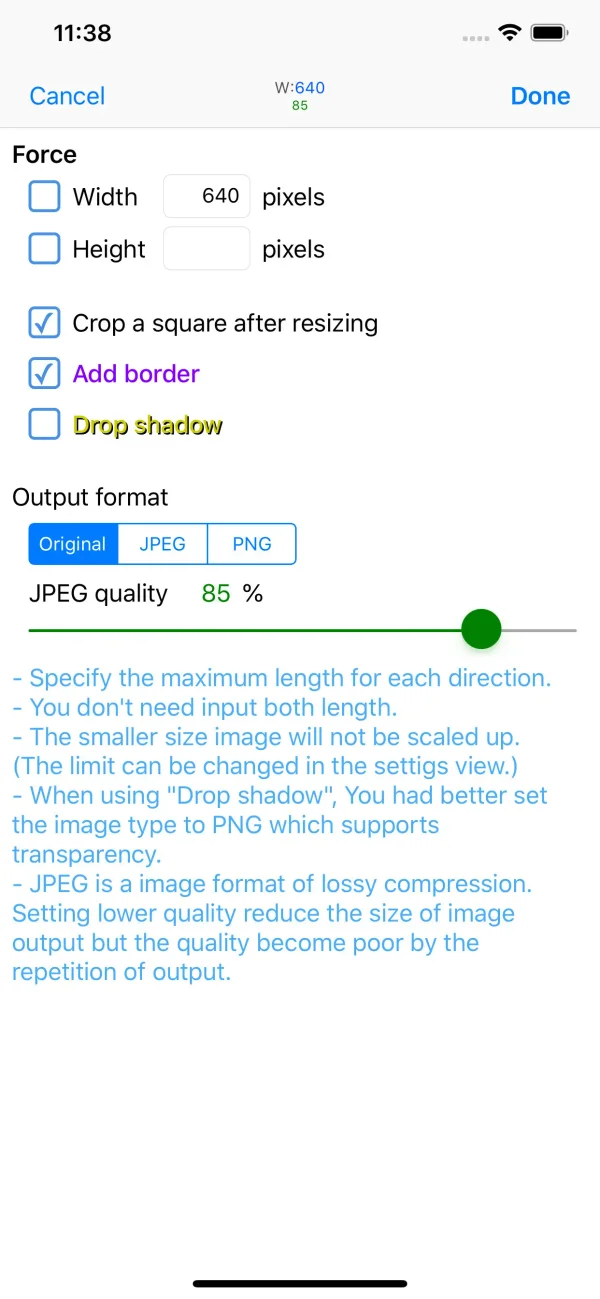
Resize settings are customizable and you can quickly pick the setting and go easily.
You can also output the resized photos into a working directory without messing up your camera roll.
※ The iPhone's all select button will be shown only when the device's orientation is landscape because of space.
※ If you feel the display slow, please try to switch off the 'Show file size' option.
[Feature]
- Shrink several photos at once
- Resizing and cropping square in one operation
- PNG Image can be resized with transparency
- Adding white border and dropping shadow
- You can make presets of resize settings
- Output image format is selectable(PNG or JPEG)
- You can send the resized photos by email or save to Dropbox without saving them to Camera Roll
- You can select to embed matadata to the resized photo from original one
- You can also delete selected photos.
- View a images metadata(like Exif, TIFF, GPS, file size, file name)
URL scheme is batchresizer2://
[notice]
This app requires you to access privileges of your photos. When you run the app for the first time, you will be prompted to give the permission. If you want change the permission later, you can set it by launching Settings app and change the switch of BatchResizer2's photo access.
Neue Funktionen
Version 2.10.0 · 18.12.2023
- Updated minimum iOS version to 16.0
- Build with latest SDK
App-Datenschutz
Was Koichi Otera im App Store zum Umgang dieser App mit Daten angibt.
-
Daten, die zum Tracking Ihrer Person verwendet werden
Können verwendet werden, um Sie über Apps und Websites anderer Unternehmen hinweg zu verfolgen.
- Standort
- Kennungen
- Nutzungsdaten
- Diagnose
-
Mit Ihnen verknüpfte Daten
Können erfasst und mit Ihrer Identität verknüpft werden.
- Standort
- Kennungen
- Nutzungsdaten
- Diagnose
Die Datenschutzpraktiken können variieren, zum Beispiel je nach den von Ihnen verwendeten Funktionen oder Ihrem Alter.
Informationen
- Anbieter
- Koichi Otera
- Kategorie
- Foto und Video
- Version
- 2.10.0
- Aktualisiert
- 18.12.2023
- Veröffentlicht
- 14.01.2016
- Größe
- 32,2 MB
- Erfordert
- iOS 16.0 oder neuer
- Altersfreigabe
- 4+
- In-App-Käufe
- Ja
- Sprachen
- Englisch, Japanisch
- Copyright
- © 2016-2021 Tea Leaves
Das könnte Ihnen auch gefallen
-
 MagicResizeFoto und Video
-
 ResizeMail: Batch Photo ResizeFoto und Video
-
 Photo Batch Resize & ConverterFoto und Video
-
 Batch ResizeMehrerer Bilder verkleinern
-
 ImageResize - Photo ResizerFoto und Video
-
 eZy Edit: Batch-FotoeditorBearbeiten mehrere gleichzeiti
-
 ReSIZER - Simple Photo ResizerFoto und Video
-
 Desqueeze - Batch ResizerFoto und Video
-
 Bildgröße - FotokomprimierungGröße ändern und komprimieren
-
 NoCrop Photo - Picture ResizerFoto und Video