
BatchResizer2
Resize Multiple Photos At Once
Được thiết kế cho iPhone, iPad
Miễn phí · Mua hàng trong ứng dụng
- Độ tuổi4+
- Danh mụcẢnh & Video
- Nhà phát triểnKoichi Otera
- Ngôn ngữTiếng Anh+ 1 ngôn ngữ khác
- Kích thước32,2 MB
Liên kết đến trang App Store chính thức
Download.org không lưu trữ tệp nào của BatchResizer2. Nút này mở trang ứng dụng trên App Store, nơi Koichi Otera phát hành ứng dụng. Trang được kiểm tra lần cuối: 15/11/2026.
Ảnh chụp màn hình
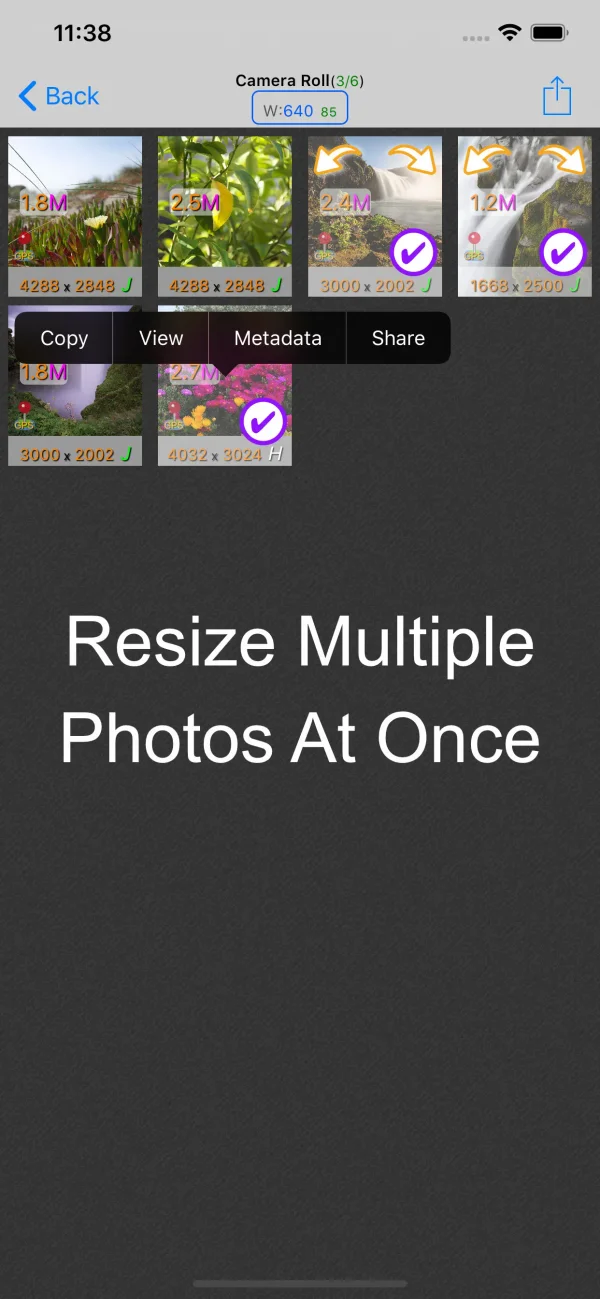

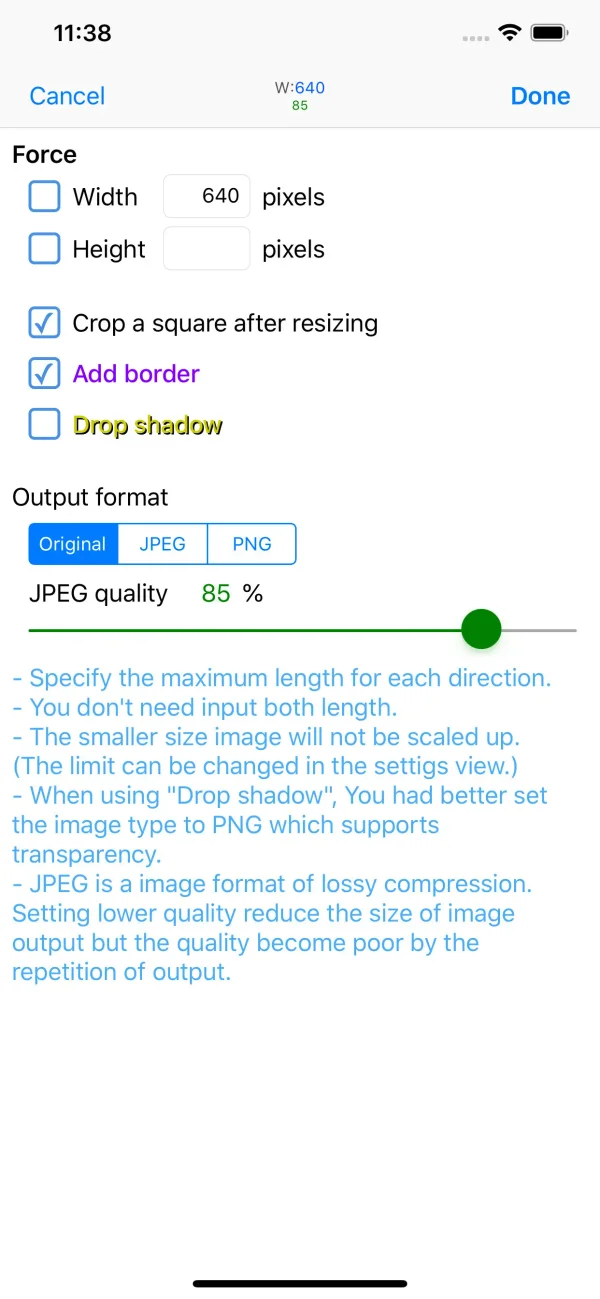
Giới thiệu
Nhà phát triển chưa cung cấp nội dung này bằng ngôn ngữ của bạn.
BatchResizer2 is a successor version of BatchResizer remade for targeting iOS9 to make it easier to use.
BatchResizer2 is a simple app which enables you to resize or crop to square or rotate even delete a number of photos at a time.
The resized photos can be saved in camera roll or sent by e-mail or into Dropbox.
Resize settings are customizable and you can quickly pick the setting and go easily.
You can also output the resized photos into a working directory without messing up your camera roll.
※ The iPhone's all select button will be shown only when the device's orientation is landscape because of space.
※ If you feel the display slow, please try to switch off the 'Show file size' option.
[Feature]
- Shrink several photos at once
- Resizing and cropping square in one operation
- PNG Image can be resized with transparency
- Adding white border and dropping shadow
- You can make presets of resize settings
- Output image format is selectable(PNG or JPEG)
- You can send the resized photos by email or save to Dropbox without saving them to Camera Roll
- You can select to embed matadata to the resized photo from original one
- You can also delete selected photos.
- View a images metadata(like Exif, TIFF, GPS, file size, file name)
URL scheme is batchresizer2://
[notice]
This app requires you to access privileges of your photos. When you run the app for the first time, you will be prompted to give the permission. If you want change the permission later, you can set it by launching Settings app and change the switch of BatchResizer2's photo access.
Có gì mới
Phiên bản 2.10.0 · 18/12/2023
- Updated minimum iOS version to 16.0
- Build with latest SDK
Quyền riêng tư của ứng dụng
Những gì Koichi Otera khai báo trên App Store về cách ứng dụng này xử lý dữ liệu.
-
Dữ liệu được sử dụng để theo dõi bạn
Có thể được sử dụng để theo dõi bạn trên các ứng dụng và trang web do công ty khác sở hữu.
- Vị trí
- Mã định danh
- Dữ liệu sử dụng
- Chẩn đoán
-
Dữ liệu liên kết với bạn
Có thể được thu thập và liên kết với danh tính của bạn.
- Vị trí
- Mã định danh
- Dữ liệu sử dụng
- Chẩn đoán
Phương thức đảm bảo quyền riêng tư có thể khác nhau, chẳng hạn như tuỳ theo các tính năng bạn sử dụng hoặc độ tuổi của bạn.
Thông tin
- Người bán
- Koichi Otera
- Danh mục
- Ảnh & Video
- Phiên bản
- 2.10.0
- Cập nhật
- 18/12/2023
- Phát hành
- 14/01/2016
- Kích thước
- 32,2 MB
- Yêu cầu
- iOS 16.0 trở lên
- Độ tuổi
- 4+
- Giá
- Miễn phí
- Mua hàng trong ứng dụng
- Có
- Ngôn ngữ
- Tiếng Anh, Tiếng Nhật
- Bản quyền
- © 2016-2021 Tea Leaves
Có thể bạn cũng thích
-
 MagicResizeẢnh & Video
-
 ResizeMail: Batch Photo ResizeẢnh & Video
-
 Photo Batch Resize & ConverterẢnh & Video
-
 Batch ResizeẢnh & Video
-
 ImageResize - Photo ResizerẢnh & Video
-
 eZy Edit: Batch Photo EditorẢnh & Video
-
 ReSIZER - Simple Photo ResizerẢnh & Video
-
 Desqueeze - Batch ResizerẢnh & Video
-
 Image Size - Photo CompressPhoto resize and compress
-
 NoCrop Photo - Picture ResizerẢnh & Video