
BatchResizer2
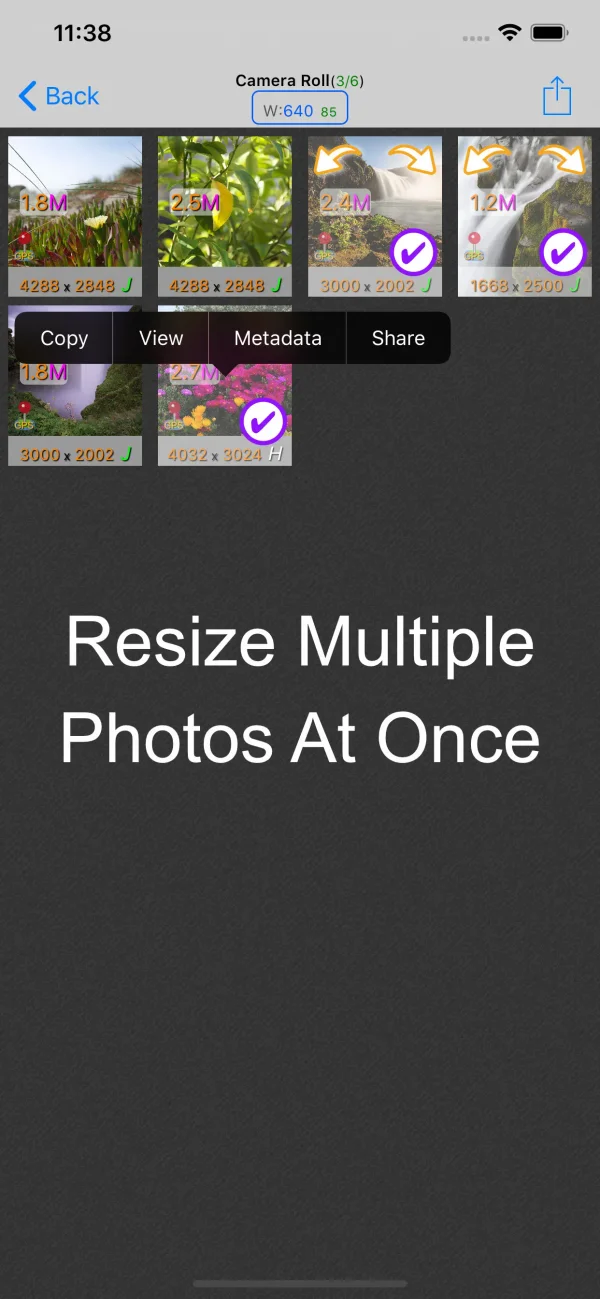
Resize Multiple Photos At Once
Dirancang untuk iPhone, iPad
Gratis · Pembelian dalam aplikasi
- Batasan usia4+
- KategoriFoto & Video
- PengembangKoichi Otera
- BahasaInggris+ 1 lainnya
- Ukuran32,2 MB
Tertaut ke halaman resmi App Store
Download.org tidak menyimpan file BatchResizer2 apa pun. Tombol ini membuka halaman aplikasi di App Store, tempat Koichi Otera menerbitkannya. Halaman terakhir diperiksa pada 15/11/2026.
Tangkapan layar

Tentang
Pengembang belum menyediakan teks ini dalam bahasa Anda.
BatchResizer2 is a successor version of BatchResizer remade for targeting iOS9 to make it easier to use.
BatchResizer2 is a simple app which enables you to resize or crop to square or rotate even delete a number of photos at a time.
The resized photos can be saved in camera roll or sent by e-mail or into Dropbox.
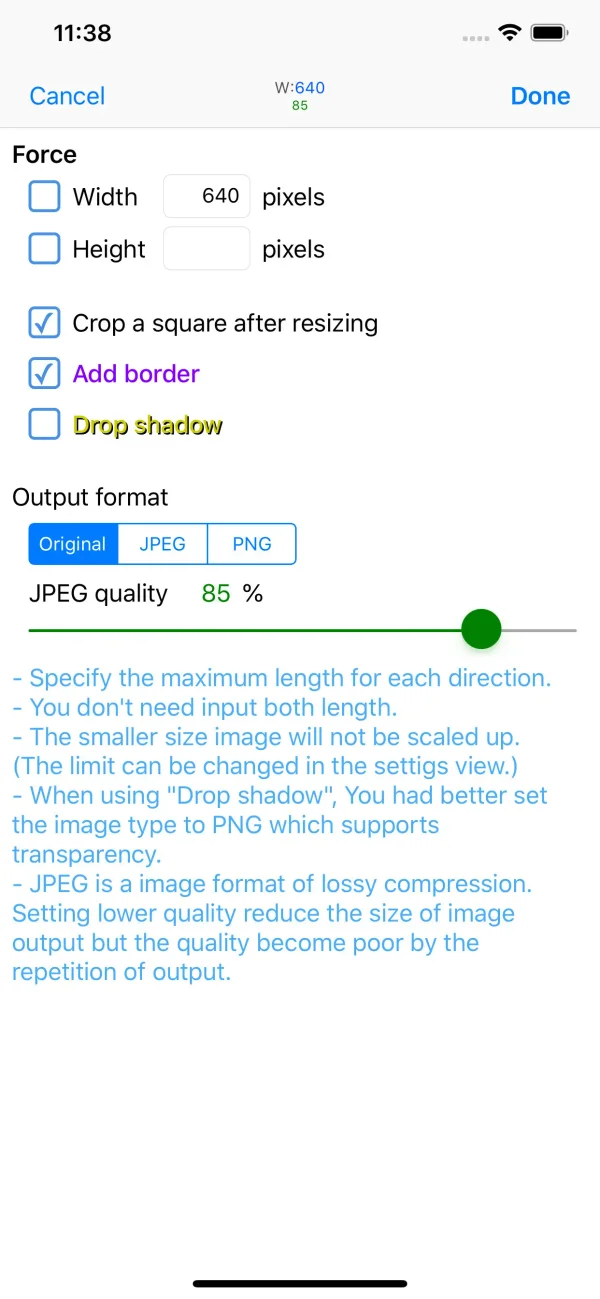
Resize settings are customizable and you can quickly pick the setting and go easily.
You can also output the resized photos into a working directory without messing up your camera roll.
※ The iPhone's all select button will be shown only when the device's orientation is landscape because of space.
※ If you feel the display slow, please try to switch off the 'Show file size' option.
[Feature]
- Shrink several photos at once
- Resizing and cropping square in one operation
- PNG Image can be resized with transparency
- Adding white border and dropping shadow
- You can make presets of resize settings
- Output image format is selectable(PNG or JPEG)
- You can send the resized photos by email or save to Dropbox without saving them to Camera Roll
- You can select to embed matadata to the resized photo from original one
- You can also delete selected photos.
- View a images metadata(like Exif, TIFF, GPS, file size, file name)
URL scheme is batchresizer2://
[notice]
This app requires you to access privileges of your photos. When you run the app for the first time, you will be prompted to give the permission. If you want change the permission later, you can set it by launching Settings app and change the switch of BatchResizer2's photo access.
Yang baru
Versi 2.10.0 · 18/12/2023
- Updated minimum iOS version to 16.0
- Build with latest SDK
Privasi aplikasi
Yang dinyatakan Koichi Otera di App Store tentang cara aplikasi ini menangani data.
-
Data yang digunakan untuk melacak Anda
Dapat digunakan untuk melacak Anda di aplikasi dan situs web milik perusahaan lain.
- Lokasi
- Pengenal
- Data penggunaan
- Diagnostik
-
Data yang ditautkan dengan Anda
Dapat dikumpulkan dan ditautkan dengan identitas Anda.
- Lokasi
- Pengenal
- Data penggunaan
- Diagnostik
Praktik privasi dapat bervariasi, misalnya berdasarkan fitur yang Anda gunakan atau usia Anda.
Informasi
- Penjual
- Koichi Otera
- Kategori
- Foto & Video
- Versi
- 2.10.0
- Diperbarui
- 18/12/2023
- Dirilis
- 14/1/2016
- Ukuran
- 32,2 MB
- Memerlukan
- iOS 16.0 atau yang lebih baru
- Batasan usia
- 4+
- Harga
- Gratis
- Pembelian dalam aplikasi
- Ya
- Bahasa
- Inggris, Jepang
- Hak cipta
- © 2016-2021 Tea Leaves
Mungkin Anda juga suka
-
 MagicResizeFoto & Video
-
 ResizeMail: Batch Photo ResizeFoto & Video
-
 Photo Batch Resize & ConverterFoto & Video
-
 Batch ResizeFoto & Video
-
 ImageResize - Photo ResizerFoto & Video
-
 eZy Edit: Batch Photo EditorFoto & Video
-
 ReSIZER - Simple Photo ResizerFoto & Video
-
 Desqueeze - Batch ResizerFoto & Video
-
 Ukuran Gambar - Kompres FotoUbah ukuran dan kompres foto
-
 NoCrop Photo - Picture ResizerFoto & Video