
BatchResizer2
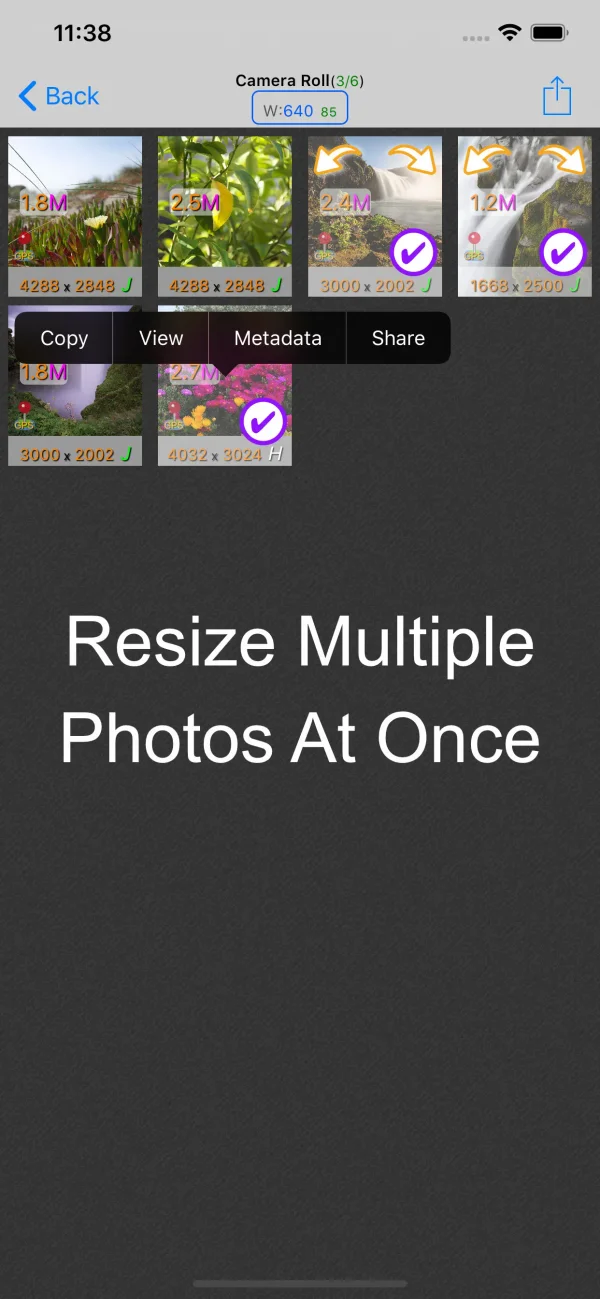
Resize Multiple Photos At Once
Designed for iPhone, iPad
Free · In-app purchases
- Age rating4+
- CategoryPhoto & Video
- DeveloperKoichi Otera
- LanguagesEnglish+ 1 more
- Size32.2 MB
Links to the official App Store page
Download.org hosts no file of BatchResizer2. The button opens its official App Store page, published by Koichi Otera. Listing last checked on Nov 15, 2026.
Screenshots

About
BatchResizer2 is a successor version of BatchResizer remade for targeting iOS9 to make it easier to use.
BatchResizer2 is a simple app which enables you to resize or crop to square or rotate even delete a number of photos at a time.
The resized photos can be saved in camera roll or sent by e-mail or into Dropbox.
Resize settings are customizable and you can quickly pick the setting and go easily.
You can also output the resized photos into a working directory without messing up your camera roll.
※ The iPhone's all select button will be shown only when the device's orientation is landscape because of space.
※ If you feel the display slow, please try to switch off the 'Show file size' option.
[Feature]
- Shrink several photos at once
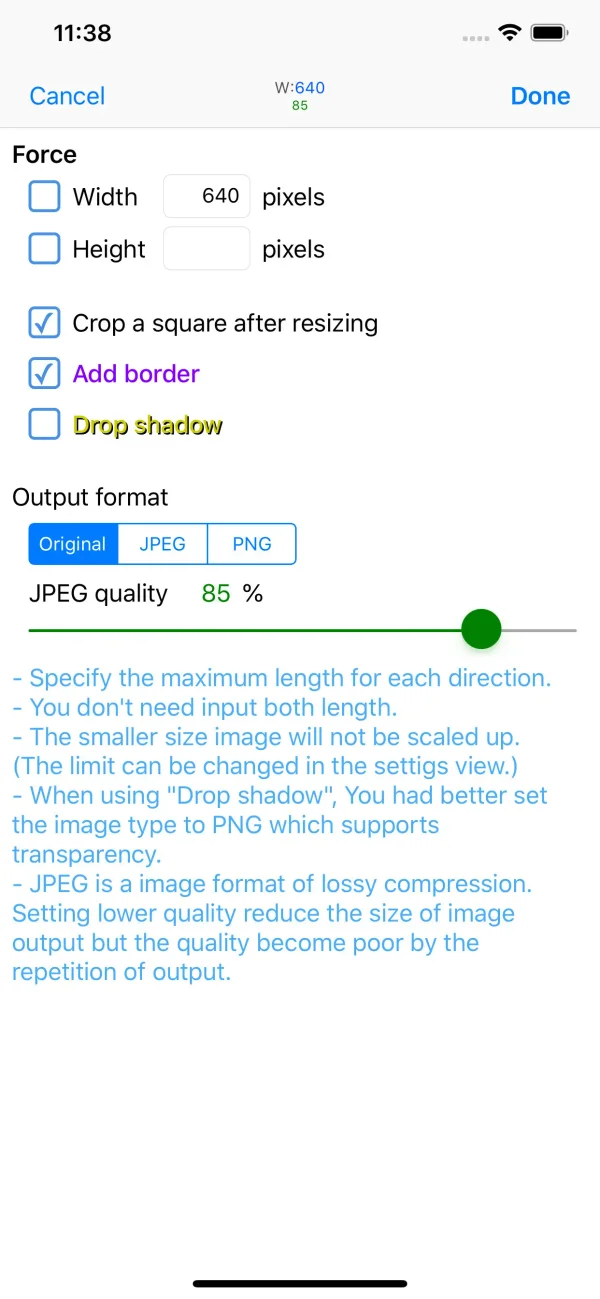
- Resizing and cropping square in one operation
- PNG Image can be resized with transparency
- Adding white border and dropping shadow
- You can make presets of resize settings
- Output image format is selectable(PNG or JPEG)
- You can send the resized photos by email or save to Dropbox without saving them to Camera Roll
- You can select to embed matadata to the resized photo from original one
- You can also delete selected photos.
- View a images metadata(like Exif, TIFF, GPS, file size, file name)
URL scheme is batchresizer2://
[notice]
This app requires you to access privileges of your photos. When you run the app for the first time, you will be prompted to give the permission. If you want change the permission later, you can set it by launching Settings app and change the switch of BatchResizer2's photo access.
What’s new
Version 2.10.0 · Dec 18, 2023
- Updated minimum iOS version to 16.0
- Build with latest SDK
App privacy
What Koichi Otera declares on the App Store about how this app handles data.
-
Data used to track you
May be used to track you across apps and websites owned by other companies.
- Location
- Identifiers
- Usage data
- Diagnostics
-
Data linked to you
May be collected and linked to your identity.
- Location
- Identifiers
- Usage data
- Diagnostics
Privacy practices may vary, for example with the features you use or your age.
Information
- Seller
- Koichi Otera
- Category
- Photo & Video
- Version
- 2.10.0
- Updated
- Dec 18, 2023
- Released
- Jan 14, 2016
- Size
- 32.2 MB
- Requires
- iOS 16.0 or later
- Age rating
- 4+
- Price
- Free
- In-app purchases
- Yes
- Languages
- English, Japanese
- Copyright
- © 2016-2021 Tea Leaves
You might also like
-
 MagicResizeEasy resize multiple photos!
-
 ResizeMail: Batch Photo ResizeEmail & Delete Originals
-
 Photo Batch Resize & ConverterOptimize photos in one action.
-
 Batch ResizeResize multiple images
-
 ImageResize - Photo ResizerResize,Compress&Convert Images
-
 eZy Edit: Batch Photo EditorEdit multiple images at once
-
 ReSIZER - Simple Photo ResizerPhoto and Image Resizing Tool
-
 Desqueeze - Batch ResizerResize Photos & Videos | HDR
-
 Image Size - Photo CompressPhoto resize and compress
-
 NoCrop Photo - Picture ResizerFit size. No crop image resize