
BatchResizer2
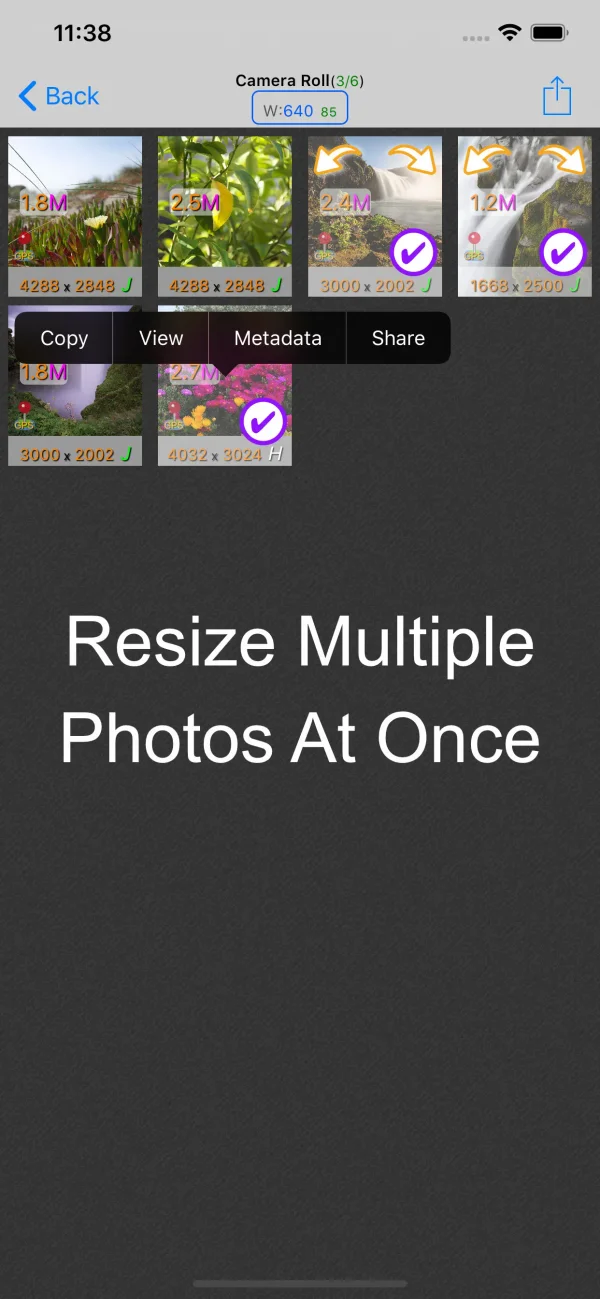
Resize Multiple Photos At Once
Diseñada para iPhone, iPad
Compras en la aplicación
- Clasificación por edad4+
- CategoríaFoto y vídeo
- DesarrolladorKoichi Otera
- IdiomasInglés+ 1 más
- Tamaño32,2 MB
Es posible que BatchResizer2 no esté disponible en App Store en este momento
No se pudo acceder a la ficha de la tienda en nuestra última comprobación. El enlace sigue llevando a la página oficial de App Store.
Capturas de pantalla

Acerca de
El desarrollador no ha proporcionado este texto en tu idioma.
BatchResizer2 is a successor version of BatchResizer remade for targeting iOS9 to make it easier to use.
BatchResizer2 is a simple app which enables you to resize or crop to square or rotate even delete a number of photos at a time.
The resized photos can be saved in camera roll or sent by e-mail or into Dropbox.
Resize settings are customizable and you can quickly pick the setting and go easily.
You can also output the resized photos into a working directory without messing up your camera roll.
※ The iPhone's all select button will be shown only when the device's orientation is landscape because of space.
※ If you feel the display slow, please try to switch off the 'Show file size' option.
[Feature]
- Shrink several photos at once
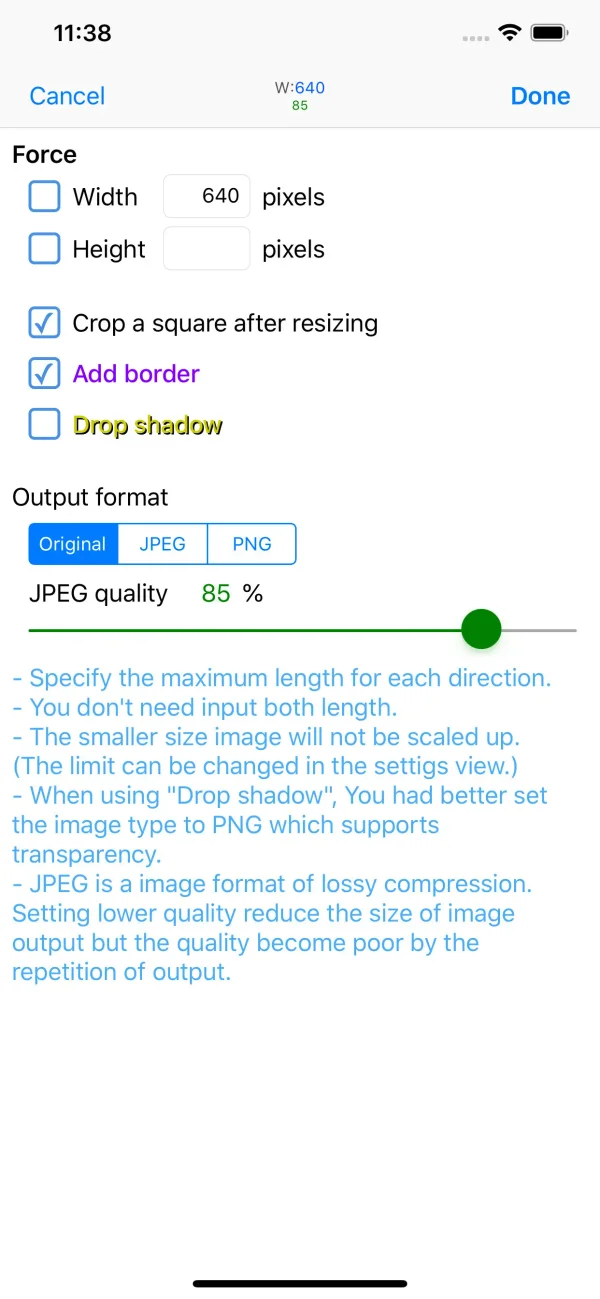
- Resizing and cropping square in one operation
- PNG Image can be resized with transparency
- Adding white border and dropping shadow
- You can make presets of resize settings
- Output image format is selectable(PNG or JPEG)
- You can send the resized photos by email or save to Dropbox without saving them to Camera Roll
- You can select to embed matadata to the resized photo from original one
- You can also delete selected photos.
- View a images metadata(like Exif, TIFF, GPS, file size, file name)
URL scheme is batchresizer2://
[notice]
This app requires you to access privileges of your photos. When you run the app for the first time, you will be prompted to give the permission. If you want change the permission later, you can set it by launching Settings app and change the switch of BatchResizer2's photo access.
Novedades
Versión 2.10.0 · 18/12/2023
- Updated minimum iOS version to 16.0
- Build with latest SDK
Privacidad de la aplicación
Lo que Koichi Otera declara en App Store sobre cómo esta aplicación gestiona los datos.
-
Datos usados para rastrearte
Pueden usarse para rastrearte en aplicaciones y sitios web propiedad de otras empresas.
- Ubicación
- Identificadores
- Datos de uso
- Diagnóstico
-
Datos vinculados a ti
Pueden recopilarse y vincularse a tu identidad.
- Ubicación
- Identificadores
- Datos de uso
- Diagnóstico
Las prácticas de privacidad pueden variar, por ejemplo, según las funciones que uses o tu edad.
Información
- Vendedor
- Koichi Otera
- Categoría
- Foto y vídeo
- Versión
- 2.10.0
- Actualizado
- 18/12/2023
- Publicado
- 14/1/2016
- Tamaño
- 32,2 MB
- Requiere
- iOS 16.0 o posterior
- Clasificación por edad
- 4+
- Compras en la aplicación
- Sí
- Idiomas
- Inglés, Japonés
- Copyright
- © 2016-2021 Tea Leaves
Quizá también te guste
-
 MagicResizeFoto y vídeo
-
 ResizeMail: Batch Photo ResizeFoto y vídeo
-
 Photo Batch Resize & ConverterFoto y vídeo
-
 Batch ResizeCambiar el tamaño de las fotos
-
 ImageResize - Photo ResizerFoto y vídeo
-
 eZy Edit: Editor fotos lotesEditar varias imágenes la vez
-
 ReSIZER - Photo Simple ResizerCambia el tamaño de una imagen
-
 Desqueeze - Batch ResizerFoto y vídeo
-
 Image Size - Photo CompressTamaño de foto y comprimir
-
 NoCrop Photo - Picture ResizerFoto y vídeo