
BatchResizer2
Resize Multiple Photos At Once
Conçue pour iPhone, iPad
Achats intégrés
- Classification d’âge4+
- CatégoriePhoto et vidéo
- DéveloppeurKoichi Otera
- LanguesAnglais+ 1 de plus
- Taille32,2 Mo
BatchResizer2 n’est peut-être pas disponible sur App Store pour le moment
La fiche de la boutique était inaccessible lors de notre dernière vérification. Le lien mène toujours à la page App Store officielle.
Captures d’écran
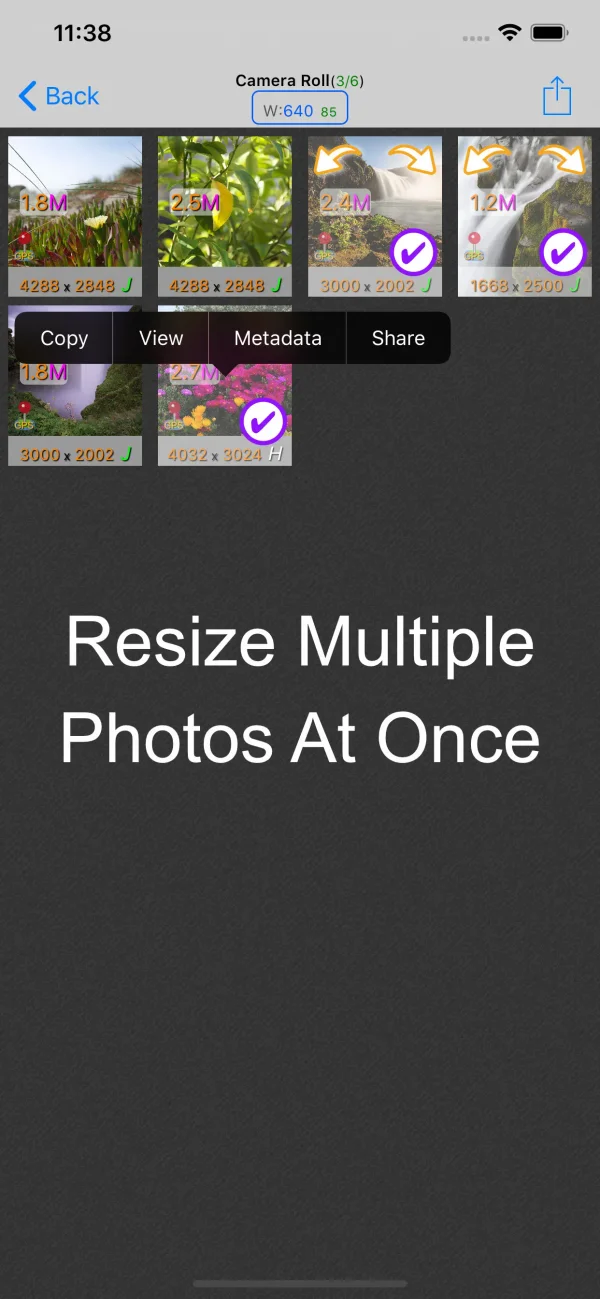

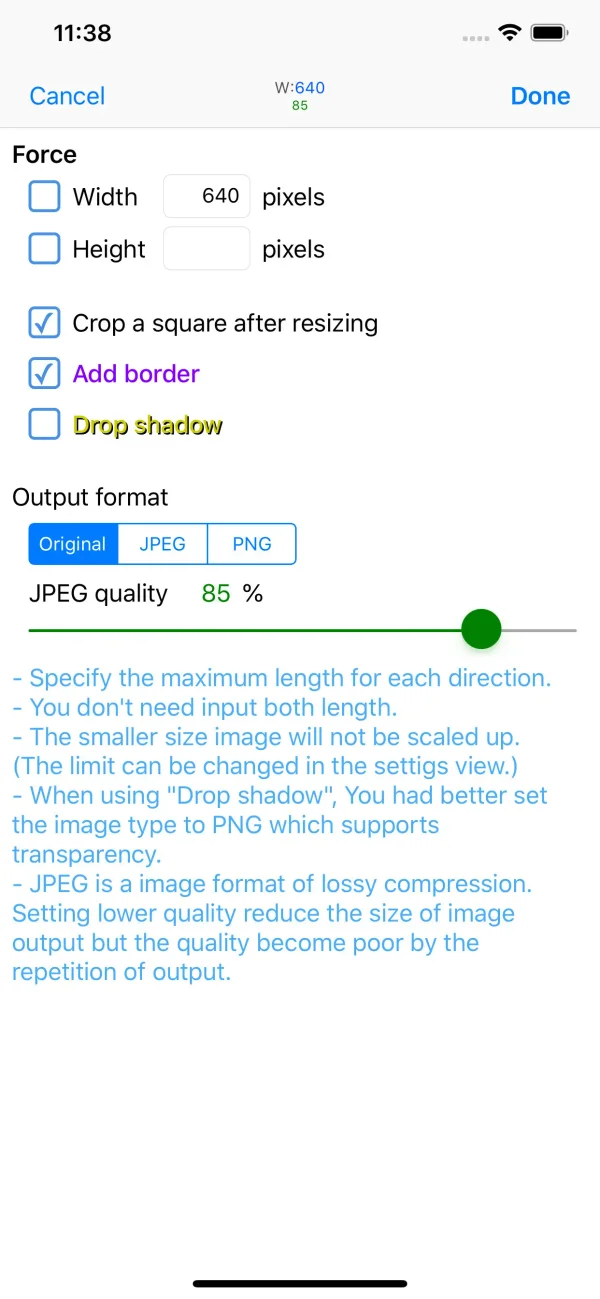
À propos
Le développeur n’a pas fourni ce texte dans votre langue.
BatchResizer2 is a successor version of BatchResizer remade for targeting iOS9 to make it easier to use.
BatchResizer2 is a simple app which enables you to resize or crop to square or rotate even delete a number of photos at a time.
The resized photos can be saved in camera roll or sent by e-mail or into Dropbox.
Resize settings are customizable and you can quickly pick the setting and go easily.
You can also output the resized photos into a working directory without messing up your camera roll.
※ The iPhone's all select button will be shown only when the device's orientation is landscape because of space.
※ If you feel the display slow, please try to switch off the 'Show file size' option.
[Feature]
- Shrink several photos at once
- Resizing and cropping square in one operation
- PNG Image can be resized with transparency
- Adding white border and dropping shadow
- You can make presets of resize settings
- Output image format is selectable(PNG or JPEG)
- You can send the resized photos by email or save to Dropbox without saving them to Camera Roll
- You can select to embed matadata to the resized photo from original one
- You can also delete selected photos.
- View a images metadata(like Exif, TIFF, GPS, file size, file name)
URL scheme is batchresizer2://
[notice]
This app requires you to access privileges of your photos. When you run the app for the first time, you will be prompted to give the permission. If you want change the permission later, you can set it by launching Settings app and change the switch of BatchResizer2's photo access.
Nouveautés
Version 2.10.0 · 18/12/2023
- Updated minimum iOS version to 16.0
- Build with latest SDK
Confidentialité de l’application
Ce que Koichi Otera déclare sur l’App Store au sujet du traitement des données par cette application.
-
Données utilisées pour vous suivre
Peuvent être utilisées pour vous suivre sur des applications et des sites web appartenant à d’autres sociétés.
- Emplacement
- Identifiants
- Données d’utilisation
- Diagnostic
-
Données établissant un lien avec vous
Peuvent être collectées et liées à votre identité.
- Emplacement
- Identifiants
- Données d’utilisation
- Diagnostic
Les pratiques en matière de confidentialité peuvent varier, notamment en fonction des fonctionnalités que vous utilisez ou de votre âge.
Informations
- Vendeur
- Koichi Otera
- Catégorie
- Photo et vidéo
- Version
- 2.10.0
- Mis à jour
- 18/12/2023
- Publié
- 14/01/2016
- Taille
- 32,2 Mo
- Nécessite
- iOS 16.0 ou version ultérieure
- Classification d’âge
- 4+
- Achats intégrés
- Oui
- Langues
- Anglais, Japonais
- Copyright
- © 2016-2021 Tea Leaves
Vous aimerez peut-être aussi
-
 MagicResizePhoto et vidéo
-
 ResizeMail: Batch Photo ResizePhoto et vidéo
-
 Photo Batch Resize & ConverterPhoto et vidéo
-
 Batch ResizeRedimensionner les photos
-
 ImageResize - Photo ResizerPhoto et vidéo
-
 eZy Edit : Éditeur photos lotModifier les images à la fois
-
 ReSIZER - Simple Photo ResizerPhoto et vidéo
-
 Desqueeze - Batch ResizerPhoto et vidéo
-
 Taille de l'image - compresseredimensionner et compresser
-
 NoCrop Photo - Picture ResizerPhoto et vidéo