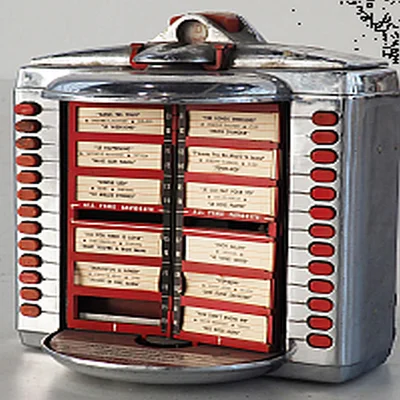
EA257 REMOTE CONTROLLER
Remote Controller for EA257
Entwickelt für iPhone, iPod touch
Kostenlos
- Altersfreigabe17+
- KategorieDienstprogramme
- EntwicklerGIOVANNI PURGATORIO
- SprachenEnglisch
- Größe7,6 MB
Verlinkt auf die offizielle App Store-Seite
Download.org hostet keine Datei von EA257 REMOTE CONTROLLER. Die Schaltfläche öffnet die App-Seite bei App Store, wo GIOVANNI PURGATORIO die App veröffentlicht. Eintrag zuletzt geprüft am 15.11.2026.
Screenshots


Info
Der Entwickler hat diesen Text nicht in Ihrer Sprache bereitgestellt.
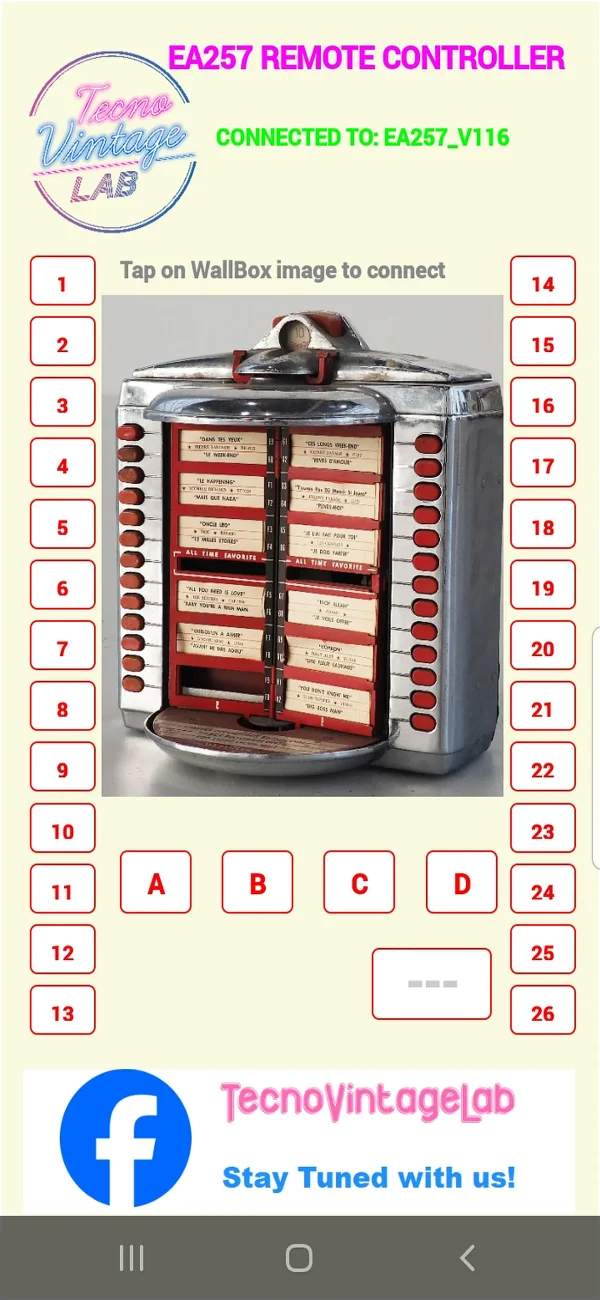
This app is designed to work together with the EA257 interface, which is a modern alternative to the old and often no longer working 257 model steppers.
Now, you can easy select and play any of the 104 music from your 104 selection Jukeboxes
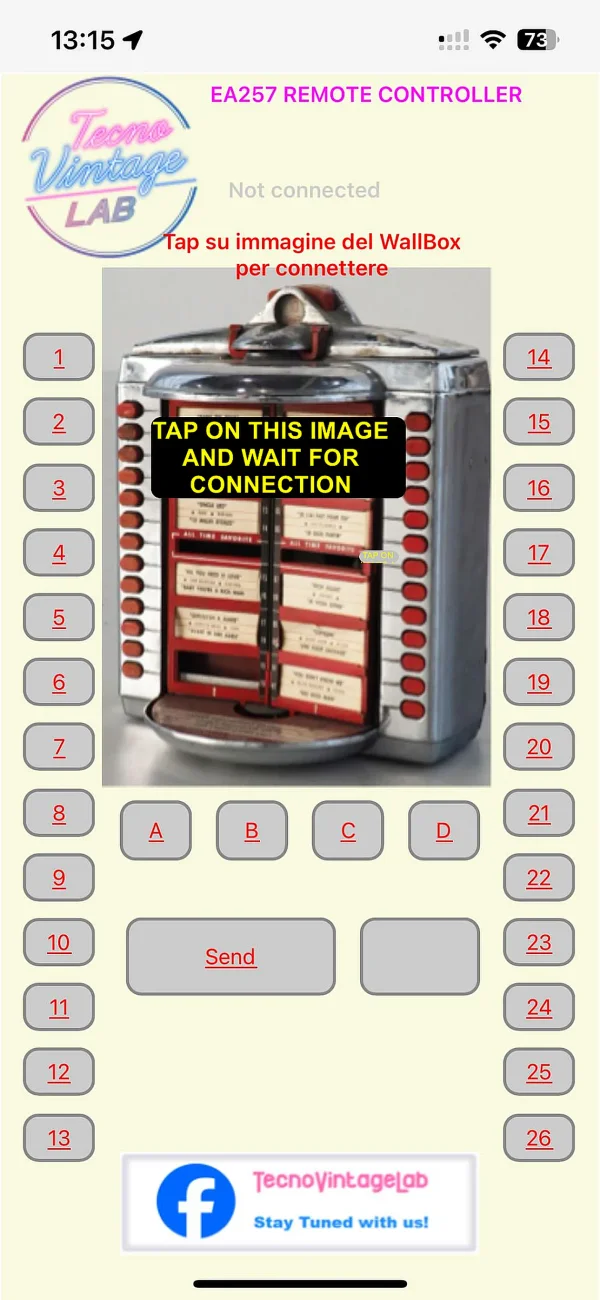
First of all you need to connect the app to the interface as follow: (please be sure your Bluetooth interface is enabled)
1) tap on wallbox image. The searching procedure will be started showing a yellow ball rotating
2) wheen connected the blu message "CONNECTED TO: EA257" will appear
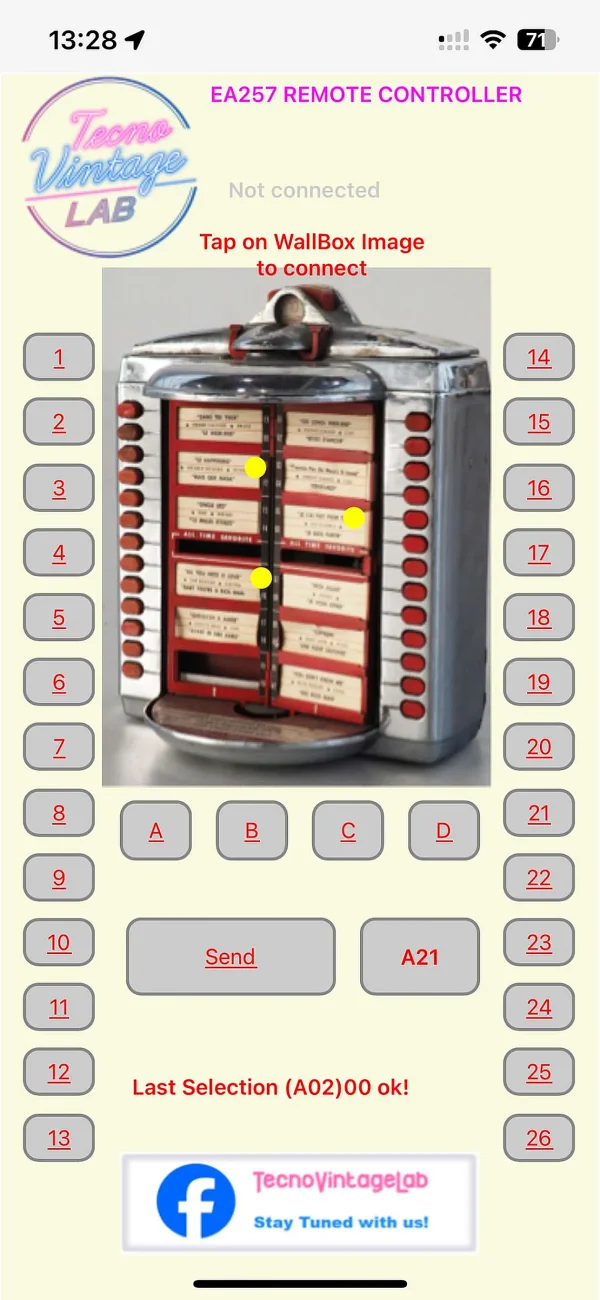
3) now you can choose A,B,C or D letter and one of 1 to 26 disk tapping on app button
4) The SEND button will be yellow when ready to send the selection to the interface
5) Tapping on yellow SEND button you will made by the EA257 interface the selection on Jukebox
Questa app è stata progettata per funzionare insieme alla interfaccia EA257 che è una versione moderna del famoso stepper 257 ormai introvabile.
Adesso è possibile selezionare da remoto uno qualsiasi dei brani musicali del tuo Jukebox.
L'interfaccia funziona solo con i Jukebox da 104 selezioni
Prima di tutto è necessario connettre l'app ala interfaccia come segue: (assicurarsi di avere l'interfaccia Bluetooh attiva)
1) tap sull'immagine del wallbox. 3 palline gialli inizieranno a ruotare indicando l'avvio della ricerca.
2) A connessione avvenuta il messagio blu "CONNECTED TO: EA257" sarà visualizzato
3) Adesso sarete pronti a selezionare una delle 4 lettere A,B,C or D letter e uno dei numeri tra 1 e 26 semplicemente cliccando sul pulsante
4) Il bottone SEND diventerà giallo quando sarete pronti ad inviare il comando
5) Cliccando sul pulsante giallo SEND si effettuerà tramite l'interfaccia la selezione sul Jukebox.
Neue Funktionen
Version 15 · 02.02.2026
Login change
App-Datenschutz
Was GIOVANNI PURGATORIO im App Store zum Umgang dieser App mit Daten angibt.
-
Keine Daten erfasst
Der Entwickler erfasst keine Daten von dieser App.
Die Datenschutzpraktiken können variieren, zum Beispiel je nach den von Ihnen verwendeten Funktionen oder Ihrem Alter.
Informationen
- Anbieter
- GIOVANNI PURGATORIO
- Kategorie
- Dienstprogramme
- Version
- 15
- Aktualisiert
- 02.02.2026
- Veröffentlicht
- 26.08.2024
- Größe
- 7,6 MB
- Erfordert
- iOS 11.0 oder neuer
- Altersfreigabe
- 17+
- Preis
- Kostenlos
- Sprachen
- Englisch
- Copyright
- © Gianni Purgatorio 2024
Das könnte Ihnen auch gefallen
-
 Orthodox BellsDienstprogramme
-
 WallSight: LiDAR X-Ray ScanDienstprogramme
-
 FTC TrackerDienstprogramme
-
 Airnest: Remote for MacKabelloses Trackpad & Tastatur
-
 JukeTalkDienstprogramme
-
 Store Sign MakerDienstprogramme
-
 FabLog - Maker's JournalDienstprogramme
-
 Akku Gesundheit LadezyklenZustand für Wiederverkauf
-
 W&F Plattenspieler RPMAnaloges VU-Meter Kalibrator
-
 AntiqLab: Antique ID & ValueDienstprogramme