
Edit LOGLOG|Simple Vlog Editor
Simple and Easy Video Editor
Diseñada para iPhone
Gratis · Compras en la aplicación
- Clasificación por edad4+
- CategoríaFoto y vídeo
- Desarrolladorkoizumi yukihiro
- IdiomasJaponés+ 3 más
- Tamaño30,7 MB
Enlaza a la página oficial de App Store
Download.org no aloja ningún archivo de Edit LOGLOG|Simple Vlog Editor. El botón abre la página de la aplicación en App Store, donde la publica koizumi yukihiro. Ficha comprobada por última vez el 15/11/2026.
Capturas de pantalla
Acerca de
El desarrollador no ha proporcionado este texto en tu idioma.
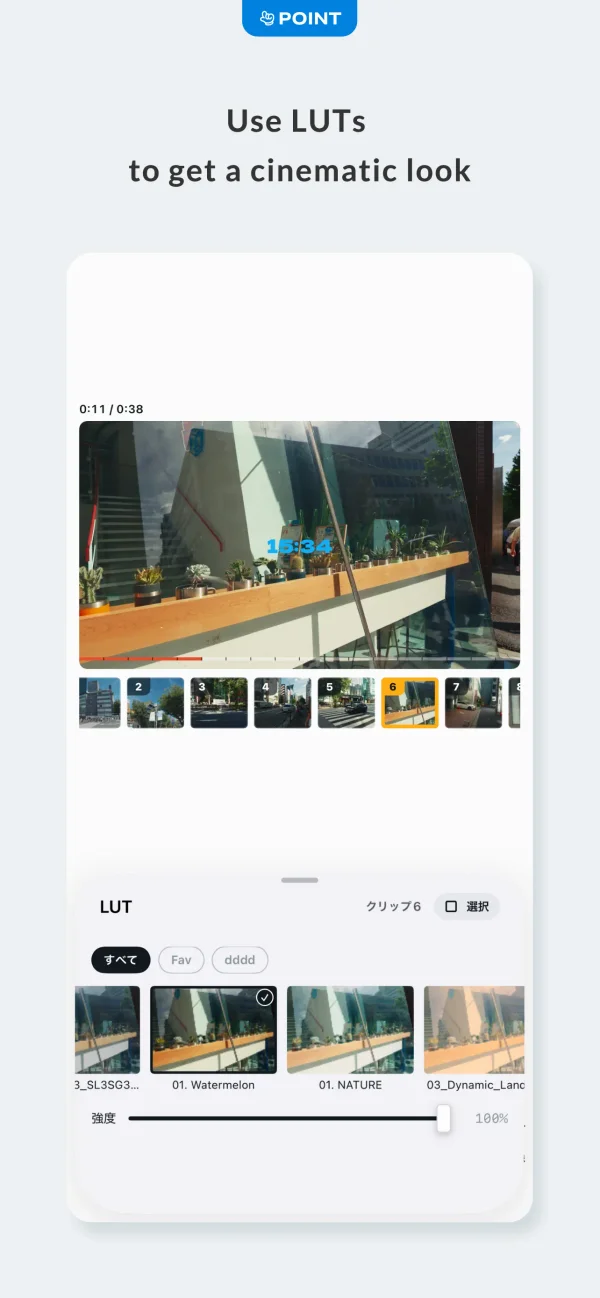
Edit LOGLOG is a simple app for video editing and vlog creation. We prioritize a clean, uncluttered interface with breathing room, and a smooth, intuitive editing experience. Save your favorite LUTs and instantly apply the look you want.
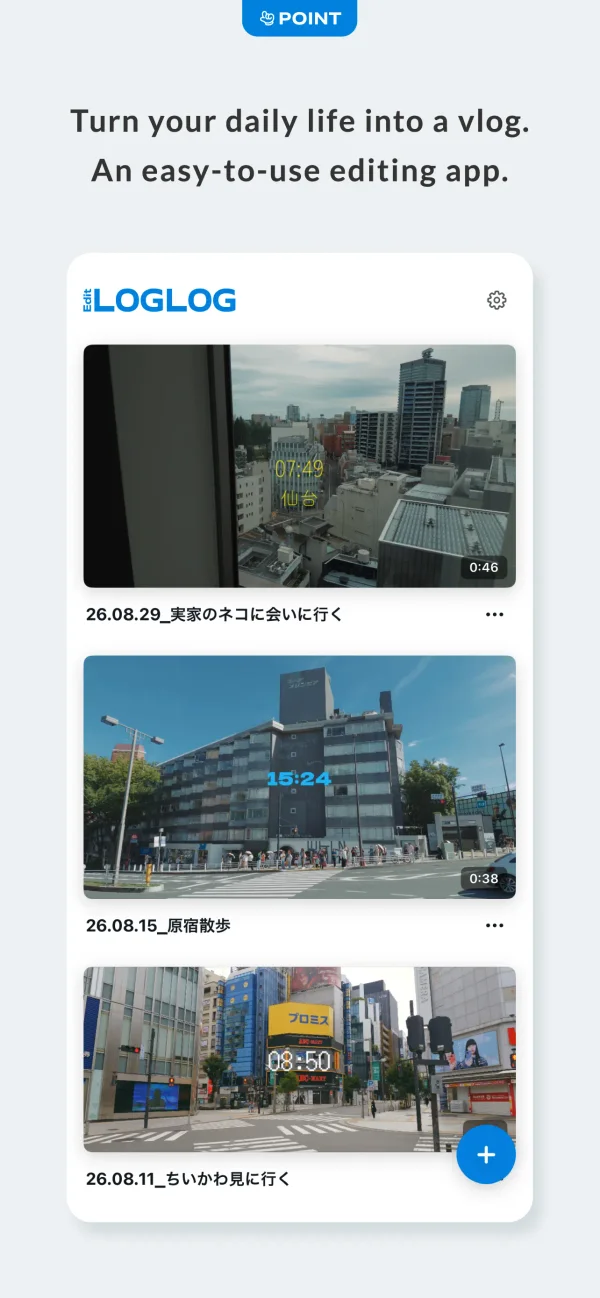
[Home Screen]
All your projects are displayed in a clean grid on the home screen.
Tap the + button at the bottom right to start a new project.
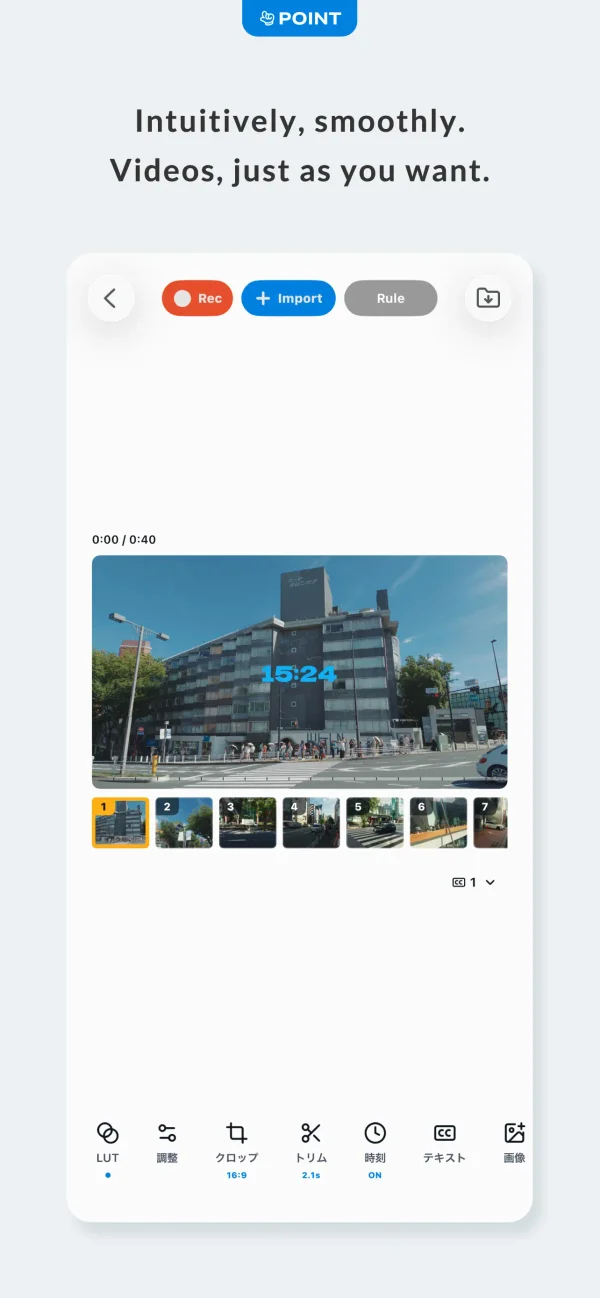
[Edit Screen]
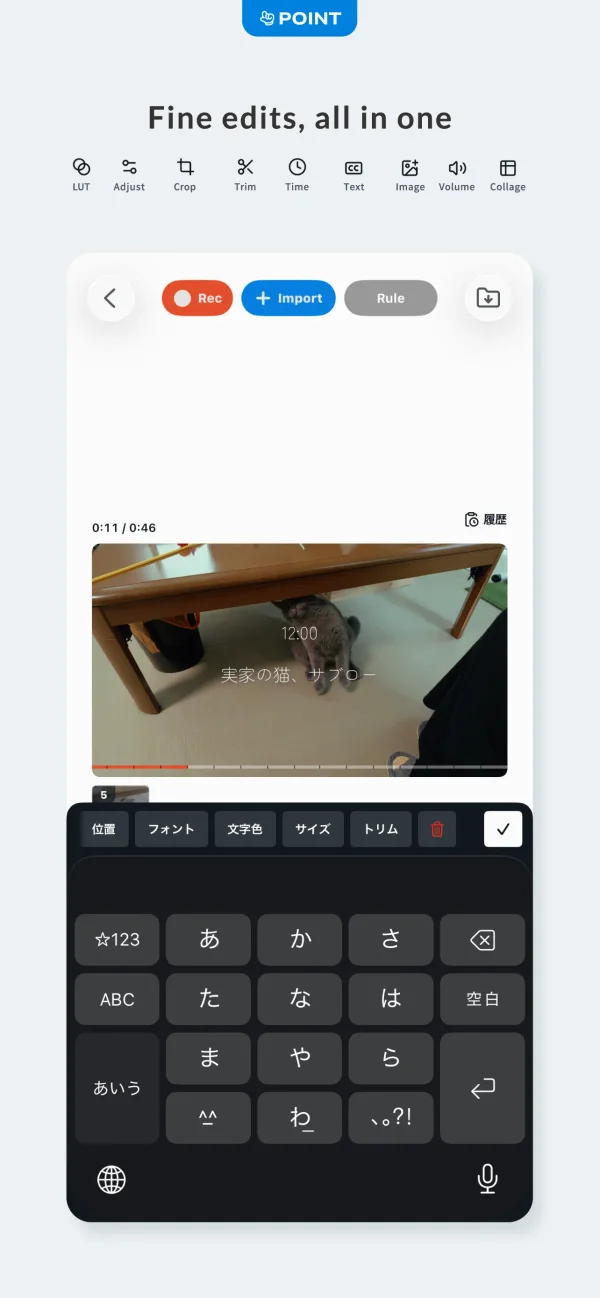
A simple layout with just a preview, clip bar, and editing controls.
Record clips on the spot with the Rec button at the top, or add existing footage with the Import button. Edits are applied per clip.
[Rule]
Set project-wide defaults all in one place.
· Clip: standardize clip duration
· Aspect ratio: standardize clip proportions
· Timestamp: font, color, and size for the recorded time
· Text: font, color, and size
· Frame: add padding around the video
Per-clip settings always take priority over Rule settings.
[Individual Clip Editing]
Select any clip from the clip bar to adjust its LUT and color settings. You can also select multiple clips at once and apply the same settings to all of them.
There is no save button — everything saves automatically as you edit.
[Pricing]
▷ FREE
· Up to 10 clips per project
· Up to 3 saved LUTs
· Default font and text color only
▷ PRO (Monthly ¥350 / Annual ¥3,000)
· Unlimited clips and LUTs
· All fonts and text colors
· Cinemascope aspect ratio (21:9)
· Frame feature (add padding around the video)
· Collage feature (display two videos side by side)
Export at 1080p or 4K, watermark-free.
PRO is an auto-renewing subscription. Manage or cancel anytime in Settings > Apple ID > Subscriptions.
Terms of Use (EULA)
> https://www.apple.com/legal/internet-services/itunes/dev/stdeula/
Privacy Policy
> https://walnut-ring-c9b.notion.site/3d2beede72b48064be23f09e38c8ec77?pvs=74
Novedades
Versión 1.7.0 · 14/11/2026
Added preset color filters "Vivid," "Olive," and "Silver." We plan to add more regularly in the future!
Privacidad de la aplicación
Lo que koizumi yukihiro declara en App Store sobre cómo esta aplicación gestiona los datos.
-
No se recopilan datos
El desarrollador no recopila ningún dato de esta aplicación.
Las prácticas de privacidad pueden variar, por ejemplo, según las funciones que uses o tu edad.
Información
- Vendedor
- koizumi yukihiro
- Categoría
- Foto y vídeo
- Versión
- 1.7.0
- Actualizado
- 14/11/2026
- Publicado
- 17/9/2026
- Tamaño
- 30,7 MB
- Requiere
- iOS 17.0 o posterior
- Clasificación por edad
- 4+
- Precio
- Gratis
- Compras en la aplicación
- Sí
- Idiomas
- Japonés, Chino tradicional, Inglés, Coreano
- Copyright
- © KOIZUMI Yukihiro
Quizá también te guste
-
 LogGrid - Make Your VLog LaterFoto y vídeo
-
 DaymoryFoto y vídeo
-
 WAVUNE: Editor de vídeo y fotoVe el vídeo antes de grabarlo
-
 Vidot - Your Own VlogFoto y vídeo
-
 Dailies: Vlog CinematográficoVlogs con estilo, muy fácil
-
 TinyVlogFoto y vídeo
-
 Laplus - Daily Vlog & MovieFoto y vídeo
-
 oblivious — vlog makerun vlog como un mixtape
-
 Reelo - Crea vlogs verticalesVlogs diarios sin saber editar
-
 Vlog Camera - your day in 15sFoto y vídeo