
Edit LOGLOG|Simple Vlog Editor
Simple and Easy Video Editor
Dirancang untuk iPhone
Gratis · Pembelian dalam aplikasi
- Batasan usia4+
- KategoriFoto & Video
- Pengembangkoizumi yukihiro
- BahasaJepang+ 3 lainnya
- Ukuran30,7 MB
Tertaut ke halaman resmi App Store
Download.org tidak menyimpan file Edit LOGLOG|Simple Vlog Editor apa pun. Tombol ini membuka halaman aplikasi di App Store, tempat koizumi yukihiro menerbitkannya. Halaman terakhir diperiksa pada 15/11/2026.
Tangkapan layar
Tentang
Pengembang belum menyediakan teks ini dalam bahasa Anda.
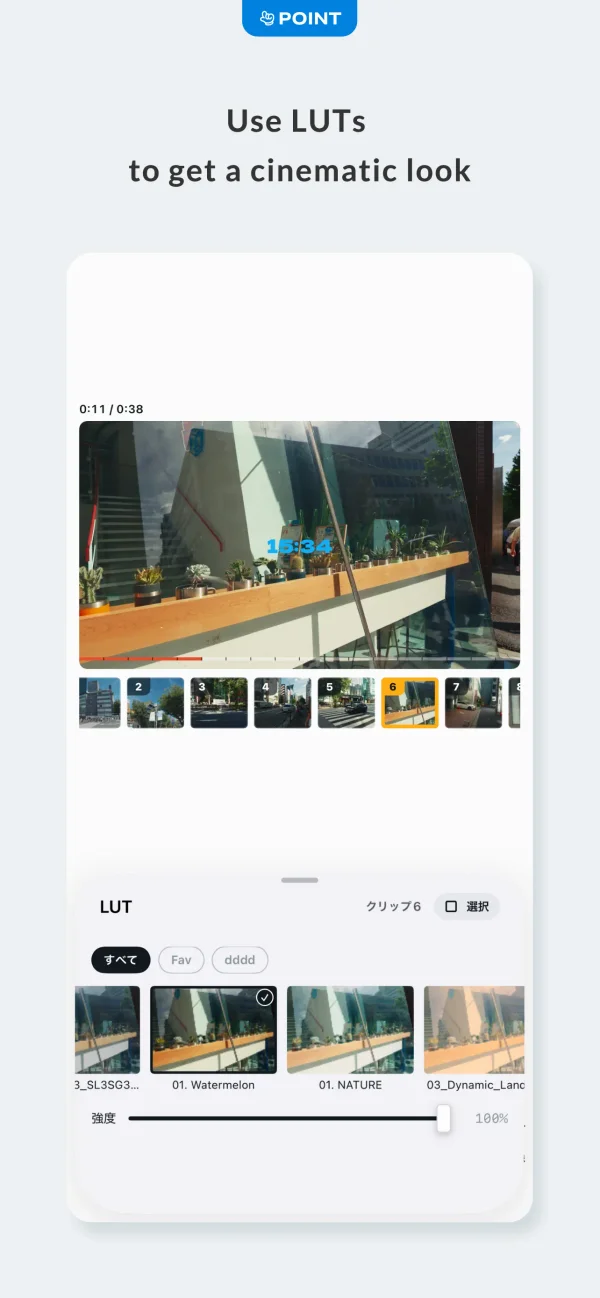
Edit LOGLOG is a simple app for video editing and vlog creation. We prioritize a clean, uncluttered interface with breathing room, and a smooth, intuitive editing experience. Save your favorite LUTs and instantly apply the look you want.
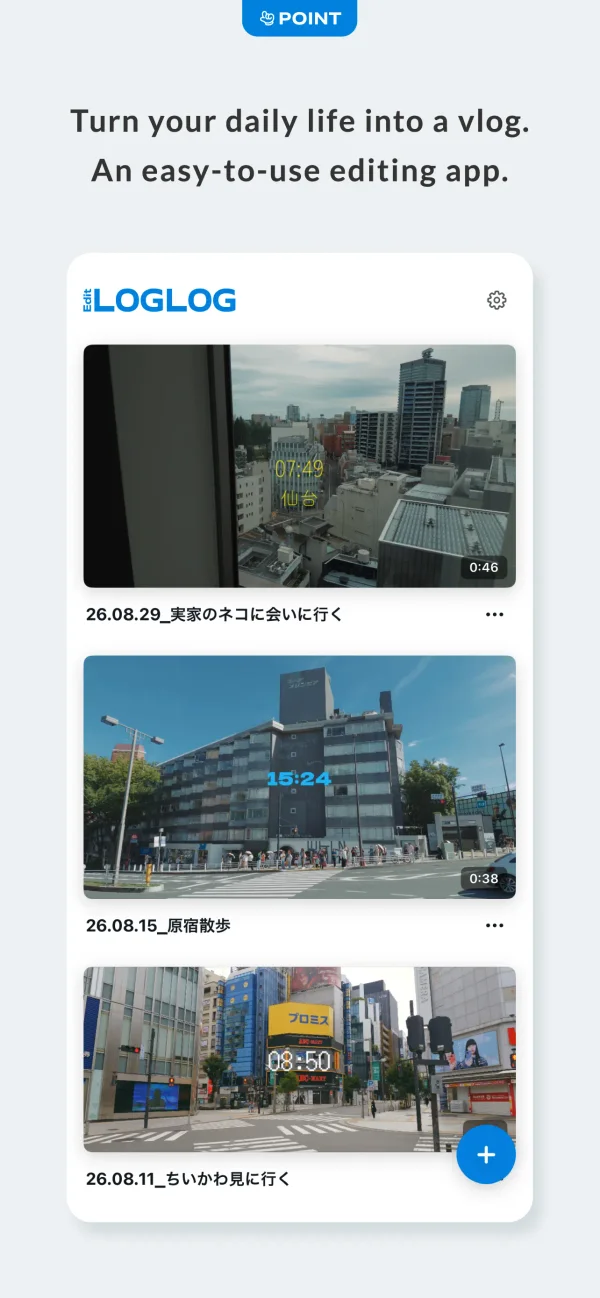
[Home Screen]
All your projects are displayed in a clean grid on the home screen.
Tap the + button at the bottom right to start a new project.
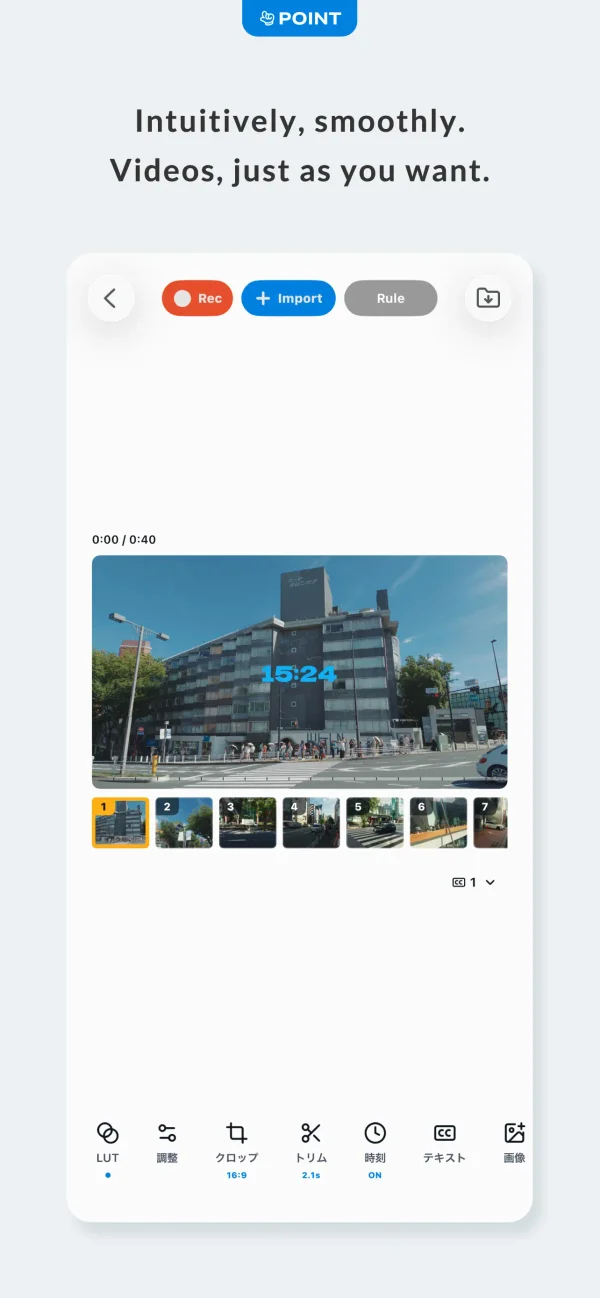
[Edit Screen]
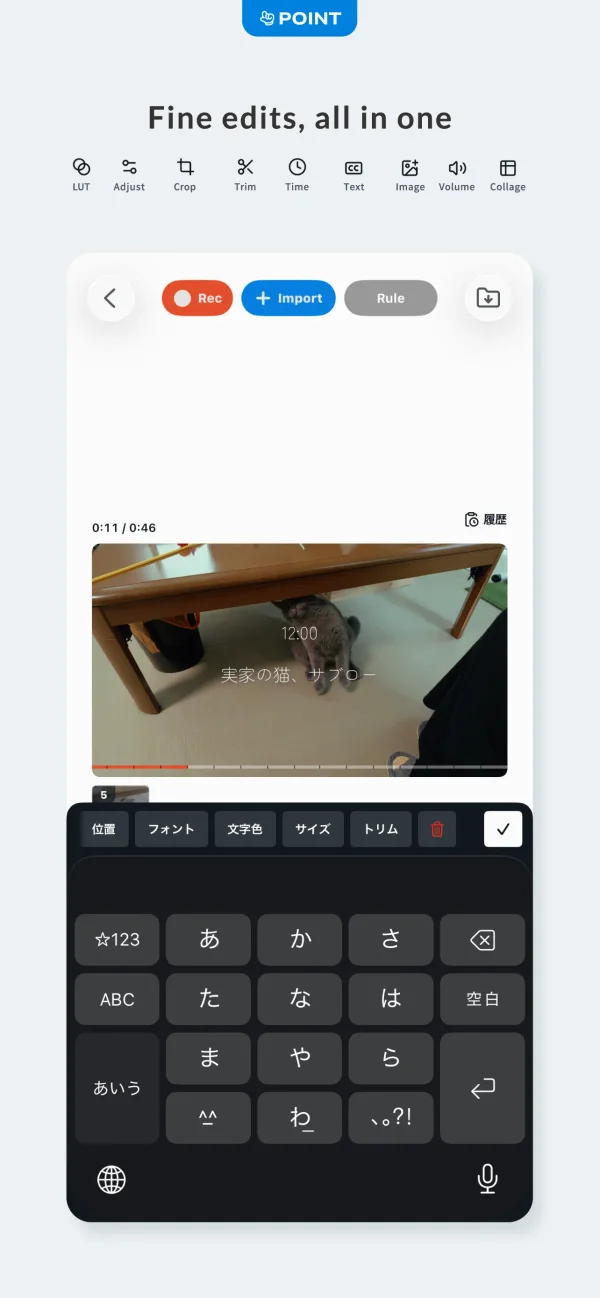
A simple layout with just a preview, clip bar, and editing controls.
Record clips on the spot with the Rec button at the top, or add existing footage with the Import button. Edits are applied per clip.
[Rule]
Set project-wide defaults all in one place.
· Clip: standardize clip duration
· Aspect ratio: standardize clip proportions
· Timestamp: font, color, and size for the recorded time
· Text: font, color, and size
· Frame: add padding around the video
Per-clip settings always take priority over Rule settings.
[Individual Clip Editing]
Select any clip from the clip bar to adjust its LUT and color settings. You can also select multiple clips at once and apply the same settings to all of them.
There is no save button — everything saves automatically as you edit.
[Pricing]
▷ FREE
· Up to 10 clips per project
· Up to 3 saved LUTs
· Default font and text color only
▷ PRO (Monthly ¥350 / Annual ¥3,000)
· Unlimited clips and LUTs
· All fonts and text colors
· Cinemascope aspect ratio (21:9)
· Frame feature (add padding around the video)
· Collage feature (display two videos side by side)
Export at 1080p or 4K, watermark-free.
PRO is an auto-renewing subscription. Manage or cancel anytime in Settings > Apple ID > Subscriptions.
Terms of Use (EULA)
> https://www.apple.com/legal/internet-services/itunes/dev/stdeula/
Privacy Policy
> https://walnut-ring-c9b.notion.site/3d2beede72b48064be23f09e38c8ec77?pvs=74
Yang baru
Versi 1.7.0 · 14/11/2026
Added preset color filters "Vivid," "Olive," and "Silver." We plan to add more regularly in the future!
Privasi aplikasi
Yang dinyatakan koizumi yukihiro di App Store tentang cara aplikasi ini menangani data.
-
Data tidak dikumpulkan
Pengembang tidak mengumpulkan data apa pun dari aplikasi ini.
Praktik privasi dapat bervariasi, misalnya berdasarkan fitur yang Anda gunakan atau usia Anda.
Informasi
- Penjual
- koizumi yukihiro
- Kategori
- Foto & Video
- Versi
- 1.7.0
- Diperbarui
- 14/11/2026
- Dirilis
- 17/9/2026
- Ukuran
- 30,7 MB
- Memerlukan
- iOS 17.0 atau yang lebih baru
- Batasan usia
- 4+
- Harga
- Gratis
- Pembelian dalam aplikasi
- Ya
- Bahasa
- Jepang, Tionghoa Tradisional, Inggris, Korea
- Hak cipta
- © KOIZUMI Yukihiro
Mungkin Anda juga suka
-
 LogGrid - Make Your VLog LaterFoto & Video
-
 DaymoryFoto & Video
-
 WAVUNE: Editor Video & FotoLihat filmnya sebelum merekam
-
 Vidot - Your Own VlogFoto & Video
-
 Dailies: Vlog SinematikVlog keren, mudah dibuat
-
 TinyVlogFoto & Video
-
 Laplus - Daily Vlog & MovieFoto & Video
-
 oblivious — vlog makerFoto & Video
-
 Reelo - Vertical Vlog EditorFoto & Video
-
 Vlog Camera - your day in 15sFoto & Video