
Edit LOGLOG|Simple Vlog Editor
Simple and Easy Video Editor
Được thiết kế cho iPhone
Miễn phí · Mua hàng trong ứng dụng
- Độ tuổi4+
- Danh mụcẢnh & Video
- Nhà phát triểnkoizumi yukihiro
- Ngôn ngữTiếng Nhật+ 3 ngôn ngữ khác
- Kích thước30,7 MB
Liên kết đến trang App Store chính thức
Download.org không lưu trữ tệp nào của Edit LOGLOG|Simple Vlog Editor. Nút này mở trang ứng dụng trên App Store, nơi koizumi yukihiro phát hành ứng dụng. Trang được kiểm tra lần cuối: 15/11/2026.
Ảnh chụp màn hình
Giới thiệu
Nhà phát triển chưa cung cấp nội dung này bằng ngôn ngữ của bạn.
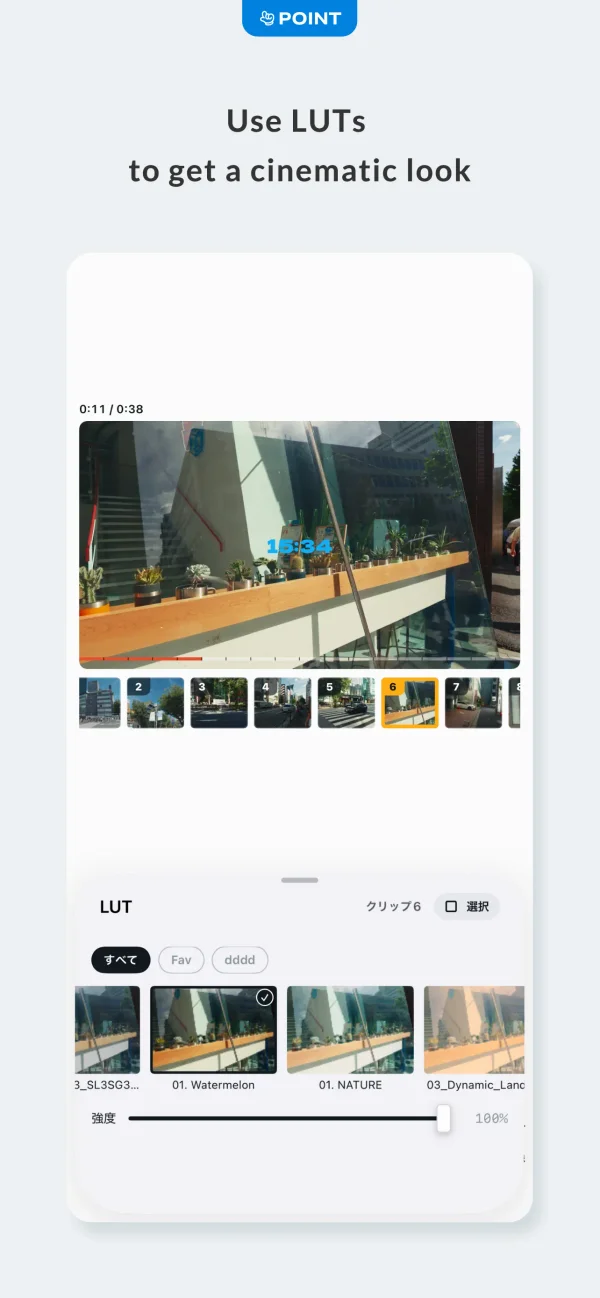
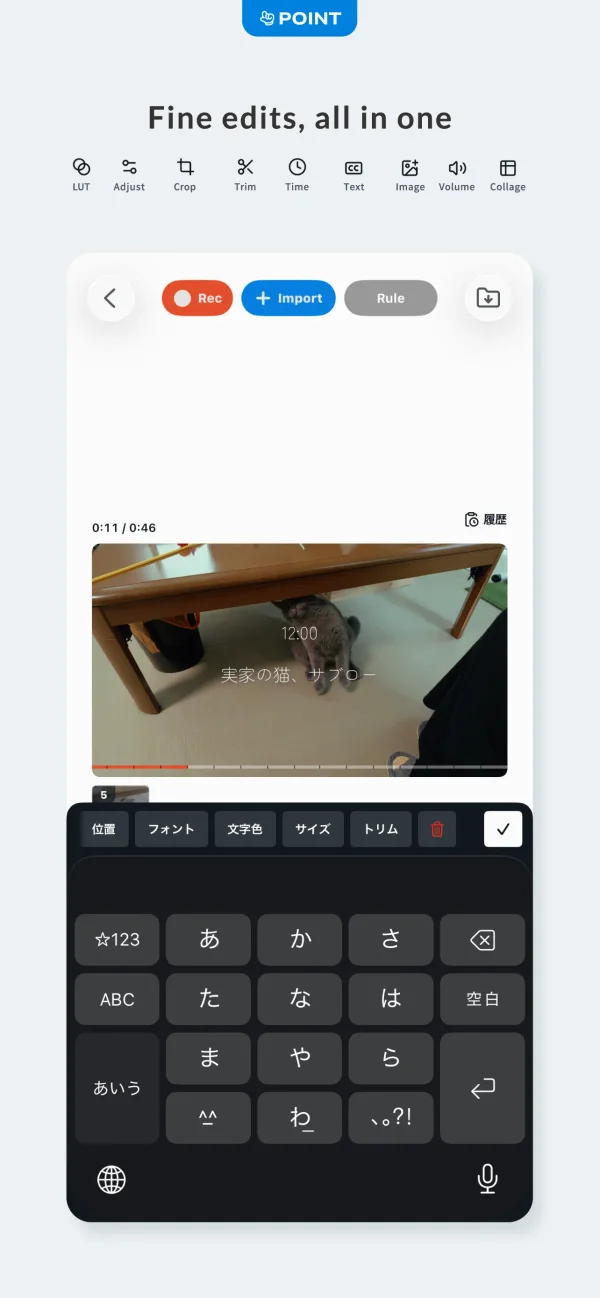
Edit LOGLOG is a simple app for video editing and vlog creation. We prioritize a clean, uncluttered interface with breathing room, and a smooth, intuitive editing experience. Save your favorite LUTs and instantly apply the look you want.
[Home Screen]
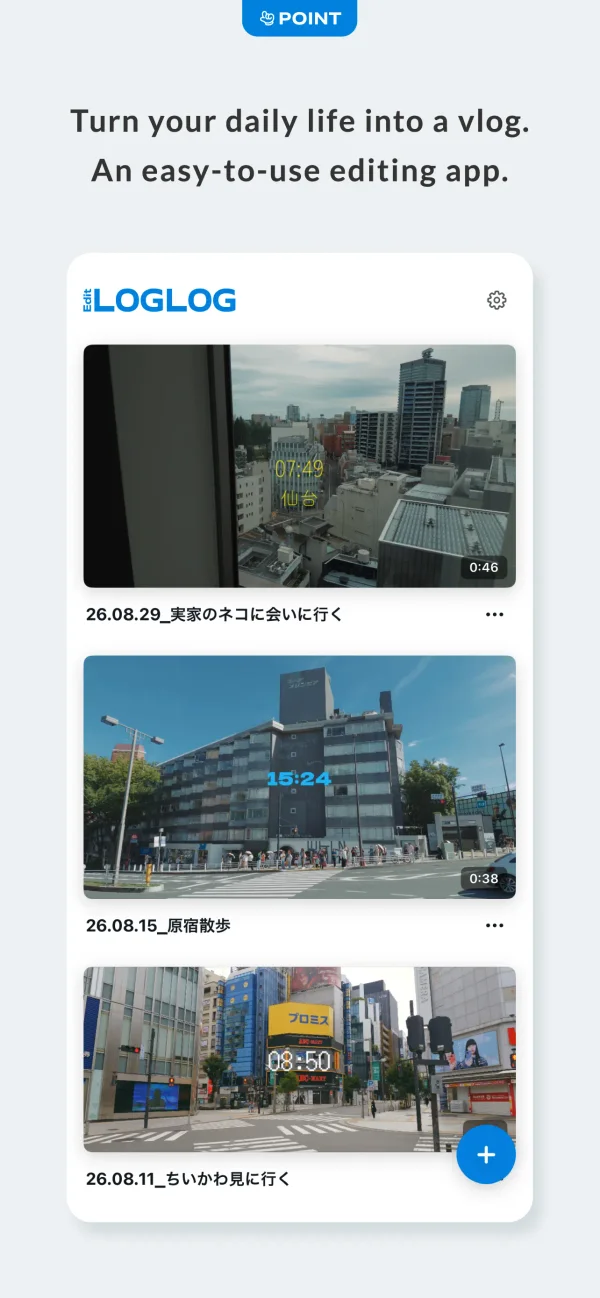
All your projects are displayed in a clean grid on the home screen.
Tap the + button at the bottom right to start a new project.
[Edit Screen]
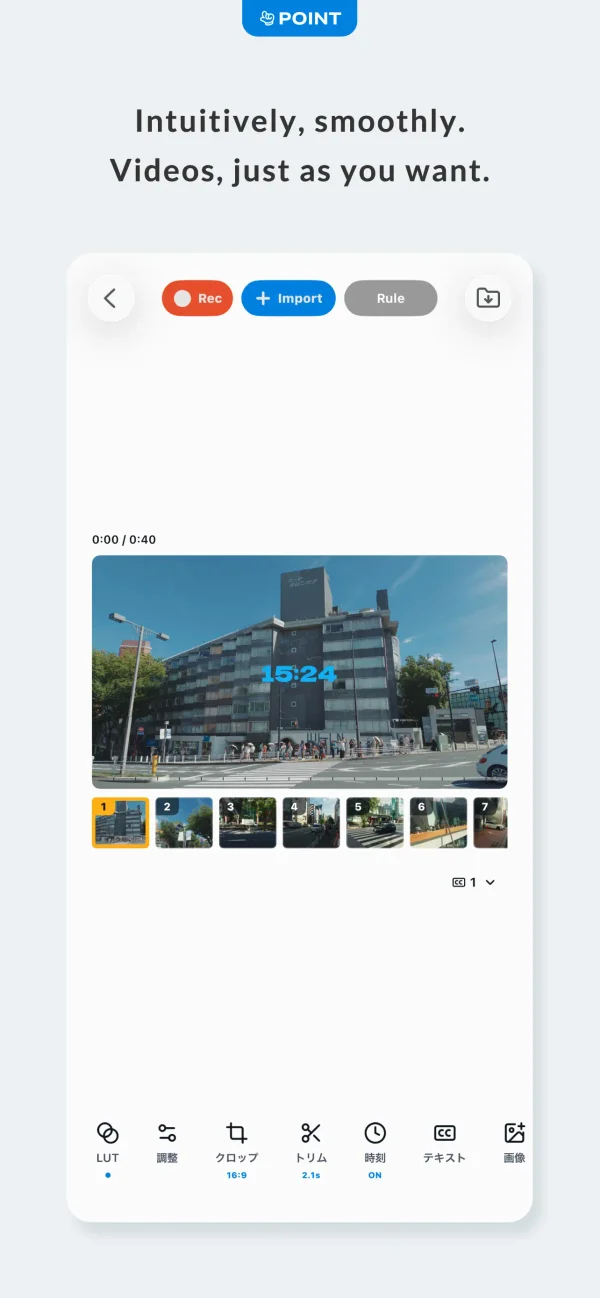
A simple layout with just a preview, clip bar, and editing controls.
Record clips on the spot with the Rec button at the top, or add existing footage with the Import button. Edits are applied per clip.
[Rule]
Set project-wide defaults all in one place.
· Clip: standardize clip duration
· Aspect ratio: standardize clip proportions
· Timestamp: font, color, and size for the recorded time
· Text: font, color, and size
· Frame: add padding around the video
Per-clip settings always take priority over Rule settings.
[Individual Clip Editing]
Select any clip from the clip bar to adjust its LUT and color settings. You can also select multiple clips at once and apply the same settings to all of them.
There is no save button — everything saves automatically as you edit.
[Pricing]
▷ FREE
· Up to 10 clips per project
· Up to 3 saved LUTs
· Default font and text color only
▷ PRO (Monthly ¥350 / Annual ¥3,000)
· Unlimited clips and LUTs
· All fonts and text colors
· Cinemascope aspect ratio (21:9)
· Frame feature (add padding around the video)
· Collage feature (display two videos side by side)
Export at 1080p or 4K, watermark-free.
PRO is an auto-renewing subscription. Manage or cancel anytime in Settings > Apple ID > Subscriptions.
Terms of Use (EULA)
> https://www.apple.com/legal/internet-services/itunes/dev/stdeula/
Privacy Policy
> https://walnut-ring-c9b.notion.site/3d2beede72b48064be23f09e38c8ec77?pvs=74
Có gì mới
Phiên bản 1.7.0 · 14/11/2026
Added preset color filters "Vivid," "Olive," and "Silver." We plan to add more regularly in the future!
Quyền riêng tư của ứng dụng
Những gì koizumi yukihiro khai báo trên App Store về cách ứng dụng này xử lý dữ liệu.
-
Dữ liệu không được thu thập
Nhà phát triển không thu thập bất kỳ dữ liệu nào từ ứng dụng này.
Phương thức đảm bảo quyền riêng tư có thể khác nhau, chẳng hạn như tuỳ theo các tính năng bạn sử dụng hoặc độ tuổi của bạn.
Thông tin
- Người bán
- koizumi yukihiro
- Danh mục
- Ảnh & Video
- Phiên bản
- 1.7.0
- Cập nhật
- 14/11/2026
- Phát hành
- 17/09/2026
- Kích thước
- 30,7 MB
- Yêu cầu
- iOS 17.0 trở lên
- Độ tuổi
- 4+
- Giá
- Miễn phí
- Mua hàng trong ứng dụng
- Có
- Ngôn ngữ
- Tiếng Nhật, Tiếng Trung Phồn thể, Tiếng Anh, Tiếng Hàn
- Bản quyền
- © KOIZUMI Yukihiro
Có thể bạn cũng thích
-
 LogGrid - Make Your VLog LaterẢnh & Video
-
 DaymoryẢnh & Video
-
 WAVUNE: Chỉnh sửa video & ảnhThấy bộ phim trước khi quay
-
 Vidot - Your Own VlogẢnh & Video
-
 Dailies: Vlog Điện ẢnhTạo vlog đẹp thật dễ dàng
-
 TinyVlogẢnh & Video
-
 Laplus - Daily Vlog & MovieẢnh & Video
-
 oblivious — vlog makerẢnh & Video
-
 Reelo - Vertical Vlog EditorẢnh & Video
-
 Vlog Camera - your day in 15sẢnh & Video