
Edit LOGLOG|Simple Vlog Editor
Simple and Easy Video Editor
iPhone için tasarlandı
Ücretsiz · Uygulama içi satın alma
- Yaş sınırı4+
- KategoriFotoğraf ve Video
- Geliştiricikoizumi yukihiro
- DillerJaponca+ 3 dil daha
- Boyut30,7 MB
Resmi App Store sayfasına bağlanır
Download.org, Edit LOGLOG|Simple Vlog Editor için hiçbir dosya barındırmaz. Düğme, uygulamanın App Store üzerindeki sayfasını açar; uygulamayı orada koizumi yukihiro yayınlar. Sayfanın son kontrolü: 15.11.2026.
Ekran görüntüleri
Hakkında
Geliştirici bu metni dilinizde sunmamış.
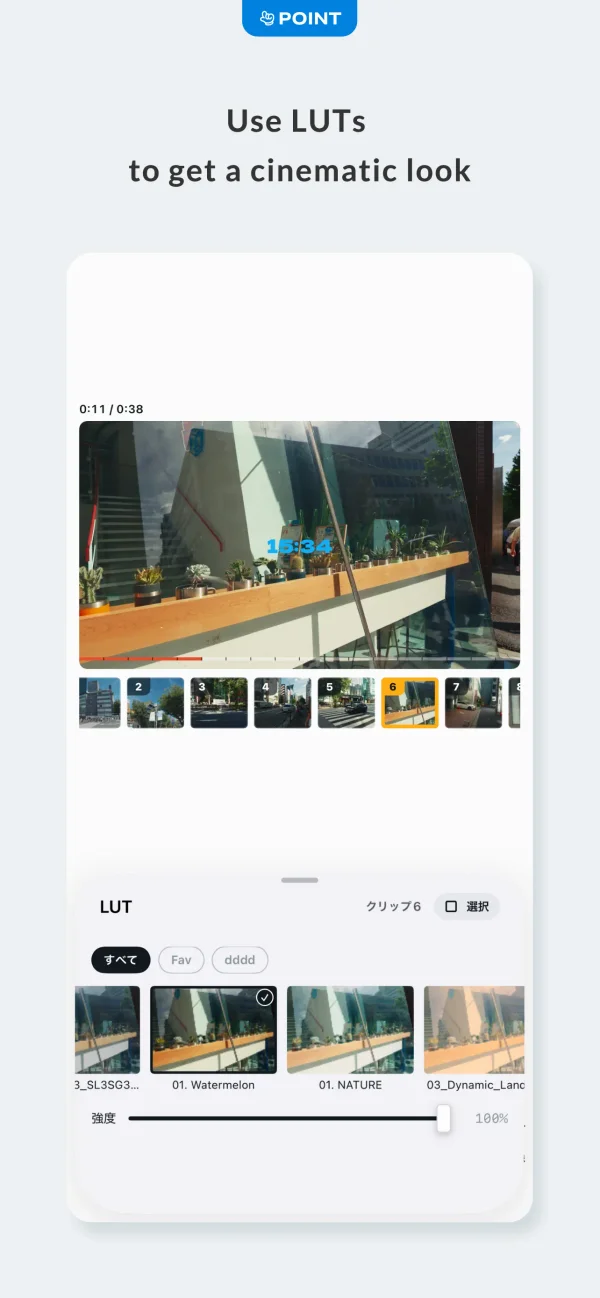
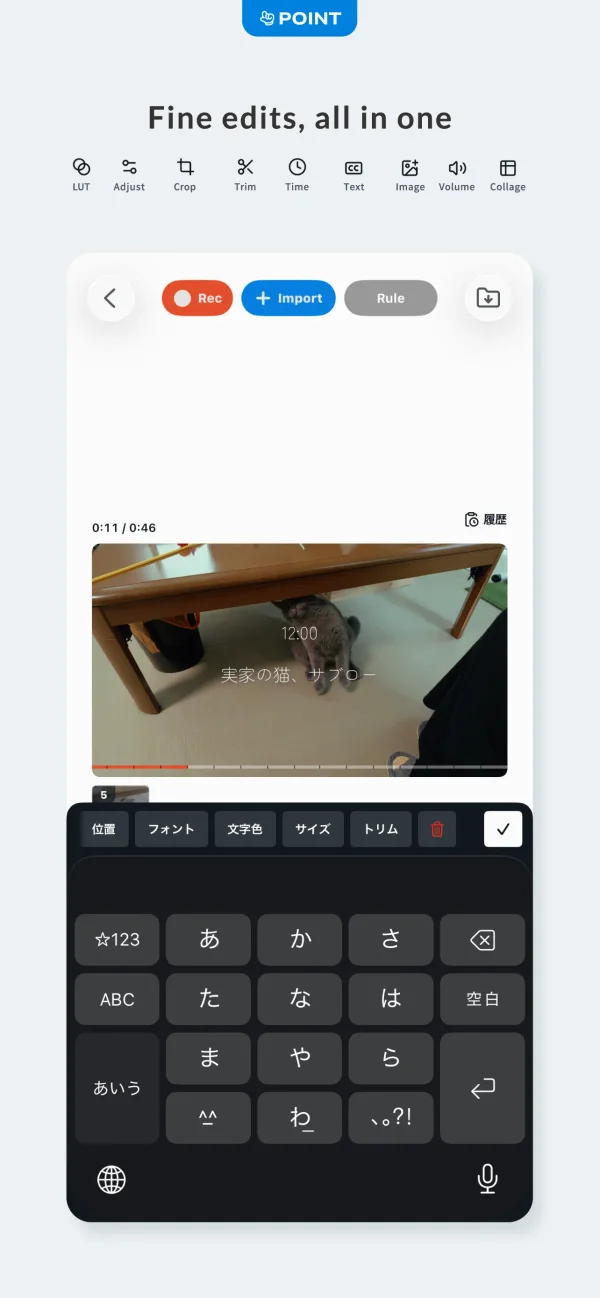
Edit LOGLOG is a simple app for video editing and vlog creation. We prioritize a clean, uncluttered interface with breathing room, and a smooth, intuitive editing experience. Save your favorite LUTs and instantly apply the look you want.
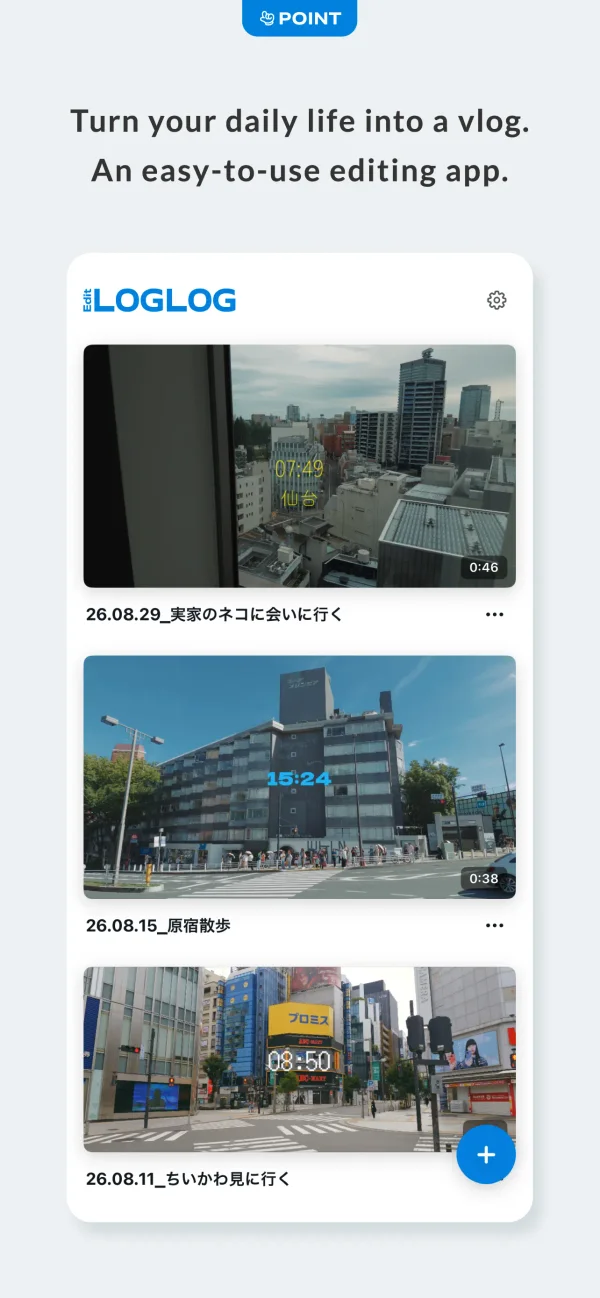
[Home Screen]
All your projects are displayed in a clean grid on the home screen.
Tap the + button at the bottom right to start a new project.
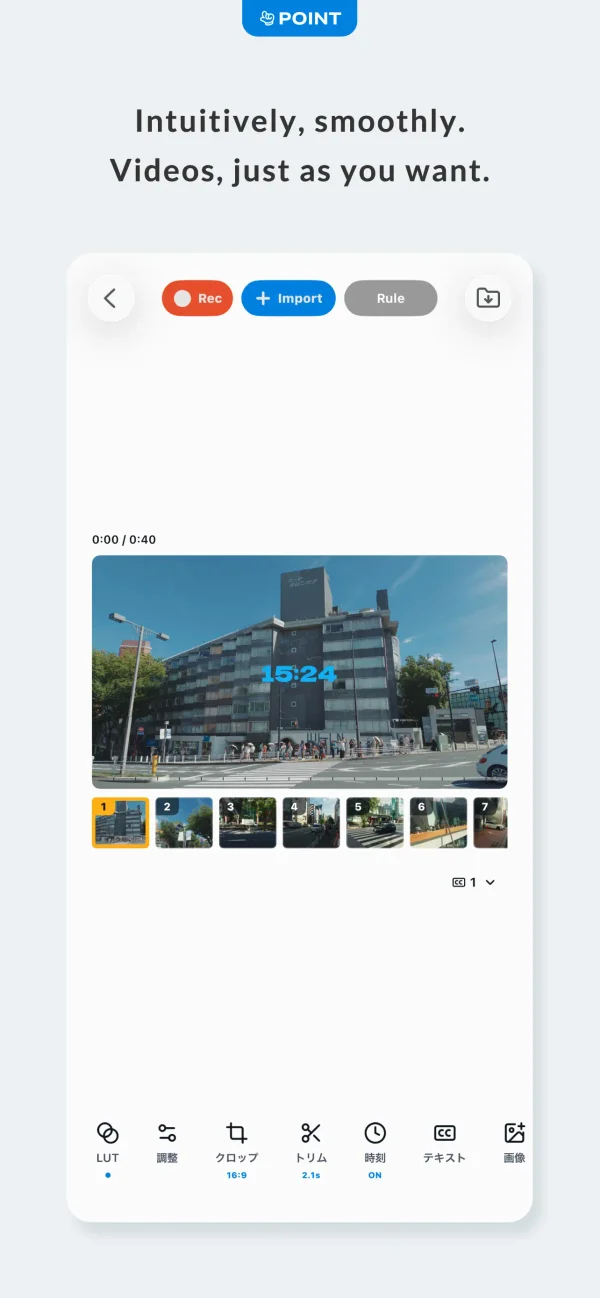
[Edit Screen]
A simple layout with just a preview, clip bar, and editing controls.
Record clips on the spot with the Rec button at the top, or add existing footage with the Import button. Edits are applied per clip.
[Rule]
Set project-wide defaults all in one place.
· Clip: standardize clip duration
· Aspect ratio: standardize clip proportions
· Timestamp: font, color, and size for the recorded time
· Text: font, color, and size
· Frame: add padding around the video
Per-clip settings always take priority over Rule settings.
[Individual Clip Editing]
Select any clip from the clip bar to adjust its LUT and color settings. You can also select multiple clips at once and apply the same settings to all of them.
There is no save button — everything saves automatically as you edit.
[Pricing]
▷ FREE
· Up to 10 clips per project
· Up to 3 saved LUTs
· Default font and text color only
▷ PRO (Monthly ¥350 / Annual ¥3,000)
· Unlimited clips and LUTs
· All fonts and text colors
· Cinemascope aspect ratio (21:9)
· Frame feature (add padding around the video)
· Collage feature (display two videos side by side)
Export at 1080p or 4K, watermark-free.
PRO is an auto-renewing subscription. Manage or cancel anytime in Settings > Apple ID > Subscriptions.
Terms of Use (EULA)
> https://www.apple.com/legal/internet-services/itunes/dev/stdeula/
Privacy Policy
> https://walnut-ring-c9b.notion.site/3d2beede72b48064be23f09e38c8ec77?pvs=74
Yenilikler
Sürüm 1.7.0 · 14.11.2026
Added preset color filters "Vivid," "Olive," and "Silver." We plan to add more regularly in the future!
Uygulama gizliliği
Bu uygulamanın verileri nasıl işlediği hakkında koizumi yukihiro tarafından App Store üzerinde yapılan beyan.
-
Veri toplanmıyor
Geliştirici bu uygulamadan hiçbir veri toplamıyor.
Gizlilik uygulamaları, örneğin kullandığınız özelliklere veya yaşınıza göre değişiklik gösterebilir.
Bilgiler
- Satıcı
- koizumi yukihiro
- Kategori
- Fotoğraf ve Video
- Sürüm
- 1.7.0
- Güncellendi
- 14.11.2026
- Yayın tarihi
- 17.09.2026
- Boyut
- 30,7 MB
- Gereksinim
- iOS 17.0 veya sonrası
- Yaş sınırı
- 4+
- Fiyat
- Ücretsiz
- Uygulama içi satın alma
- Evet
- Diller
- Japonca, Geleneksel Çince, İngilizce, Korece
- Telif hakkı
- © KOIZUMI Yukihiro
Bunları da beğenebilirsiniz
-
 LogGrid - Make Your VLog LaterFotoğraf ve Video
-
 DaymoryFotoğraf ve Video
-
 WAVUNE: Video & Foto EditörüFilmi çekmeden önce gör
-
 Vidot - Your Own VlogFotoğraf ve Video
-
 Dailies: Sinematik VlogŞık vloglar, kolayca
-
 TinyVlogFotoğraf ve Video
-
 Laplus - Daily Vlog & MovieFotoğraf ve Video
-
 oblivious — vlog makerFotoğraf ve Video
-
 Reelo - Vertical Vlog EditorFotoğraf ve Video
-
 Vlog Camera - your day in 15sFotoğraf ve Video