
- Altersfreigabe4+
- KategorieMusik
- EntwicklerPatrick Q. Kelly
- SprachenEnglisch
- Größe62,5 MB
Verlinkt auf die offizielle App Store-Seite
Download.org hostet keine Datei von Fingering Strings. Die Schaltfläche öffnet die App-Seite bei App Store, wo Patrick Q. Kelly die App veröffentlicht. Eintrag zuletzt geprüft am 12.11.2026.
Screenshots
Info
Der Entwickler hat diesen Text nicht in Ihrer Sprache bereitgestellt.
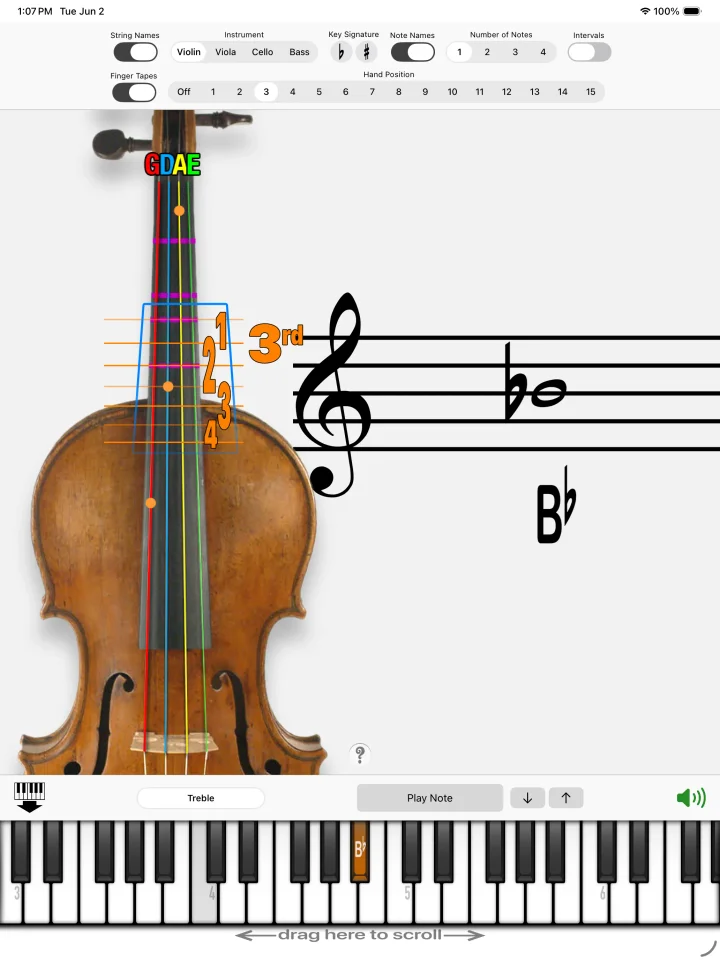
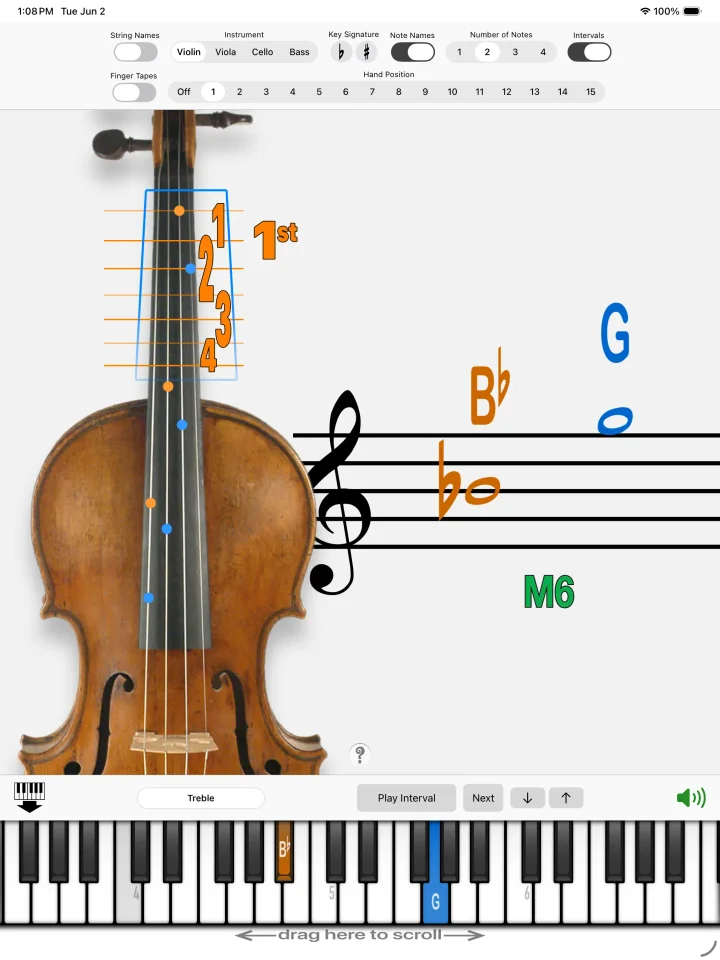
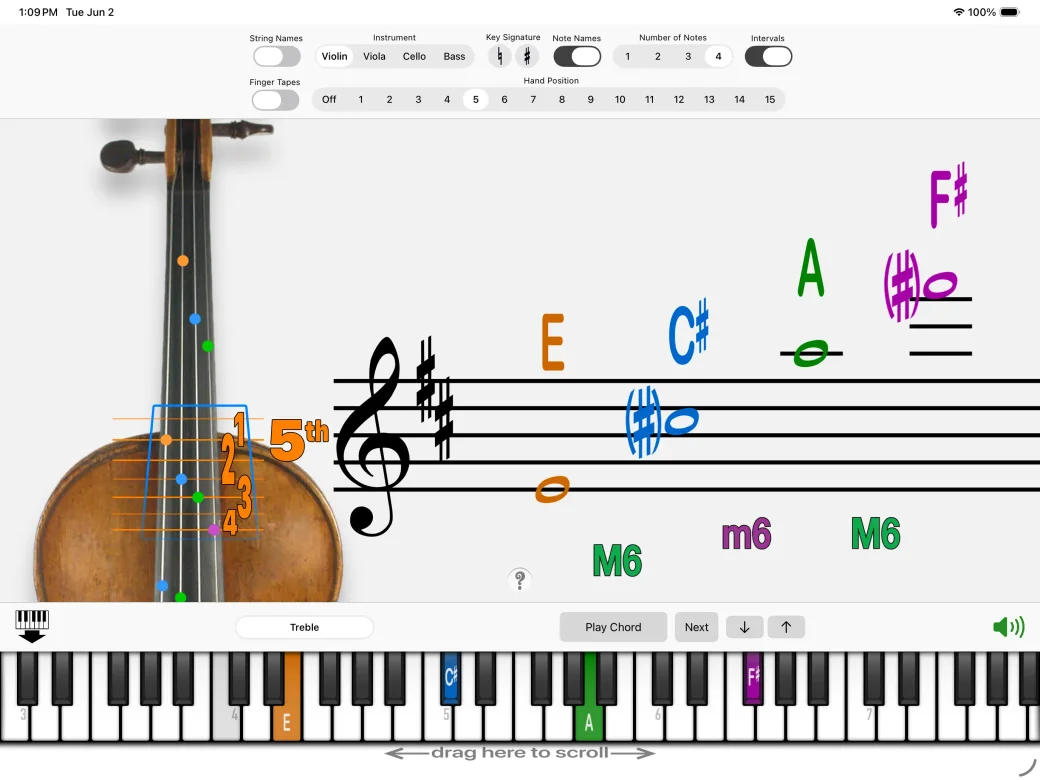
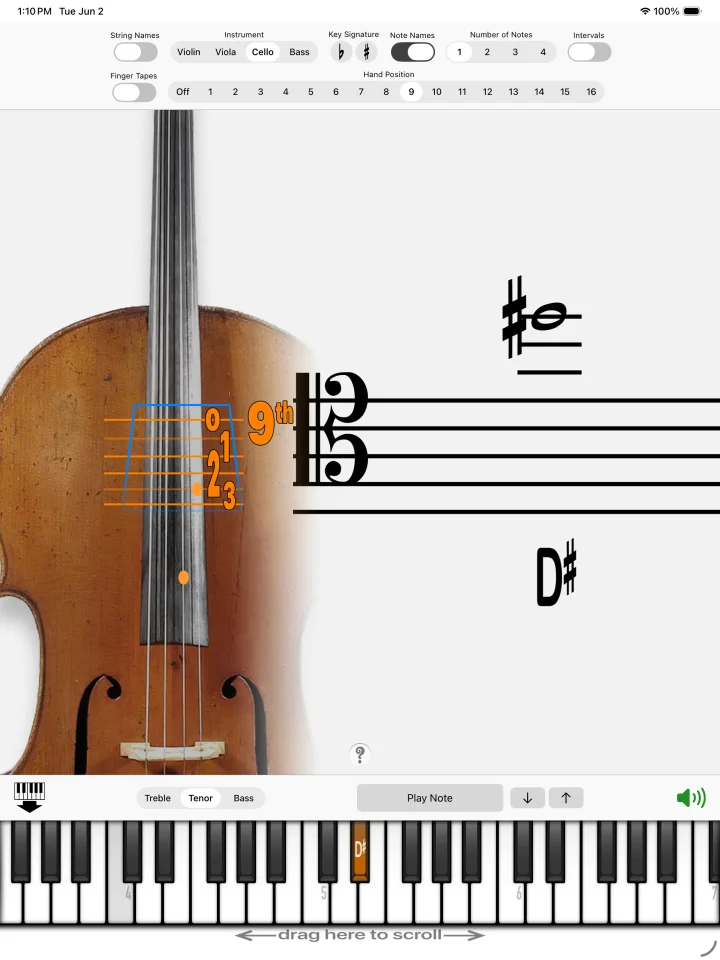
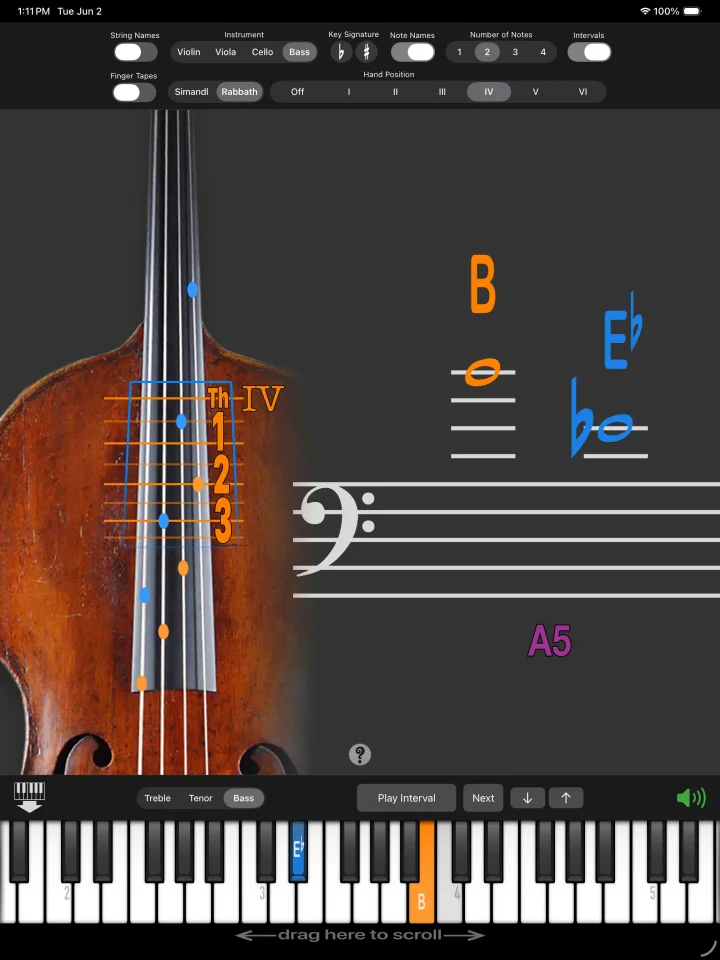
The highest rated and most comprehensive fingering guide available for Violin, Viola, Cello and Double Bass (Simandl and Rabbath positions). See up to 4 notes at the same time. Decide which hand position would be best for the interval or passage. See and hear the written note, interval, or chord on the piano.
Support for Key Signatures to more easily find a fingering in the music you're working on.
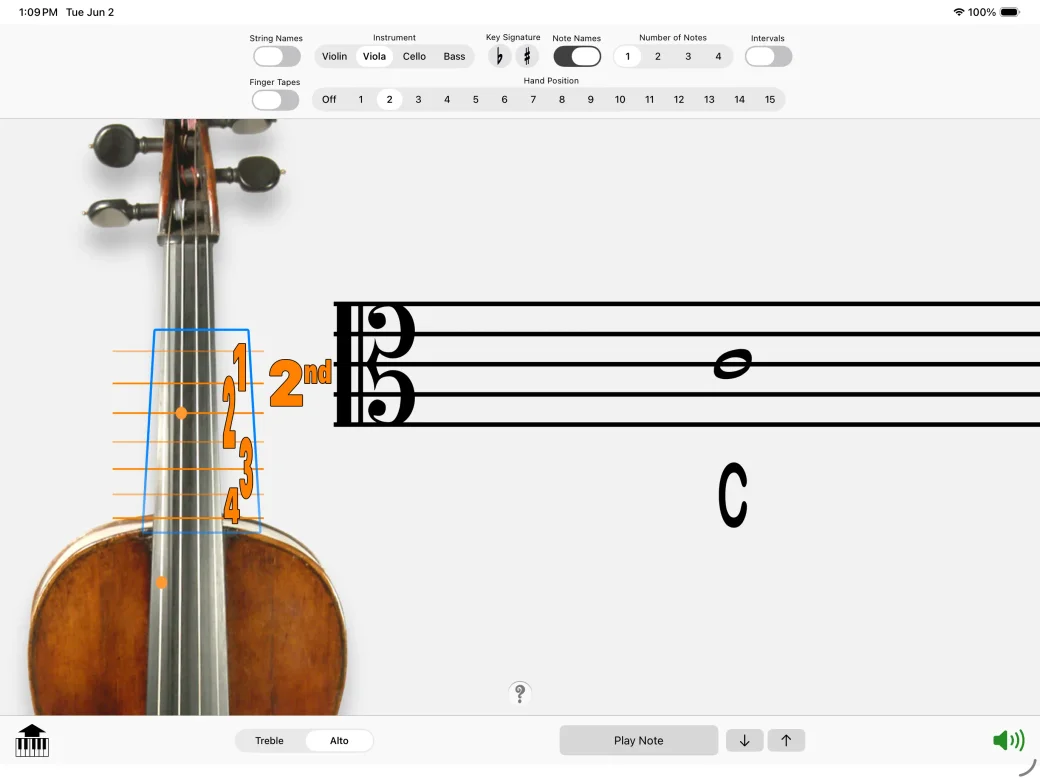
• Hand Positions: 15 positions on the Violin, 15 positions on the Viola, 16 positions on the Cello, and 12 Simandl positions or 6 Rabbath positions on the Double Bass.
• Display "beginner tape" on the fingerboard as well as string names and colors.
• Notate one to four notes in Treble, Alto, Tenor or Bass clef.
How to Use:
Pick a written note (touch the staff) and have the fingering displayed and concert pitch played on the piano.
Play a concert pitch on the piano, and have that pitch's fingering displayed and the transposed note written on the staff.
Written and concert pitches are the same for all but the double bass, which transposes, sounding an octave below what is written.
• Use the ‘Play' button(s) to repeatedly hear the note(s) being displayed.
Selecting a Pitch:
Using the Staff (transposed for the current instrument): Simply touch and slide up and down on the staff to select the note, slide to the right or left of the note for sharps and flats.
Using the Piano (concert pitch): drag in the area below the keyboard to move the keyboard, touch to play notes, touch & slide to change the pitch. When you glissando up the keyboard, notes will be notated as a raised value (sharps), when you glissando down, notes will be notated as lowered values (flats).
Use the up and down arrows to move chromatically up and down without touching the music staff or piano keyboard.
Neue Funktionen
Version 8.0 · 25.06.2026
Support for Key Signatures to more easily find a fingering in the music you're working on.
Minor updates and stability improvements.
App-Datenschutz
Was Patrick Q. Kelly im App Store zum Umgang dieser App mit Daten angibt.
-
Keine Daten erfasst
Der Entwickler erfasst keine Daten von dieser App.
Die Datenschutzpraktiken können variieren, zum Beispiel je nach den von Ihnen verwendeten Funktionen oder Ihrem Alter.
Informationen
- Anbieter
- Patrick Kelly
- Kategorie
- Musik
- Version
- 8.0
- Aktualisiert
- 25.06.2026
- Veröffentlicht
- 20.10.2010
- Größe
- 62,5 MB
- Erfordert
- iOS 26.0 oder neuer
- Altersfreigabe
- 4+
- Preis
- 3,99 €
- Sprachen
- Englisch
- Copyright
- © 2010 - 2026 Patrick Q. Kelly. All Rights Reserved.
Das könnte Ihnen auch gefallen
-
 SmartScales - Backing TracksMusik
-
 Geige Vista: Tuner & ÜbenGriffdiagramme & Intonation
-
 Cello Tuner - Simple TunerMusik
-
 Violy - Violin Demo & PracticeMusik
-
 Dorico - Musik komponierenNoten schreiben und lesen
-
 TonalEnergy Stimmgerät & MetroWerkzeuge zum Üben von Musik
-
 Newzik: Notenblatt ReaderIhre Noten überall, jederzeit
-
 Geige lernen - tonestroUnterricht, Feedback, Noten
-
 Halbestunde NotenscannerNoten Scanner, Lernen
-
 Sheet Music DirectPremium scores & music notes