
- 対象年齢4+
- カテゴリミュージック
- 開発元Patrick Q. Kelly
- 言語英語
- サイズ62.5 MB
App Storeの公式ページにリンクしています
Download.orgはFingering Stringsのファイルを一切ホストしていません。ボタンを押すと、Patrick Q. Kellyが公開しているApp Storeのアプリページが開きます。ページの最終確認:2026/11/12。
スクリーンショット
概要
開発元はこのテキストをお使いの言語で提供していません。
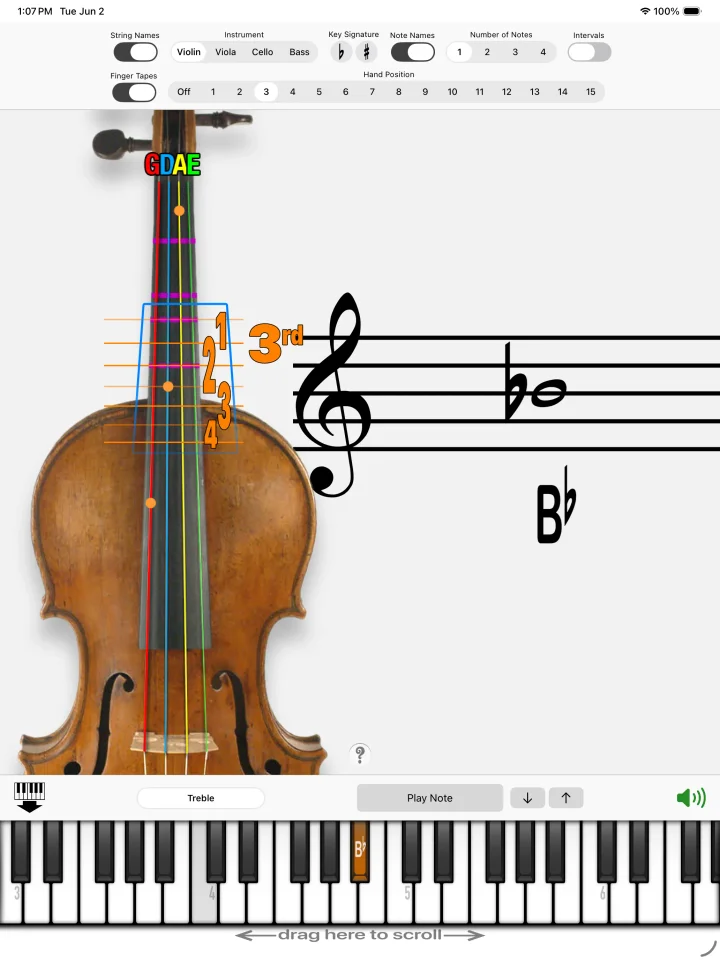
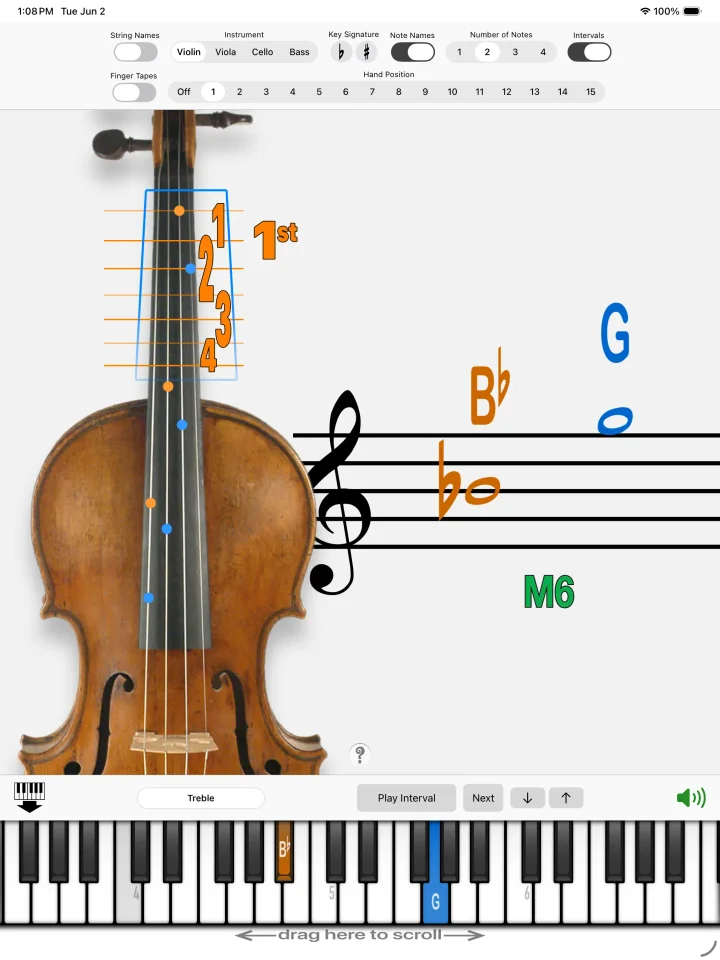
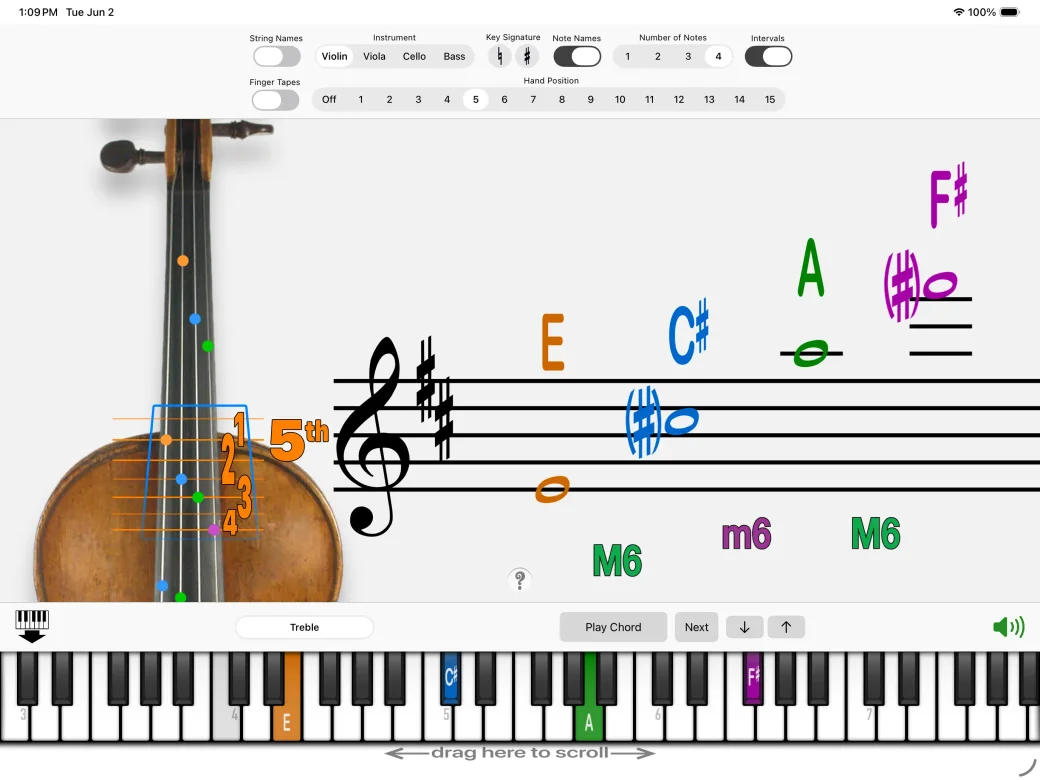
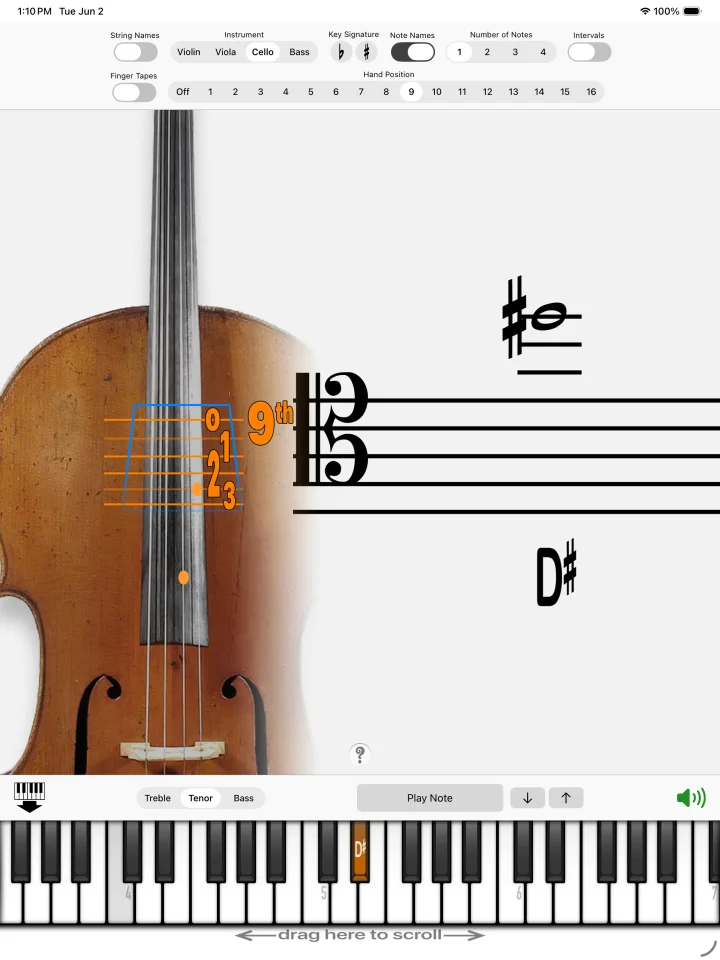
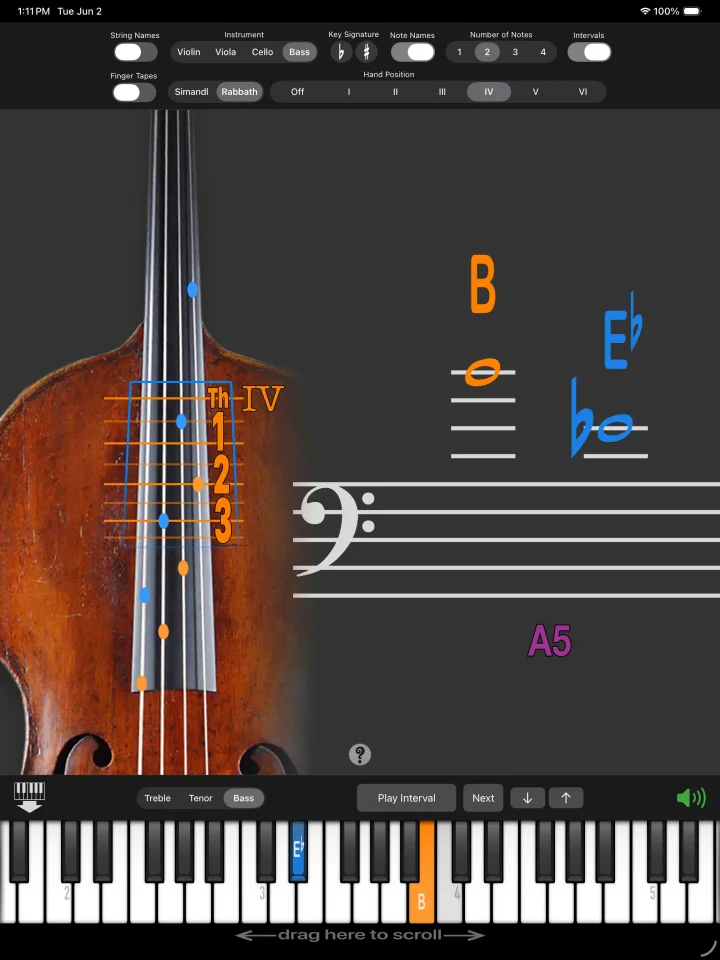
The highest rated and most comprehensive fingering guide available for Violin, Viola, Cello and Double Bass (Simandl and Rabbath positions). See up to 4 notes at the same time. Decide which hand position would be best for the interval or passage. See and hear the written note, interval, or chord on the piano.
Support for Key Signatures to more easily find a fingering in the music you're working on.
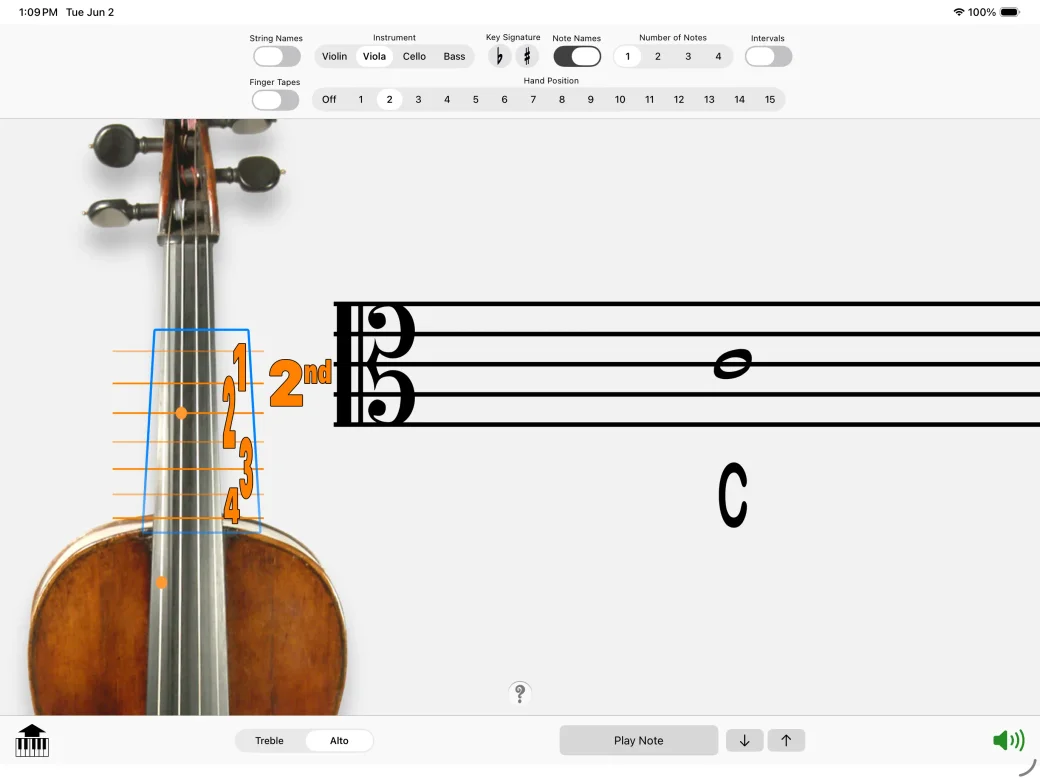
• Hand Positions: 15 positions on the Violin, 15 positions on the Viola, 16 positions on the Cello, and 12 Simandl positions or 6 Rabbath positions on the Double Bass.
• Display "beginner tape" on the fingerboard as well as string names and colors.
• Notate one to four notes in Treble, Alto, Tenor or Bass clef.
How to Use:
Pick a written note (touch the staff) and have the fingering displayed and concert pitch played on the piano.
Play a concert pitch on the piano, and have that pitch's fingering displayed and the transposed note written on the staff.
Written and concert pitches are the same for all but the double bass, which transposes, sounding an octave below what is written.
• Use the ‘Play' button(s) to repeatedly hear the note(s) being displayed.
Selecting a Pitch:
Using the Staff (transposed for the current instrument): Simply touch and slide up and down on the staff to select the note, slide to the right or left of the note for sharps and flats.
Using the Piano (concert pitch): drag in the area below the keyboard to move the keyboard, touch to play notes, touch & slide to change the pitch. When you glissando up the keyboard, notes will be notated as a raised value (sharps), when you glissando down, notes will be notated as lowered values (flats).
Use the up and down arrows to move chromatically up and down without touching the music staff or piano keyboard.
新機能
バージョン 8.0 · 2026/6/25
Support for Key Signatures to more easily find a fingering in the music you're working on.
Minor updates and stability improvements.
アプリのプライバシー
このアプリのデータの取り扱いについて、Patrick Q. KellyがApp Storeで申告している内容です。
-
データの収集なし
開発元はこのアプリからデータを収集しません。
プライバシーの取り扱いは、ご利用の機能やお客様の年齢などに応じて異なる場合があります。
情報
- 販売元
- Patrick Kelly
- カテゴリ
- ミュージック
- バージョン
- 8.0
- 更新日
- 2026/6/25
- リリース
- 2010/10/20
- サイズ
- 62.5 MB
- 必要条件
- iOS 26.0以降
- 対象年齢
- 4+
- 価格
- ¥600
- 言語
- 英語
- 著作権
- © 2010 - 2026 Patrick Q. Kelly. All Rights Reserved.
こちらもおすすめ
-
 SmartScales - Backing Tracksミュージック
-
 ヴァイオリン Vista: チューナーと練習指板図とイントネーション
-
 Cello Tuner - Simple Tunerミュージック
-
 Violy - Violin Demo & Practiceミュージック
-
 Dorico - 楽譜作成・作曲アプリ記譜・音楽スコアメーカ
-
 TonalEnergyチューナーとメトロノーム強力な練習ツール
-
 Newzik:楽譜読み取りアプリ「ニュージック」でいつでもどこからでも楽譜にアクセス
-
 バイオリンを学んで演奏 - tonestroレッスン、フィードバック、楽譜
-
 Halbestunde: 楽譜読み取り/楽譜スキャナー楽譜カメラ, 楽譜, 譜読みアプリ
-
 Sheet Music Directミュージック