
- Clasificación por edad4+
- CategoríaMúsica
- DesarrolladorPatrick Q. Kelly
- IdiomasInglés
- Tamaño62,5 MB
Enlaza a la página oficial de App Store
Download.org no aloja ningún archivo de Fingering Strings. El botón abre la página de la aplicación en App Store, donde la publica Patrick Q. Kelly. Ficha comprobada por última vez el 12/11/2026.
Capturas de pantalla
Acerca de
El desarrollador no ha proporcionado este texto en tu idioma.
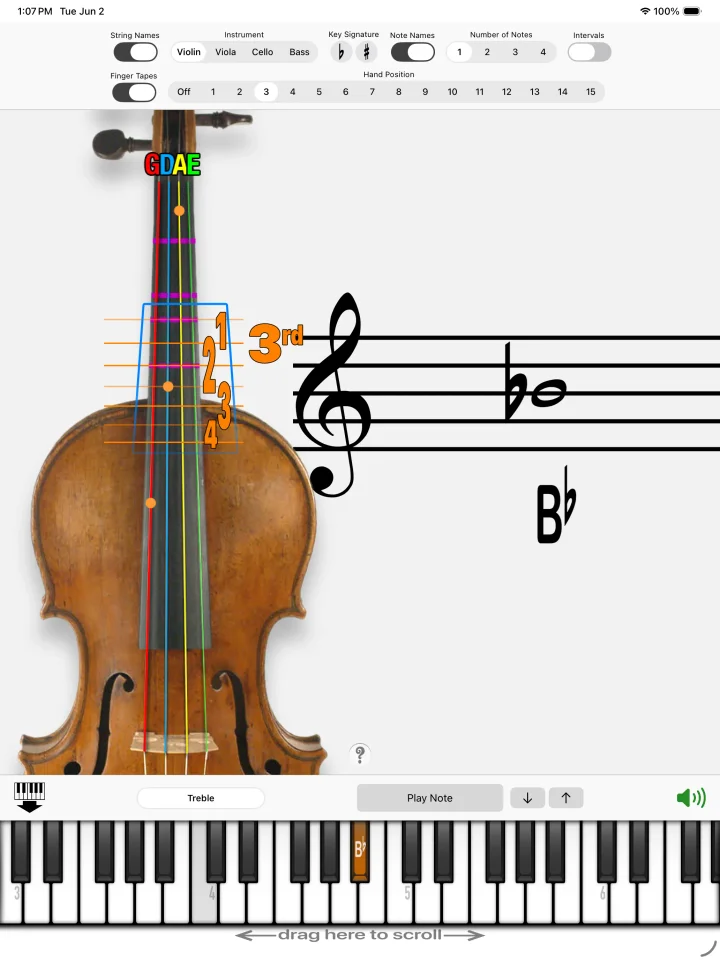
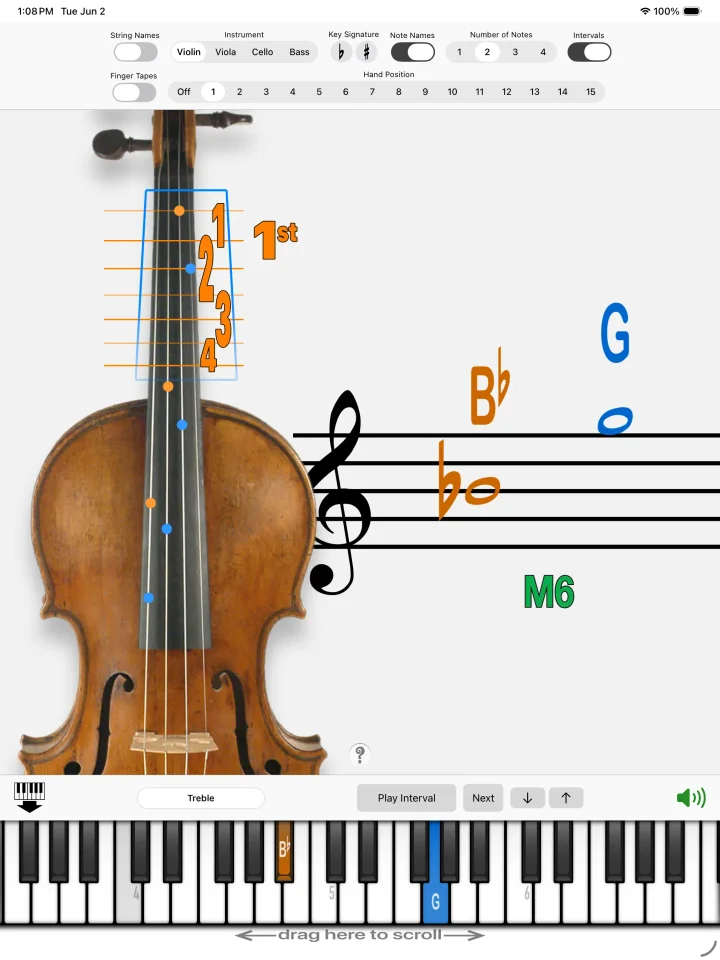
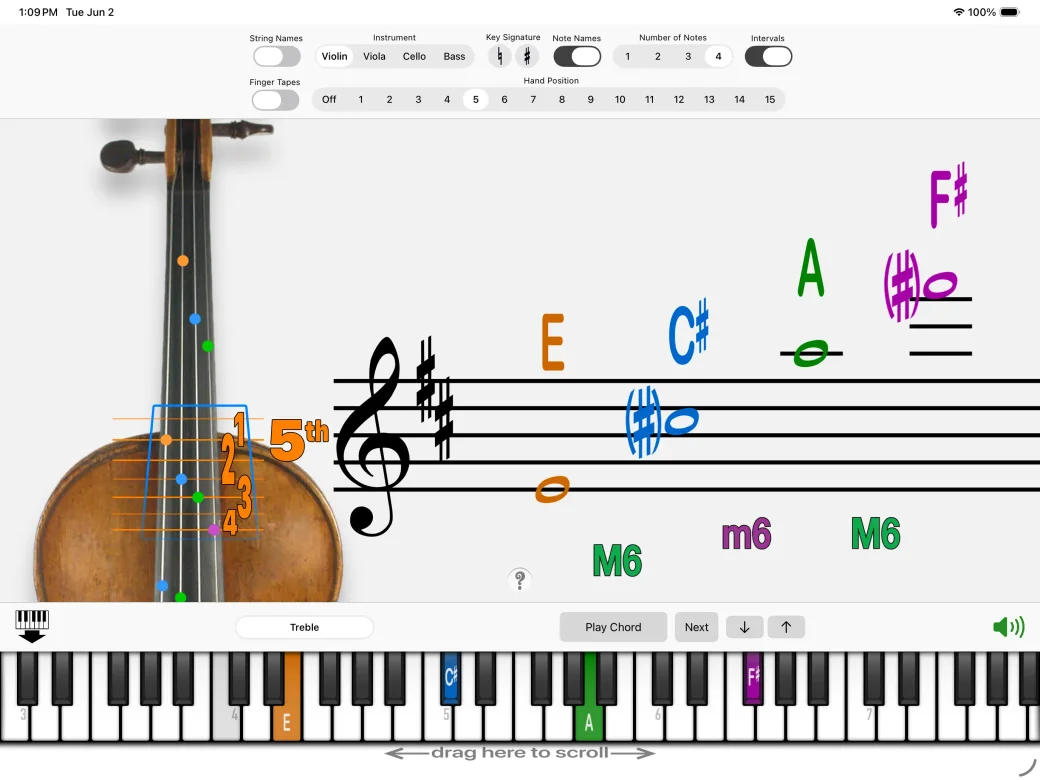
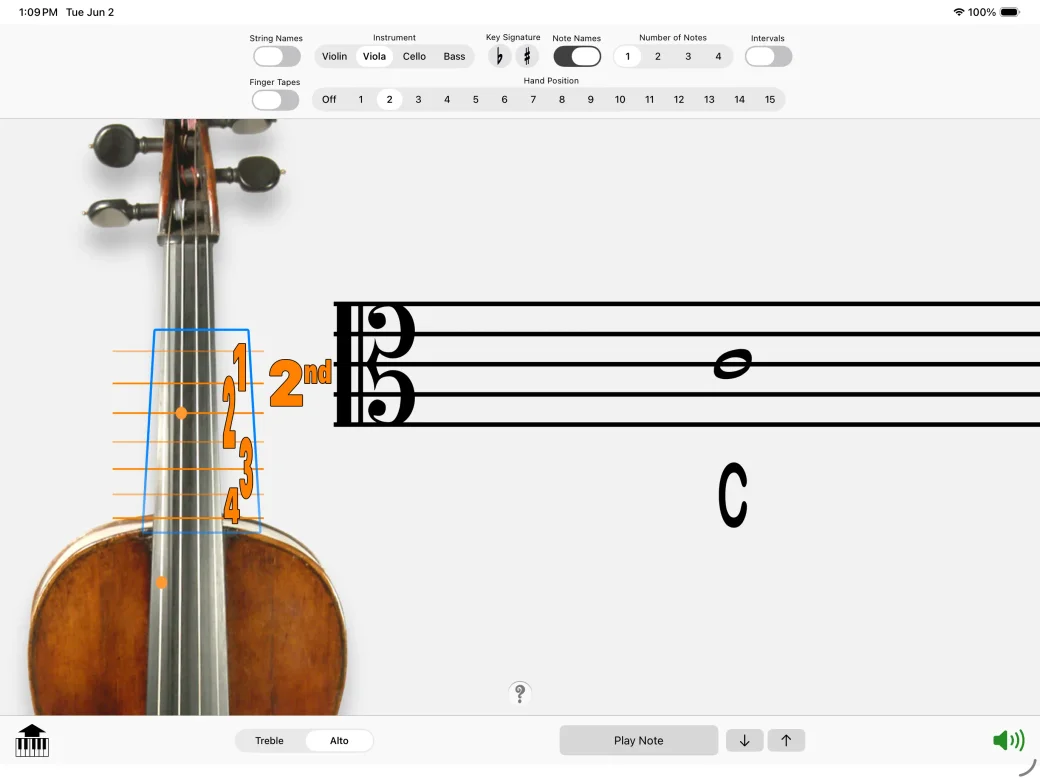
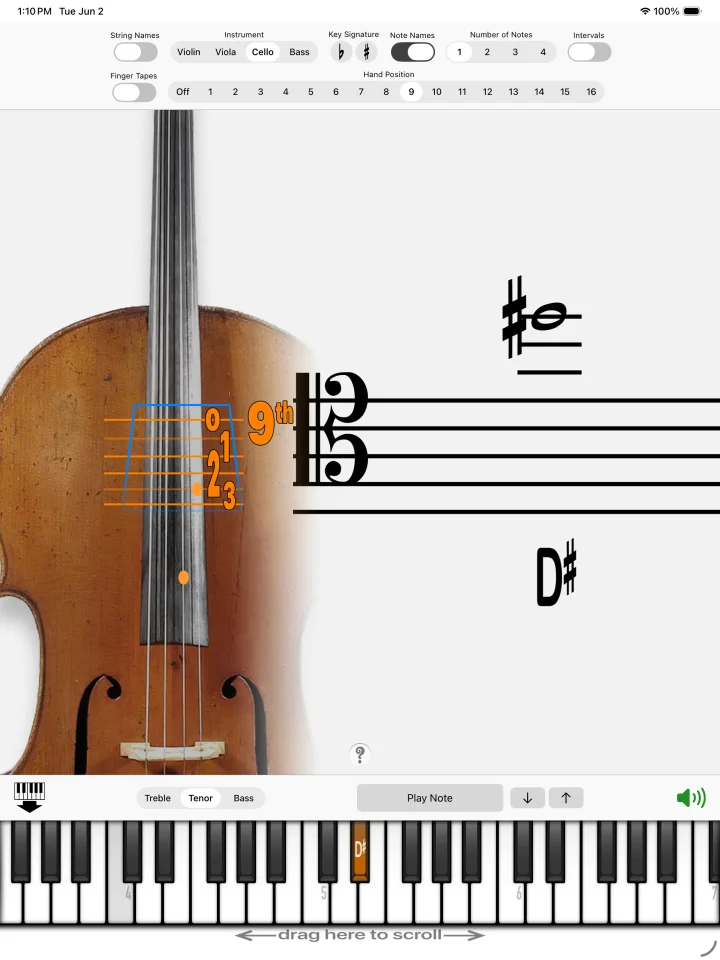
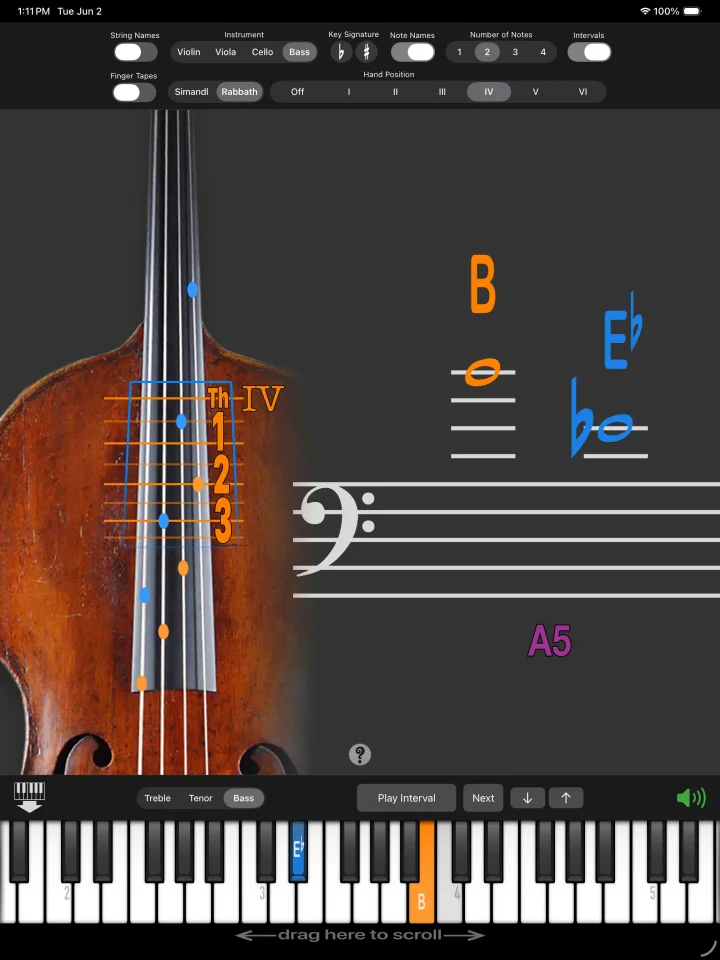
The highest rated and most comprehensive fingering guide available for Violin, Viola, Cello and Double Bass (Simandl and Rabbath positions). See up to 4 notes at the same time. Decide which hand position would be best for the interval or passage. See and hear the written note, interval, or chord on the piano.
Support for Key Signatures to more easily find a fingering in the music you're working on.
• Hand Positions: 15 positions on the Violin, 15 positions on the Viola, 16 positions on the Cello, and 12 Simandl positions or 6 Rabbath positions on the Double Bass.
• Display "beginner tape" on the fingerboard as well as string names and colors.
• Notate one to four notes in Treble, Alto, Tenor or Bass clef.
How to Use:
Pick a written note (touch the staff) and have the fingering displayed and concert pitch played on the piano.
Play a concert pitch on the piano, and have that pitch's fingering displayed and the transposed note written on the staff.
Written and concert pitches are the same for all but the double bass, which transposes, sounding an octave below what is written.
• Use the ‘Play' button(s) to repeatedly hear the note(s) being displayed.
Selecting a Pitch:
Using the Staff (transposed for the current instrument): Simply touch and slide up and down on the staff to select the note, slide to the right or left of the note for sharps and flats.
Using the Piano (concert pitch): drag in the area below the keyboard to move the keyboard, touch to play notes, touch & slide to change the pitch. When you glissando up the keyboard, notes will be notated as a raised value (sharps), when you glissando down, notes will be notated as lowered values (flats).
Use the up and down arrows to move chromatically up and down without touching the music staff or piano keyboard.
Novedades
Versión 8.0 · 25/6/2026
Support for Key Signatures to more easily find a fingering in the music you're working on.
Minor updates and stability improvements.
Privacidad de la aplicación
Lo que Patrick Q. Kelly declara en App Store sobre cómo esta aplicación gestiona los datos.
-
No se recopilan datos
El desarrollador no recopila ningún dato de esta aplicación.
Las prácticas de privacidad pueden variar, por ejemplo, según las funciones que uses o tu edad.
Información
- Vendedor
- Patrick Kelly
- Categoría
- Música
- Versión
- 8.0
- Actualizado
- 25/6/2026
- Publicado
- 20/10/2010
- Tamaño
- 62,5 MB
- Requiere
- iOS 26.0 o posterior
- Clasificación por edad
- 4+
- Precio
- 3,99 €
- Idiomas
- Inglés
- Copyright
- © 2010 - 2026 Patrick Q. Kelly. All Rights Reserved.
Quizá también te guste
-
 SmartScales - Backing TracksMúsica
-
 Violín Vista: Afinador/Práct.Diagramas y entonación
-
 Cello Tuner - Simple TunerMúsica
-
 Violy - Violin Demo & PracticeMúsica
-
 Dorico - Compose MusicMusic Notation & Score Creator
-
 TonalEnergy Afinador y MetrónoFerramentas Musicais
-
 Newzik: Lector de partiturasTu música en un solo lugar
-
 Aprende violín - tonestroLecciones, Feedback, Canciones
-
 Halbestunde Sheet Music ReaderLearn to Play Notes & Scores
-
 Sheet Music DirectPremium scores & music notes