
Fingering Strings
Interactive Fingering Guide
iPad için tasarlandı
₺199,99
- Yaş sınırı4+
- KategoriMüzik
- GeliştiriciPatrick Q. Kelly
- Dillerİngilizce
- Boyut62,5 MB
Resmi App Store sayfasına bağlanır
Download.org, Fingering Strings için hiçbir dosya barındırmaz. Düğme, uygulamanın App Store üzerindeki sayfasını açar; uygulamayı orada Patrick Q. Kelly yayınlar. Sayfanın son kontrolü: 12.11.2026.
Ekran görüntüleri
Hakkında
Geliştirici bu metni dilinizde sunmamış.
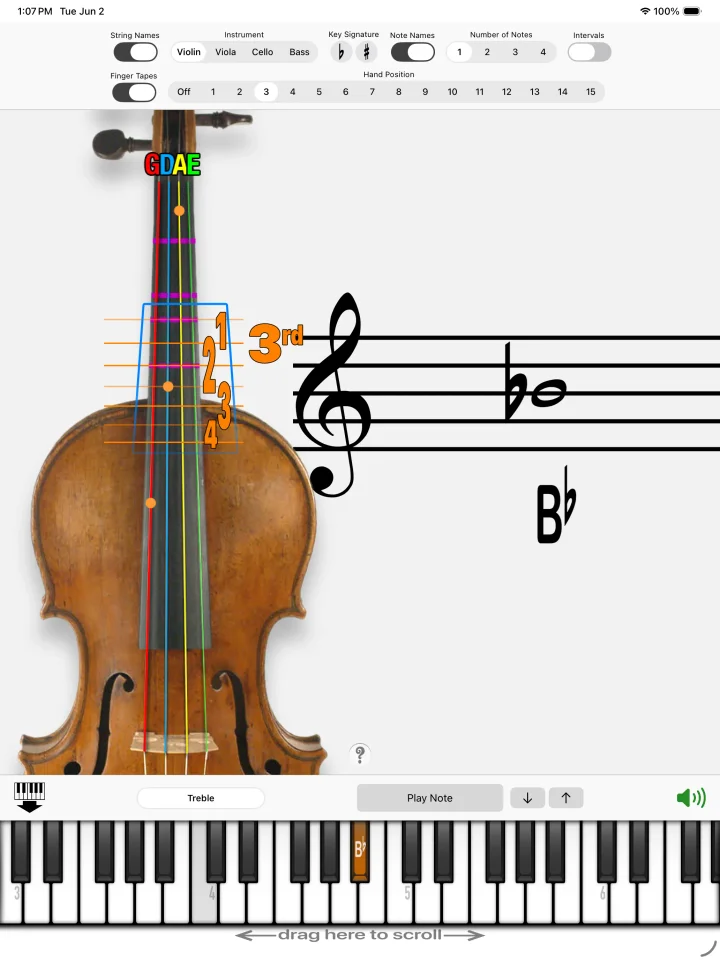
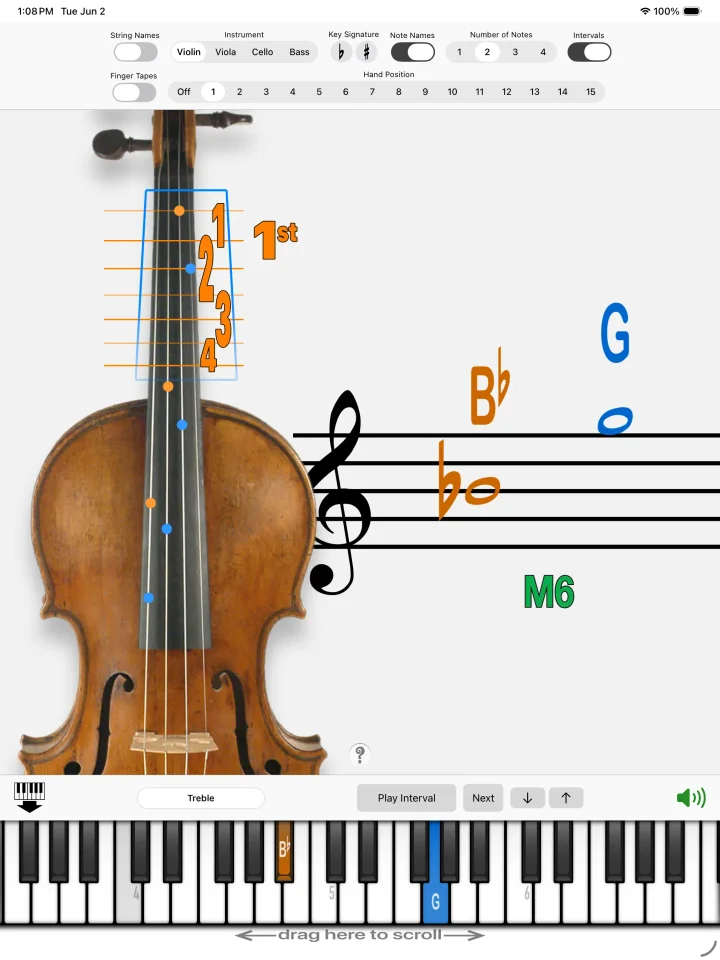
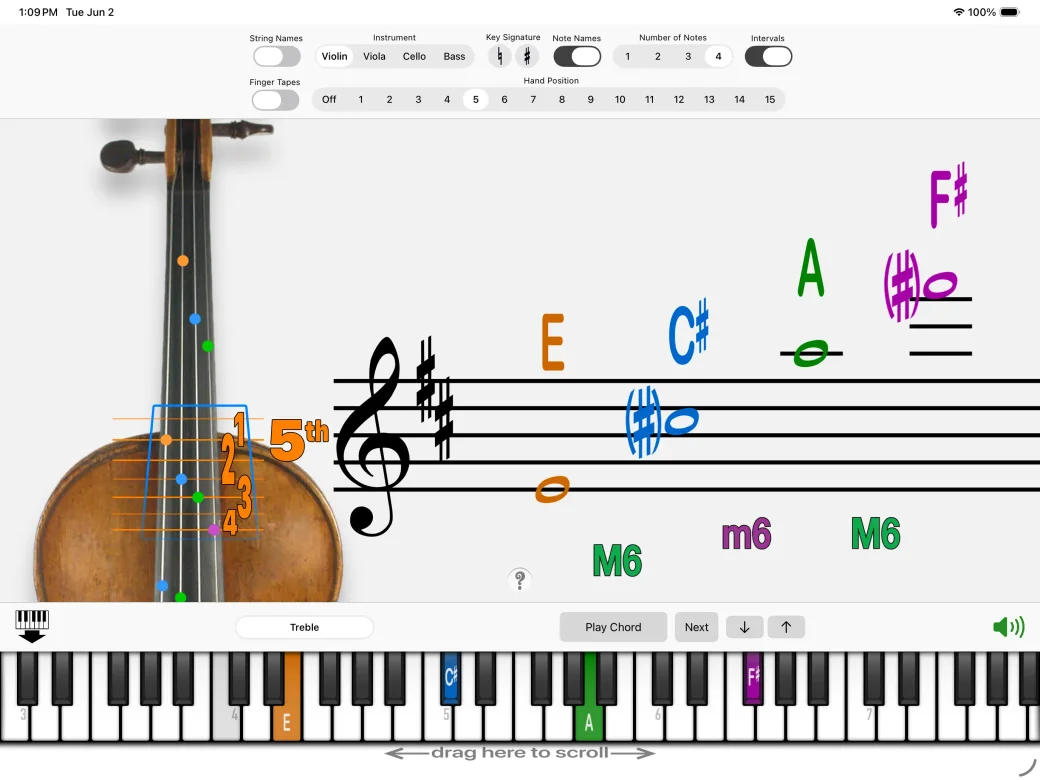
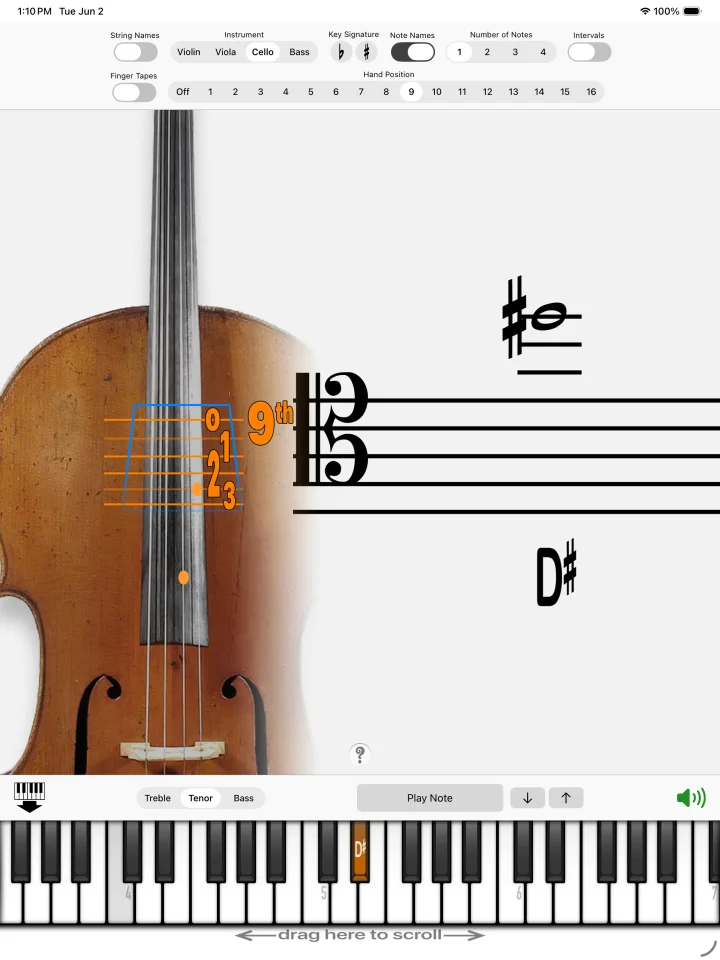
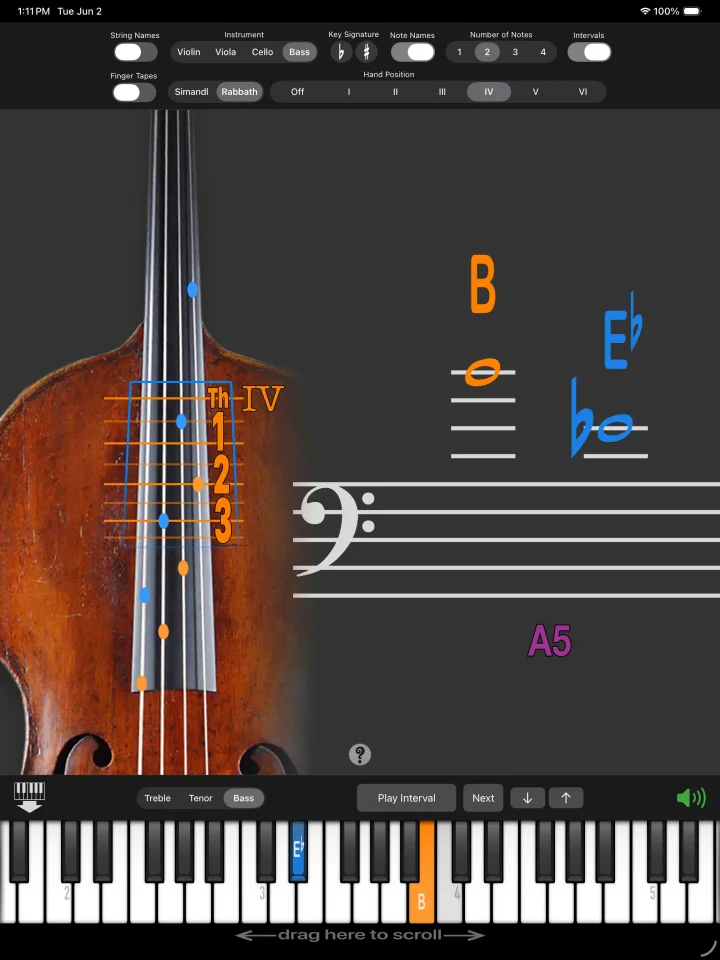
The highest rated and most comprehensive fingering guide available for Violin, Viola, Cello and Double Bass (Simandl and Rabbath positions). See up to 4 notes at the same time. Decide which hand position would be best for the interval or passage. See and hear the written note, interval, or chord on the piano.
Support for Key Signatures to more easily find a fingering in the music you're working on.
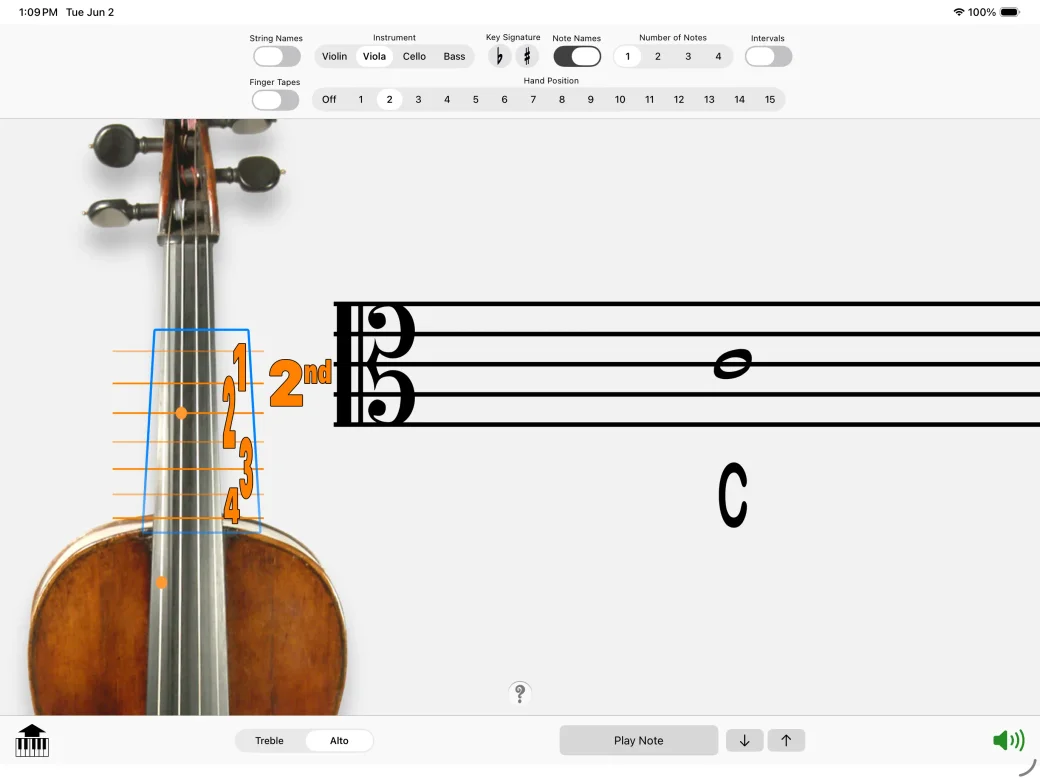
• Hand Positions: 15 positions on the Violin, 15 positions on the Viola, 16 positions on the Cello, and 12 Simandl positions or 6 Rabbath positions on the Double Bass.
• Display "beginner tape" on the fingerboard as well as string names and colors.
• Notate one to four notes in Treble, Alto, Tenor or Bass clef.
How to Use:
Pick a written note (touch the staff) and have the fingering displayed and concert pitch played on the piano.
Play a concert pitch on the piano, and have that pitch's fingering displayed and the transposed note written on the staff.
Written and concert pitches are the same for all but the double bass, which transposes, sounding an octave below what is written.
• Use the ‘Play' button(s) to repeatedly hear the note(s) being displayed.
Selecting a Pitch:
Using the Staff (transposed for the current instrument): Simply touch and slide up and down on the staff to select the note, slide to the right or left of the note for sharps and flats.
Using the Piano (concert pitch): drag in the area below the keyboard to move the keyboard, touch to play notes, touch & slide to change the pitch. When you glissando up the keyboard, notes will be notated as a raised value (sharps), when you glissando down, notes will be notated as lowered values (flats).
Use the up and down arrows to move chromatically up and down without touching the music staff or piano keyboard.
Yenilikler
Sürüm 8.0 · 25.06.2026
Support for Key Signatures to more easily find a fingering in the music you're working on.
Minor updates and stability improvements.
Uygulama gizliliği
Bu uygulamanın verileri nasıl işlediği hakkında Patrick Q. Kelly tarafından App Store üzerinde yapılan beyan.
-
Veri toplanmıyor
Geliştirici bu uygulamadan hiçbir veri toplamıyor.
Gizlilik uygulamaları, örneğin kullandığınız özelliklere veya yaşınıza göre değişiklik gösterebilir.
Bilgiler
- Satıcı
- Patrick Kelly
- Kategori
- Müzik
- Sürüm
- 8.0
- Güncellendi
- 25.06.2026
- Yayın tarihi
- 20.10.2010
- Boyut
- 62,5 MB
- Gereksinim
- iOS 26.0 veya sonrası
- Yaş sınırı
- 4+
- Fiyat
- ₺199,99
- Diller
- İngilizce
- Telif hakkı
- © 2010 - 2026 Patrick Q. Kelly. All Rights Reserved.
Bunları da beğenebilirsiniz
-
 SmartScales - Backing TracksMüzik
-
 Violin Vista: Tuner & PracticeMüzik
-
 Cello Tuner - Simple TunerMüzik
-
 Violy - Violin Demo & PracticeMüzik
-
 Dorico - Compose MusicMüzik
-
 TonalEnergy Tuner & MetronomeMüzik
-
 Newzik: Sheet Music ReaderMüzik
-
 Keman Öğren ve Çal - tonestroDersler, Geribildirim, Notalar
-
 Sheet Music Reader HalbestundeMüzik
-
 Sheet Music DirectMüzik