
- Batasan usia4+
- KategoriMusik
- PengembangPatrick Q. Kelly
- BahasaInggris
- Ukuran62,5 MB
Tertaut ke halaman resmi App Store
Download.org tidak menyimpan file Fingering Strings apa pun. Tombol ini membuka halaman aplikasi di App Store, tempat Patrick Q. Kelly menerbitkannya. Halaman terakhir diperiksa pada 12/11/2026.
Tangkapan layar
Tentang
Pengembang belum menyediakan teks ini dalam bahasa Anda.
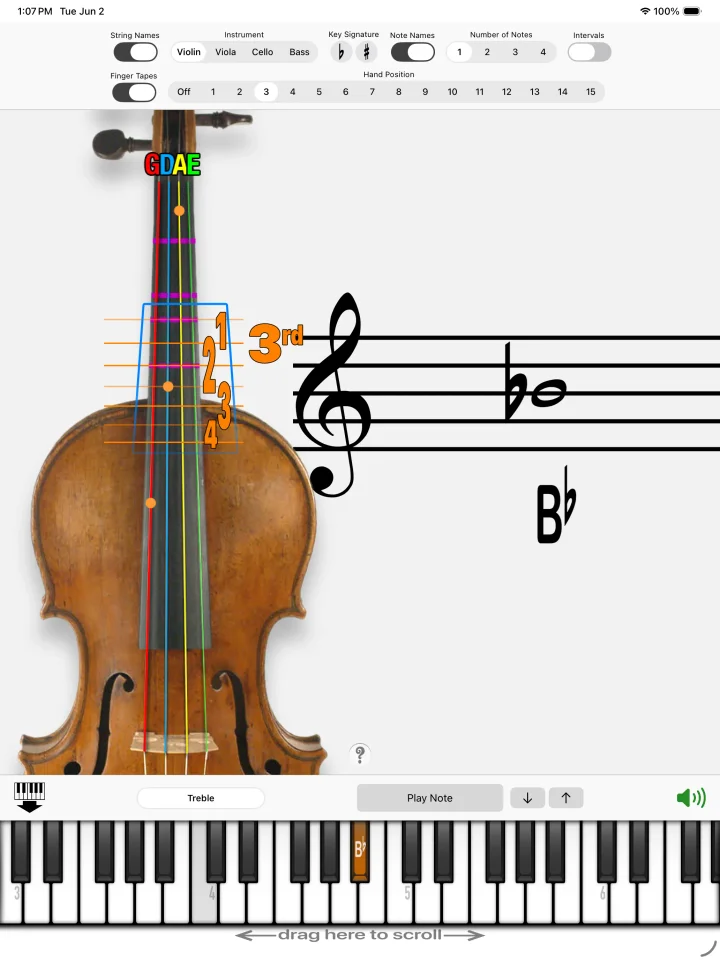
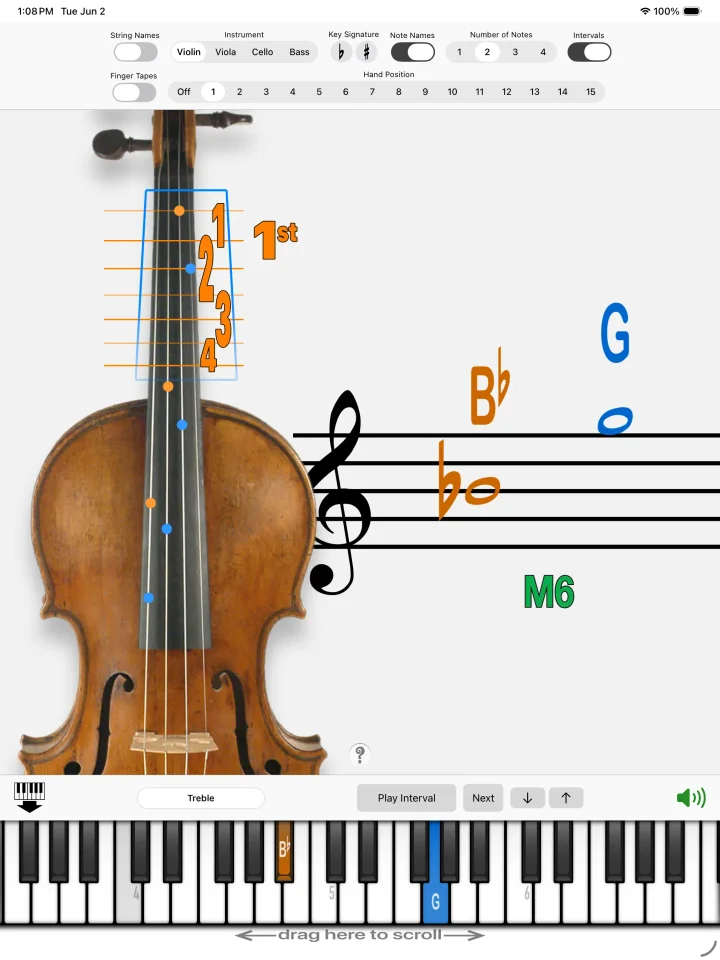
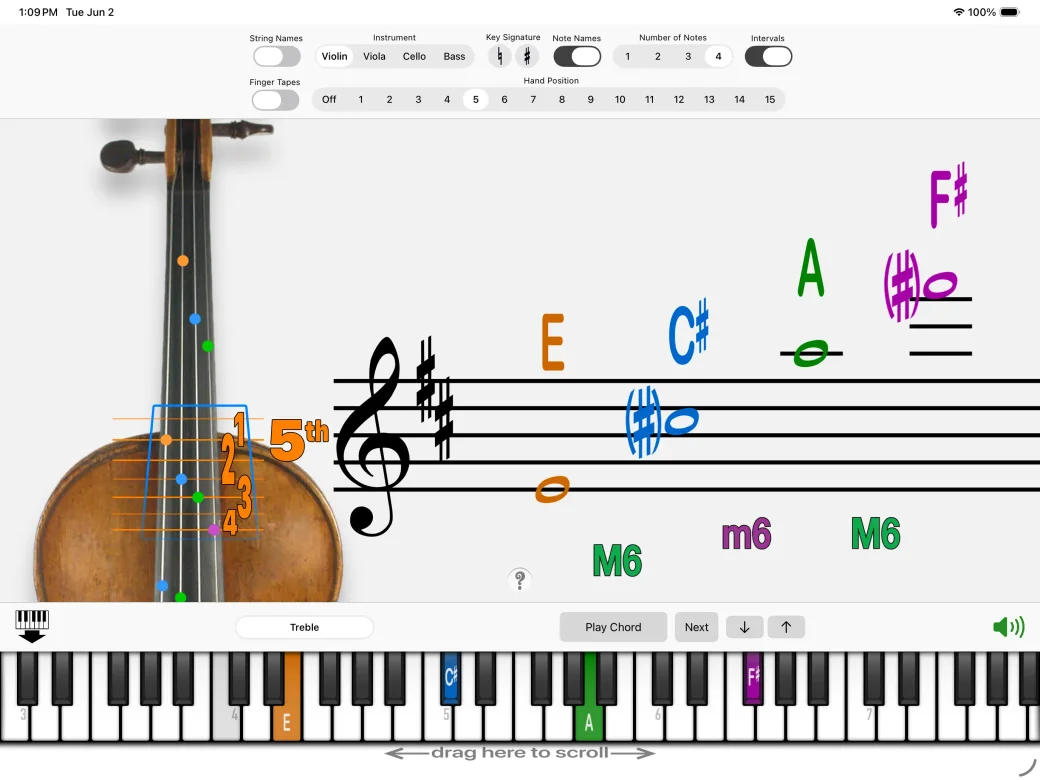
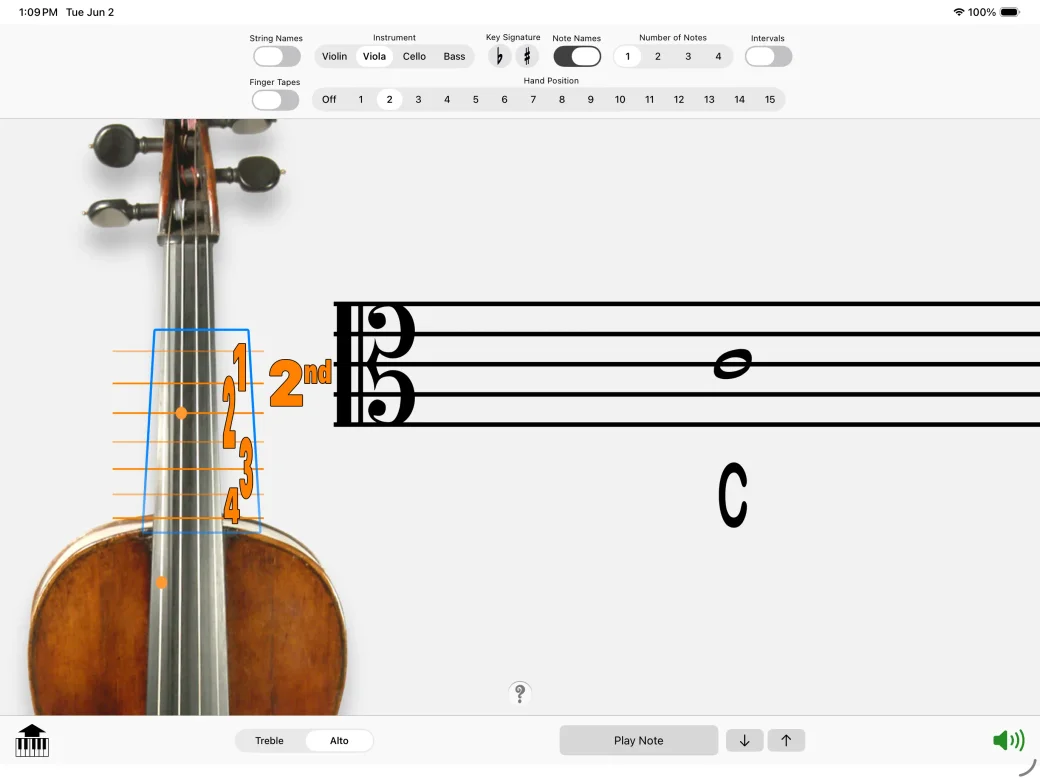
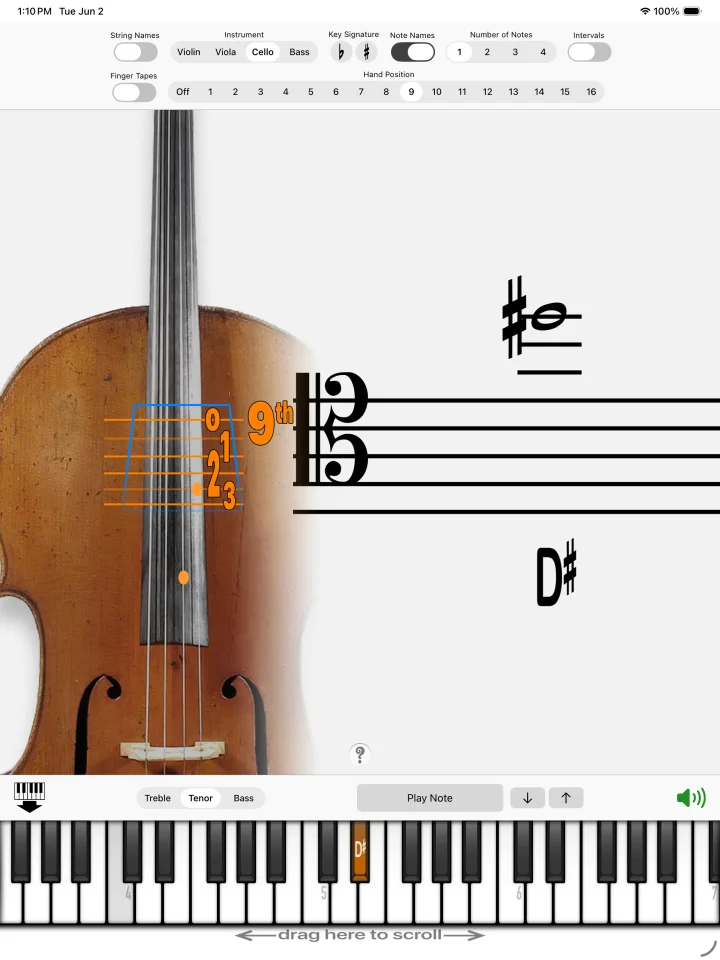
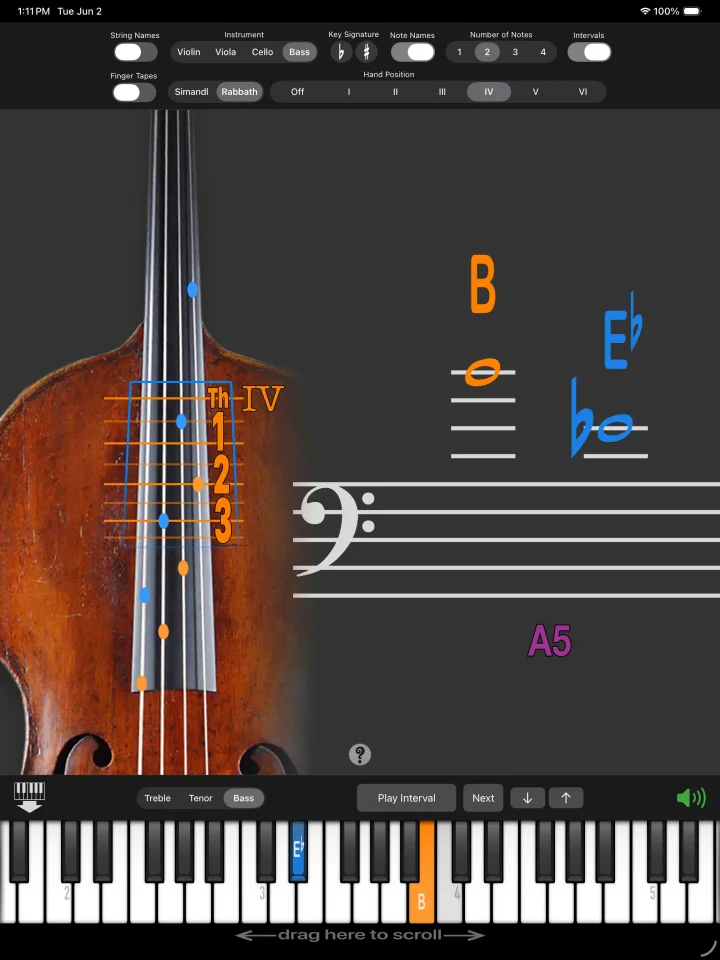
The highest rated and most comprehensive fingering guide available for Violin, Viola, Cello and Double Bass (Simandl and Rabbath positions). See up to 4 notes at the same time. Decide which hand position would be best for the interval or passage. See and hear the written note, interval, or chord on the piano.
Support for Key Signatures to more easily find a fingering in the music you're working on.
• Hand Positions: 15 positions on the Violin, 15 positions on the Viola, 16 positions on the Cello, and 12 Simandl positions or 6 Rabbath positions on the Double Bass.
• Display "beginner tape" on the fingerboard as well as string names and colors.
• Notate one to four notes in Treble, Alto, Tenor or Bass clef.
How to Use:
Pick a written note (touch the staff) and have the fingering displayed and concert pitch played on the piano.
Play a concert pitch on the piano, and have that pitch's fingering displayed and the transposed note written on the staff.
Written and concert pitches are the same for all but the double bass, which transposes, sounding an octave below what is written.
• Use the ‘Play' button(s) to repeatedly hear the note(s) being displayed.
Selecting a Pitch:
Using the Staff (transposed for the current instrument): Simply touch and slide up and down on the staff to select the note, slide to the right or left of the note for sharps and flats.
Using the Piano (concert pitch): drag in the area below the keyboard to move the keyboard, touch to play notes, touch & slide to change the pitch. When you glissando up the keyboard, notes will be notated as a raised value (sharps), when you glissando down, notes will be notated as lowered values (flats).
Use the up and down arrows to move chromatically up and down without touching the music staff or piano keyboard.
Yang baru
Versi 8.0 · 25/6/2026
Support for Key Signatures to more easily find a fingering in the music you're working on.
Minor updates and stability improvements.
Privasi aplikasi
Yang dinyatakan Patrick Q. Kelly di App Store tentang cara aplikasi ini menangani data.
-
Data tidak dikumpulkan
Pengembang tidak mengumpulkan data apa pun dari aplikasi ini.
Praktik privasi dapat bervariasi, misalnya berdasarkan fitur yang Anda gunakan atau usia Anda.
Informasi
- Penjual
- Patrick Kelly
- Kategori
- Musik
- Versi
- 8.0
- Diperbarui
- 25/6/2026
- Dirilis
- 20/10/2010
- Ukuran
- 62,5 MB
- Memerlukan
- iOS 26.0 atau yang lebih baru
- Batasan usia
- 4+
- Harga
- Rp 79ribu
- Bahasa
- Inggris
- Hak cipta
- © 2010 - 2026 Patrick Q. Kelly. All Rights Reserved.
Mungkin Anda juga suka
-
 SmartScales - Backing TracksMusik
-
 Violin Vista: Tuner & LatihanDiagram jari & intonasi
-
 Cello Tuner - Simple TunerMusik
-
 Violy - Violin Demo & PracticeMusik
-
 Dorico - Compose MusicMusik
-
 TonalEnergy Tuner & MetronomeMusik
-
 Newzik: Sheet Music ReaderMusik
-
 Learn & Play Violin - tonestroMusik
-
 Sheet Music Reader HalbestundeMusik
-
 Sheet Music DirectMusik