
- Độ tuổi4+
- Danh mụcNhạc
- Nhà phát triểnPatrick Q. Kelly
- Ngôn ngữTiếng Anh
- Kích thước62,5 MB
Liên kết đến trang App Store chính thức
Download.org không lưu trữ tệp nào của Fingering Strings. Nút này mở trang ứng dụng trên App Store, nơi Patrick Q. Kelly phát hành ứng dụng. Trang được kiểm tra lần cuối: 12/11/2026.
Ảnh chụp màn hình
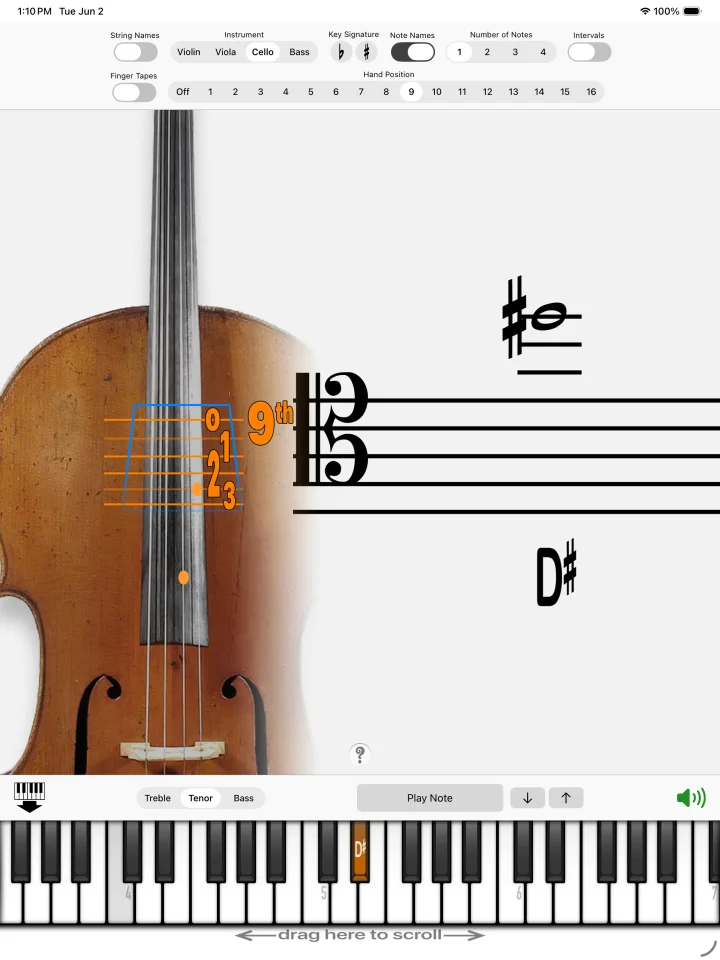
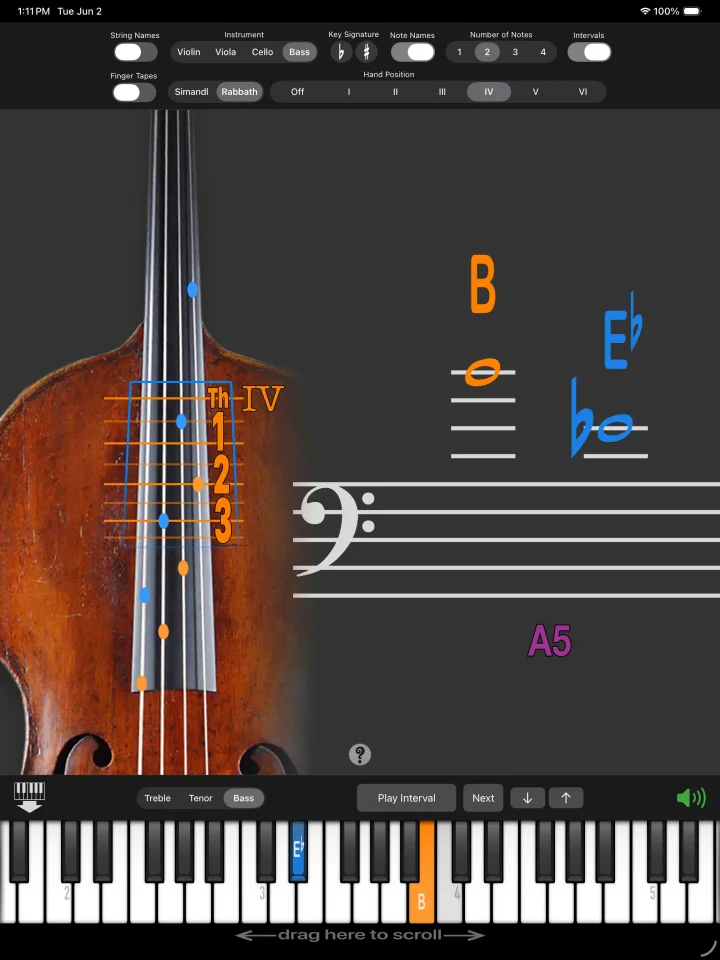
Giới thiệu
Nhà phát triển chưa cung cấp nội dung này bằng ngôn ngữ của bạn.
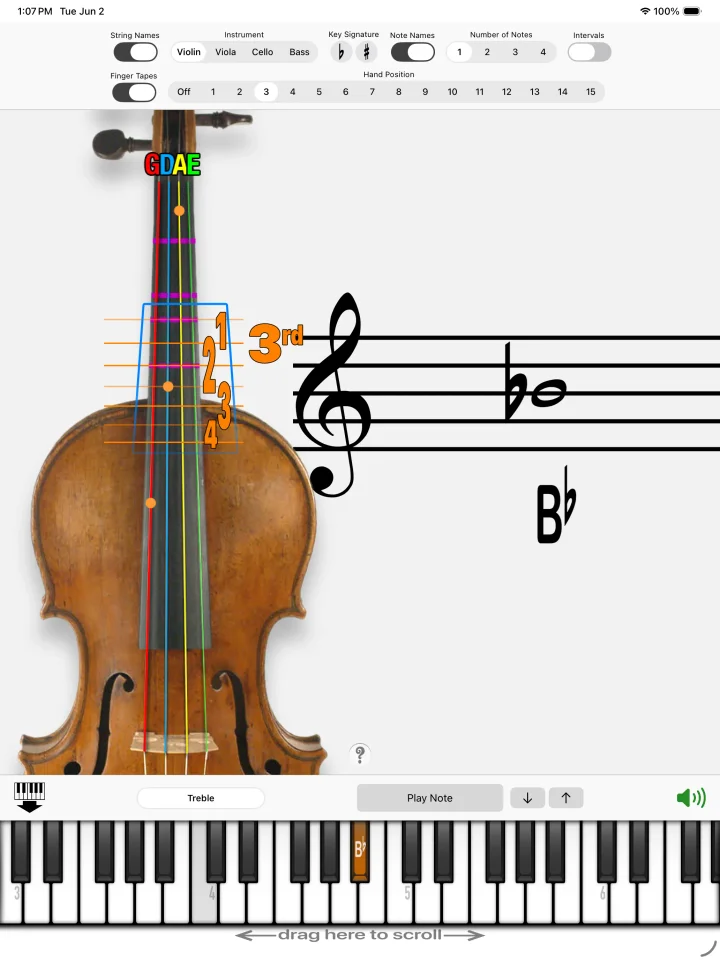
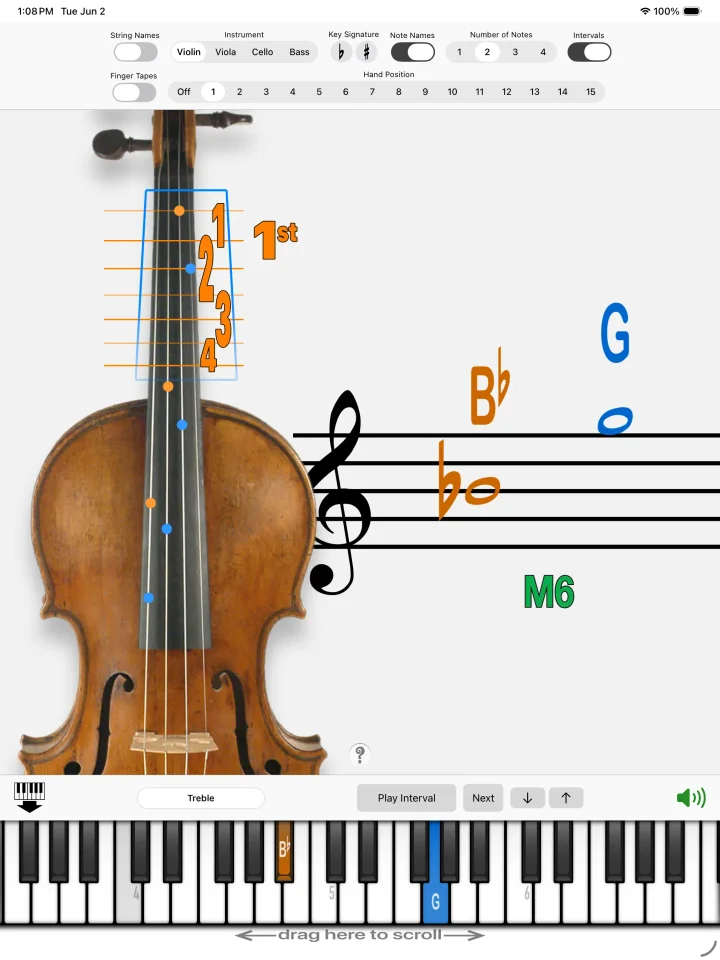
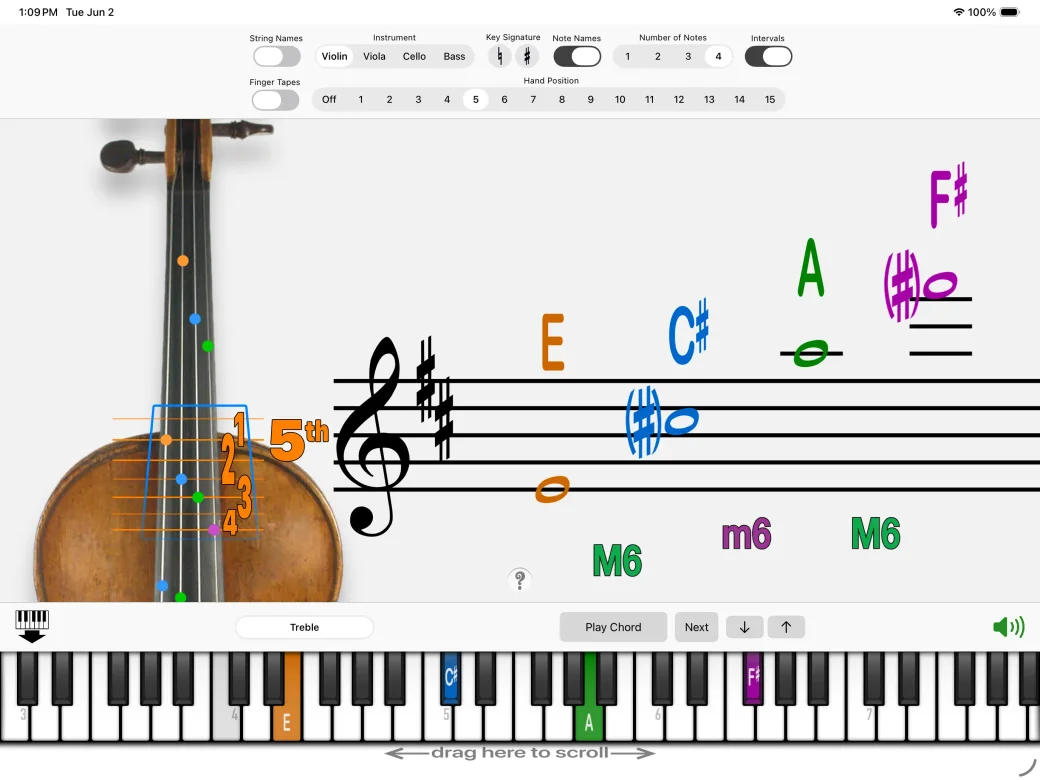
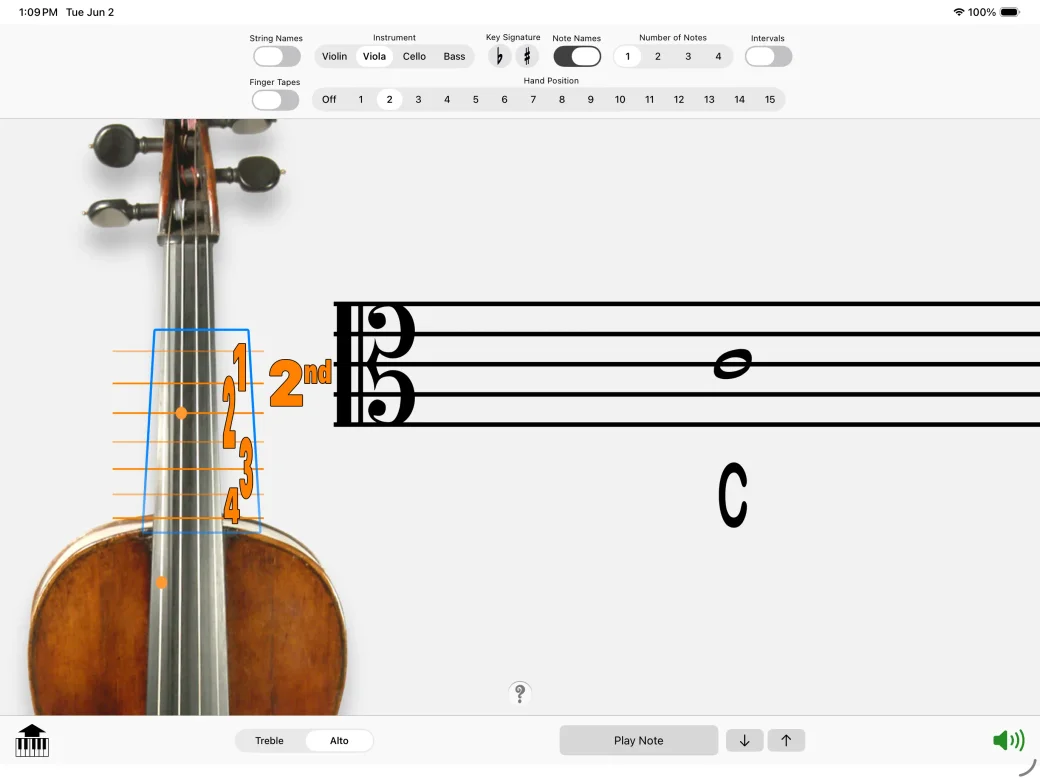
The highest rated and most comprehensive fingering guide available for Violin, Viola, Cello and Double Bass (Simandl and Rabbath positions). See up to 4 notes at the same time. Decide which hand position would be best for the interval or passage. See and hear the written note, interval, or chord on the piano.
Support for Key Signatures to more easily find a fingering in the music you're working on.
• Hand Positions: 15 positions on the Violin, 15 positions on the Viola, 16 positions on the Cello, and 12 Simandl positions or 6 Rabbath positions on the Double Bass.
• Display "beginner tape" on the fingerboard as well as string names and colors.
• Notate one to four notes in Treble, Alto, Tenor or Bass clef.
How to Use:
Pick a written note (touch the staff) and have the fingering displayed and concert pitch played on the piano.
Play a concert pitch on the piano, and have that pitch's fingering displayed and the transposed note written on the staff.
Written and concert pitches are the same for all but the double bass, which transposes, sounding an octave below what is written.
• Use the ‘Play' button(s) to repeatedly hear the note(s) being displayed.
Selecting a Pitch:
Using the Staff (transposed for the current instrument): Simply touch and slide up and down on the staff to select the note, slide to the right or left of the note for sharps and flats.
Using the Piano (concert pitch): drag in the area below the keyboard to move the keyboard, touch to play notes, touch & slide to change the pitch. When you glissando up the keyboard, notes will be notated as a raised value (sharps), when you glissando down, notes will be notated as lowered values (flats).
Use the up and down arrows to move chromatically up and down without touching the music staff or piano keyboard.
Có gì mới
Phiên bản 8.0 · 25/06/2026
Support for Key Signatures to more easily find a fingering in the music you're working on.
Minor updates and stability improvements.
Quyền riêng tư của ứng dụng
Những gì Patrick Q. Kelly khai báo trên App Store về cách ứng dụng này xử lý dữ liệu.
-
Dữ liệu không được thu thập
Nhà phát triển không thu thập bất kỳ dữ liệu nào từ ứng dụng này.
Phương thức đảm bảo quyền riêng tư có thể khác nhau, chẳng hạn như tuỳ theo các tính năng bạn sử dụng hoặc độ tuổi của bạn.
Thông tin
- Người bán
- Patrick Kelly
- Danh mục
- Nhạc
- Phiên bản
- 8.0
- Cập nhật
- 25/06/2026
- Phát hành
- 20/10/2010
- Kích thước
- 62,5 MB
- Yêu cầu
- iOS 26.0 trở lên
- Độ tuổi
- 4+
- Giá
- 119.000đ
- Ngôn ngữ
- Tiếng Anh
- Bản quyền
- © 2010 - 2026 Patrick Q. Kelly. All Rights Reserved.
Có thể bạn cũng thích
-
 SmartScales - Backing TracksNhạc
-
 Violin Vista: Bộ chỉnh & LuyệnCác thế bấm & cao độ
-
 Cello Tuner - Simple TunerNhạc
-
 Violy - Violin Demo & PracticeNhạc
-
 Dorico - Compose MusicNhạc
-
 TonalEnergy Tuner & MetronomeNhạc
-
 Newzik: Sheet Music ReaderNhạc
-
 Learn & Play Violin - tonestroNhạc
-
 Sheet Music Reader HalbestundeNhạc
-
 Sheet Music DirectNhạc