Keylet: 2FA Authenticator
TOTP, Passkey & Code Vault
Entwickelt für iPhone
Kostenlos · In-App-Käufe
- Altersfreigabe4+
- KategorieDienstprogramme
- EntwicklerStudio Fifteen
- SprachenEnglisch+ 12 weitere
- Größe107,7 MB
Verlinkt auf die offizielle App Store-Seite
Download.org hostet keine Datei von Keylet: 2FA Authenticator. Die Schaltfläche öffnet die App-Seite bei App Store, wo Studio Fifteen die App veröffentlicht. Eintrag zuletzt geprüft am 20.11.2026.
Screenshots




Info
Der Entwickler hat diesen Text nicht in Ihrer Sprache bereitgestellt.
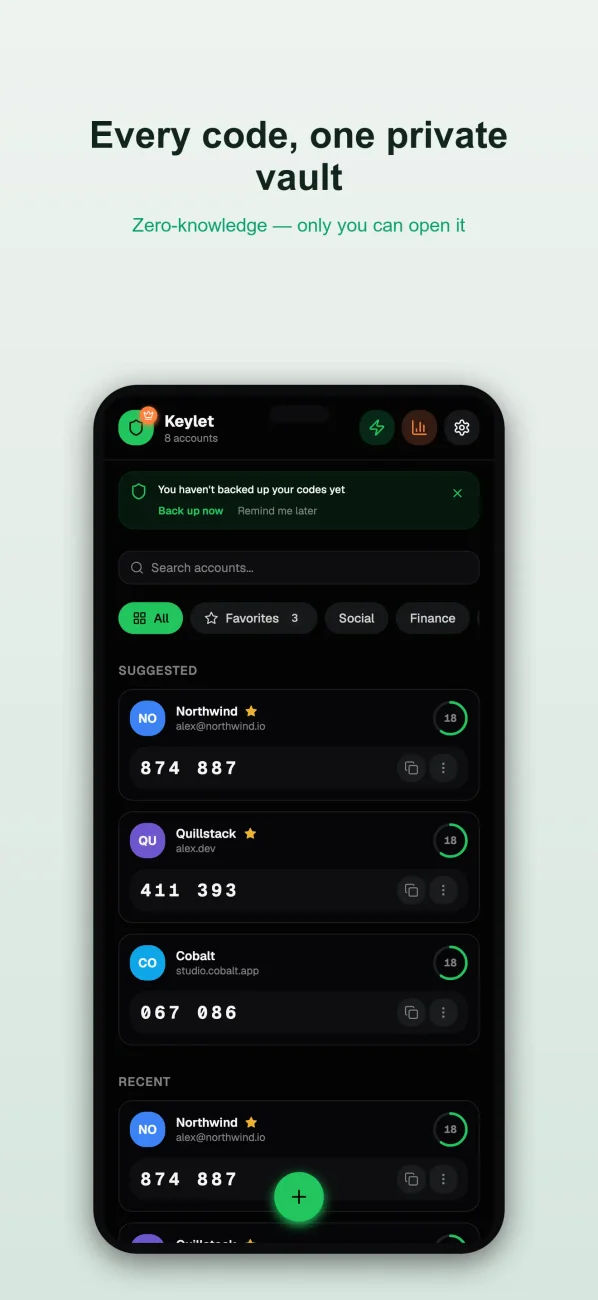
Keylet is the privacy-first authenticator that fills your 2FA codes right above the keyboard — without opening the app, and without ever showing a code on screen.
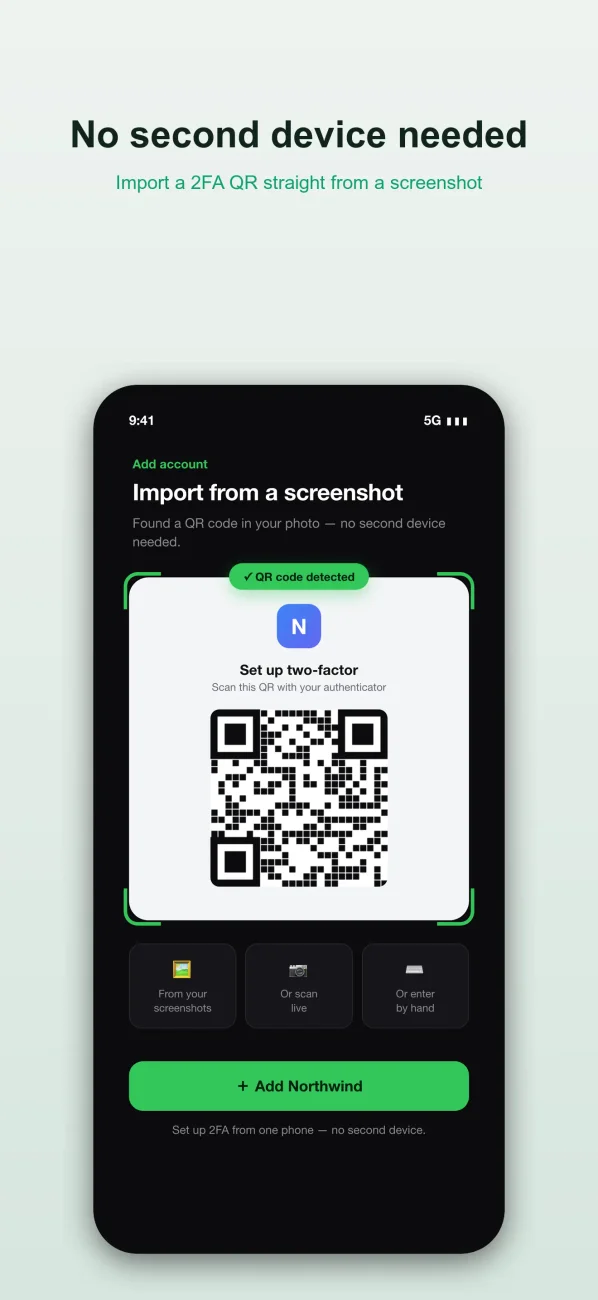
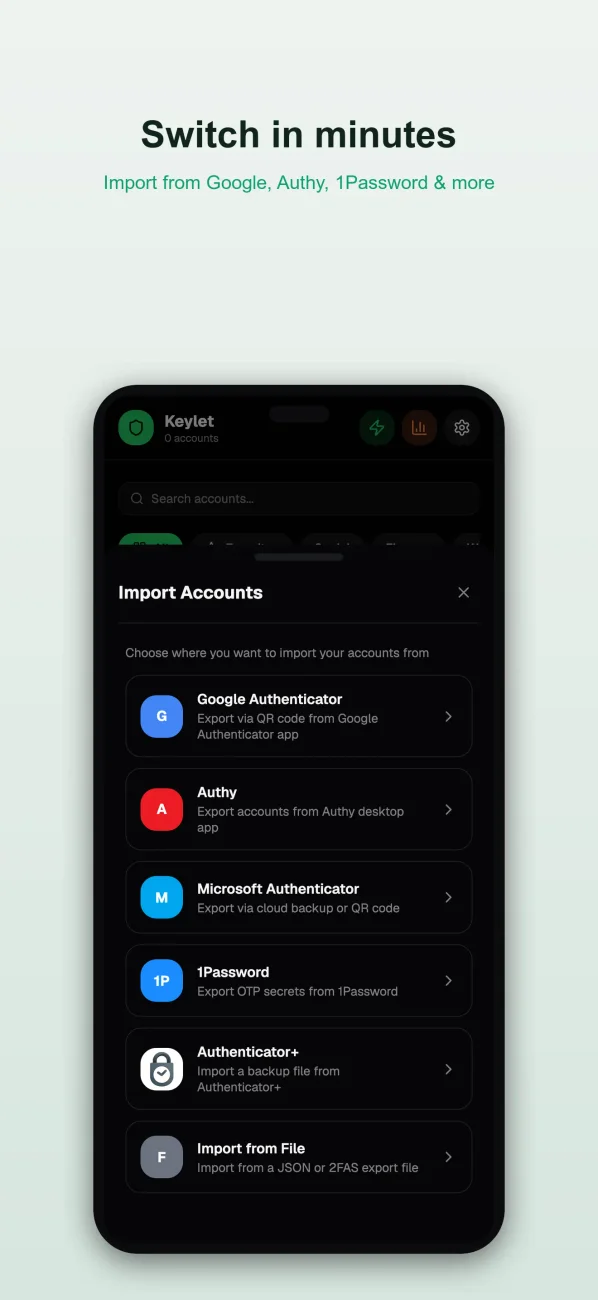
From the makers of Authenticator+ — and switching is effortless. Import your accounts in seconds, straight from Authenticator+, Google Authenticator, Authy, Microsoft, 1Password and more — or even from a single screenshot, with no second device needed.
Your secrets never leave your phone. Everything lives in an encrypted, zero-knowledge vault (AES-256-GCM) that only you can open. No account. No cloud. No tracking. No ads.
WHY KEYLET
• AutoFill, done right — tap a verification-code field and Keylet offers the right code. It fills it; it never displays it. Nothing to shoulder-surf.
• Import in seconds — from Authenticator+, Google Authenticator, Authy, Microsoft, 1Password, a backup file, or a screenshot. No second device required.
• Multiple vaults — keep work and personal completely separate, each encrypted on its own.
• Encrypted sharing — hand a code to someone you trust over end-to-end encryption, with a self-destructing expiry.
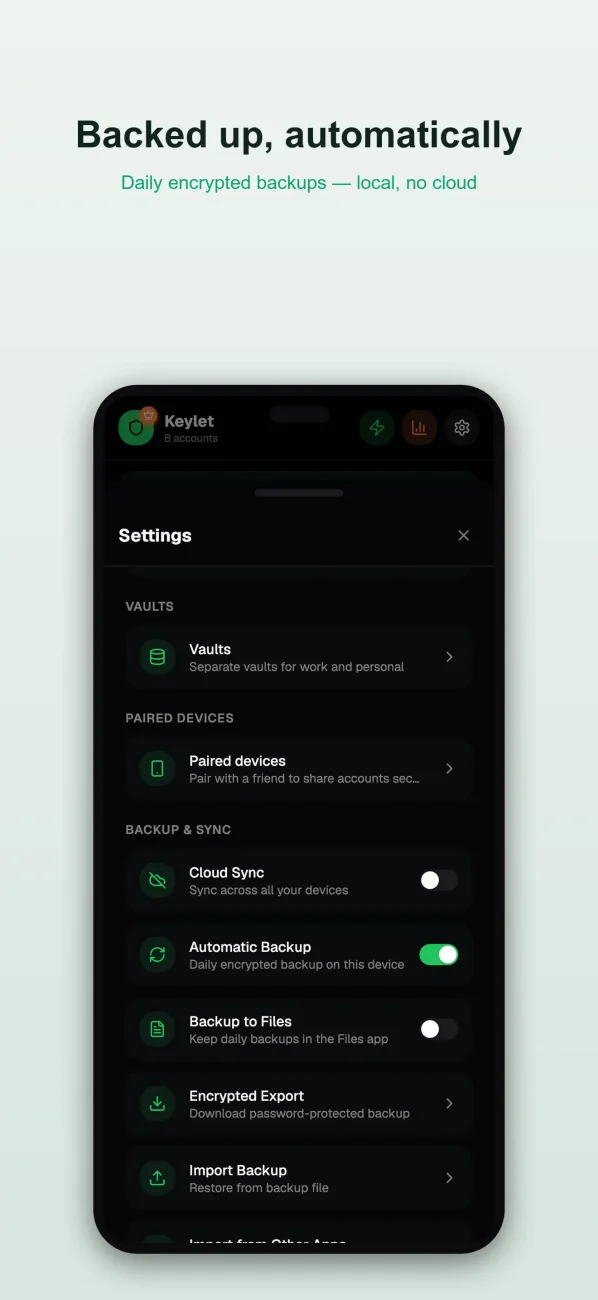
• Backed up, safely — automatic daily encrypted backups on your device, plus password-protected export. No cloud needed.
• Yours to organise — biometric lock per account, categories, recovery keys and home-screen widgets.
• No ads. Ever. Unlimited accounts, free.
Keylet keeps your second factor exactly where it belongs: in your hands, encrypted, and out of sight.
Terms of Use (EULA): https://www.apple.com/legal/internet-services/itunes/dev/stdeula/
Privacy Policy: https://studiofifteen.nl/app/keylet/privacy
Neue Funktionen
Version 2026.7.20 · 22.07.2026
• Bigger code digits — pick from three sizes in Appearance.
• Prefer the account name first? Swap how issuer and label are shown.
• AutoFill now asks for Face ID/Touch ID before filling a code, and picks count toward Frequently Used.
• Expired shares you sent can now be cleaned up.
App-Datenschutz
Was Studio Fifteen im App Store zum Umgang dieser App mit Daten angibt.
-
Keine Daten erfasst
Der Entwickler erfasst keine Daten von dieser App.
Die Datenschutzpraktiken können variieren, zum Beispiel je nach den von Ihnen verwendeten Funktionen oder Ihrem Alter.
Informationen
- Anbieter
- Studio Fifteen
- Kategorie
- Dienstprogramme
- Version
- 2026.7.20
- Aktualisiert
- 22.07.2026
- Veröffentlicht
- 18.06.2026
- Größe
- 107,7 MB
- Erfordert
- iOS 16.4 oder neuer
- Altersfreigabe
- 4+
- Preis
- Kostenlos
- In-App-Käufe
- Ja
- Sprachen
- Englisch, Niederländisch, Französisch, Deutsch, Italienisch, Japanisch, Koreanisch, Polnisch, Portugiesisch, Russisch, Vereinf. Chinesisch, Spanisch + 1 weitere
- Copyright
- © 2026 Studio Fifteen
Das könnte Ihnen auch gefallen
-
 Vaultic: 2FA AuthenticatorDienstprogramme
-
 Auth Mate - 2FA AuthenticatorTOTP-Codes, Sync & Backups
-
 Opty - 2FA AuthenticatorDienstprogramme
-
 2FA iAtomos: AuthenticatorFür immer kostenlos, offline
-
 2FA Vault - TOTP AuthenticatorDienstprogramme
-
 Authenticator App 2FA SecuredDienstprogramme
-
 2FA4G:2FA AuthenticatorTOTP/HOTP-Codes am Handgelenk
-
 Glass Authenticator 2FADienstprogramme
-
 TwoFac - AuthenticatorDienstprogramme
-
 VaultyDienstprogramme