Keylet: 2FA Authenticator
TOTP, Passkey & Code Vault
Projetado para iPhone
Grátis · Compras no app
- Classificação etária4+
- CategoriaUtilidades
- DesenvolvedorStudio Fifteen
- IdiomasInglêse mais 12
- Tamanho107,7 MB
Leva à página oficial na App Store
O Download.org não hospeda nenhum arquivo de Keylet: 2FA Authenticator. O botão abre a página do app na App Store, onde Studio Fifteen o publica. Página verificada pela última vez em 20/11/2026.
Capturas de tela




Sobre
O desenvolvedor não forneceu este texto no seu idioma.
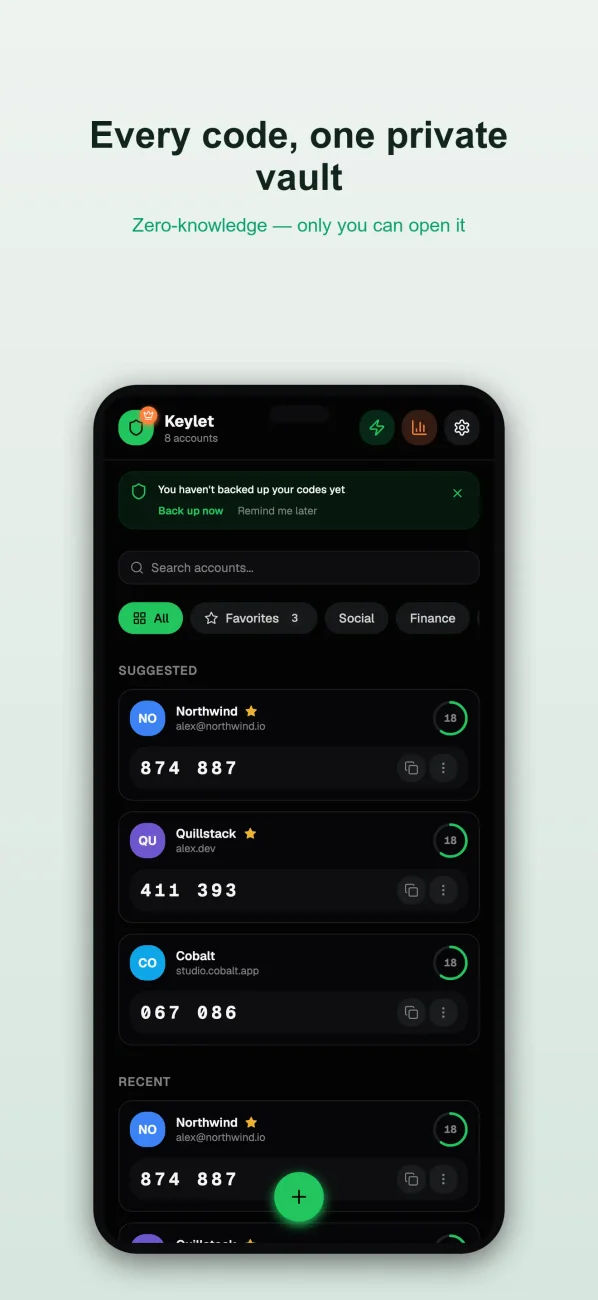
Keylet is the privacy-first authenticator that fills your 2FA codes right above the keyboard — without opening the app, and without ever showing a code on screen.
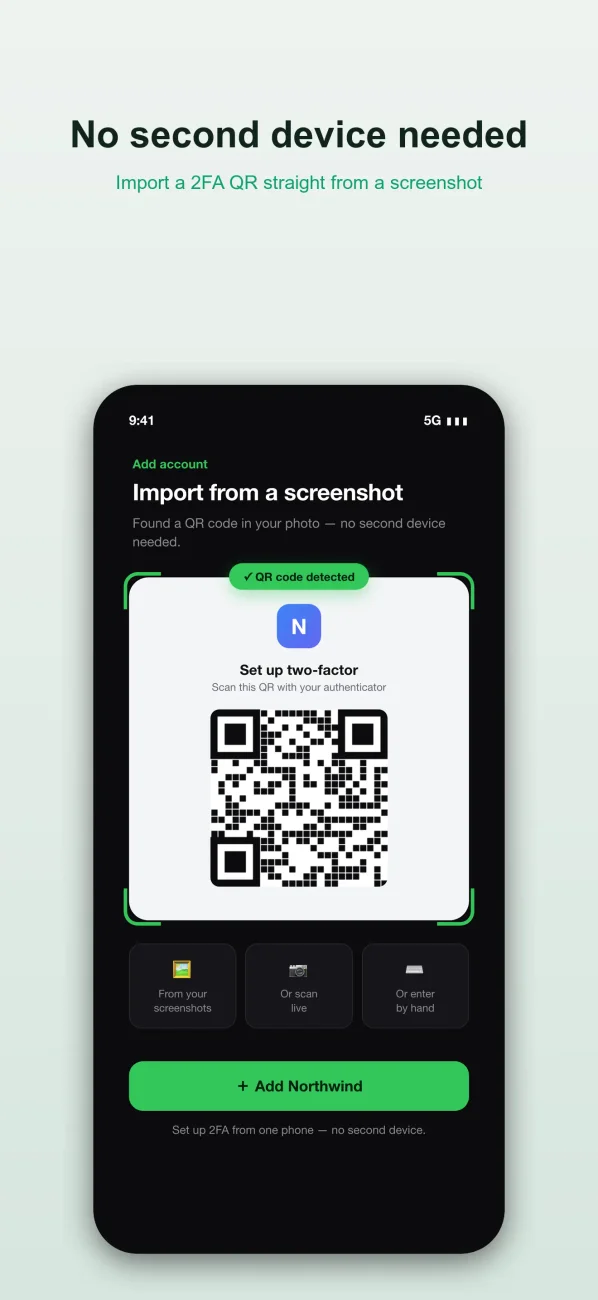
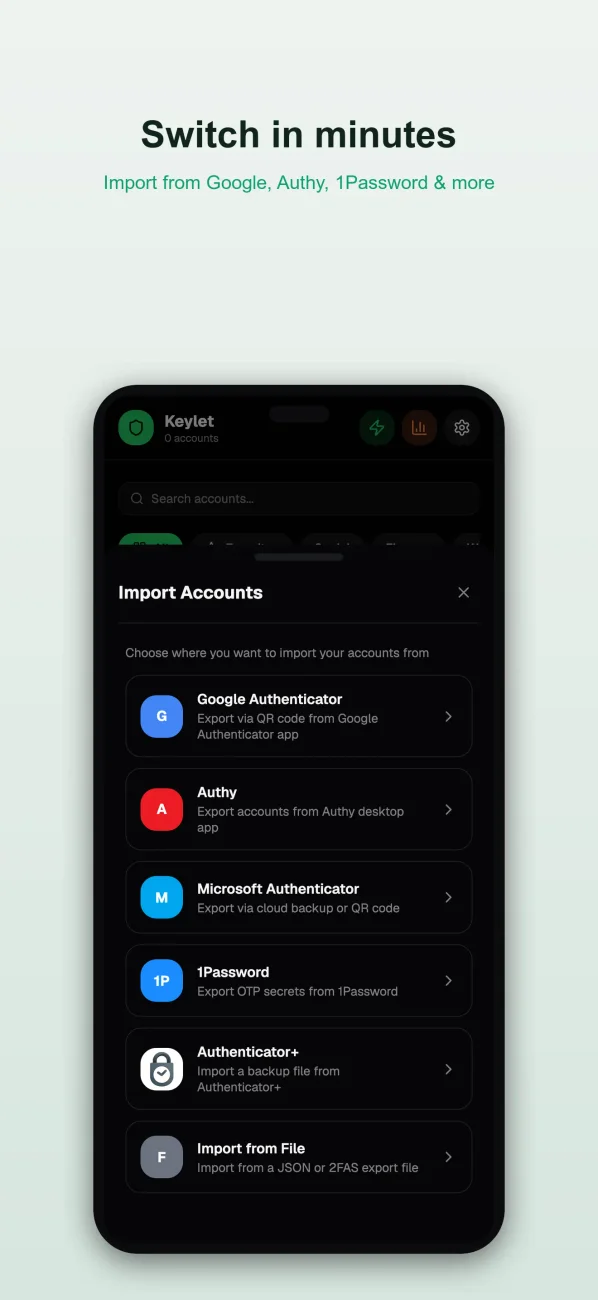
From the makers of Authenticator+ — and switching is effortless. Import your accounts in seconds, straight from Authenticator+, Google Authenticator, Authy, Microsoft, 1Password and more — or even from a single screenshot, with no second device needed.
Your secrets never leave your phone. Everything lives in an encrypted, zero-knowledge vault (AES-256-GCM) that only you can open. No account. No cloud. No tracking. No ads.
WHY KEYLET
• AutoFill, done right — tap a verification-code field and Keylet offers the right code. It fills it; it never displays it. Nothing to shoulder-surf.
• Import in seconds — from Authenticator+, Google Authenticator, Authy, Microsoft, 1Password, a backup file, or a screenshot. No second device required.
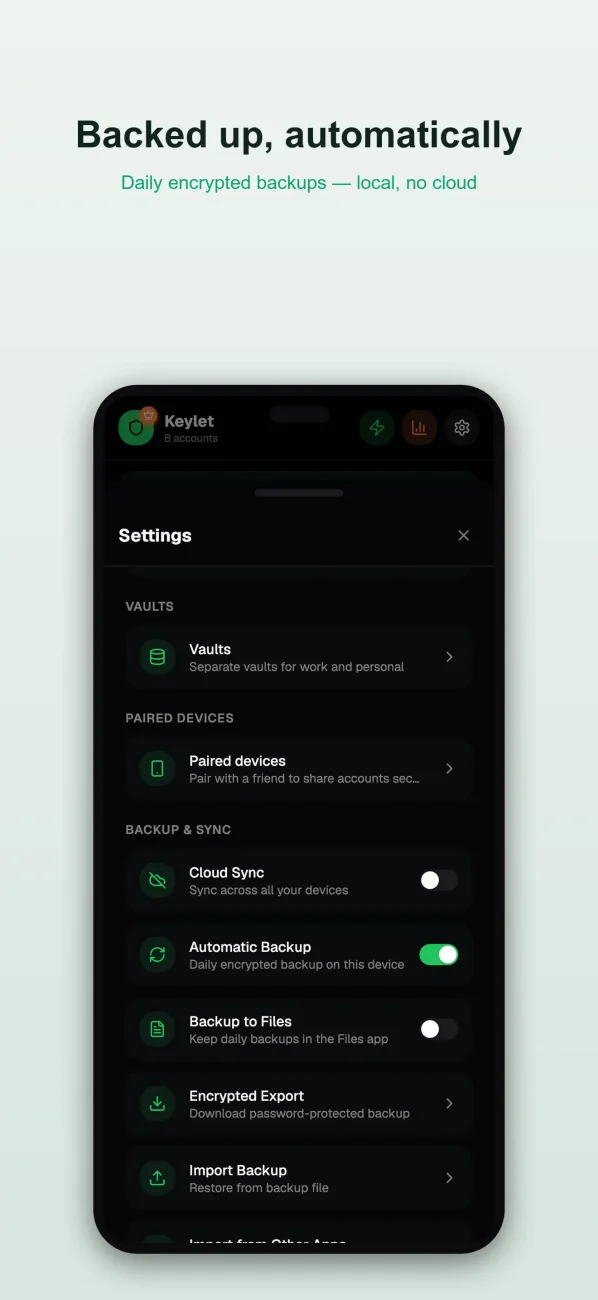
• Multiple vaults — keep work and personal completely separate, each encrypted on its own.
• Encrypted sharing — hand a code to someone you trust over end-to-end encryption, with a self-destructing expiry.
• Backed up, safely — automatic daily encrypted backups on your device, plus password-protected export. No cloud needed.
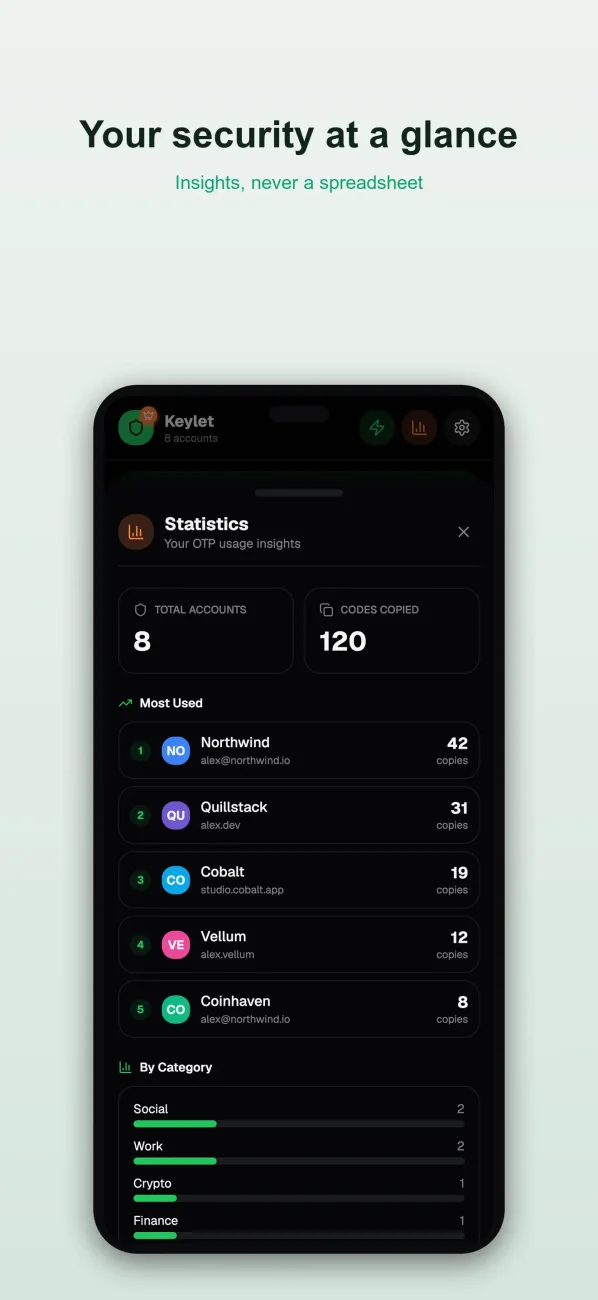
• Yours to organise — biometric lock per account, categories, recovery keys and home-screen widgets.
• No ads. Ever. Unlimited accounts, free.
Keylet keeps your second factor exactly where it belongs: in your hands, encrypted, and out of sight.
Terms of Use (EULA): https://www.apple.com/legal/internet-services/itunes/dev/stdeula/
Privacy Policy: https://studiofifteen.nl/app/keylet/privacy
Novidades
Versão 2026.7.20 · 22/07/2026
• Bigger code digits — pick from three sizes in Appearance.
• Prefer the account name first? Swap how issuer and label are shown.
• AutoFill now asks for Face ID/Touch ID before filling a code, and picks count toward Frequently Used.
• Expired shares you sent can now be cleaned up.
Privacidade do app
O que Studio Fifteen declara na App Store sobre como este app lida com os dados.
-
Dados não coletados
O desenvolvedor não coleta nenhum dado deste app.
As práticas de privacidade podem variar, por exemplo, com base nos recursos que você usa ou na sua idade.
Informações
- Vendedor
- Studio Fifteen
- Categoria
- Utilidades
- Versão
- 2026.7.20
- Atualizado
- 22/07/2026
- Lançamento
- 18/06/2026
- Tamanho
- 107,7 MB
- Requer
- iOS 16.4 ou posterior
- Classificação etária
- 4+
- Preço
- Grátis
- Compras no app
- Sim
- Idiomas
- Inglês, Holandês, Francês, Alemão, Italiano, Japonês, Coreano, Polonês, Português, Russo, Chinês simplificado, Espanhol e mais 1
- Copyright
- © 2026 Studio Fifteen
Você também pode gostar
-
 Vaultic: 2FA AuthenticatorUtilidades
-
 Auth Mate - 2FA AuthenticatorCódigos TOTP e sincronização
-
 Opty - 2FA AuthenticatorUtilidades
-
 2FA iAtomos: Autenticador2FA grátis para sempre
-
 2FA Vault - TOTP AuthenticatorUtilidades
-
 Authenticator App 2FA SecuredUtilidades
-
 2FA4G:2FA AuthenticatorCódigos TOTP/HOTP no seu pulso
-
 Glass Authenticator 2FAUtilidades
-
 TwoFac - AuthenticatorUtilidades
-
 VaultyUtilidades