Compass PRO
Gamma Play- PEGI 3Clasificación por edad
- HerramientasCategoría
- 21/8/2025Actualizado
- 2,29 €Precio
Enlaza a la ficha oficial de com.gamma.compass2 en Google Play. Última comprobación el 13/11/2026.
Acerca de esta aplicación
Traducción automática de Google. Idioma original: Inglés (Estados Unidos).
Precisa, exacta y esencial. Cuando usted lo necesite y donde lo necesite. ¡Consíguelo ahora!
Esta es la versión sin publicidad (sin anuncios) de mi brújula: https://play.google.com/store/apps/details?id=com.gamma.compass
Compass es una de la mayoría, si no la aplicación más esencial de cada Android debería haber instalado. Compass es la aplicación brújula más precisa en Google Play. Aplicación Compass es la brújula en el bolsillo. Úsalo en viajes de campamento, para navegar en territorio desconocido o cuando te pierdes. Nunca se sabe cuando puede ser útil. Incluso podría salvar su vida un día!
Compass es fácil de usar; sólo lo utilizan como una brújula real. Aplicación Compass es más que sólo muestran grados y al norte, sur, este y oeste. He diseñado Compás con la experiencia del usuario en mente, números grandes y fáciles de leer diseño. Compass también le permite establecer sus direcciones girando el bisel para facilitar la navegación y profesional.
¿Cómo usarlo?
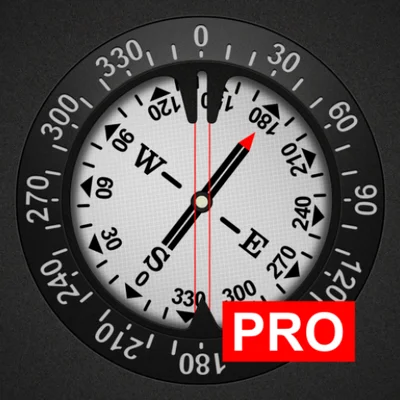
Primero tendremos que cubrir un poco de brújula jerga primero. La parte de compás que se mueve y siempre apunta al norte se llama la tarjeta (con N, S, E, y W indica, y un borde biselado con una serie de números en él). Hay un anillo movible alrededor del borde de la brújula, llamado el bisel. Una doble línea roja en la parte superior de la brújula se llama la línea de proa, y finalmente, hay una pequeña ventana por encima de la brújula que a menudo se denomina como lado-ventana (como lo es en el lado de una brújula real).
De navegación de la ventana no podía ser más simple. Usted señala la línea de proa en la parte superior de la brújula en la que desea ir. Ahora bien, mientras usted sostiene su plana brújula delante de usted con la línea de proa apuntando en la dirección que va, siempre hay que ver el mismo número en la ventana, siempre y cuando usted está en el buen camino. Si usted ve un número diferente, gire hasta que vea el mismo número.
La desventaja del método de la ventana lateral es que usted necesita para recordar su número.
Navegando con bisel funciona esencialmente lo mismo que usar la ventana lateral, pero su bisel recuerda su número para usted. Todo lo que hacemos es, señalan la línea de proa en la parte superior de la brújula en la que desea ir, y luego esperar hasta que la tarjeta se establece y deja de moverse. A continuación, gire el bisel hasta el doble triángulo en el borde del marco (la muesca derecha el número cero en el bisel) se coloque entre corchetes la flecha hacia el norte por la tarjeta. Ahora bien, mientras usted sostiene su plana brújula delante de usted con la línea de proa apuntando en la dirección que va, siempre se debe ver la flecha Norte dentro de la primera categoría, siempre y cuando usted está en el buen camino. Si no, gire hasta que vea la flecha del norte dentro de la categoría.
Tenga en cuenta que si usted ha ajustado el bisel correctamente, el número en la ventana lateral es también el número directamente frente a usted en la parte delantera de la línea de fe. En otras palabras, si se convirtió el bisel hacia la izquierda hasta que la ranura entre corchetes la flecha del norte, la 120 en el bisel sería en el otro extremo de la línea de fe. Observe que en la tarjeta, el número que muestra en la ventana lateral es 120. Si estuviera sosteniendo esta brújula y va en la dirección de la línea de fe, estarías en un rumbo de 120.
Ahora usted debe haber aprendido a ir a la dirección deseada. Pero ¿cómo se consigue de nuevo? Fácil! Si usted está pensando en términos de la luneta, simplemente gire hasta que la flecha del norte no se enfrenta a la primera, pero al único triángulo que es exactamente al otro lado de la muesca. Ahora que estás apuntado regreso de donde vienes.
La parte realmente difícil de utilizar la brújula no está aprendiendo lo que significan los números y cómo ajustar el bisel. Los errores más comunes no son la celebración de la brújula plana, y en realidad no va en la dirección de su línea de fe está apuntando.
Grandes objetos de hierro y acero pueden influir en el sensor magnético en su dispositivo Android, haciendo que se apuntan en la dirección equivocada. Esto se denomina desviación. Si usted sospecha que esto está sucediendo, simplemente alejarse de los objetos de varios metros y el problema se corregirá inmediatamente.
Mostrar el texto original
This is ad free (no ads) version of my compass: https://play.google.com/store/apps/details?id=com.gamma.compass
Compass is one of the most if not the most essential app every Android should have installed. Compass is the most precise compass app on Google Play. Compass app is compass in your pocket. Use it on camping trips, to navigate in unknown territory or when you get lost. You never know when it might come handy. It might even save your life one day!
Compass is easy to use; just use it like a real compass. Compass app is more than just showing degrees and north, south, east and west. I have designed Compass with user experience in mind, large numbers and easy to read design. Compass also allows you to set your directions by rotating the bezel for easier and professional navigation.
How to use?
First we’ll need to cover a little bit of compass jargon first. The part of Compass that moves and always points north is called the card (with N,S,E, and W indicated, and a beveled edge with a series of numbers on it). There is a movable ring around the edge of the compass, called the bezel. A red double line across the top of the compass is called the lubber line, and finally, there is a little window above the compass which is often named as side-window (as it is on the side of a real compass).
Side-window navigation couldn’t be simpler. You point the lubber line on top of your compass at where you want to go. Now as long as you hold your compass flat in front of you with the lubber line pointing in the direction you’re going, you should always see the same number in your window as long as you’re going the right way. If you see a different number, turn until you see the same number.
The downside of the side window method is that you need to remember your number.
Navigating with bezel works essentially the same as using the side window, but your bezel remembers your number for you. All you do is, point the lubber line on top of your compass at where you want to go, and then wait until the card settles down and stops moving. Then turn your bezel until the double triangle on the edge of the bezel (the notch right by the number zero on the bezel) is bracketing the north arrow on the card. Now as long as you hold your compass flat in front of you with the lubber line pointing in the direction you’re going, you should always see the north arrow inside the notch, as long as you’re going the right way. If not, turn until you see the north arrow inside the notch.
Notice that if you’ve adjusted the bezel correctly, the number in the side window is also the number directly across from you at the front end of the lubber line. In other words, if you turned the bezel counterclockwise until the notch bracketed the north arrow, the 120 on the bezel would be at the far end of the lubber line. Notice that on the card, the number showing in the side window is 120. If you were holding this compass and going in the direction of the lubber line, you’d be on a heading of 120.
Now you should have learned how to go to desired direction. But how do you get back? Easy! If you’re thinking in terms of the bezel, simply turn until the north arrow faces not to the notch, but to the single triangle that’s exactly across from the notch. Now you’re pointed back where you came.
The really tricky part of using your compass isn’t learning what the numbers mean and how to adjust the bezel. The most common mistakes are not holding your compass flat, and not actually going in the direction your lubber line is pointing.
Large iron and steel objects can influence the magnetic sensor in your Android device, causing it to point in the wrong direction. This is called deviation. If you suspect this is happening, simply move away from the object several feet and the problem should correct itself.
Seguridad de los datos
Lo que Gamma Play declara en Google Play sobre los datos que esta aplicación recopila y comparte.
- No se comparten datos con tercerosMás información sobre cómo los desarrolladores declaran lo que comparten
- No se recogen datosMás información sobre cómo los desarrolladores declaran lo que recogen
Novedades
Versión 3.9 · 21/8/2025
Thanks for using Compass PRO! We bring updates to Google Play regularly to constantly improve speed, reliability, performance and fix bugs.
Contacto del desarrollador
- Correo electrónicogammaplay.com@gmail.com
- Política de privacidadgammaplay.com
- DirecciónRm 1203 12/F China Hong Kong City Twr 3 33 Canton Rd 尖沙咀 九龍 Hong Kong
Información
- Ofrecida por
- Gamma Play
- Categoría
- Herramientas
- Versión
- 3.9
- Actualizado
- 21/8/2025
- Publicado
- 10/3/2015
- Requiere
- Android 6.0 o posterior
- Clasificación por edad
- PEGI 3
- Precio
- 2,29 €
- Nombre del paquete
- com.gamma.compass2