Compass PRO
Gamma Play- 3 歳以上対象年齢
- ツールカテゴリ
- 2025/8/21更新日
- ¥240価格
com.gamma.compass2のGoogle Play公式ページにリンクしています。最終確認:2026/11/13。
このアプリについて
Googleによる英語 (アメリカ合衆国)からの自動翻訳です。
、精密正確&不可欠。あなたがそれを必要とするとき、あなたはそれをどこにする必要があります。今すぐ入手!
https://play.google.com/store/apps/details?id=com.gamma.compass:これは私のコンパスの広告を無料(広告がない)バージョンです
コンパスは、ほとんどの場合ではない、すべてのAndroidがインストールされている必要があります最も重要なアプリの一つです。コンパスは、Google Playの最も正確なコンパスアプリです。コンパスアプリは、あなたのポケットの中にコンパスです。あなたが迷子になる際に未知の領域に移動したりするために、キャンプ旅行でそれを使用してください。それは便利来るかもしれないときには、知っていることはありません。それも、1日のあなたの生命を救うかもしれない!
コンパスを使用するのは簡単です。本物のコンパスのようにそれを使用しています。コンパスアプリはちょうど示し度、北、南、東と西以上である。私は、ユーザーの心の経験、多数かつ読みやすいデザインとコンパスを設計した。コンパスはまた、簡単に、プロのナビゲーションのためのベゼルを回転させることによって、あなたの方向を設定することができます。
どのように使用するには?
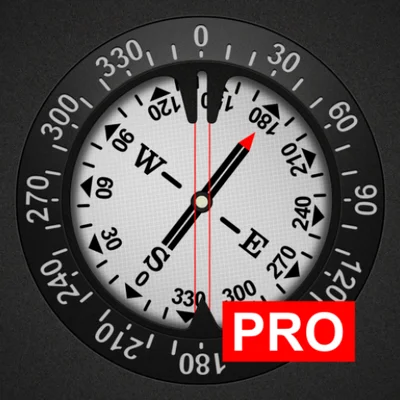
まず最初にコンパスの専門用語を少しカバーする必要があります。移動し、常に北を指すコンパスの一部は、カードと呼ばれている(N、Sと、E、およびWは、示され、そしてその上に一連の番号を有する面取りエッジ)。ベゼルと呼ばれるコンパスのエッジの周りの可動リングがある。コンパスの上部に赤色の二重線は、不器用なラインと呼ばれ、最終的に、多くの場合、(それが本当のコンパスの側にあるように)、側窓と命名されているコンパス上記の小さなウィンドウが存在する。
サイドウィンドウのナビゲーションはシンプルになることはありません。あなたが行きたい場所であなたのコンパスの上に不器用なラインを指す。あなたは正しい道を進んでいるように今、限り、あなたはあなたが行っている方向を指し不器用なラインとあなたの目の前であなたのコンパスのフラットを保持するように、あなたは常に限り、あなたのウィンドウに同じ番号が表示されるはずです。あなたは別の番号が表示された場合は、同じ番号が表示されるまで、電源を入れます。
サイドウィンドウ法の欠点は、あなたの番号を覚えておく必要があるということです。
ベゼルにナビゲート基本的にサイドウィンドウを使用するのと同じ動作しますが、あなたのベゼルはあなたのためにあなたの番号を記憶しています。あなたが行うすべては、あなたが行く、その後カードが落ち着くと移動を停止するまで待機する場所であなたのコンパスの上に不器用なラインを指す、です。ベゼル(ベゼルの数字のゼロによるノッチ右)の端にある二重の三角形は、カード上の北の矢印をブラされるまで、あなたのベゼルを回す。あなたは正しい道を進んでいるように今、限り、あなたはあなたが行っている方向を指し不器用なラインとあなたの目の前であなたのコンパスのフラットを保持するように、あなたは常に限り、ノッチ内部の北に矢印が表示されるはずです。しない場合は、ノッチ内部北矢印が表示されるまで、電源を入れます。
あなたは正しくベゼルを調整してきた場合には、サイドウィンドウ内の数字は不器用なラインの先端にあなたから渡って直接にも数であることに注意してください。ノッチが北に矢印を括弧まで、反時計回りにベゼルを回した場合、つまり、ベゼル上の120は、不器用なラインの遠端になります。あなたはこのコンパスを保持し、不器用なラインの方向に行っていた場合は、120の見出しをなると思いカードに、サイドウインドウに表示数は120であることに注意してください。
これで、所望の方向に行く方法を学びました必要があります。しかし、どのように戻って得るのですか?止まれ!あなたはベゼルの面で考えているなら、北矢印はノッチに、しかし正確に渡ってノッチからだシングル三角形にしないに直面するまで、単に回し。あなたが来たどこに今、あなたは戻って指摘している。
あなたのコンパスを使用するのは本当にトリッキーな部分は数字が何を意味するか学習し、どのようにベゼルを調整しないようにされている。最も一般的な間違いはあなたのコンパスはフラット保持していない、と実際にあなたの不器用なラインが向いている方向に進んでいない。
大型鉄鋼オブジェクトは、それが間違った方向にポイントするように引き起こし、あなたのAndroidデバイスでの磁気センサーに影響を与えることができる。これを偏差と呼ばれています。あなたはこれが起こっている疑いがある場合は、単に離れてオブジェクトから数フィートを移動し、問題は自動的に修正する必要があります。
原文を表示
This is ad free (no ads) version of my compass: https://play.google.com/store/apps/details?id=com.gamma.compass
Compass is one of the most if not the most essential app every Android should have installed. Compass is the most precise compass app on Google Play. Compass app is compass in your pocket. Use it on camping trips, to navigate in unknown territory or when you get lost. You never know when it might come handy. It might even save your life one day!
Compass is easy to use; just use it like a real compass. Compass app is more than just showing degrees and north, south, east and west. I have designed Compass with user experience in mind, large numbers and easy to read design. Compass also allows you to set your directions by rotating the bezel for easier and professional navigation.
How to use?
First we’ll need to cover a little bit of compass jargon first. The part of Compass that moves and always points north is called the card (with N,S,E, and W indicated, and a beveled edge with a series of numbers on it). There is a movable ring around the edge of the compass, called the bezel. A red double line across the top of the compass is called the lubber line, and finally, there is a little window above the compass which is often named as side-window (as it is on the side of a real compass).
Side-window navigation couldn’t be simpler. You point the lubber line on top of your compass at where you want to go. Now as long as you hold your compass flat in front of you with the lubber line pointing in the direction you’re going, you should always see the same number in your window as long as you’re going the right way. If you see a different number, turn until you see the same number.
The downside of the side window method is that you need to remember your number.
Navigating with bezel works essentially the same as using the side window, but your bezel remembers your number for you. All you do is, point the lubber line on top of your compass at where you want to go, and then wait until the card settles down and stops moving. Then turn your bezel until the double triangle on the edge of the bezel (the notch right by the number zero on the bezel) is bracketing the north arrow on the card. Now as long as you hold your compass flat in front of you with the lubber line pointing in the direction you’re going, you should always see the north arrow inside the notch, as long as you’re going the right way. If not, turn until you see the north arrow inside the notch.
Notice that if you’ve adjusted the bezel correctly, the number in the side window is also the number directly across from you at the front end of the lubber line. In other words, if you turned the bezel counterclockwise until the notch bracketed the north arrow, the 120 on the bezel would be at the far end of the lubber line. Notice that on the card, the number showing in the side window is 120. If you were holding this compass and going in the direction of the lubber line, you’d be on a heading of 120.
Now you should have learned how to go to desired direction. But how do you get back? Easy! If you’re thinking in terms of the bezel, simply turn until the north arrow faces not to the notch, but to the single triangle that’s exactly across from the notch. Now you’re pointed back where you came.
The really tricky part of using your compass isn’t learning what the numbers mean and how to adjust the bezel. The most common mistakes are not holding your compass flat, and not actually going in the direction your lubber line is pointing.
Large iron and steel objects can influence the magnetic sensor in your Android device, causing it to point in the wrong direction. This is called deviation. If you suspect this is happening, simply move away from the object several feet and the problem should correct itself.
データ セーフティ
このアプリが収集・共有するデータについて、Gamma PlayがGoogle Playで申告している内容です。
- 第三者と共有されるデータはありません詳しくは、デベロッパーが共有を申告する方法についての説明をご覧ください
- データは収集されません詳しくは、デベロッパーが収集を申告する方法についての説明をご覧ください
新機能
バージョン 3.9 · 2025/8/21
Thanks for using Compass PRO! We bring updates to Google Play regularly to constantly improve speed, reliability, performance and fix bugs.
開発元の連絡先
- メールgammaplay.com@gmail.com
- プライバシーポリシーgammaplay.com
- 住所Rm 1203 12/F China Hong Kong City Twr 3 33 Canton Rd 尖沙咀 九龍 Hong Kong
情報
- 提供元
- Gamma Play
- カテゴリ
- ツール
- バージョン
- 3.9
- 更新日
- 2025/8/21
- リリース
- 2015/3/10
- 必要条件
- Android 6.0以降
- 対象年齢
- 3 歳以上
- 価格
- ¥240
- パッケージ名
- com.gamma.compass2